
1. Introduction
This manual provides detailed instructions for the safe and efficient operation of your GO0Daaa Portable Power Bank Plus PD 20W Charger Adapter. This device combines a 10000mAh portable power bank with a 22.5W fast charging battery pack, featuring a built-in cable and a PD 20W wall charger with dual ports. It is designed to charge a wide range of devices, including iPhones, Android devices, tablets, and smartwatches.

Image 1.1: The GO0Daaa Portable Power Bank and the accompanying PD 20W Wall Charger with a USB-C to iOS cable.
2. Product Features
- Portable Power Bank:
- USB-C Bi-Directional Charging: Supports simultaneous charging of devices and self-charging with up to 22.5W power output.
- Intuitive LED Smart Digital Display: Clearly shows remaining battery level (0%-100%).
- Multi-functional Cable Design: Features a built-in iOS cable and USB-C charging cable lanyard for convenience. Can charge up to 5 devices simultaneously.
- Wireless Magnetic iWatch Charger: Integrated wireless charging for Apple Watch (supports Apple Watch only).
- PD 20W Wall Charger:
- High-Speed Charging: USB-C port with PD fast charging and USB-A port with QC protocol fast charging, reaching up to 20W when charging from a single port.
- Wide Compatibility: Compatible with power banks, iPhones, Android phones, tablets, headphones, game consoles, and more.
- Included Cable: Comes with a USB-C to iOS cable.

Image 2.1: The portable power bank features a built-in USB-C cable and a lanyard design for easy carrying.

Image 2.2: Illustration of the power bank's bidirectional charging capability, showing 20W input and 22.5W output.
3. Setup
Before first use, it is recommended to fully charge the portable power bank. The wall charger is ready for use upon unboxing.
3.1 Charging the Portable Power Bank
- Connect the included USB-C to iOS cable, or any compatible USB-C cable, to the power bank's input port.
- Plug the other end of the cable into the PD 20W wall charger or another compatible USB power source.
- The LED digital display on the power bank will show the charging progress. It is fully charged when the display reads "100%".
4. Operating Instructions
4.1 Checking Battery Level
To check the remaining battery level of the portable power bank, simply press the power button once. The LED digital display will illuminate and show the exact percentage (0%-100%).

Image 4.1: The smart LED display shows the battery percentage when the power button is pressed.
4.2 Charging Devices with the Portable Power Bank
The power bank offers multiple ways to charge your devices:
- Using Built-in Cables:
- For iOS devices, use the built-in iOS cable.
- For USB-C devices, use the built-in USB-C cable.
- Using USB Ports:
- Connect your device's charging cable to the USB-A or USB-C output ports on the power bank.
- Wireless Charging for Apple Watch:
- Place your Apple Watch on the designated wireless charging pad on the power bank.
- Press the power button once to activate wireless charging. The LED display will indicate charging.

Image 4.2: The 10000mAh portable power bank can charge various devices, including iPhones, Apple Watches, and MacBooks.

Image 4.3: To activate wireless charging for an Apple Watch, place the watch on the pad and press the power button once.
4.3 Using the PD 20W Wall Charger
The wall charger provides fast charging for a wide range of devices.
- Plug the PD 20W wall charger into a standard wall outlet.
- Connect your device's charging cable to either the USB-C (PD) or USB-A (QC) port on the charger.
- Connect the other end of the cable to your device. The charger will automatically detect and deliver the optimal charging speed.
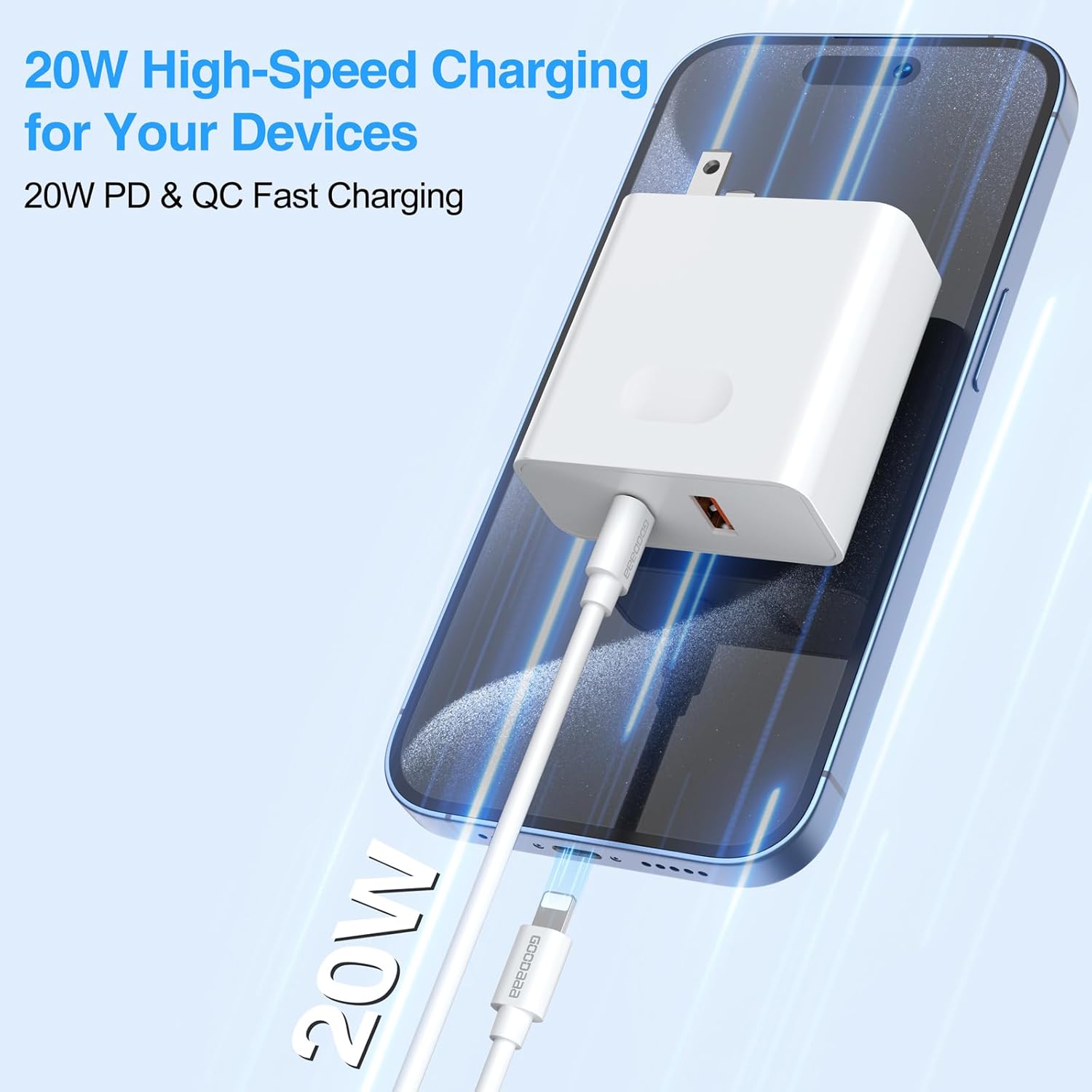
Image 4.4: The PD 20W wall charger provides high-speed charging for your devices.

Image 4.5: The wall charger is compatible with a wide range of devices including phones, tablets, and accessories.
5. Maintenance
- Keep the device dry. Moisture and liquids can damage components.
- Do not expose the device to extreme temperatures (hot or cold).
- Clean the device with a soft, dry cloth. Do not use harsh chemicals or abrasive cleaners.
- Store the power bank in a cool, dry place when not in use.
- Avoid dropping or subjecting the device to strong impacts.
6. Troubleshooting
| Problem | Possible Cause | Solution |
|---|---|---|
| Power bank not charging. | Cable not connected properly; power source issue; damaged cable/port. | Ensure cables are securely connected. Try a different cable or power source. Contact support if issue persists. |
| Device not charging from power bank. | Power bank battery low; incorrect cable; device not compatible; power bank not activated. | Check power bank battery level. Ensure correct cable is used. Press power button to activate output. |
| Wireless charging not working for Apple Watch. | Watch not positioned correctly; power bank not activated; not an Apple Watch. | Ensure Apple Watch is centered on the charging pad. Press power button once to activate. Note: Only supports Apple Watch. |
| Wall charger not charging device. | Outlet issue; cable issue; device issue. | Try a different wall outlet. Use a different charging cable. Test with another device. |
7. Specifications
- Brand: GOODaaa
- Model: 10000mAh Portable Power Bank Plus PD 20W Charger Adapter
- Power Bank Capacity: 10000mAh (typical)
- Power Bank Output: Up to 22.5W (wired), Wireless for Apple Watch
- Wall Charger Output: Up to 20W (PD USB-C, QC USB-A)
- Connector Type: USB Type C, USB Type A, Built-in iOS cable, Built-in USB-C cable
- Special Feature: Fast Charging, LED Digital Display, Built-in Cables, Wireless Watch Charging
- Compatible Devices: iPhones, Android Phones, Tablets, Headphones, Game Consoles, Apple Watch, Power Banks
- First Available Date: October 23, 2024
8. Warranty and Support
For warranty information or technical support, please contact GO0Daaa customer service through the retailer where the product was purchased or visit the official GO0Daaa website. Please have your product model and purchase date available when contacting support.


