
1. Introduction
The LEPULSE F4Pro Smart Scale is designed to provide comprehensive body composition analysis. This device measures 22 essential body metrics, including weight, BMI, body fat, muscle mass, and heart rate. It features a large 4.68-inch VA LCD display for clear readability and integrates with the Fitdays app for detailed tracking and analysis. This manual provides instructions for proper setup, operation, and maintenance of your F4Pro Smart Scale.
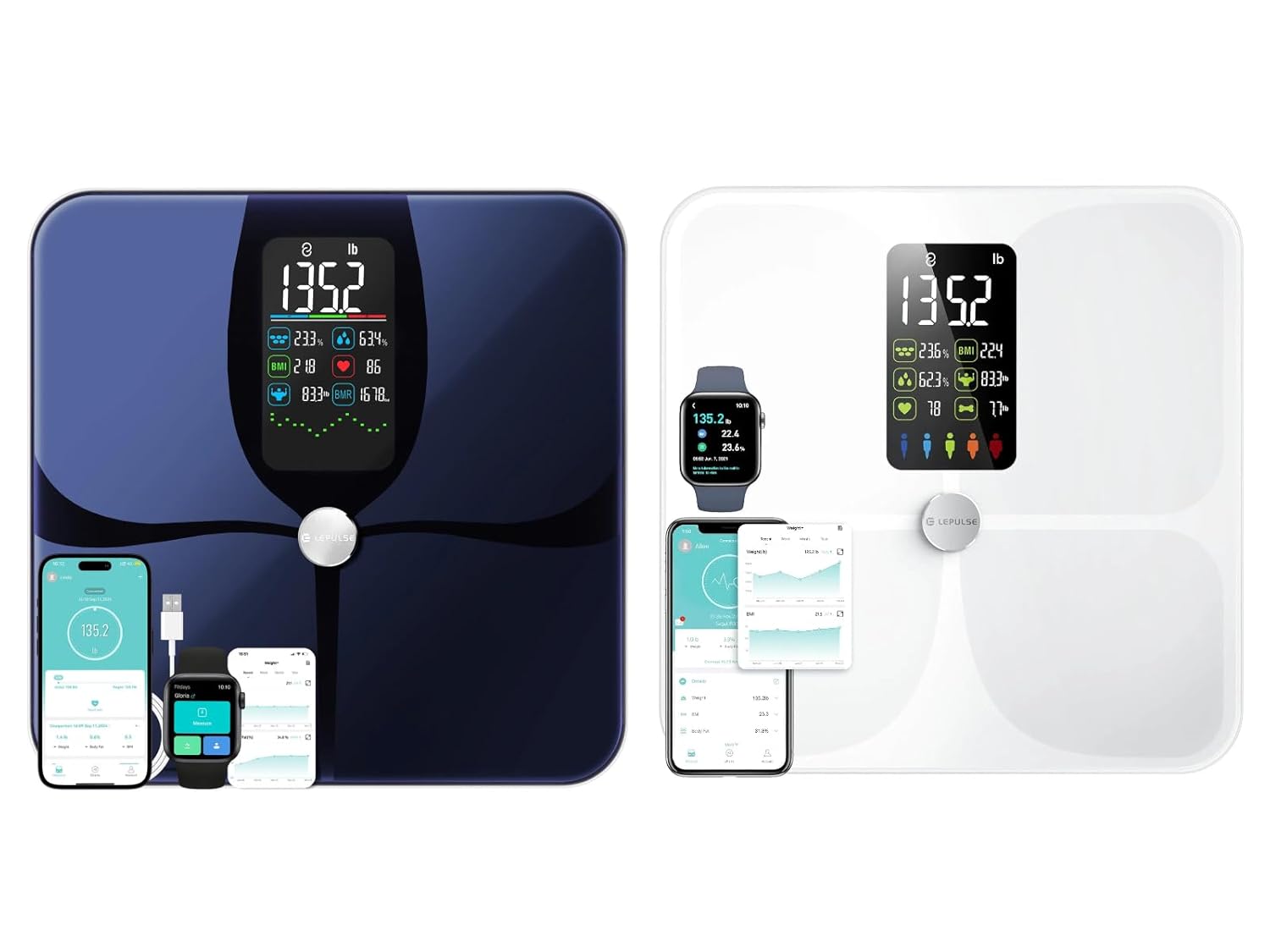
Image 1.1: LEPULSE F4Pro Smart Scale, showcasing both blue and white models with their respective app interfaces.
2. Package Contents
- LEPULSE F4Pro Smart Scale
- USB Charging Cable
- User Manual (this document)
3. Setup
3.1 Charging the Scale
The F4Pro Smart Scale is equipped with a rechargeable battery. Before first use, ensure the scale is fully charged.
- Connect the provided USB charging cable to the charging port on the scale.
- Connect the other end of the USB cable to a standard USB power adapter (not included) or a computer's USB port.
- The display will indicate charging status. Allow sufficient time for a full charge.
3.2 App Installation and Pairing
To access all 22 body metrics and track your progress, download the Fitdays app.
- Search for "Fitdays" in your smartphone's app store (Apple App Store for iOS or Google Play Store for Android).
- Download and install the Fitdays app.
- Open the app and create a user profile.
- Ensure Bluetooth is enabled on your smartphone.
- Step onto the scale to activate it. The scale will automatically attempt to pair with the app via Bluetooth.
- Follow the on-screen prompts in the Fitdays app to complete the pairing process.
The Fitdays app supports data synchronization with Apple Health, Google Fit, Fitbit, and Samsung Health. Refer to the app's settings for integration options.
3.3 Placement of the Scale
For accurate measurements, place the scale on a hard, flat surface. Avoid carpets or uneven flooring, as this can affect readings.
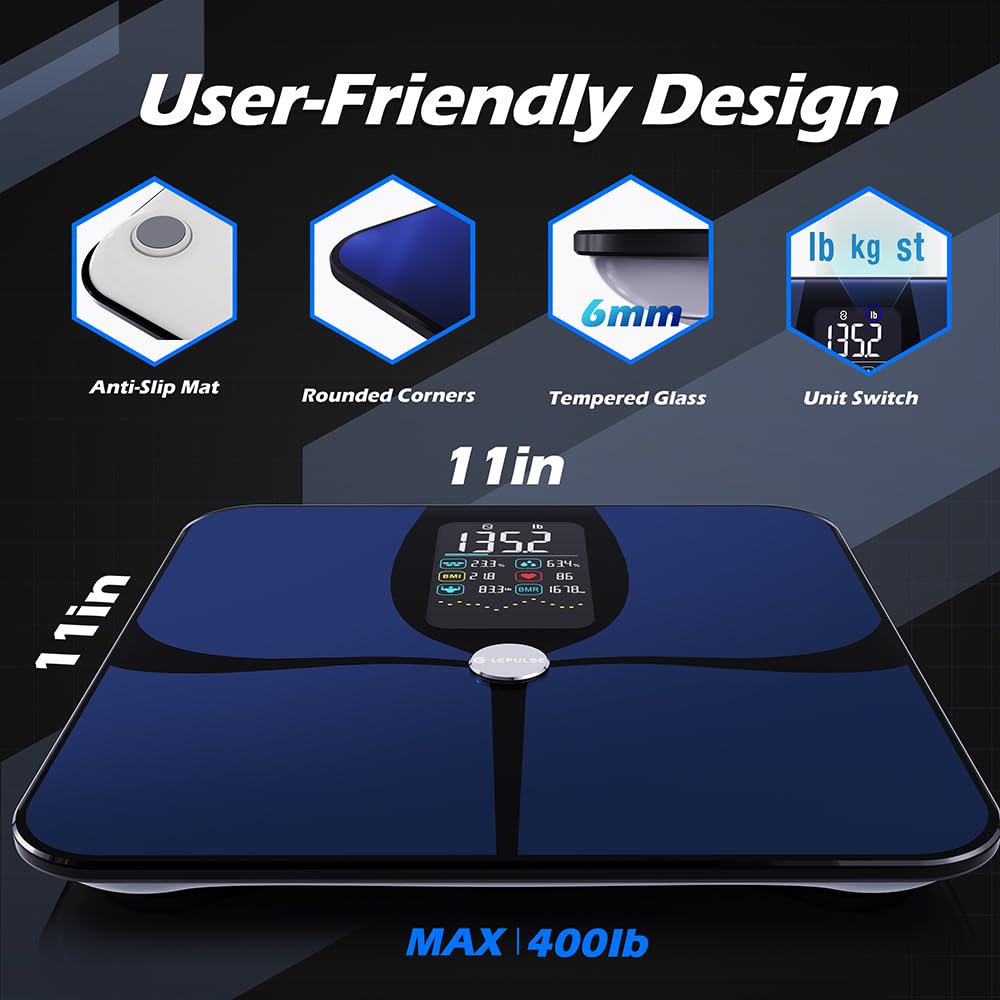
Image 3.1: User-friendly design features of the LEPULSE F4Pro Smart Scale, including anti-slip mats and tempered glass.
4. Operating Instructions
4.1 Taking a Measurement
- Ensure the scale is on a flat, hard surface.
- Step onto the scale barefoot with dry feet, ensuring your feet are centered on the ITO sensor surface.
- Stand still until your weight is displayed and stabilized.
- The scale's 4.68-inch VA LCD display will show 8 essential metrics: Weight, BMI, Body Fat, and Heart Rate, along with trend charts.
- For a full analysis of 22 body metrics, ensure the Fitdays app is open and connected via Bluetooth. The data will automatically sync to your profile.
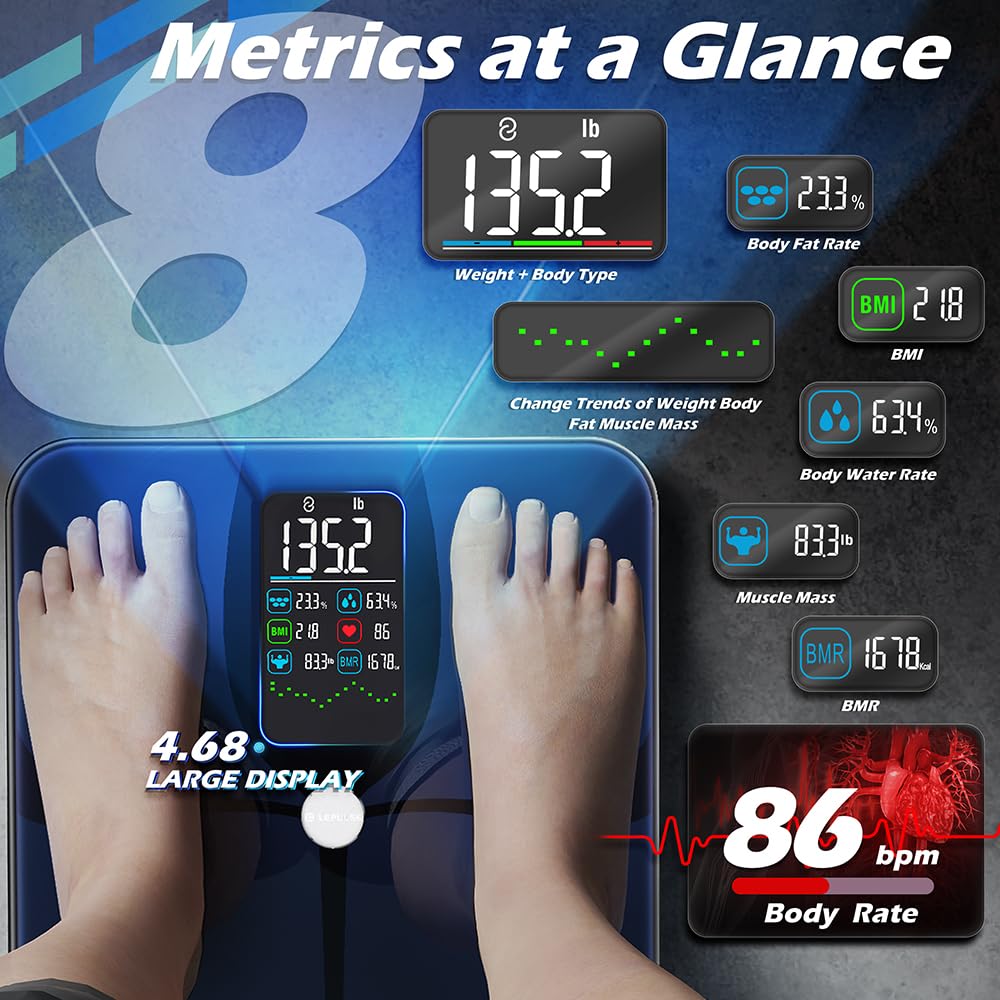
Image 4.1: The scale's display showing key metrics at a glance, including weight, BMI, and body fat percentage.
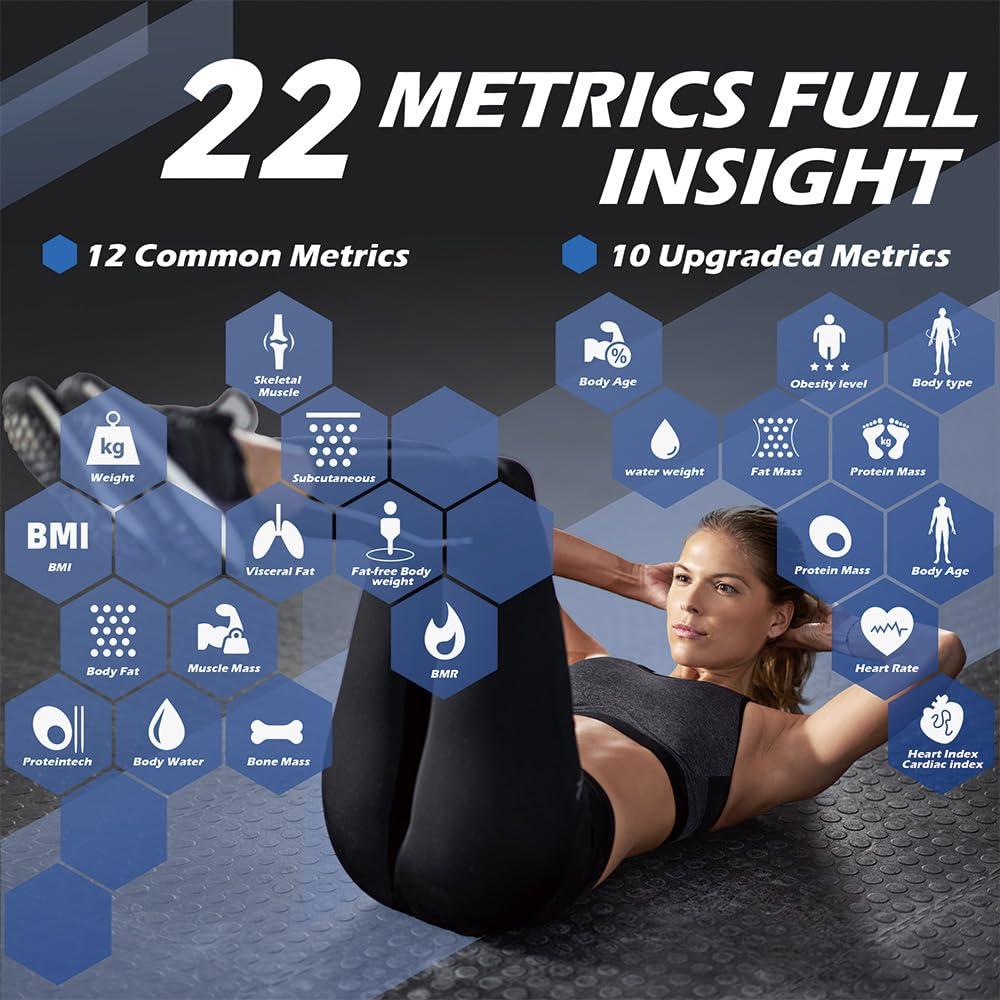
Image 4.2: Visual representation of the 22 body metrics provided by the F4Pro Smart Scale.
4.2 Switching Measurement Units
The scale supports measurements in pounds (lb), kilograms (kg), and stones (st). The unit can typically be switched via a button on the underside of the scale or within the Fitdays app settings. Refer to the scale's physical unit switch or the app's settings menu for this function.
4.3 Using the Fitdays App
The Fitdays app is central to utilizing the full capabilities of your F4Pro Smart Scale.
- Detailed Metrics: View all 22 body metrics in detail.
- Trend Charts: Track your progress over days, weeks, months, or years for various metrics.
- User Profiles: The app supports up to 24 user profiles, making it suitable for family use.
- Modes: Select from Normal, Baby, and Athlete modes to optimize measurements for different body types and needs.
- Data Sync: Seamlessly syncs data with Apple Health, Google Fit, Fitbit, and Samsung Health.

Image 4.3: The Fitdays app displaying trend charts for tracking health progress.

Image 4.4: The Fitdays app supporting up to 24 user profiles for family and friends.
5. Maintenance
5.1 Cleaning the Scale
To maintain the accuracy and appearance of your scale:
- Wipe the surface with a soft, damp cloth.
- Do not use abrasive cleaners or immerse the scale in water.
- Ensure the scale is dry before storage or next use.
5.2 Storage
Store the scale in a cool, dry place away from direct sunlight and extreme temperatures. Avoid placing heavy objects on the scale when not in use.
6. Troubleshooting
- Scale not turning on: Ensure the scale is charged. Connect it to a USB power source.
- Inaccurate readings:
- Ensure the scale is placed on a hard, flat surface.
- Step onto the scale barefoot with dry feet.
- Stand still during measurement.
- Recalibrate the scale by stepping on it briefly, then stepping off, and waiting for it to display "0.0" before stepping on again.
- App not connecting:
- Ensure Bluetooth is enabled on your smartphone.
- Make sure the Fitdays app is open and running in the foreground.
- Restart both the scale (by stepping on/off) and the app.
- Check if the scale is already paired with another device.
- No body composition data (only weight): Ensure you are stepping on the scale barefoot and your feet are making good contact with the ITO sensor surface. The app must be connected and your profile correctly set up.

Image 6.1: Comparison highlighting the full-surface ITO sensor of the F4Pro for consistent contact and accurate readings.
7. Specifications
| Feature | Detail |
|---|---|
| Model | F4Pro |
| Brand | Lepulse |
| Display Type | 4.68-inch VA LCD |
| Measurement Units | lb, kg, st |
| Readout Accuracy | 0.1 lb (45.36 g) |
| Max Capacity | Up to 400 lbs (approx. 180 kg) |
| Sensors | 4 high-precision gravity sensors, full-surface ITO sensor |
| Body Metrics Measured | 22 (Weight, BMI, Body Fat, Muscle Mass, Visceral Fat, Body Water, Bone Mass, BMR, Protein, Fat-free Body Weight, Subcutaneous Fat, Skeletal Muscle, Heart Rate, Heart Index, Body Age, Muscle Rate, Water Weight, Fat Mass, Protein Mass, Ideal Body Weight, Obesity Level, Body Type) |
| Connectivity | Bluetooth (with Fitdays app) |
| Power Source | USB Rechargeable |
| Material | 6mm Tempered Glass Platform |
| Special Features | Anti-slip pads, Rounded corners, Offline data storage (up to 24 measurements), Multi-user support (up to 24 profiles), Baby/Athlete modes, Data sync with Apple Health, Google Fit, Fitbit, Samsung Health. |
8. Warranty and Support
For warranty information and customer support, please refer to the official Lepulse website or contact the retailer from whom you purchased the product. Keep your purchase receipt as proof of purchase.
For app-related inquiries or technical assistance with the Fitdays app, please consult the app's help section or contact Fitdays support directly.


