
1. Introduction
This manual provides essential information for the safe and effective operation, maintenance, and troubleshooting of your TOTAL Super 200A Multifunctional Inverter Welding Machine. This versatile unit is designed for both MMA (Manual Metal Arc) and TIG (Tungsten Inert Gas) welding applications, featuring advanced IGBT technology, an intuitive LCD display, and safety functions like VRD (Voltage Reduction Device).
Please read this manual thoroughly before operating the machine and retain it for future reference.
2. Safety Instructions
Welding operations involve significant risks. Adherence to safety precautions is critical to prevent injury or damage. Always prioritize safety.
- Electrical Safety: Ensure the machine is properly grounded. Do not operate in wet conditions. Inspect cables for damage before each use.
- Eye and Face Protection: Always wear a welding helmet with appropriate shade lenses to protect against arc flash and sparks.
- Respiratory Protection: Ensure adequate ventilation to avoid inhaling welding fumes. Use a respirator if necessary.
- Fire Prevention: Keep flammable materials away from the welding area. Have a fire extinguisher readily available.
- Personal Protective Equipment (PPE): Wear flame-resistant clothing, welding gloves, and safety shoes.
- Work Area: Maintain a clean, dry, and well-lit work area.
- Children and Bystanders: Keep unauthorized persons, especially children, away from the welding area.
3. Package Contents and Setup
3.1 Package Contents
Verify that all items are present upon unpacking:
- TOTAL Super 200A Inverter Welding Machine
- 1 Pcs Earth Clamp with Cable
- 1 Pcs Electrode Holder with Cable
- 1 Pcs Protective Welding Helmet
- 1 Pcs Wire Brush
3.2 Initial Setup
- Placement: Place the welding machine on a stable, level surface, ensuring adequate ventilation around the unit.
- Power Connection: Connect the machine to a 220-240V, 50/60Hz power supply. Ensure the power outlet is properly grounded.
- Earth Clamp Connection: Connect the earth clamp cable to the negative (-) terminal on the front panel of the welder. Securely attach the earth clamp to the workpiece or welding table, ensuring good electrical contact.
- Electrode Holder Connection (MMA): For MMA welding, connect the electrode holder cable to the positive (+) terminal. Insert the appropriate electrode into the holder.
- TIG Torch Connection (TIG): For Lift TIG welding, connect the TIG torch to the negative (-) terminal and the earth clamp to the positive (+) terminal. (Note: TIG torch and gas regulator are typically sold separately).
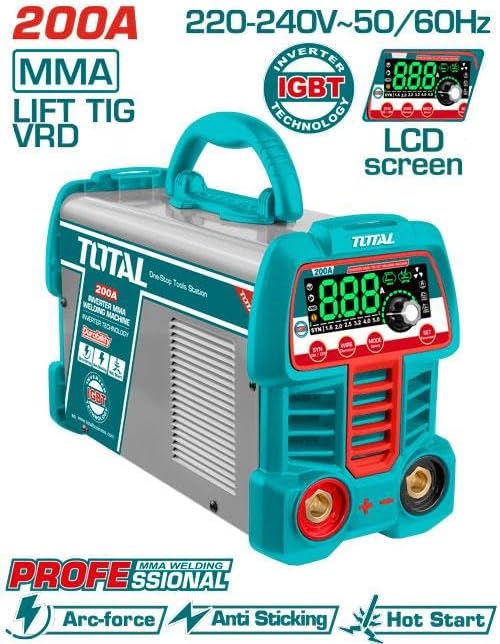
Figure 1: Front view of the TOTAL Super 200A Inverter Welding Machine, highlighting the control panel, terminals, and key features like IGBT technology and LCD screen.
4. Operating Instructions
4.1 Control Panel Overview
The front panel features an LCD display, control knob, and function buttons for mode selection and parameter adjustment.
- LCD Display: Shows current settings, welding mode, and error codes.
- Control Knob: Used to adjust welding current (15-200A) and other parameters.
- MODE Button: Selects between MMA and TIG welding modes.
- SET Button: Confirms selections or accesses advanced settings.
4.2 Powering On/Off
- Ensure all connections are secure.
- Turn on the main power switch located on the rear of the machine. The LCD display will illuminate.
- To power off, turn off the main power switch and disconnect from the power supply.
4.3 MMA (Stick) Welding
- Press the MODE button to select MMA welding.
- Use the control knob to set the desired welding current (15-200A) based on the electrode diameter and material thickness.
- The machine supports electrodes from 1.6mm to 4.0mm.
- The built-in Anti-stick, Hot Start, and Arc-force functions automatically optimize arc performance.
4.4 Lift TIG Welding
- Press the MODE button to select TIG welding.
- Use the control knob to set the desired welding current.
- To initiate the arc, lightly touch the tungsten electrode to the workpiece and then lift it slightly. The arc will start without high-frequency interference.
- Ensure proper gas shielding is used with a TIG torch and gas supply (not included).
4.5 VRD Function
The Voltage Reduction Device (VRD) reduces the open-circuit voltage when the machine is idle, enhancing safety, especially in hazardous environments. This function is automatically active.
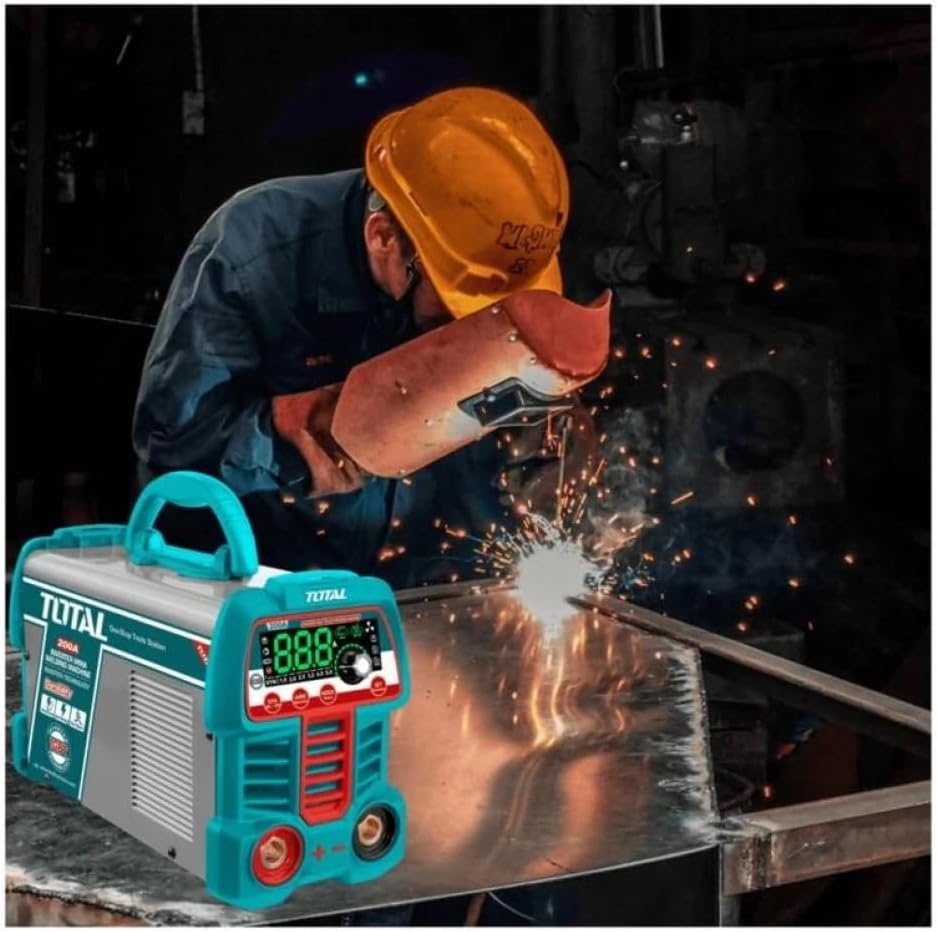
Figure 2: A welder using the TOTAL Super 200A Inverter Welding Machine in a workshop setting, demonstrating typical operation.
5. Maintenance
Regular maintenance ensures the longevity and optimal performance of your welding machine.
- Cleaning: Periodically clean the machine's exterior with a dry, soft cloth. Use compressed air to clear dust from ventilation openings. Ensure the machine is disconnected from power before cleaning.
- Cable Inspection: Regularly inspect all welding cables, power cords, and connections for cuts, abrasions, or loose fittings. Replace damaged cables immediately.
- Storage: Store the welding machine in a dry, dust-free environment when not in use. Protect it from extreme temperatures and humidity.
- Internal Inspection: For internal cleaning or inspection, it is recommended to consult qualified service personnel.
6. Troubleshooting
This section addresses common issues you might encounter. For problems not listed here, contact customer support.
| Problem | Possible Cause | Solution |
|---|---|---|
| Machine does not power on | No power supply; Power switch off; Faulty power cord | Check power outlet and circuit breaker; Turn on power switch; Inspect and replace power cord if damaged. |
| No welding arc | Loose connections; Incorrect current setting; Workpiece not grounded; Faulty electrode holder/earth clamp | Check all cable connections; Adjust current; Ensure good ground contact; Inspect and replace accessories if needed. |
| Weak or unstable arc | Low current setting; Incorrect electrode type; Poor ground connection; Input voltage fluctuation | Increase welding current; Use appropriate electrode; Improve ground contact; Ensure stable power supply. |
| Overheating indicator on | Exceeded duty cycle; Insufficient ventilation; Blocked air vents | Allow machine to cool down; Ensure clear ventilation; Clean air vents. |
7. Specifications
Technical specifications for the TOTAL Super 200A Inverter Welding Machine (Model TW2200691).
- Model Number: TW2200691
- Input Voltage: 220-240V
- Frequency: 50/60Hz
- No-load Voltage: 70V
- Output Current Range: 15-200A
- Duty Cycle: 200A @ 60%
- Compatible Electrode Diameter: 1.6mm - 4.0mm
- Technology: IGBT Inverter
- Functions: MMA, Lift TIG, VRD, Anti-stick, Hot Start, Arc-force
- Product Dimensions: 10 x 20 x 37 cm
- Item Weight: 209 g
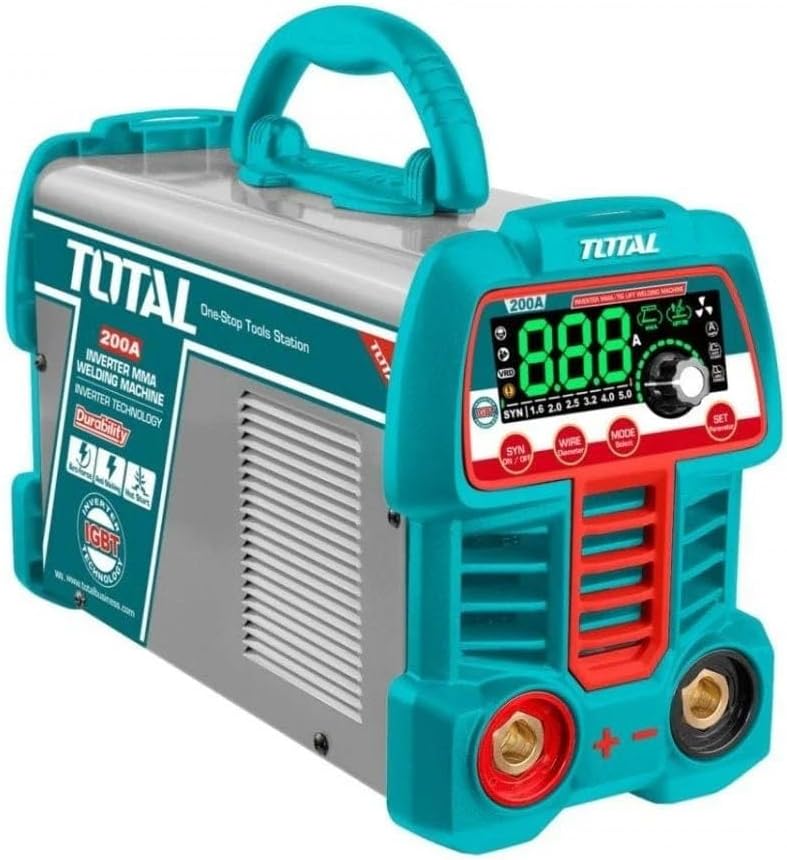
Figure 3: Angled view of the TOTAL Super 200A Inverter Welding Machine, showcasing its compact design and handle for portability.
8. Warranty and Support
For information regarding warranty coverage, technical support, or service, please refer to the warranty card included with your product or contact the authorized TOTAL distributor or retailer from whom you purchased the machine. Ensure you have your model number (TW2200691) and proof of purchase available when seeking support.


