
1. Introduction
This manual provides essential information for the safe and efficient operation of your THOMSON Wireless Bluetooth Speaker, model BG002-1. Please read this manual thoroughly before using the product and retain it for future reference. This speaker combines advanced audio technology with an artistic design, suitable for various indoor environments.
2. Package Contents
Verify that all items listed below are included in your package. If any items are missing or damaged, please contact customer support.
- THOMSON BG002-1 Wireless Bluetooth Speaker
- Remote Control
- Type-C Charging Cable
- User Manual (this document)
3. Product Overview
3.1 Components
The THOMSON BG002-1 speaker features a unique wall-mounted design with an art painting decoration. The audio system is engineered for clear sound reproduction.

Image: Rear view of the speaker, illustrating the four sound units.
- Sound Units: Equipped with 2 x 2.5-inch woofers and 2 x 2.5-inch tweeters for balanced audio output.
- Control Panel: Integrated buttons for basic functions (Power, Volume, Mode).
- Charging Port: Type-C port for power input.
- Mounting Points: Designed for secure wall installation.
3.2 Key Features

Image: Overview of key features including Bluetooth 5.2, output power, remote control, Type-C charging, TWS function, and battery capacity.
- Bluetooth 5.2: Provides stable wireless connectivity with an effective range of up to 10 meters.
- HiFi Sound Quality: Delivers clear audio with 3D surround sound effects.
- Built-in Battery: Features a 6000 mAh Li-ion battery for portable use, offering approximately 8 hours of playback on a full charge.
- TWS Function: Supports True Wireless Stereo pairing for connecting two BG002-1 speakers for enhanced stereo sound.
- Remote Control: Allows convenient operation from a distance.
- Durable Materials: Constructed from solid wood and a colorfast mural, with a waterproof and dustproof canvas surface.
4. Setup
4.1 Initial Charging
Before first use, fully charge the speaker using the provided Type-C charging cable. Connect the cable to the speaker's charging port and a compatible USB power adapter (not included). The charging indicator will show the charging status.
4.2 Wall Mounting
The speaker is designed for wall mounting. Ensure the chosen wall location is sturdy and can support the speaker's weight. Use appropriate mounting hardware (not included) and follow standard safety procedures for wall installation. Position the speaker at an optimal listening height for the best audio experience.
5. Operating Instructions
5.1 Power On/Off
Press and hold the Power button on the speaker or the remote control to turn the speaker on or off. A sound indicator will confirm the action.
5.2 Bluetooth Pairing

Image: The speaker connecting wirelessly to various devices via Bluetooth 5.2.
- Turn on the speaker. It will automatically enter Bluetooth pairing mode, indicated by a flashing LED.
- On your device (smartphone, tablet, laptop, etc.), enable Bluetooth and search for available devices.
- Select 'THOMSON BG002-1' from the list of devices.
- Once connected, the LED indicator will stop flashing, and a confirmation sound will play.
The speaker will automatically attempt to reconnect to the last paired device when powered on.
5.3 TWS (True Wireless Stereo) Function

Image: Two speakers wirelessly connected to form a stereo pair using TWS function.
To pair two BG002-1 speakers for a stereo experience:
- Ensure both speakers are powered on and not connected to any Bluetooth device.
- On one speaker, press the TWS button (if available) or a designated pairing button. The speaker will enter TWS pairing mode.
- The two speakers will automatically connect to each other. A confirmation sound will indicate successful TWS pairing.
- Once TWS is established, connect your device to one of the speakers via Bluetooth as described in section 5.2. Both speakers will then play audio in stereo.
5.4 Remote Control Operation
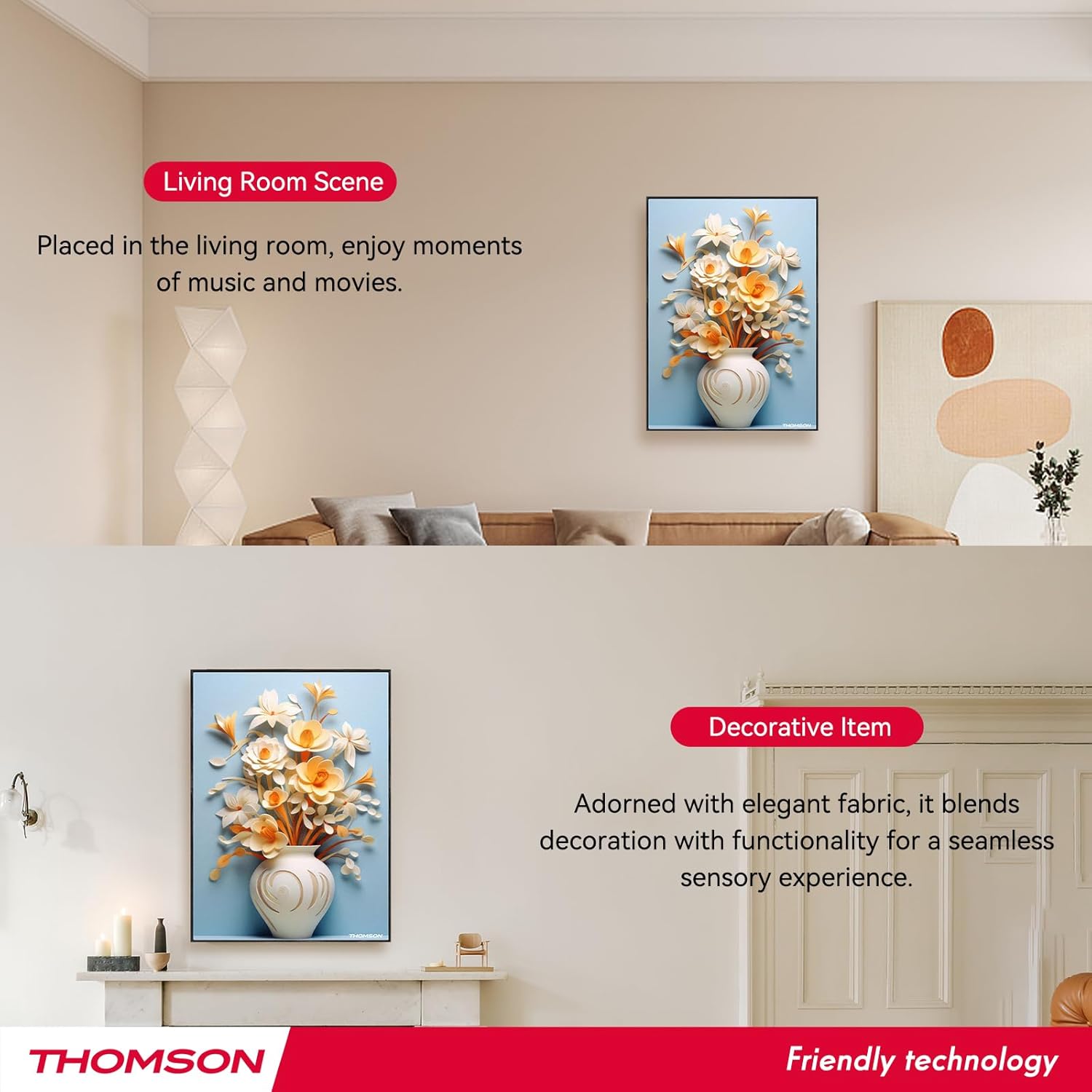
Image: Layout of the remote control with labeled functions.
The remote control provides convenient access to various functions:
- Power On/Off: Turns the speaker on or off.
- Mode: Switches between input modes (e.g., Bluetooth).
- Volume +/-: Adjusts the audio volume.
- Previous/Next Track: Skips to the previous or next song.
- Play/Pause: Starts or pauses audio playback.
- 3D Mode: Activates or deactivates 3D surround sound.
- EQ Mode: Cycles through equalizer presets.
- TWS Mode: Initiates TWS pairing (refer to section 5.3).
- Mute: Mutes or unmutes the audio.
5.5 Charging the Speaker

Image: Visual representation of the speaker's 6000mAh battery capacity.
When the battery is low, the speaker will provide a low battery reminder. Connect the Type-C charging cable to the speaker's charging port and a power source. The charging indicator will illuminate during charging and turn off or change color when fully charged. A full charge typically provides up to 8 hours of playback.
6. Maintenance
To ensure the longevity and optimal performance of your speaker, follow these maintenance guidelines:
- Cleaning: The speaker's canvas surface is waterproof and dustproof. Wipe it gently with a soft, damp cloth. Avoid using harsh chemicals or abrasive cleaners.
- Storage: When not in use for extended periods, store the speaker in a cool, dry place.
- Battery Care: To preserve battery life, avoid fully discharging the battery frequently. Charge the speaker regularly, even if not in active use.
- Environmental Conditions: Avoid exposing the speaker to extreme temperatures, direct sunlight, or high humidity.
7. Troubleshooting
If you encounter issues with your speaker, refer to the following common problems and solutions:
- No Power:
- Ensure the speaker is fully charged. Connect the Type-C charging cable and check if the charging indicator lights up.
- Press and hold the Power button for a few seconds. - No Sound:
- Check the volume level on both the speaker and your connected device.
- Ensure the speaker is correctly paired via Bluetooth (refer to section 5.2).
- Make sure the speaker is not muted. - Bluetooth Pairing Issues:
- Ensure the speaker is in pairing mode (flashing LED).
- Turn off Bluetooth on your device and turn it back on.
- Move your device closer to the speaker (within 10 meters).
- Disconnect the speaker from any other devices it might be paired with. - TWS Pairing Failure:
- Ensure both speakers are powered on and not connected to any other Bluetooth devices.
- Follow the TWS pairing steps carefully (refer to section 5.3).
- Try resetting both speakers and attempting TWS pairing again. - Remote Control Not Working:
- Check if the remote control's battery needs replacement.
- Ensure there are no obstructions between the remote and the speaker.
- Point the remote directly at the speaker's sensor.
If the problem persists after trying these solutions, please contact customer support.
8. Specifications
| Feature | Specification |
|---|---|
| Model Name | THOMSON wallmounted bluetooth speaker |
| Model Number | BG002-1 |
| Speaker Type | Surround Sound |
| Connectivity Technology | Bluetooth |
| Bluetooth Version | 5.2 |
| Bluetooth Range | 10 Meters |
| Power Source | Battery Powered |
| Battery Capacity | 6000 mAh |
| Speaker Maximum Output Power | 50 Watts |
| Woofer Diameter | 2.5 Inches (x2) |
| Tweeter Diameter | 2.5 Inches (x2) |
| Product Dimensions | 18.11"D x 1.85"W x 12.99"H |
| Item Weight | 8.53 pounds (3.88 Kilograms) |
| Control Method | Remote |
| Is Waterproof | True |
| Mounting Type | Wall Mount |
9. Warranty and Support
This THOMSON product comes with a Limited Warranty. For specific warranty terms and conditions, please refer to the documentation provided at the time of purchase or contact THOMSON customer support.
For technical assistance, troubleshooting, or warranty claims, please visit the official THOMSON website or contact their customer service department. Keep your purchase receipt as proof of purchase for warranty services.


