
1. Introduction
Thank you for choosing the FOWORE 2.5 Cuft Home Safe. This manual provides essential information for the proper setup, operation, and maintenance of your new safe. Please read these instructions carefully before use and retain them for future reference. Proper use ensures the security and longevity of your product.
2. Important Safety Information
- DO NOT store the emergency backup keys inside the safe. Keep them in a secure, separate location.
- DO NOT store your personal code or master code inside the safe. Memorize your codes or keep them in a secure, confidential place.
- Ensure the safe is securely mounted to a wall or floor to prevent unauthorized removal.
- Replace batteries promptly when the low battery warning is indicated to ensure continuous functionality.
- Keep children away from the safe and its contents.
3. Package Contents
Please check the package to ensure all items are present:
- 1 x FOWORE 2.5 Cuft Home Safe
- 1 x User Manual (this document)
- 1 x Fireproof and Waterproof Bag
- 2 x Emergency Backup Keys
- 4 x Mounting Screws
4. Product Overview

Figure 4.1: FOWORE 2.5 Cuft Home Safe with door open, showcasing interior and included fireproof bag.
The FOWORE 2.5 Cuft Home Safe is designed to provide secure storage for your valuables. It features robust construction and advanced security mechanisms.
Key Features:
- Durable Construction: Made from solid cold-rolled steel with a recessed pry-resistant door and three enhanced steel locking bolts.
- Digital Security Lock: Electronic combination lock with a digital keypad for secure access.
- Anti-Theft Alarm System: Activates an audible alarm after three consecutive incorrect code entries.
- Silent Mode: Option to disable keypad sounds for discreet operation.
- Removable Shelf: Allows for customizable storage space to accommodate various item sizes.
- Internal LED Light: Provides visibility inside the safe, even in low-light conditions.
- Mounting Capability: Pre-drilled holes on the bottom and back for secure installation to a wall or floor.
- Low Battery Warning: Visual indicator on the keypad alerts you when batteries need replacement.
- Fireproof and Waterproof Bag: An additional layer of protection for important documents and small valuables.
5. Setup
5.1 Initial Opening
For the first use, the safe must be opened using one of the emergency backup keys.
- Locate the keyhole cover on the digital keypad.
- Remove the cover to expose the keyhole.
- Insert one of the emergency backup keys into the keyhole and turn it clockwise.
- While the key is turned, rotate the knob on the keypad clockwise to open the safe door.
- Once open, remove the key and store it in a safe place outside the safe.

Figure 5.1: Initial opening and two access methods.
5.2 Battery Installation
The safe requires 4 AA batteries (not included) to power the digital keypad.
- Open the safe door.
- Locate the battery compartment on the inside of the safe door.
- Open the battery compartment cover.
- Insert 4 new AA batteries, ensuring correct polarity (+/-).
- Close the battery compartment cover.
5.3 Setting Your Personal Code
You can set a personal code (3-8 digits) for daily access.
- With the safe door open, locate the red setting button on the inside of the door, near the hinge.
- Press the red setting button. The keypad will beep, and the indicator light will flash.
- On the keypad, enter your desired 3 to 8 digit personal code.
- Press the 'A' or 'B' key to confirm your new code. The keypad will beep again, indicating successful programming.
- Test your new code with the door open before closing it.

Figure 5.2: Password setting instructions.
5.4 Setting the Master Code (Optional)
The safe also allows for a master code, which can be useful for multiple users or as a backup.
- With the safe door open, press '00' on the keypad.
- Then, press the red setting button on the inside of the door. The keypad will beep, and the indicator light will flash.
- Enter your desired 3 to 8 digit master code.
- Press the 'A' or 'B' key to confirm your new master code. The keypad will beep again.
- Test your new master code with the door open before closing it.
5.5 Mounting the Safe
For enhanced security, it is recommended to anchor the safe to a wall or floor.
- Choose a suitable location for mounting.
- Open the safe door and remove the removable shelf if it obstructs access to the pre-drilled holes.
- Mark the positions for drilling through the pre-drilled holes on the back or bottom of the safe.
- Drill pilot holes in the wall or floor using an appropriate drill bit (not included).
- Align the safe with the drilled holes and secure it using the provided mounting screws.
- Ensure the safe is firmly attached and stable.

Figure 5.3: Removable shelf for customizable storage.
6. Operating Instructions
6.1 Opening the Safe with Your Code
- Enter your personal code (3-8 digits) on the digital keypad.
- Press the 'A' or 'B' key to confirm.
- Within 5 seconds, rotate the knob clockwise to open the safe door.
6.2 Opening the Safe with Emergency Key
This method is used if you forget your code or if the batteries are depleted.
- Remove the keyhole cover on the digital keypad.
- Insert an emergency backup key into the keyhole and turn it clockwise.
- While the key is turned, rotate the knob on the keypad clockwise to open the safe door.
6.3 Anti-Theft Alarm System
The safe is equipped with an alarm system to deter unauthorized access.
- If an incorrect code is entered three times consecutively, the alarm will activate.
- The safe will lock for approximately 5 minutes, and an audible alarm will sound.
- To silence the alarm, enter the correct code or use the emergency key.

Figure 6.1: Anti-theft alert and optional mute function.
6.4 Silent Mode
To operate the safe without keypad sounds:
- Activate Silent Mode: Press "00A" on the keypad.
- Deactivate Silent Mode: Press "66A" on the keypad.
- Note: Even in silent mode, the anti-theft alarm will still sound if incorrect codes are entered.
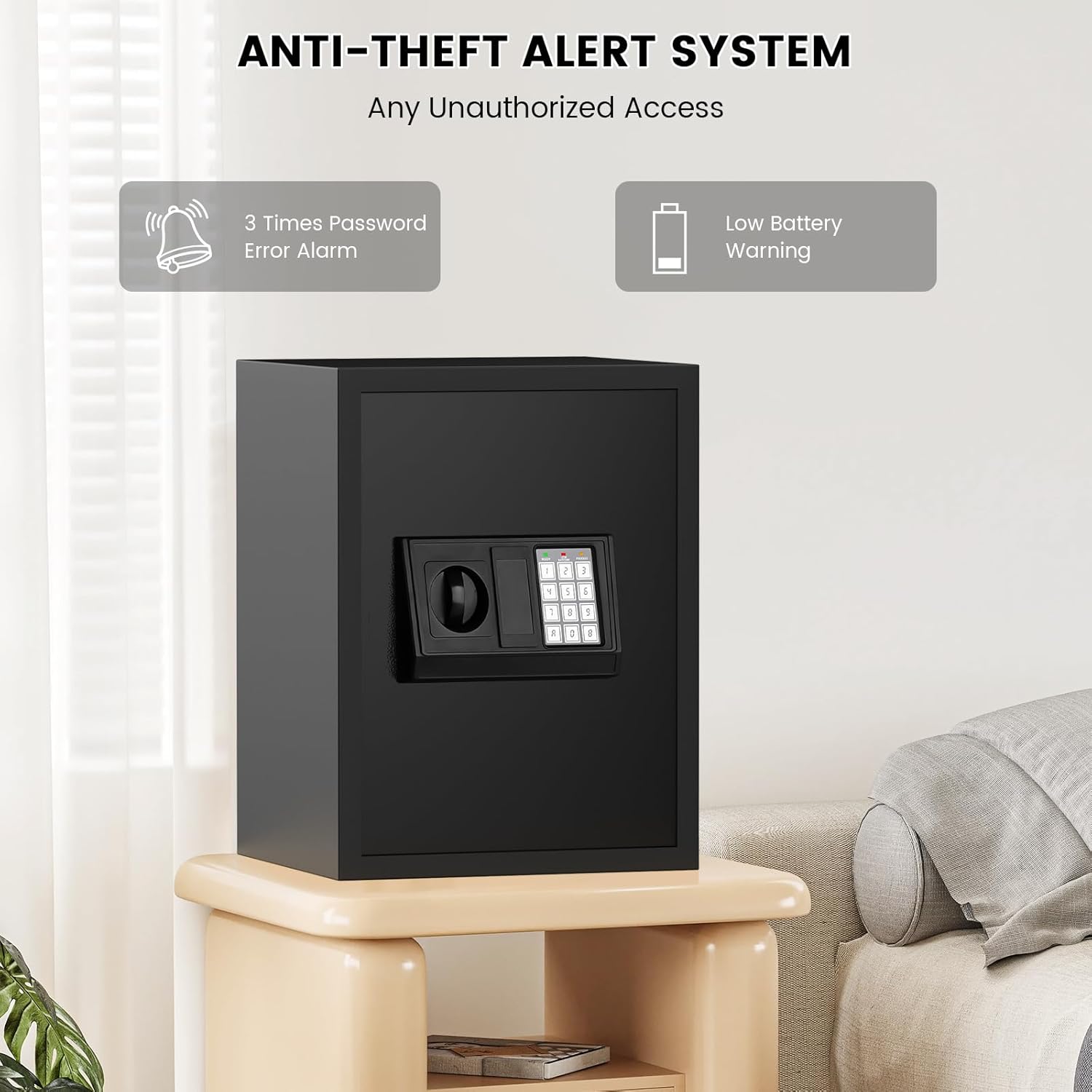
Figure 6.2: Silent mode and LED light features.
6.5 Low Battery Warning
When the batteries are low, both the green and red indicator lights on the keypad will illuminate simultaneously. Replace the batteries immediately to ensure continued functionality.
7. Maintenance
- Cleaning: Wipe the exterior of the safe with a soft, damp cloth. Avoid using abrasive cleaners or solvents that could damage the finish.
- Battery Replacement: Replace all 4 AA batteries annually or immediately when the low battery warning appears. Always use new, high-quality alkaline batteries.
- Security Check: Periodically check the mounting bolts to ensure they remain tight and secure.
- Key Storage: Regularly verify that your emergency keys are stored in a safe, accessible location outside the safe.
8. Troubleshooting
| Problem | Possible Cause | Solution |
|---|---|---|
| Safe does not open with code. | Incorrect code entered; low batteries. | Re-enter correct code carefully. Replace batteries. Use emergency key. |
| Keypad is unresponsive. | Dead or improperly installed batteries. | Replace all 4 AA batteries, ensuring correct polarity. |
| Alarm sounds unexpectedly. | Three incorrect code entries; tampering detected. | Enter correct code or use emergency key to disarm. Ensure safe is not being tampered with. |
| Forgotten personal or master code. | Code forgotten. | Use emergency key to open the safe. Reset your code following the instructions in Section 5.3 or 5.4. |
9. Specifications
| Feature | Detail |
|---|---|
| Brand | FOWORE |
| Model | 42ex safe |
| Capacity | 2.5 Cubic Feet |
| Product Dimensions (External) | 11"D x 13"W x 16"H (approx. 31cm D x 35cm W x 42cm H) |
| Item Weight | 25.5 Pounds |
| Lock Type | Electronic Combination Lock, Key |
| Material | Alloy Steel |
| Mounting Type | Wall and Floor Mount |
| Power Source | 4 x AA Batteries (not included) |

Figure 9.1: External dimensions of the FOWORE Home Safe.

Figure 9.2: Robust construction details of the FOWORE Home Safe.
10. Warranty and Support
FOWORE is committed to providing high-quality products and excellent customer service.
- Product Warranty: Your FOWORE safe comes with a 5-year product warranty.
- Technical Support: Enjoy lifetime technical support for your product.
- Returns: We offer a 30-day free return policy.
- Customer Service: Our customer service team aims to reply to inquiries within 24 hours.
For any questions, concerns, or support needs, please contact FOWORE customer service through the platform where you purchased the product or visit the official FOWORE store online.