
Introduction
This manual provides comprehensive instructions for the setup, operation, maintenance, and troubleshooting of your iSinbox Foldable Projector Mount. Please read this manual carefully before use to ensure proper installation and optimal performance.
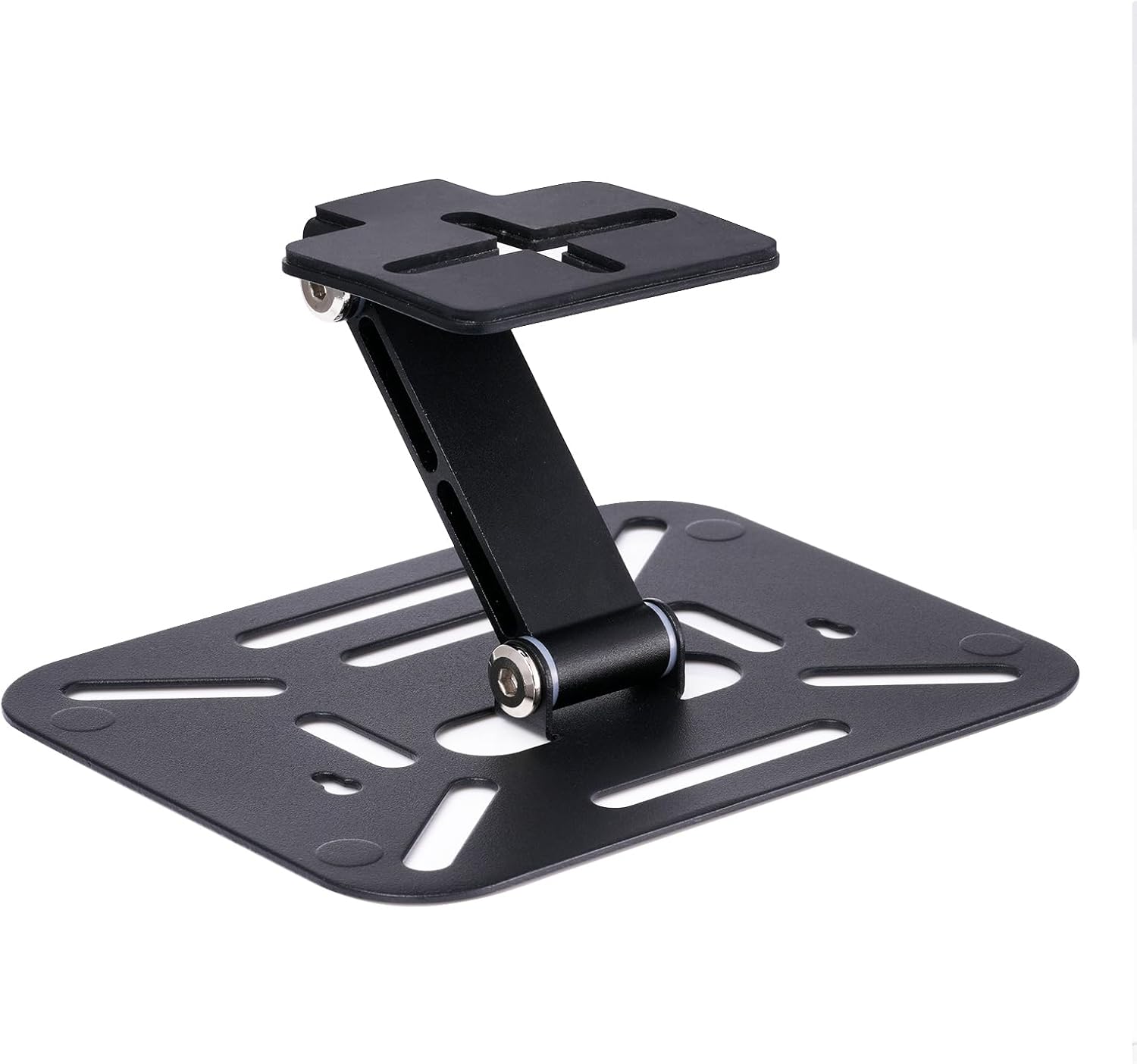
Image 1: The iSinbox Foldable Projector Mount in its compact, folded state, ready for transport or storage.
Setup Instructions
Follow these steps to correctly set up your iSinbox Foldable Projector Mount.
1. Attaching the Projector to the Mount
- Ensure your projector has a standard 1/4-inch screw hole for mounting.
- Unfold the projector mount to its desired position.
- Align the projector's mounting hole with the screw on the mount's top plate.
- Carefully screw the projector onto the mount until it is securely fastened. Do not overtighten.

Image 2: Illustration of a projector being screwed onto the mount's top plate, indicating the secure attachment process.
2. Video Guide: Projector Installation
For a visual guide on installing your projector with the foldable stand, please watch the video below:
Video 1: This video demonstrates the step-by-step process of attaching a projector to the iSinbox Foldable Projector Mount, ensuring a secure fit.
Note: This mount is not compatible with the JY821 Model Projector.
Operating Instructions
The iSinbox Foldable Projector Mount offers versatile positioning options for your projector.
Adjusting Angle and Rotation
The mount features a 180-degree rotation capability, allowing you to adjust the projection angle for various viewing needs, including ceiling projection. Gently pivot the projector and mount assembly to achieve the desired angle. The joints are designed to hold the position securely once set.

Image 3: Visual examples demonstrating the 180-degree rotation feature, allowing for diverse projection angles from horizontal to vertical.
Mounting Options
The mount can be used as a desktop stand or securely attached to a wall or ceiling. When mounting to a wall or ceiling, ensure appropriate screws and anchors are used (screws not included) to support the weight of the projector and mount.

Image 4: The projector mount securely attached to a wall, showcasing its versatility for space-saving installation.

Image 5: A projector mounted for ceiling projection in a bedroom setting, illustrating a common use case for the adjustable mount.
Maintenance
To ensure the longevity and proper functioning of your iSinbox Foldable Projector Mount, follow these simple maintenance guidelines:
- Cleaning: Wipe the mount with a soft, dry cloth to remove dust. For stubborn marks, a slightly damp cloth can be used, followed by immediate drying. Avoid abrasive cleaners or solvents.
- Joints: Periodically check the pivot points for any looseness. If necessary, gently tighten the screws to maintain stability. Do not overtighten.
- Storage: When not in use, fold the mount to its compact size and store it in a dry, cool place away from direct sunlight.
Troubleshooting
If you encounter any issues with your iSinbox Foldable Projector Mount, refer to the following common solutions:
- Mount is unstable:
- Ensure the projector is securely screwed onto the mount.
- Verify that the mount's pivot points are tightened sufficiently.
- If wall or ceiling mounted, confirm that the mounting hardware (screws, anchors) is appropriate for the wall material and securely installed.
- Difficulty adjusting angle:
- Check for any obstructions around the pivot points.
- Ensure no excessive force is being applied. The joints are designed for smooth, controlled movement.
- Projector does not fit:
- Confirm your projector has a standard 1/4-inch mounting screw hole.
- Important: This mount is not compatible with the JY821 Model Projector.
Specifications
Detailed technical specifications for the iSinbox Foldable Projector Mount:
| Feature | Detail |
|---|---|
| Product Dimensions (Folded) | 5.91 x 4.72 x 1.12 inches (160mm x 120mm x 30mm) |
| Item Weight | 12 ounces (295 grams) |
| Load Capacity | 6.6 lbs / 3 kg |
| Rotation Angle | 0° - 180° |
| Material | Metal |
| Mounting Type | Wall Mount, Ceiling Mount, Desktop Stand |
| Compatible Devices | Projectors with standard 1/4-inch mounting screw hole (excluding JY821 Model) |
| Model Number | a8f29d1d-baad-4e20-a46b-10d70c4b13ed |

Image 6: A diagram illustrating the key dimensions (160mm x 120mm) and weight (295g) of the iSinbox Foldable Projector Mount.
Warranty and Support
Warranty Information: Specific warranty details are typically provided with your product packaging or can be found on the manufacturer's official website. Please retain your proof of purchase for warranty claims.
Customer Support: For further assistance, technical support, or inquiries regarding your iSinbox Foldable Projector Mount, please visit the official iSinbox website or contact their customer service department. Contact information is usually available on the product packaging or the brand's online store.
You can visit the iSinbox Store for more information: iSinbox Official Store