Introduction
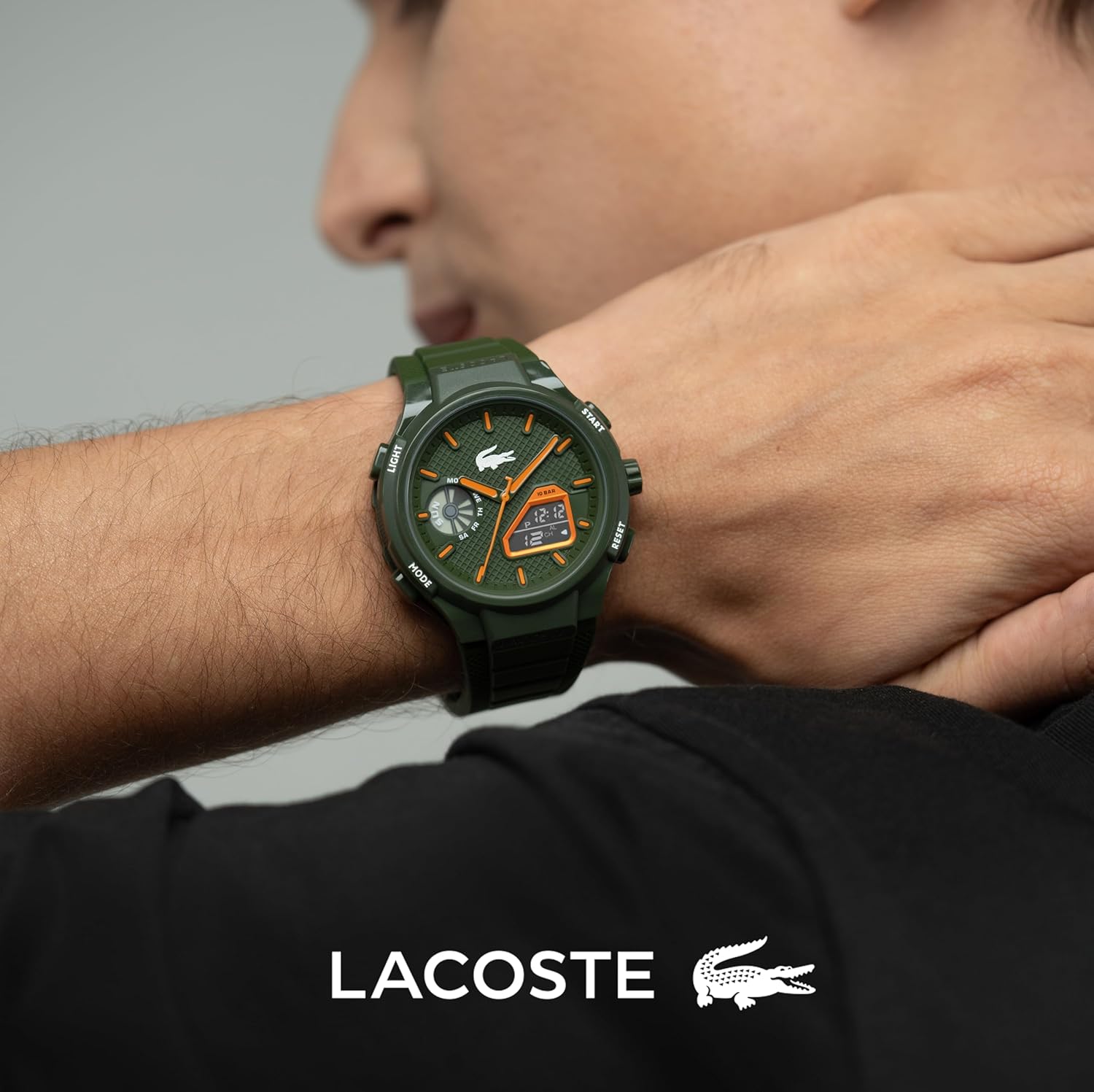
This manual provides detailed instructions for the proper setup, operation, and maintenance of your Lacoste LC33 Analog-Digital Watch. Please read this manual thoroughly to ensure optimal performance and longevity of your timepiece. The LC33 watch features both analog and digital movements, an alarm, chronograph, and calendar functions, along with a backlight for enhanced visibility.
Setup
Setting Analog Time
To set the analog time on your Lacoste LC33 watch, follow these steps:
- Pull out the crown located on the side of the watch.
- Turn the crown clockwise until the analog hands display the correct time.
- Push the crown back into its original position to secure the time setting.
Video: Instructions for setting analog and digital time on the Lacoste LC33 watch.
Setting Digital Time
To set the digital time and date, follow these steps:
- Press the MODE button three times to enter the time setting mode. The seconds display will flash.
- Press the RESET button to cycle through the flashing items: seconds, minutes, hour, day, month, and weekday.
- While an item is flashing, press the START button to adjust its value.
- Once all settings are correct, press the MODE button to return to real-time display.
- In real-time mode, press the START button to display the current date.
Operating Functions
Light Function
To illuminate the digital screens:
- Press the LIGHT button. The screens will light up for approximately 3 seconds.
Video: Demonstration of the light function on the Lacoste LC33 watch.
Chronograph Function (Stopwatch)
To use the chronograph (stopwatch) feature:
- Press the MODE button once to enter chronograph mode.
- Press START to begin timing. Press START again to pause/resume.
- While the chronograph is running, press RESET to measure split times.
- When the chronograph is stopped, press RESET to reset the time to zero.
Video: How to use the chronograph function on the Lacoste LC33 watch.
Alarm and Chime Functions
To set and manage the alarm and hourly chime:
- Press the MODE button twice to enter alarm mode. The hour will flash.
- Press START to adjust the hour.
- Press RESET to select the minute.
- Press START to adjust the minute.
- Press MODE once to return to real-time.
- To turn the alarm ON/OFF, press START and RESET simultaneously.
- To turn the hourly chime ON/OFF, press MODE and RESET simultaneously.
- To stop a sounding alarm, press RESET. To snooze, press START.
Video: Instructions for setting and managing the alarm function on the Lacoste LC33 watch.
Maintenance
Water Resistance
Your Lacoste LC33 watch is water resistant up to 100 meters (10 ATM). This makes it suitable for swimming and snorkeling. It is not designed for deep diving. The water resistance rating indicates pressure tolerance, not a safe submersion depth.
General Care
- Avoid exposing the watch to extreme temperatures or sudden temperature changes.
- Clean the watch regularly with a soft, damp cloth.
- Do not use chemical cleaners or abrasive materials.
- A maintenance interval of 3 to 5 years is recommended by the manufacturer.
- Never attempt to open the watch yourself, as this may void the warranty and damage the internal components.
Troubleshooting
Digital Display Readability
If the digital screens are difficult to read, especially in certain lighting conditions, ensure the backlight function is used correctly. If issues persist, it is recommended to contact Lacoste customer support for assistance.
Watch Not Functioning
If the watch stops functioning or exhibits unusual behavior, first check if the crown is fully pushed in. If the issue continues, professional inspection and repair may be required. Do not attempt to repair the watch yourself.
Specifications
| Brand | Lacoste |
| Model Number | 2011367 |
| Movement | Quartz (Analog and Digital) |
| Case Material | TR90 Case |
| Strap Material | Silicone |
| Water Resistance | 100 meters (10 ATM) |
| Functions | Analog Time, Digital Time, World Clock, Stopwatch, Alarm, Backlight, Calendar |
| Package Dimensions | 3.5 x 3.43 x 3.23 inches |
| Item Weight | 5.61 ounces |
| First Available | October 7, 2024 |
Warranty and Support
Your Lacoste watch is manufactured with attention to quality and detail. For warranty information or technical support, please refer to the official Lacoste website or contact their customer service. Unauthorized opening or repair of the watch may void the warranty.
Product Images