
1. Introduction
Thank you for choosing the CELLECOR BROPODS C109 Quad TWS Earbuds. This manual provides detailed instructions for setting up, operating, and maintaining your new earbuds. Please read this manual thoroughly before use to ensure optimal performance and longevity of your device.
2. What's in the Box
The CELLECOR BROPODS C109 package includes the following items:
- 1 Pair of TWS Earbuds
- 1 Charging Case
- 1 Charging Cable (Type-C)
- 1 Warranty Card
3. Product Overview
The CELLECOR BROPODS C109 are True Wireless Stereo (TWS) earbuds designed for high-quality audio and convenient use. They feature advanced technology for clear sound and calls.
Key Features:
- 60 Hours Total Playtime: Extended battery life for prolonged listening.
- Quad Mic ENC: Environmental Noise Cancellation for clear calls.
- Auto-Connect: Seamless pairing with your devices.
- Touch Controls: Intuitive control over music and calls.
- 10mm Dynamic Drivers: Rich audio with deep bass.
- 50ms Low Latency Game Mode: Optimized audio for gaming.
- Fast Charging (Type-C): Quick power-ups.
- Bluetooth v5.3: Stable and efficient wireless connection.
- IPX5 Water & Sweat Resistant: Protection against splashes and sweat.
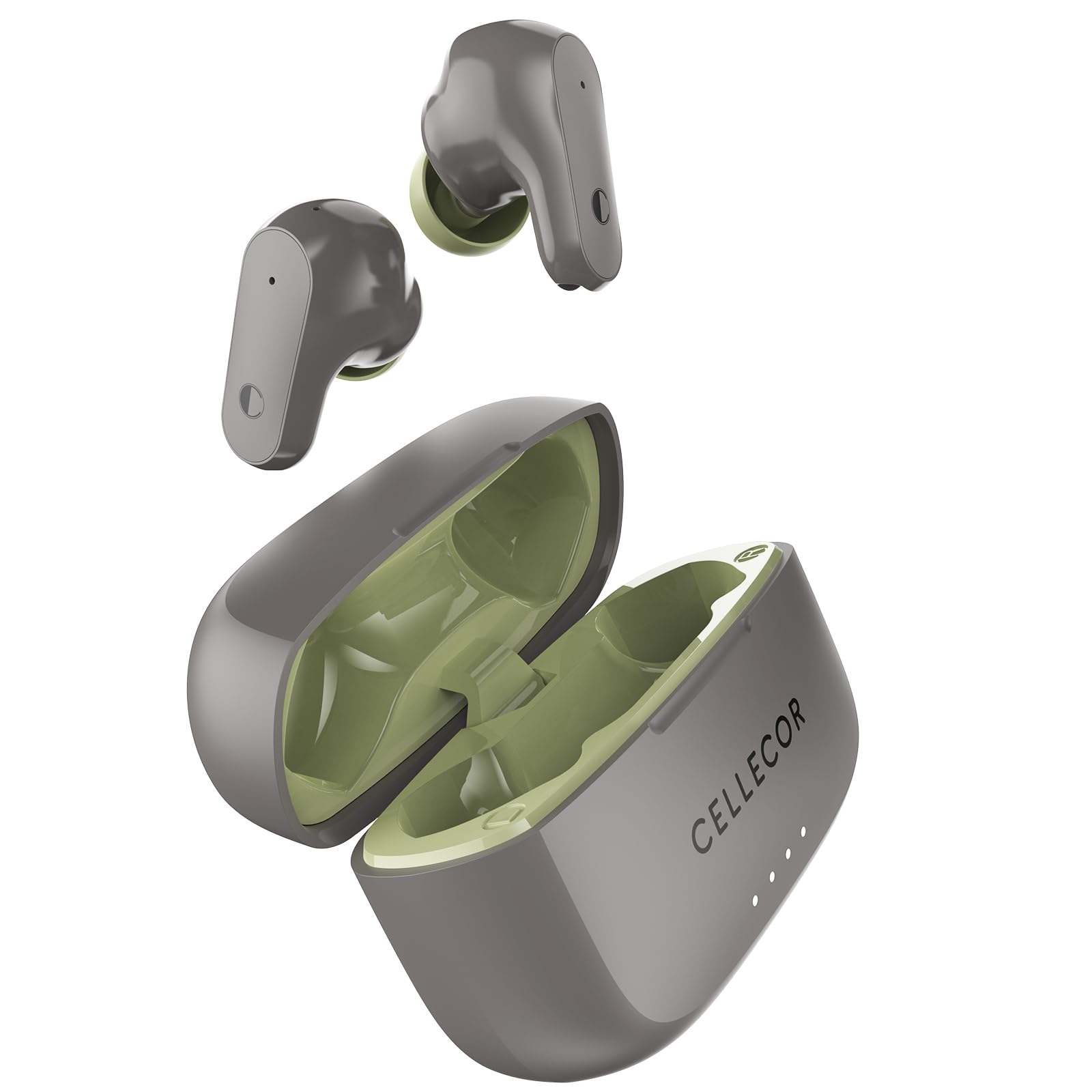
Figure 1: CELLECOR BROPODS C109 TWS Earbuds and Charging Case.
4. Setup
4.1 Charging the Earbuds and Case
Before first use, fully charge the earbuds and the charging case. The charging case provides power to the earbuds when they are stored inside.
- Place the earbuds into the charging case.
- Connect the provided Type-C charging cable to the charging port on the case and to a USB power source.
- The indicator lights on the case will show the charging status. A full charge takes approximately 60 minutes.

Figure 2: Charging the CELLECOR BROPODS C109 case via Type-C.
4.2 Pairing with Your Device
The C109 earbuds feature an auto-connect function for easy pairing.
- Ensure the charging case is charged and the earbuds are inside.
- Open the charging case. The earbuds will automatically power on and enter pairing mode.
- On your device (smartphone, tablet, laptop), enable Bluetooth.
- Search for "CELLECOR C109" in the list of available Bluetooth devices.
- Select "CELLECOR C109" to connect. Once connected, you will hear an audio prompt.
- For subsequent uses, the earbuds will automatically connect to the last paired device when removed from the case (Insta Wake & Pair).

Figure 3: Bluetooth V5.3 Insta Wake & Pair functionality.
5. Operating Instructions
5.1 Touch Controls
The C109 earbuds are equipped with intuitive touch controls. Specific functions may vary slightly depending on your device and application.
| Action | Function |
|---|---|
| Single Tap (Left/Right Earbud) | Play/Pause Music, Answer/End Call |
| Double Tap (Right Earbud) | Next Track |
| Double Tap (Left Earbud) | Previous Track |
| Triple Tap (Left/Right Earbud) | Activate Voice Assistant |
| Long Press (Left/Right Earbud) | Reject Call, Toggle Game Mode (specific earbud/duration may vary) |
Note: Refer to the specific instructions on the warranty card for precise touch control mappings if they differ.
5.2 Call Management with Quad Mic ENC
The C109 earbuds feature Quad Mic Environmental Noise Cancellation (ENC) for clear voice transmission during calls, even in noisy environments.
- Answering/Ending Calls: Single tap either earbud.
- Rejecting Calls: Long press either earbud.

Figure 4: Environmental Noise Cancellation (ENC) for clear calls.

Figure 5: Quad Mic setup with ENC for enhanced call clarity.
5.3 Game Mode (50ms Low Latency)
Activate Game Mode to reduce audio latency to 50ms, providing a more synchronized audio-visual experience for gaming.
- Activating/Deactivating Game Mode: This function is typically toggled by a specific touch control (e.g., long press a specific earbud for a set duration). Refer to your warranty card or product packaging for exact instructions.

Figure 6: Game Mode with 50ms low latency for an optimized gaming experience.
5.4 Audio Quality and Playtime
The C109 earbuds are equipped with 10mm dynamic drivers for a rich and immersive audio experience. Enjoy up to 12 hours of playtime on a single charge, with a total of 60 hours playtime including the charging case.

Figure 7: Exploded view of a CELLECOR BROPODS C109 earbud showing the 10mm dynamic driver.

Figure 8: Seamless playback with 60 hours total playtime, including 12 hours on a single charge.
6. Maintenance
6.1 Cleaning
Regular cleaning helps maintain the performance and hygiene of your earbuds.
- Use a soft, dry, lint-free cloth to wipe the earbuds and charging case.
- For stubborn dirt, slightly dampen the cloth with water or a mild, non-abrasive cleaner.
- Do not use harsh chemicals or abrasive materials.
- Ensure the charging contacts on both the earbuds and the case are clean and dry.
6.2 Water and Sweat Resistance (IPX5)
The CELLECOR BROPODS C109 are rated IPX5, meaning they are resistant to water splashes and sweat. This makes them suitable for workouts and light rain. However, they are not designed for submersion in water or exposure to pressurized water jets.
- Do not intentionally submerge the earbuds in water.
- Dry the earbuds thoroughly after exposure to sweat or water before placing them back in the charging case.

Figure 9: IPX5 rating indicates resistance to water splashes and sweat.
6.3 Storage
Store the earbuds in their charging case when not in use to protect them and keep them charged. Avoid storing them in extreme temperatures or humid environments.
7. Troubleshooting
If you encounter issues with your CELLECOR BROPODS C109, refer to the following common solutions:
7.1 Earbuds Not Pairing or Connecting
- Check Battery: Ensure both earbuds and the charging case are sufficiently charged.
- Re-pair:
- Turn off Bluetooth on your device.
- Place both earbuds back into the charging case and close the lid for a few seconds.
- Open the lid, then remove the earbuds.
- Turn on Bluetooth on your device and try searching for "CELLECOR C109" again.
- Clear Device's Bluetooth List: If you have previously paired many devices, try removing "CELLECOR C109" from your device's Bluetooth list and then re-pairing.
- Distance: Ensure the earbuds are within the Bluetooth range (up to 15 meters) of your device.
7.2 No Sound or Low Volume
- Volume Level: Adjust the volume on both your connected device and via the earbud touch controls.
- Earbud Placement: Ensure the earbuds are properly seated in your ears.
- Clean Earbuds: Check for any debris blocking the earbud speakers and clean them carefully.
- Re-connect: Disconnect and re-connect the earbuds to your device.
7.3 Charging Issues
- Cable and Adapter: Try a different Type-C charging cable and a different USB power adapter.
- Charging Port: Ensure the charging port on the case is clean and free of debris.
- Earbud Contacts: Make sure the charging contacts on the earbuds and inside the case are clean and making proper contact.
8. Specifications
Below are the technical specifications for the CELLECOR BROPODS C109 Quad TWS Earbuds:
| Feature | Detail |
|---|---|
| Model Name | C109 QUAD |
| Connectivity Technology | Wireless (Bluetooth) |
| Bluetooth Version | 5.3 |
| Bluetooth Range | 10-15 Metres |
| Audio Driver Size | 10 Millimetres |
| Audio Driver Type | Dynamic Driver |
| Audio Latency | 50 Milliseconds (Game Mode) |
| Noise Control | Sound Isolation, Environmental Noise Cancellation (ENC) |
| Control Method | Touch, Volume Control |
| Battery Life (Total) | Up to 60 Hours (with charging case) |
| Playback Time (Single Charge) | Up to 12 Hours |
| Charging Time | Approximately 60 Minutes |
| Charging Interface | Type-C |
| Water Resistance Level | IPX5 (Water Resistant) |
| Material | Plastic |
| Item Weight | 100 Grams |
| Product Dimensions | 6.3 x 4.8 x 2.7 cm |
| Compatible Devices | Cellphones, Desktops, Laptops, Tablets, Television |
| Recommended Uses | Calling, Cycling, Gaming, Running, Entertainment, Fitness |
9. Warranty and Support
Your CELLECOR BROPODS C109 Quad TWS Earbuds come with a warranty. Please refer to the included Warranty Card for detailed information regarding warranty terms, conditions, and duration.
For technical support, service, or any inquiries not covered in this manual, please contact CELLECOR customer service. Contact details can typically be found on the warranty card or the official CELLECOR website.
Manufacturer: Creatons Corporation Pvt. Ltd., Noida UP
Importer: Cellecor Gadgets Limited
Country of Origin: India