1. Introduction and Overview
The BOIFUN MT03 is a helmet-mounted motorcycle intercom system integrated with a 4K high-resolution camera and drive recorder functions. It features a SONY sensor, 140-degree wide-angle lens, and WDR (Wide Dynamic Range) for clear recording in various lighting conditions. This device supports Bluetooth 5.2 for stable communication, music playback, and navigation, along with a large capacity battery for extended use. It is designed to enhance safety and communication during motorcycle and bicycle rides.
2. Package Contents
Please verify that all items listed below are included in your package:
- BOIFUN MT03 Main Unit
- Type-C Charging Cable
- Soft Microphone
- Hard Microphone
- Thin Speakers (pair)
- Helmet Mounting Clip
- Double-sided Adhesive Mount
- L-shaped Screwdriver
- User Manual (Japanese)
- 64GB microSD Card (pre-inserted)
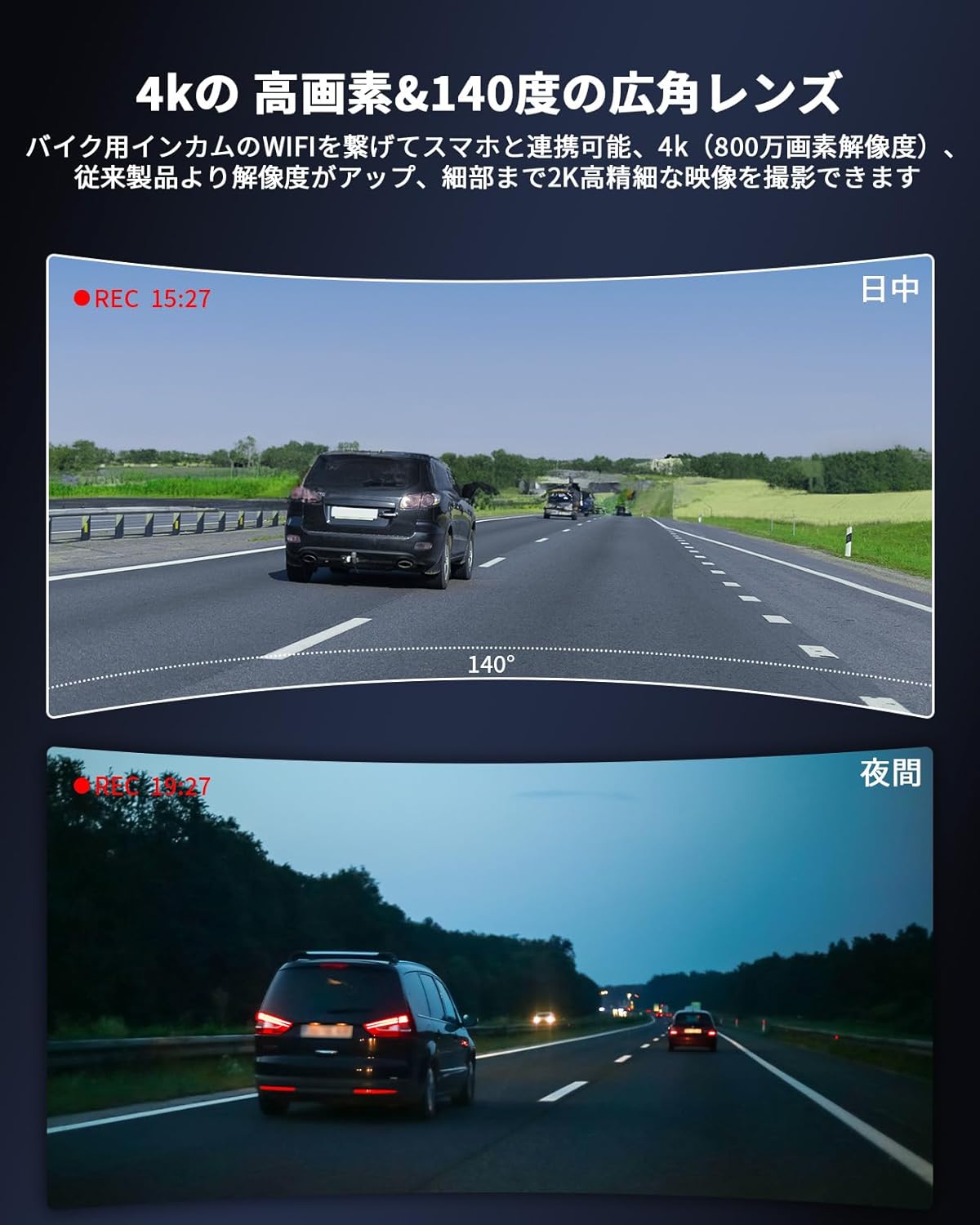
Image: All components included in the BOIFUN MT03 package.
3. Setup and Installation
3.1 Helmet Mounting
The MT03 offers two methods for helmet installation:
Method 1: Clip-on Installation (Recommended)
- Insert the clip part of the mounting base into the gap of your helmet.
- Position the rotating mounting base on the outside of the helmet, clamping it with the clip part.
- Tighten the screws using the provided L-shaped screwdriver to secure the base.
- Slide the intercom main unit downwards into the fixed bracket until it clicks into place.

Image: Step-by-step guide for clip-on helmet installation.
Method 2: Adhesive Installation (If clip-on is not possible)
If your helmet does not allow for clip-on installation, you can use the double-sided adhesive tape. Attach the adhesive pad to the back of the mounting base, then firmly press it onto a clean, flat surface on your helmet. Then, slide the intercom main unit into the fixed bracket.
Note: The adhesive method is generally less secure than the clip-on method and may be prone to detachment. We recommend using the clip-on method whenever possible.
3.2 Microphone and Speaker Installation
Connect the appropriate microphone and speakers to the main unit. The package includes a soft microphone for full-face helmets and a hard microphone for open-face/jet helmets, along with a pair of thin speakers.
- Connect the speaker cable to the speaker port on the intercom unit.
- Attach the speakers to the inside of your helmet using the adhesive pads, ensuring they are positioned directly over your ears for optimal sound.
- Connect the microphone to the microphone port. Position the microphone close to your mouth, ensuring it is not obstructed by padding or wind.

Image: Connecting the microphone and speakers to the intercom unit.
4. Charging the Device
The BOIFUN MT03 is equipped with a 2350mAh large-capacity battery. Before first use, please fully charge the device.
- Connect the main unit to a USB Type-C cable (included) and a charging AC adapter (not included).
- Plug the AC adapter into a power outlet.
During charging, the LED indicator will light up red. Once fully charged, the LED indicator will turn off.

Image: Connecting the Type-C cable for charging.
5. Operating Instructions
5.1 Power On/Off and Pairing
- Power On: Press and hold the Power button until the LED indicator lights up.
- Power Off: Press and hold the Power button until the LED indicator turns off.
- Bluetooth Pairing: First, press the power button, then the pairing button. Then, connect your smartphone to the intercom's WiFi to start pairing.
5.2 Camera Operation
The MT03 features a 4K camera with a SONY sensor and 140-degree wide-angle lens.
- Recording: Press the camera button to start/stop video recording.
- Resolution Settings: Adjust video resolution (1080p to 4K) via the dedicated smartphone app.
- Angle Adjustment: The camera lens can be rotated 15 degrees, and the main unit can be rotated 180 degrees to adjust the shooting angle.

Image: High-resolution camera for clear video capture.
5.3 Intercom Communication
The intercom supports up to 6 riders simultaneously with a maximum range of 1000m in open areas.
- Initiating Intercom: Follow the pairing instructions to connect with other intercom units.
- Automatic Reconnection: If communication is lost due to distance, the intercom will automatically reconnect when units are back in range.

Image: Illustrates group communication capability and range.
5.4 Smartphone Connectivity
Connect your smartphone via Bluetooth 5.2 for various functions:
- Music Playback: Stream music from your phone with Hi-Fi stereo sound.
- Phone Calls: Answer calls automatically within 10 seconds or manually. Activate Siri (iPhone) or Google Assistant.
- Navigation: Receive navigation instructions through the speakers.
- App Control: Use the dedicated KYCAM2 app to manage recording files and enable the impact G-sensor function.

Image: Intercom connected to a smartphone for various functions.
6. Features
- 4K High-Resolution Camera: Equipped with a SONY sensor, 8 million pixels, 140-degree wide-angle lens, and WDR for superior image quality day and night.
- Bluetooth 5.2: Enhanced connection stability, speed, and audio quality for seamless communication and media.
- Hi-Fi Stereo Audio: Minimizes distortion for accurate sound reproduction through ultra-thin 7mm speakers.
- Dual Microphones: Includes soft and hard microphones with CVC noise cancellation to reduce wind and engine noise.
- Group Intercom: Supports up to 6 riders with a maximum communication range of 1000m.
- FM Radio: Integrated FM radio tuner for entertainment.
- Automatic Emergency Recording: G-sensor detects impacts and automatically saves and locks footage via the dedicated KYCAM2 app.
- Loop Recording: Ensures continuous recording by overwriting the oldest files when the memory card is full.
- 2350mAh Battery: Provides approximately 360 hours standby time and 13 hours continuous talk time. (Note: Camera and sharing functions reduce battery life).
- IPX65 Waterproof: Designed to withstand normal rain conditions.
- Japanese Voice Guidance: Operation system provides guidance in Japanese for ease of use.

Image: Overview of the BOIFUN MT03's key features.
7. Specifications
| Brand | BOIFUN |
| Model Name | MT03 |
| Product Model Number | MT03 |
| Product Dimensions | 10.4 x 5.2 x 3.5 cm |
| Item Weight | 118 g |
| Batteries Included | Yes |
| Battery Type | Lithium Ion |
| Included Components | Type-C Charging Cable, Soft Mic & Hard Mic, Motorcycle Intercom, Thin Speakers |
8. Troubleshooting
If you encounter any issues with your BOIFUN MT03, please refer to the following common solutions:
- Device not powering on: Ensure the device is fully charged. Connect it to a power source and check the LED indicator.
- No sound from speakers: Check if the speaker cable is securely connected to the intercom unit. Ensure speakers are correctly positioned in the helmet.
- Microphone not picking up sound: Verify the microphone is securely connected and positioned correctly near your mouth, away from wind noise.
- Bluetooth connection issues: Ensure the intercom is in pairing mode and your smartphone's Bluetooth is enabled. Try restarting both devices.
- Camera not recording: Ensure the microSD card is properly inserted and has sufficient free space. Check the dedicated app (KYCAM2) to confirm recording settings and G-sensor function are enabled if desired.
- Wind noise in recordings: Adjust the microphone's position to minimize exposure to direct wind.
- Slow video transfer: For faster transfer, remove the microSD card from the intercom and transfer files directly to your computer.
For further assistance, please contact customer support.
9. Maintenance
To ensure the longevity and optimal performance of your BOIFUN MT03, follow these maintenance guidelines:
- Cleaning: Wipe the device with a soft, dry cloth. Do not use harsh chemicals or abrasive cleaners.
- Water Exposure: While the device is IPX65 waterproof, avoid prolonged submersion in water. Ensure all ports are securely closed when exposed to rain.
- Storage: Store the device in a cool, dry place away from direct sunlight and extreme temperatures.
- Battery Care: For long-term storage, charge the battery to about 50% to prolong its lifespan. Avoid completely draining the battery frequently.
- Firmware Updates: Check the official BOIFUN website or the dedicated app for any available firmware updates to ensure the best performance and features.
10. Warranty and Support
The BOIFUN MT03 is a TELEC certified product, complying with Japan's Radio Law standards (Technical Conformity Number: R210-181571).
The product comes with a 1-year manufacturer's warranty. For any inquiries or support, please contact our dedicated Japanese customer support center.
Official Email: admin@boifun.net
Please provide your model number (MT03) and a detailed description of your issue when contacting support for faster service.


