1. Introduction
Thank you for choosing the SHIHOT 42-Inch Black Ceiling Fan. This manual provides detailed instructions for installation, operation, and maintenance to ensure safe and efficient use of your new ceiling fan. Please read this manual thoroughly before installation and keep it for future reference.
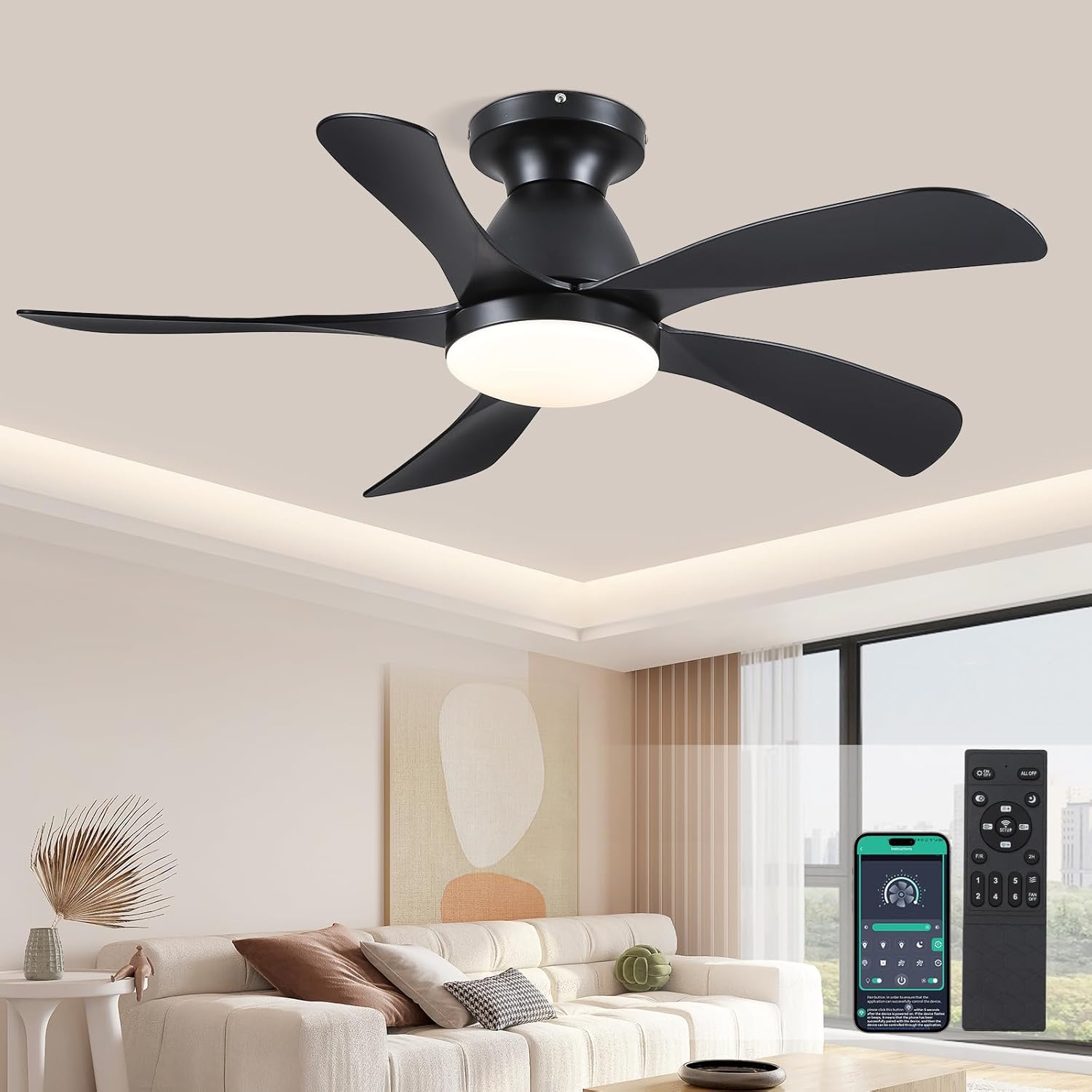
Figure 1: SHIHOT 42-Inch Black Ceiling Fan with remote and app control.
2. Safety Information
Always follow basic safety precautions when installing and operating electrical appliances to reduce the risk of fire, electric shock, and personal injury.
- Read all instructions carefully before beginning installation.
- Ensure the power is turned off at the circuit breaker before installation or maintenance.
- All wiring must be in accordance with national and local electrical codes.
- Consult a qualified electrician if you are unsure about wiring or installation.
- Mount the fan only to an outlet box marked "Acceptable for Fan Support of 35 lbs (15.9 kg) or less" and use the mounting screws provided with the outlet box.
- Do not insert objects into the path of the fan blades.
3. Package Contents
Verify that all components are present before beginning installation:
- Fan body assembly
- Hanging board
- 5 Reversible Blades
- LED Lampshade
- Receiver & Remote control
- Screws and mounting hardware

Figure 2: Product components and dimensions.
4. Installation Guide
For a visual guide, please refer to the official installation video below. Detailed steps are also provided.
Video 1: SHIHOT Ceiling Fan Installation Guide (Model 8906).
4.1 Assembling the Fan Blades
- Unscrew the existing screws from the fan body assembly.
- Align each of the 5 fan blades with the screw holes on the fan body assembly.
- Secure each blade using the provided screws and a power drill, ensuring they are firmly attached.
- Attach the LED lampshade to the bottom of the fan body assembly by aligning it and securing it with screws.
4.2 Mounting the Hanging Board and Wiring
- Ensure power is OFF at the circuit breaker.
- Mount the hanging board securely to the ceiling outlet box using appropriate screws.
- Connect the fan's wiring to the household wiring according to the wiring diagram (typically black to black, white to white, and green/ground to green/ground). Ensure all connections are secure.
- Hang the fan body assembly onto the hanging board using the safety cable.
- Connect the receiver and remote control wiring as shown in the video, ensuring correct polarity.
- Carefully tuck all wires into the ceiling canopy.
- Secure the ceiling canopy to the hanging board with screws.
5. Operating Instructions
Your SHIHOT ceiling fan can be operated using the included remote control or a compatible mobile application.
Video 2: SHIHOT Ceiling Fan Features Demonstration (Model 8906).
5.1 Remote Control Functions
- Power On/Off: Press the power button to turn the fan and light on or off.
- Fan Speed Adjustment: Select from 6 wind speeds (Low-Mid-High) to suit your comfort needs.
- Light Color Temperature: Adjust the light color temperature between 3000K (Warm light), 4500K (Natural light), and 6000K (White light).

Figure 3: Light color temperature options.
- Brightness Adjustment: Dim or brighten the light from 20% to 100%.
- Timer Setting: Set the fan to turn off automatically after a specified period (e.g., 2 hours).
- Reverse Function: Press the 'R' key on the remote for 5-8 seconds. The fan will stop completely and then automatically reverse its rotation. This function allows for summer forward rotation (downward airflow for cooling) and winter reversal (upward airflow for circulating warm air).
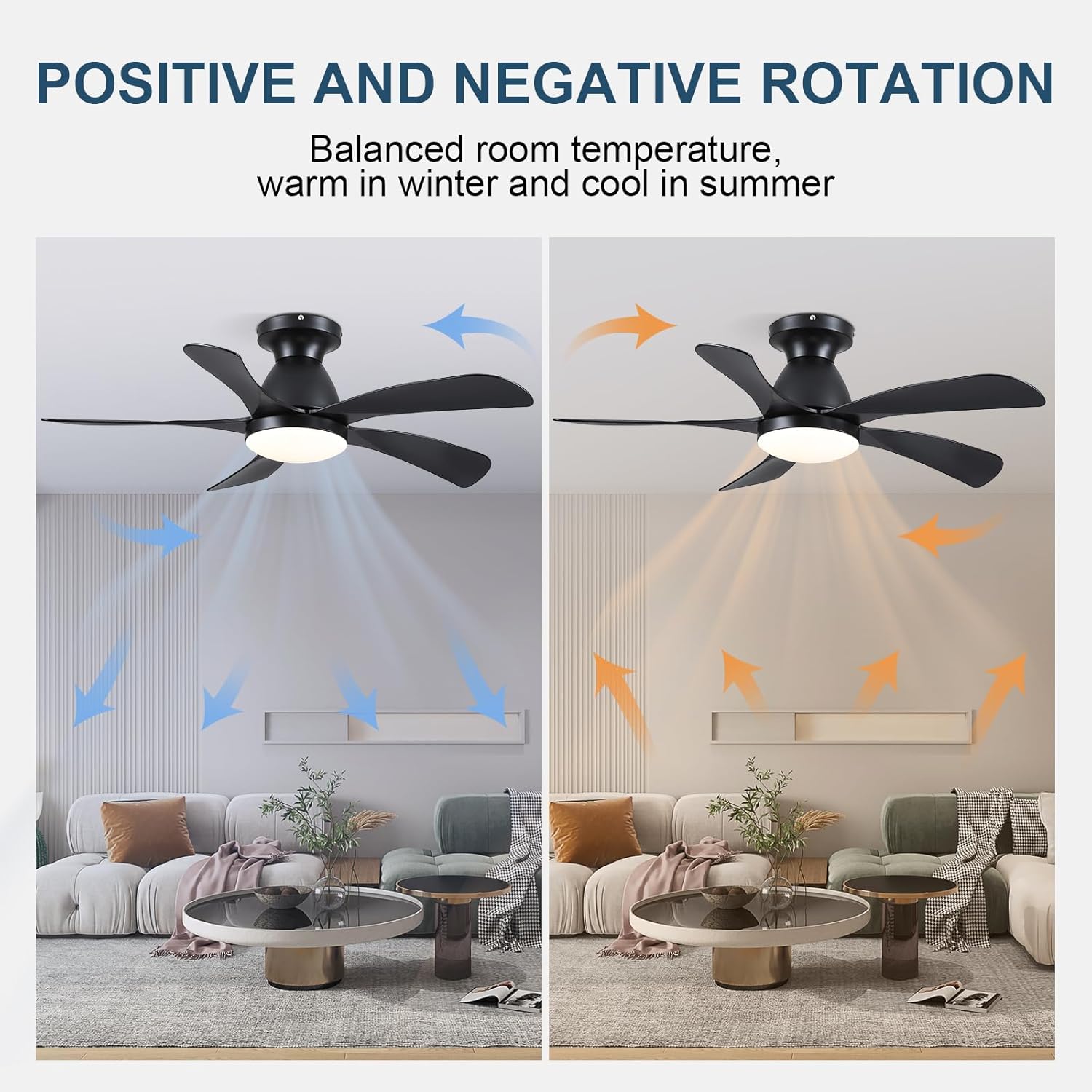
Figure 4: Fan reverse function for seasonal use.
- Wind Speed Levels:
- 1-2 Speeds: Comfortable wind suitable for sleep.
- 3-4 Speeds: Natural wind suitable for daily life.
- 5-6 Speeds: Strong wind suitable for hot summer.

Figure 5: Fan speed recommendations.
- Quiet DC Motor: The fan operates smoothly and quietly, with sound less than 50dB, providing a comfortable and peaceful environment.

Figure 6: Quiet operation of the DC motor.
- APP Control: The fan can also be controlled via a compatible mobile application. Refer to the app's instructions for pairing and usage.
6. Maintenance
Regular maintenance ensures the longevity and optimal performance of your ceiling fan.
- Cleaning: To avoid damage to the finish, clean the fan with a soft, damp cloth. Do not use abrasive cleaners or solvents.
- Blade Care: Periodically check the fan blades for dust buildup. Clean them gently to maintain balance and airflow.
- Tightness: Check all screw connections on the fan and mounting bracket periodically to ensure they are secure.
7. Troubleshooting
| Problem | Possible Cause | Solution |
|---|---|---|
| Fan does not start | No power to the fan; Loose wire connections; Remote control battery low. | Check circuit breaker; Verify all wire connections are secure; Replace remote control batteries. |
| Fan wobbles | Loose fan blades; Improperly mounted hanging board; Unbalanced blades. | Tighten all blade screws; Ensure hanging board is securely fastened; Use a balancing kit (not included) if necessary. |
| Light does not work | Loose wire connection to light kit; Faulty LED module. | Check light kit wiring; Contact customer support for LED module replacement if needed. |
| Remote control not working | Battery low or incorrectly inserted; Remote not paired with receiver. | Replace battery, ensure correct polarity; Follow pairing instructions in the manual (if applicable). |
8. Specifications
- Brand: SHIHOT
- Model Name: 8906
- Product Dimensions: 42"D x 42"W x 20"H
- Color: Black
- Number of Blades: 5
- Power Source: DC
- Voltage: 110 Volts
- Speed Settings: 6 RPM
- Control Method: App, Remote
- Special Feature: Remote Controlled, LED Light, Timer, Reversible DC Motor
- Room Type: Bedroom (Suitable for Living Room, Office, Study, Kitchen)
- Indoor/Outdoor Usage: Indoor
- Item Weight: 11.45 pounds
9. Warranty and Support
For warranty information or technical support, please refer to the product's packaging or contact SHIHOT customer service directly. Keep your purchase receipt as proof of purchase.
Visit the official SHIHOT store for more products and support: SHIHOT Store


