
1. Product Overview
The Fitoncloud F19 Feminine Smartwatch is designed to combine elegant aesthetics with comprehensive smart functionalities. Featuring a 1.3-inch HD full-touch color screen and a bezel adorned with 60 brilliant diamonds, this smartwatch offers a sophisticated look while providing advanced health and fitness tracking capabilities.

Figure 1.1: The Fitoncloud F19 Feminine Smartwatch in Elegant Rosegold, showcasing its diamond-embellished bezel and vibrant display.
What's in the Box
- Rose Gold Smart Watch x1
- Pink Silicone Band x1 & Steel Band x1
- Magnetic USB Charger Cable x1
- User Manual x1
- Screen Protectors x2
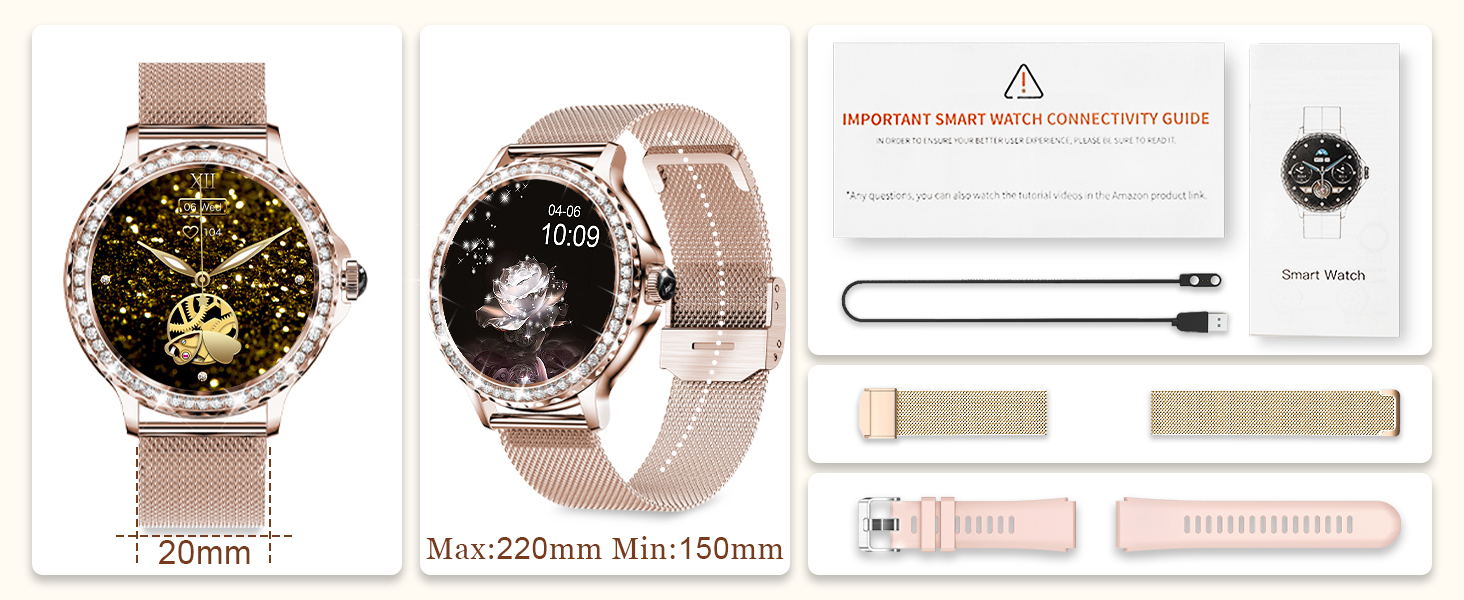
Figure 1.2: An illustration of the items included in the product packaging, showing the smartwatch, two bands, charging cable, user manual, and screen protectors.
2. Setup
2.1 Charging the Smartwatch
Before initial use, fully charge your smartwatch. Connect the magnetic USB charger cable to the charging points on the back of the watch. Plug the USB-C end into a compatible wall adapter (not included) or a USB port. A full charge typically takes approximately 2 hours.
2.2 App Download and Pairing
To unlock the full features of your smartwatch, download the FitCloudPro app from your smartphone's app store (available for Android 5.0+ and iOS 10.0+).
- Scan the QR code in the user manual or search for "FitCloudPro" in your app store.
- Install and open the app.
- Enable Bluetooth on your smartphone.
- In the FitCloudPro app, navigate to the device pairing section and search for your smartwatch. The device name should appear as "NX19" or similar.
- Select your smartwatch to pair. Follow any on-screen prompts to complete the connection.
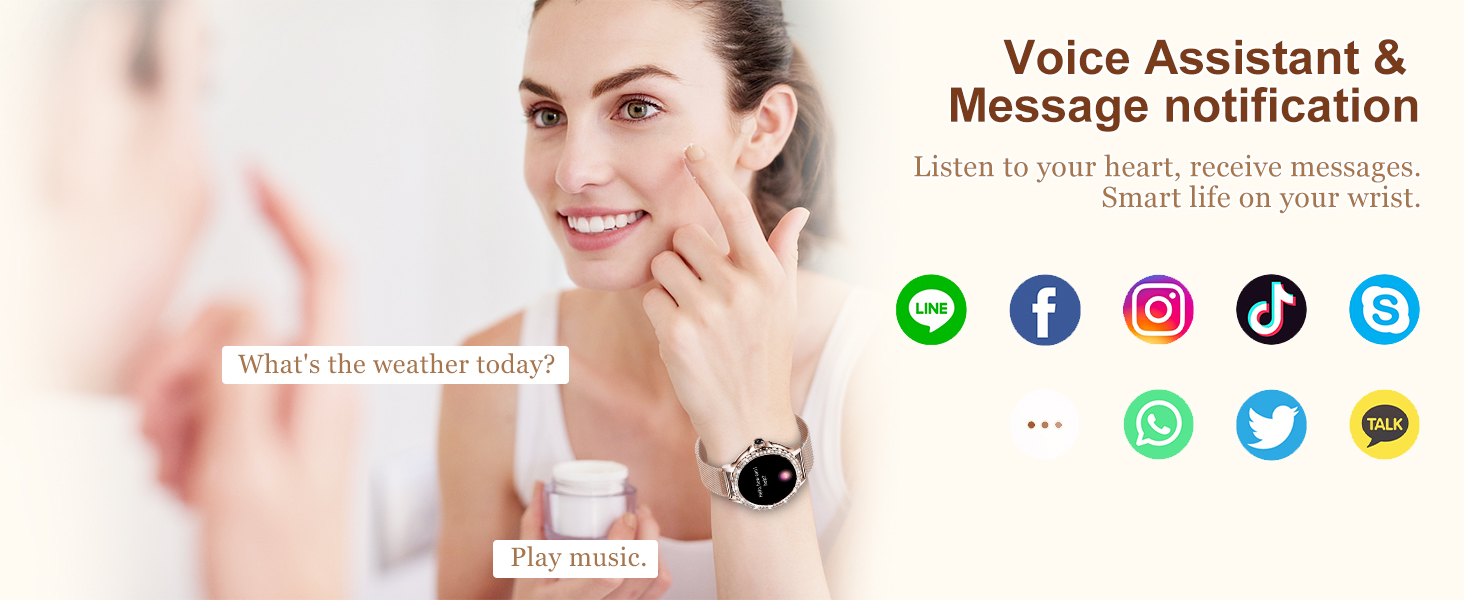
Figure 2.1: The smartwatch is compatible with both Android (5.0 and higher) and iOS (10.0 and higher) devices, allowing broad smartphone integration.
2.3 Attaching/Replacing Bands
The smartwatch comes with two interchangeable bands: a steel band and a silicone band. To attach or replace a band, locate the quick-release pins on the underside of the band. Slide the pin to detach or attach the band to the watch lugs.
3. Operating the Smartwatch
3.1 Basic Navigation
The smartwatch features a full-touch HD screen for intuitive navigation. Swipe left, right, up, or down to access different functions and menus. Press the side button to return to the home screen or wake the device.
3.2 Making and Answering Calls
With its built-in Hi-Fi speaker and microphone, the F19 Smartwatch allows you to make and answer calls directly via Bluetooth connection to your smartphone.
- Making Calls: Access the call function on your watch, dial a number, or select a contact from your synced phonebook.
- Answering Calls: When a call comes in, the watch will vibrate and display the caller ID. Tap the green icon to answer or the red icon to reject.

Figure 3.1: A user demonstrating the Bluetooth call feature, showing the watch displaying an incoming call interface.

Figure 3.2: An image illustrating the Bluetooth 5.2 call functionality, highlighting clear dialogue and connection.
3.3 Receiving Messages and Notifications
The smartwatch can display real-time notifications from SMS, Facebook, Twitter, WhatsApp, Instagram, and other applications. Notifications are displayed on your wrist and alerted by vibration. Note: This function does not support sending or replying to messages.

Figure 3.3: The smartwatch on a wrist, surrounded by icons of various social media and messaging apps, indicating real-time message reminders.
3.4 Music Control
Control your smartphone's music playback directly from your smartwatch. You can play, pause, skip tracks, and adjust the volume.
3.5 Changing Watch Faces and Customization
Personalize your smartwatch with a variety of watch faces available through the FitCloudPro app. You can choose from over 100 pre-designed dials or customize your own using your favorite photos.

Figure 3.4: A woman wearing the smartwatch, with an accompanying image showing the FitCloudPro app interface for customizing watch faces with personal photos.
4. Health Monitoring
The F19 Smartwatch provides comprehensive health monitoring features to help you track your well-being. Note: This device is not intended for medical use. Consult a healthcare professional for any health concerns.
4.1 Heart Rate, Blood Pressure, and Blood Oxygen (SpO2)
Monitor your heart rate, blood pressure, and blood oxygen levels in real-time. Access these functions through the watch menu or the FitCloudPro app for detailed historical data.
4.2 Sleep Monitoring
The smartwatch automatically tracks your sleep patterns, including deep sleep, light sleep, and wakefulness periods. This data helps you understand and improve your sleep quality.

Figure 4.1: Two scenes depicting health monitoring: a couple running with the watch showing heart rate, and a woman sleeping with the watch displaying sleep tracking data.
4.3 Female Health Assistant
Designed with women's health in mind, the smartwatch can record and manage menstrual periods, providing personalized reminders for menstrual management and pregnancy preparation.

Figure 4.2: A woman relaxing while her phone displays a menstrual period tracking calendar, indicating the smartwatch's female health assistant feature.
4.4 Water and Sedentary Reminders
Set reminders to drink water and move throughout the day to help maintain a healthy lifestyle.
5. Activity Tracking & Sport Modes
The F19 Smartwatch is an excellent companion for your fitness journey, supporting over 100 sport modes.
- Automatically monitors and records daily steps.
- Calculates exercise time and calories burned.
- Supports various activities including walking, running, hiking, yoga, cycling, basketball, and more.

Figure 5.1: A woman performing a yoga pose, with the smartwatch displaying various fitness metrics like calories, distance, steps, and heart rate, illustrating its multi-sport tracking capabilities.
6. Maintenance
6.1 IP68 Waterproofing
The smartwatch is IP68 waterproof, meaning it can withstand daily water exposure such as hand washing, rain, and sweat during sports. It is not suitable for diving, hot showers, or prolonged submersion.
6.2 Cleaning and Care
To maintain your smartwatch, regularly wipe the screen and bands with a soft, dry cloth. Avoid using harsh chemicals or abrasive materials. Ensure the charging contacts are clean and dry before charging.
6.3 Battery Life
The F19 Smartwatch features a 200mAh battery. Typical usage provides 1-5 days of normal use, up to 20 days of standby time, and 25 days in power-save mode. Charging time is approximately 2 hours.
7. Troubleshooting
7.1 Connectivity Issues
- Ensure Bluetooth is enabled on your smartphone and the smartwatch is within range.
- Restart both your smartphone and the smartwatch.
- Try unpairing and re-pairing the device through the FitCloudPro app.
7.2 Display Not Responding
- Ensure the watch is charged.
- Press and hold the side button for several seconds to force a restart.
7.3 Inaccurate Health Readings
- Ensure the watch is worn snugly on your wrist, not too loose or too tight.
- Clean the sensor on the back of the watch.
- Remember that readings are for reference only and not for medical diagnosis.
8. Specifications
| Model Number | F19 Feminine Smartwatch |
| Screen Size | 1.3 Inches |
| Display Resolution | 360*360 |
| Battery Capacity | 200 Milliamp Hours (mAh) |
| Connectivity | Bluetooth 5.2 |
| Water Resistance | IP68 |
| Memory Storage Capacity | 128 MB |
| Item Weight | 7.4 ounces |
| Dimensions | 11.18 x 3.94 x 0.75 inches |
9. Warranty & Support
Fitoncloud is dedicated to providing quality products and excellent customer service. For any product questions or suggestions, please feel free to contact us directly. We strive to provide the most satisfactory solution within 24 hours.
Please refer to your purchase documentation for specific warranty details.

