
1. Introduction
This manual provides detailed instructions for the installation, operation, and maintenance of your XSDTS CS7 Smart Door Lock. Please read this manual thoroughly before installation and use to ensure proper functionality and security.
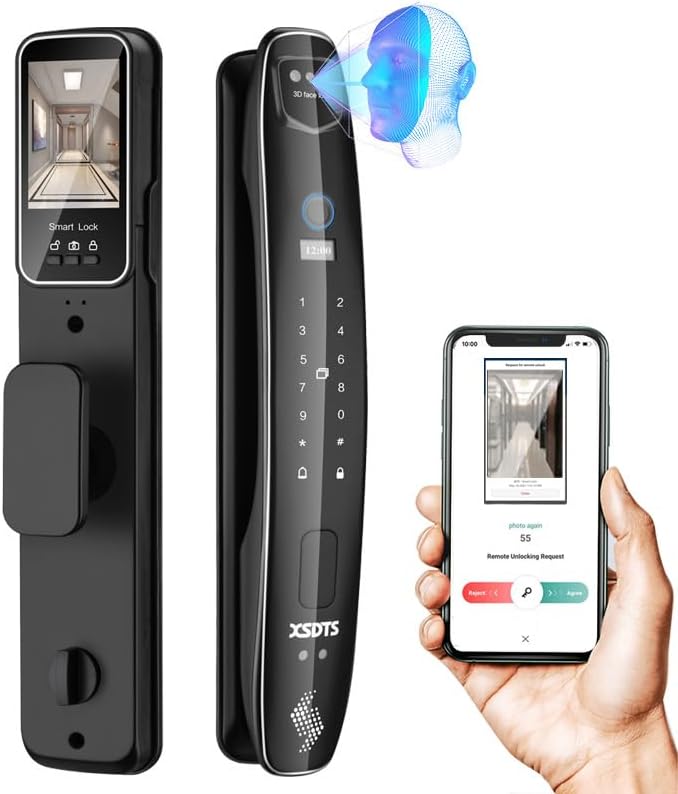
Figure 1.1: XSDTS CS7 Smart Door Lock showcasing its sleek design and smart features, including 3D face recognition and remote app control.
Key Features:
- 7 Unlocking Methods: 3D Face Recognition, Biometric Fingerprint, Password, IC Card, Tuya App, Manual Key, and Temporary Password.
- Integrated Camera: Smart monitoring camera for enhanced security.
- Remote Access: Unlock and manage access from anywhere via the Tuya app.
- Long Battery Life: 4200mAh battery provides over two months of operation.
- Emergency Power: USB power bank support for emergency unlocking.
- Wide Compatibility: Suitable for door thicknesses from 35mm to 100mm.
2. Setup and Installation
2.1 Pre-Installation Checks
- Ensure your door thickness is between 35mm and 100mm.
- Verify the door opening direction (left or right) as the lock can be adjusted.
- Confirm the door size matches the lock's dimensions (refer to Figure 2.1).
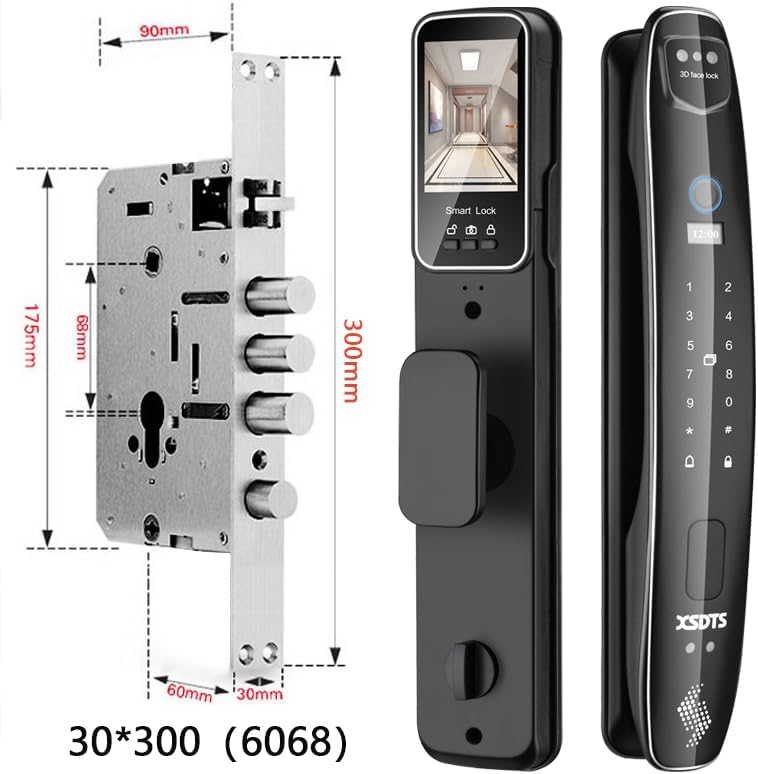
Figure 2.1: Detailed dimensions of the XSDTS CS7 Smart Door Lock and its internal components, including the lock body and mounting points.
2.2 Included Components
The package includes the following items:
- Front Panel (x1)
- Rear Panel (x1)
- Lock Body (x1)
- Lock Core (x1)
- Mechanical Keys (x2)
- Smart Cards (x4)
- USB Charging Cable (x1)
- Screw Fittings Set (x1)
- Instructions + Installation Drawings (x1)
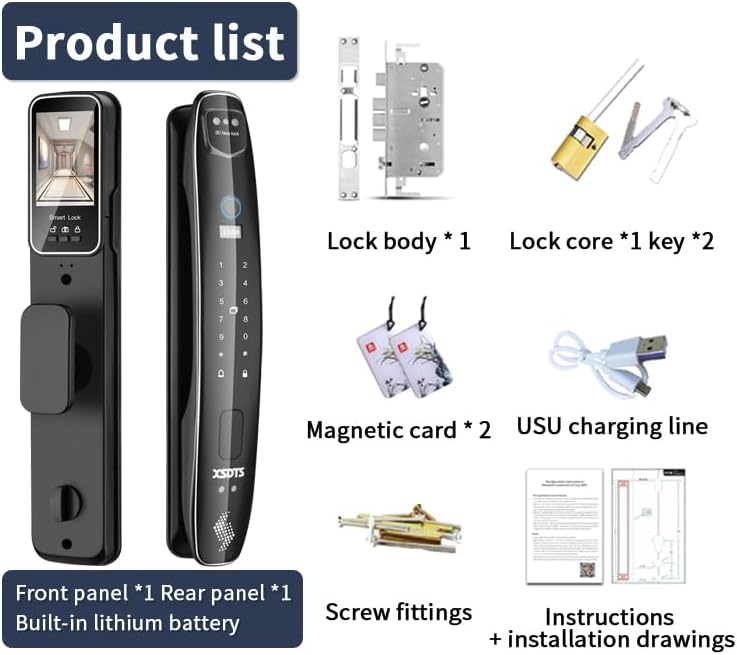
Figure 2.2: All components included in the XSDTS CS7 Smart Door Lock package, such as the front and rear panels, lock body, keys, smart cards, and installation hardware.
2.3 Installation Steps
- Prepare the door according to the provided installation drawings.
- Install the lock body into the door.
- Connect the front and rear panels, ensuring all cables are properly routed.
- Secure the panels with the provided screw fittings.
- Test all unlocking methods to ensure correct installation.
3. Operating Instructions
3.1 Unlocking Methods

Figure 3.1: Visual representation of the seven distinct unlocking methods available for the XSDTS CS7 Smart Door Lock.
- 3D Face Recognition: The lock features a 3D face recognition camera for quick and secure unlocking. Simply approach the lock, and it will automatically recognize your face and unlock.
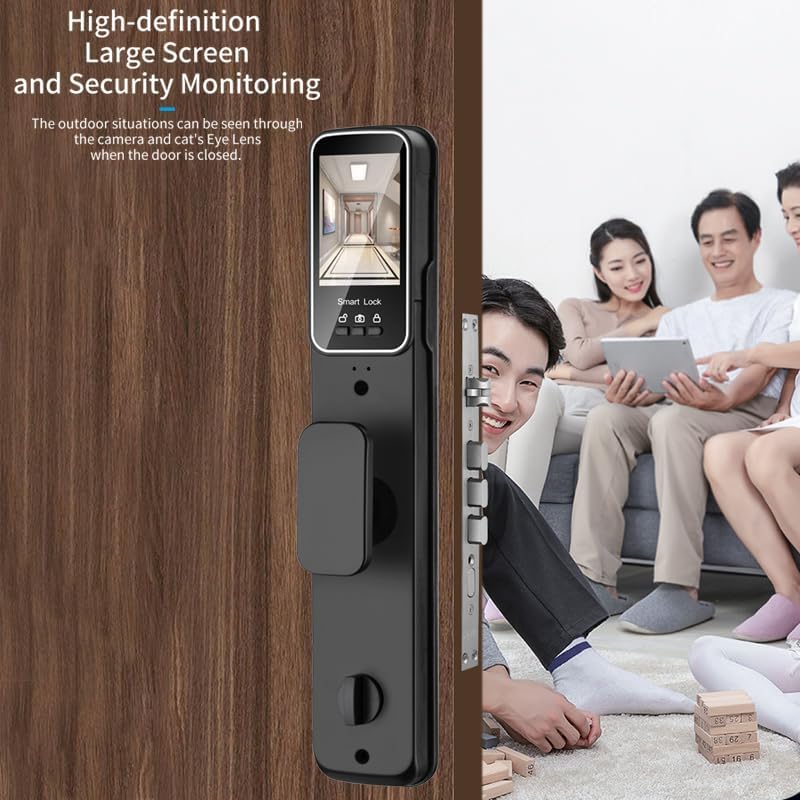
Figure 3.2: Demonstrates the 3D Face Recognition feature, allowing for quick, no-touch unlocking.
- Biometric Fingerprint: Place your registered finger on the fingerprint sensor for instant access. The AI fingerprint algorithm ensures high accuracy and fast recognition.

Figure 3.3: Illustrates the AI Fingerprint Algorithm, highlighting its 99.9% success rate and fast recognition time.
- Password: Enter your numerical password on the keypad.
- IC Card: Tap a registered IC card on the designated area to unlock.
- Tuya App: Use the Tuya Smart app on your smartphone for remote unlocking and management.

Figure 3.4: Overview of the Tuya or Smart Life app features, including remote unlock, temporary passwords, and information notifications.
- Manual Key: In case of emergency or battery depletion, use the physical mechanical key to unlock.
- Temporary Password: Generate time-limited or one-time passwords via the Tuya app for guests or service personnel. These codes are automatically deleted after use.
3.2 Remote Access via Tuya App
The Tuya app allows you to:
- Remotely unlock the door from anywhere in the world.
- Generate and manage temporary access codes.
- Receive real-time notifications about lock activity.
- View access logs.
To activate the mobile app, press the doorbell button on the lock.
4. Maintenance
4.1 Battery Management
- The lock is powered by a 4200mAh battery, providing approximately two months of usage.
- A low battery audible alarm will sound to remind you to change or recharge the battery.
- In case of complete battery drain, use the backup mechanical key or connect a USB power bank to the emergency charging port to power the lock temporarily.
4.2 Cleaning and Care
- Wipe the lock surface with a soft, dry cloth.
- Avoid using abrasive cleaners or solvents that may damage the finish.
- Keep the fingerprint sensor and camera lens clean for optimal performance.
5. Troubleshooting
Common Issues and Solutions:
| Issue | Possible Cause | Solution |
|---|---|---|
| Lock not responding | Low battery or completely drained. | Recharge battery via USB power bank or use mechanical key. |
| Fingerprint not recognized | Fingerprint sensor is dirty or finger is not placed correctly. | Clean the sensor. Ensure your finger covers the sensor completely. Re-register fingerprint if issue persists. |
| Face recognition failure | Camera lens is obstructed or lighting conditions are poor. | Clean the camera lens. Ensure adequate lighting. Try adjusting your position. |
| Remote unlock not working | No internet connection on lock or phone, or app not configured correctly. | Check Wi-Fi connection for the lock and your phone. Ensure the Tuya app is properly set up and connected to the lock. |
If you encounter issues not listed here or require further assistance, please contact XSDTS customer support.
6. Specifications

Figure 6.1: Detailed product parameters including overall dimensions (410mm height, 80mm width for front panel, 70mm width for rear panel).
| Feature | Detail |
|---|---|
| Model Name | CS7 - Black |
| Brand | XSDTS |
| Material | Aluminum |
| Color | Black |
| Style | Modern |
| Finishes | Lacquered |
| Shape | Round |
| Special Features | Resettable, Scratch Resistant, Fingerprint, Passcode Unlock, One Touch Lock |
| Communication Protocol | Wi-Fi |
| Controller Type | Tuya App |
| Recommended Uses | Families, Airbnb, Rentals, Offices, Business Departments |
| Door Thickness Compatibility | 35mm - 100mm |
| Battery Capacity | 4200mAh (Included) |
7. Warranty and Support
7.1 Warranty Information
All XSDTS products come with a direct 12-month warranty from the date of purchase. This warranty covers manufacturing defects and ensures the proper functioning of your smart door lock under normal use.
7.2 Technical Support
XSDTS offers unlimited technical consultations to assist you with any questions or issues. Our team of certified technicians is available to provide support via:
- Phone support
- Live chat
- Video calls
Additionally, we provide comprehensive installation, configuration, and solution videos to guide you through various processes. These resources will be made available to you after your purchase.

