
1. Introduction
Thank you for choosing the ARCTIC Summair 2Go rechargeable handheld fan. This manual provides essential information for the safe and efficient operation, maintenance, and troubleshooting of your device. Please read this manual thoroughly before using the product and retain it for future reference.
2. Product Overview
The ARCTIC Summair 2Go is a powerful and portable handheld fan designed for personal cooling. Its compact design and long-lasting battery make it an ideal companion for various indoor and outdoor activities.
Key Features:
- Powerful Airflow: Generates a gentle breeze at low speed and a strong, pleasant airflow at maximum power.
- Infinitely Variable Speed: Allows precise adjustment of fan speed for optimal comfort.
- Extended Running Time: Equipped with a rechargeable 5000 mAh battery, providing up to 77 hours of operation.
- Ergonomic Design: Features a comfortable, secure, and fatigue-free grip with a subtly textured surface.
- Integrated Stand: Includes a rubberized, fold-out base for stable placement on various surfaces without causing scratches.
- USB-C Connection: Convenient charging via USB-C.
What's in the Box:
- ARCTIC Summair 2Go Fan (Black)
- USB-A to USB-C Charging Cable (120 cm)
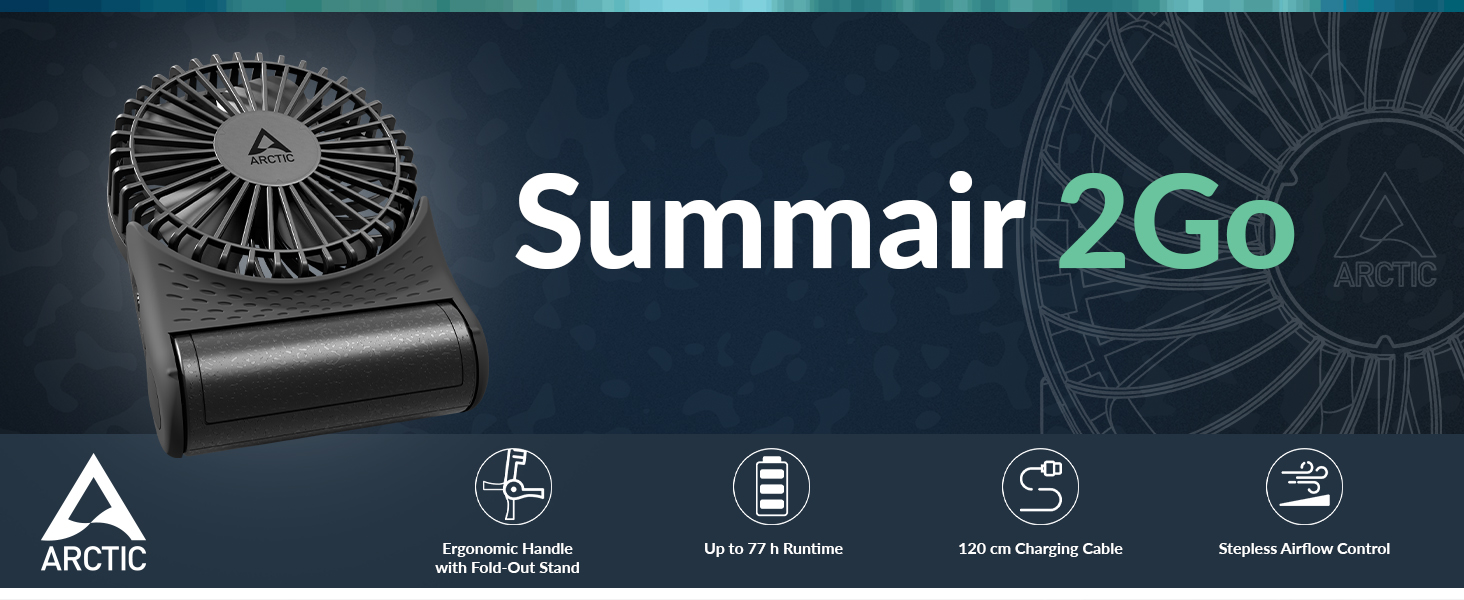
Image: ARCTIC Summair 2Go fan with its main features.
3. Setup
3.1 Charging the Battery
Before first use, fully charge the ARCTIC Summair 2Go fan. The fan is equipped with a 5000 mAh rechargeable battery.
- Locate the USB-C charging port on the side of the fan's base.
- Connect the provided USB-A to USB-C cable to the fan's USB-C port.
- Connect the USB-A end of the cable to a compatible USB power source (e.g., computer, wall adapter, power bank).
- The LED indicators on the fan's base will illuminate to show charging status. A red light indicates charging, and it will turn green when fully charged.

Image: Side view of the fan, highlighting the USB-C charging port.

Image: Close-up of the fan showing charging cable and battery life.
3.2 Deploying the Stand
The Summair 2Go features a fold-out stand for stable desktop use.
- Gently pull the base of the fan downwards to extend the integrated stand.
- Adjust the angle of the fan head to your desired position.
- Ensure the rubberized feet of the stand are firmly placed on a flat surface for stability.

Image: The fan with its stand extended for desktop use.
4. Operating Instructions
4.1 Power On/Off and Speed Control
The fan features an infinitely variable speed control for precise airflow adjustment.
- To turn the fan on, rotate the small wheel located on the side of the fan's base.
- Continue rotating the wheel to increase the fan speed. The speed is infinitely variable, allowing you to find your preferred airflow.
- To decrease the fan speed, rotate the wheel in the opposite direction.
- To turn the fan off, rotate the wheel completely until it clicks into the off position.

Image: Demonstrating handheld use of the fan.

Image: Illustration of stepless airflow control and battery life at different speeds.
5. Maintenance
5.1 Cleaning
To maintain optimal performance and hygiene, clean your fan regularly.
- Ensure the fan is turned off and unplugged from any power source before cleaning.
- Use a soft, dry cloth to wipe the exterior surfaces of the fan.
- For stubborn dirt, a slightly damp cloth can be used, but ensure no moisture enters the fan's internal components.
- Do not use abrasive cleaners, solvents, or harsh chemicals, as these may damage the fan's finish.
5.2 Battery Replacement
The ARCTIC Summair 2Go features a replaceable 5000 mAh 26650-format lithium-ion battery. If the battery's performance significantly degrades over time, it can be replaced.
- To replace the battery, carefully open the battery compartment located in the base of the fan.
- Remove the old battery and insert a new, compatible 26650 lithium-ion battery, ensuring correct polarity.
- Close the battery compartment securely.
- Dispose of the old battery responsibly according to local regulations.
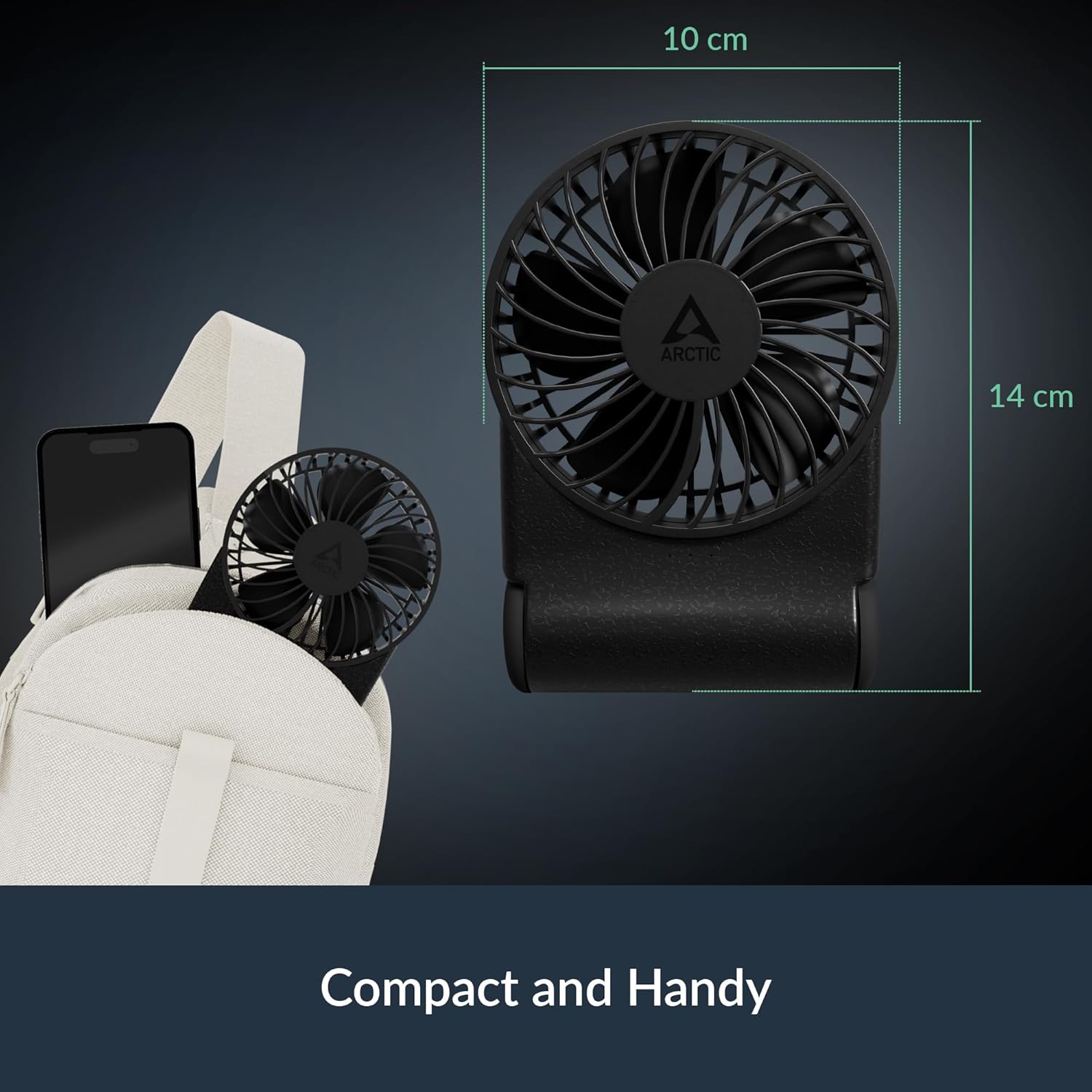
Image: The replaceable lithium-ion battery inside the fan's base.
6. Troubleshooting
If you encounter any issues with your ARCTIC Summair 2Go fan, please refer to the following common problems and solutions:
| Problem | Possible Cause | Solution |
|---|---|---|
| Fan does not turn on. | Battery is depleted. | Charge the fan using the provided USB-C cable. |
| Fan produces weak airflow. | Speed setting is too low. | Rotate the speed control wheel clockwise to increase airflow. |
| Fan is making unusual noises. | Obstruction in fan blades or motor. | Turn off the fan and carefully check for any obstructions. Clean if necessary. |
| Charging indicator light is not behaving as expected. | Misinterpretation of indicator lights. | During charging, a red light indicates charging. It turns green when fully charged. The white LED indicators show current battery level when the fan is in use. |
7. Specifications
| Feature | Detail |
|---|---|
| Brand | ARCTIC |
| Model Name | Summair 2Go |
| Model Number | AEBRZ00027A |
| Color | Black |
| Power Source | Battery Powered |
| Battery Capacity | 5000 mAh (26650 Lithium-ion) |
| Running Time | 4-77 hours (depending on speed) |
| Charging Port | USB-C |
| Fan Speed | Infinitely Variable (up to 4000 RPM) |
| Noise Level | 30 Decibels |
| Wattage | 5 watts |
| Voltage | 5.0 V |
| Product Dimensions | 1.5"D x 4"W x 7"H (3.8 cm D x 10.2 cm W x 17.8 cm H) |
| Item Weight | 230 Grams |
| Material | Plastic |
| Control Method | Rotary Dial |
| Indoor/Outdoor Usage | Indoor, Outdoor |
8. Warranty and Support
8.1 Warranty Information
The ARCTIC Summair 2Go comes with a 6-year warranty from the date of purchase. This warranty covers manufacturing defects and ensures reliable operation under normal use. Please retain your proof of purchase for warranty claims.
8.2 Customer Support
For technical support, warranty claims, or any questions regarding your ARCTIC Summair 2Go fan, please visit the official ARCTIC website or contact their customer service directly. You can find more information and support resources at the ARCTIC Store on Amazon.

