
Introduction
The ABIR WD8 is an advanced window cleaning robot designed for efficient and thorough cleaning of glass surfaces. It features dual water spray, intelligent navigation, and multiple control options to simplify window maintenance and provide a clear view.
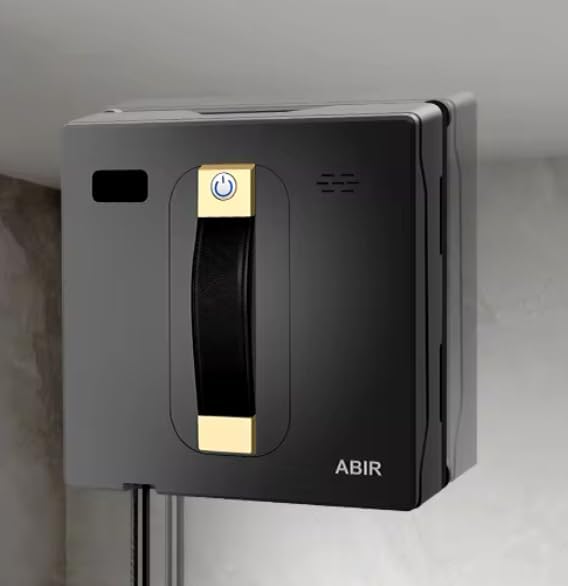
Image: The ABIR WD8 Window Cleaning Robot, a compact device with a handle and power button, designed for automated window cleaning.
Key Features
- Brushless Motor for powerful and quiet operation
- App Control for convenient remote management
- Dual Water Spray for effective stain removal
- Imported Chip for intelligent processing
- Intelligent Planning and Smart Memory for efficient navigation
- SLAM 4.0 System for advanced real-time route planning
- Strong Suction (3000PA) for secure adherence
- Anti-fall protection and power failure protection for safety
- Supports frameless windows
- Low Noise Operation
- Ultra-thin body design
- Voice Alerts for operational status updates
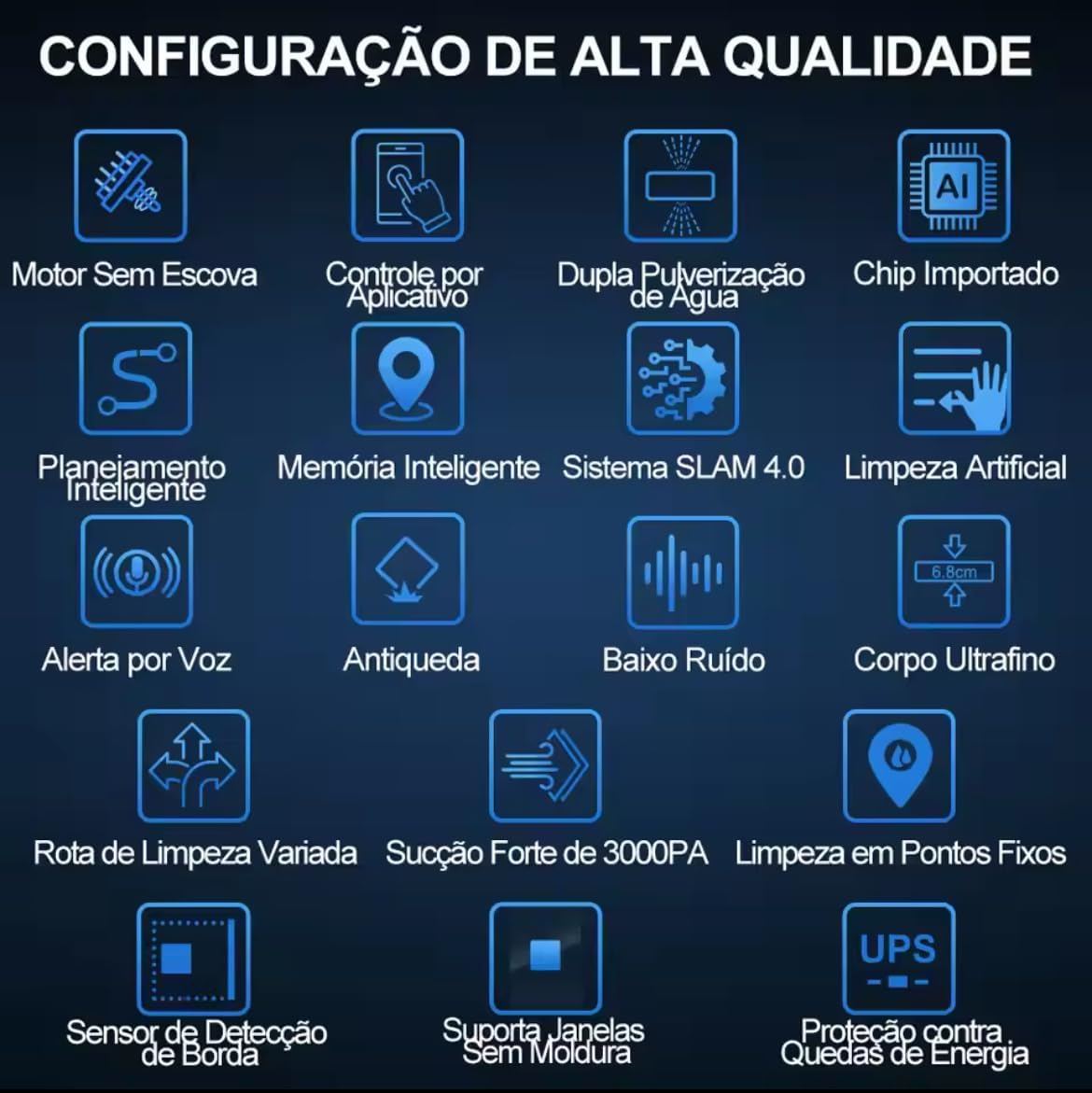
Image: An infographic displaying the key features of the ABIR WD8, including brushless motor, app control, dual water spray, intelligent planning, SLAM 4.0, strong suction, and anti-fall.
Setup
- Power Connection: Connect the robot to a power source using the provided adapter. Ensure the power cable is securely attached and has enough slack for the robot's movement.
- Water Tank Filling: Locate the water tank. Fill it with clean water or a suitable window cleaning solution. The dual spray system requires adequate liquid for optimal performance.
- Cleaning Pad Attachment: Attach the cleaning pads to the designated areas on the robot's underside. Ensure they are clean and properly secured.
- Safety Rope: Always attach the safety rope to a secure anchor point before placing the robot on a window, especially for exterior cleaning. This prevents falls in case of power loss or suction failure.
The robot is equipped with anti-fall protection and power failure protection, but using the safety rope is a critical safety measure for all operations.
Operating Instructions
Powering On/Off
Press and hold the power button on the robot or use the remote control/app to turn the device on or off.
Control Methods
- App Control: Download the "Tuya Smart" or "Smart Life" app. Connect the robot via Bluetooth. The app allows for easy control, mode selection, and monitoring.
- Remote Control: Use the provided remote control for basic operations such as starting, stopping, and changing cleaning directions.

Image: The ABIR WD8 robot shown alongside a smartphone displaying the control app interface and a physical remote control, illustrating multiple control options.
Intelligent Navigation (SLAM 4.0)
The ABIR WD8 utilizes an advanced SLAM 4.0 system with embedded laser sensors to intelligently plan cleaning routes in real-time. It detects edges and recalibrates its trajectory rapidly, ensuring comprehensive coverage and preventing missed spots.

Image: A diagram illustrating the ABIR WD8's SLAM 4.0 advanced navigation system, highlighting its intelligent route planning and efficient cleaning capabilities.
Dual Ultrasonic Spray Function
The robot features dual ultrasonic spray nozzles that can spray water in three directions simultaneously. This high-efficiency spray system effectively softens and removes stains without manual intervention, ensuring a thorough clean.
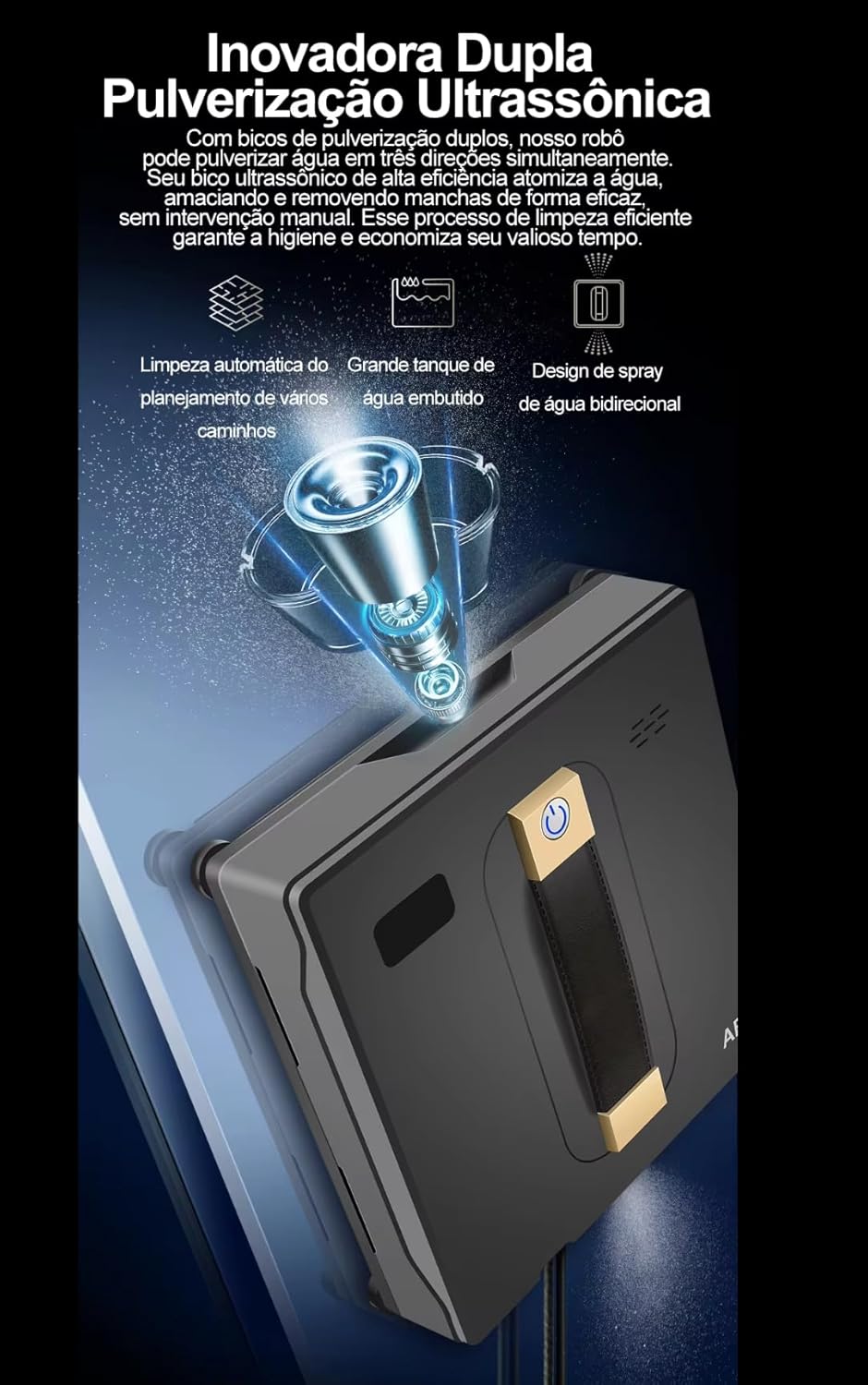
Image: An illustration of the ABIR WD8's innovative dual ultrasonic spray system, showing water being sprayed from multiple nozzles for effective cleaning.
The robot sprays water efficiently with non-repetitive paths. When cleaning to the left, it sprays from the left side. When cleaning to the right, the right side sprays. For downward cleaning, the bottom part sprays. Note that when moving upwards, the machine refrains from spraying water to prevent slipping.
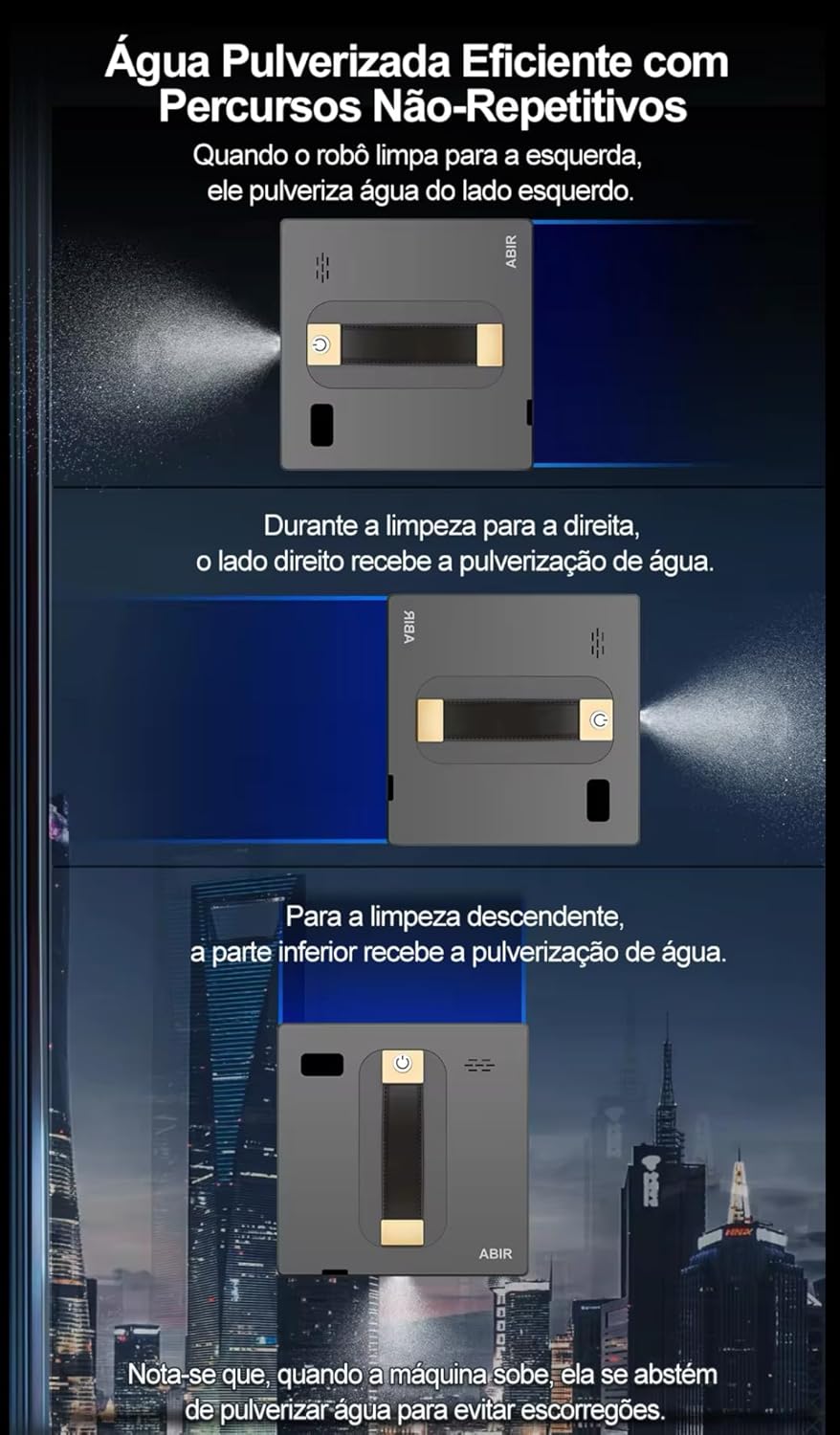
Image: A sequence of images demonstrating the ABIR WD8's efficient water spraying mechanism, showing how it sprays from the left, right, and bottom depending on its cleaning direction.
Cleaning Modes
The ABIR WD8 offers four customized cleaning modes to suit different needs:
- Deep Cleaning Mode (N+Z): Utilizes an N+Z cleaning path for robust, complete cleaning, ensuring thorough coverage.
- N Cleaning Mode: Employs an N-pattern for regular, single-pass cleaning.
- Z Cleaning Mode: Initiates cleaning with a Z-pattern, providing a unique and comprehensive clean.
- Fixed Point Cleaning Mode: Executes repetitive back-and-forth cleaning in a designated area with spray assistance for impeccable results on stubborn spots.

Image: An infographic detailing the four cleaning modes of the ABIR WD8: Deep Cleaning (N+Z), N Mode, Z Mode, and Fixed Point Cleaning, with visual representations of their paths.
Smart Memory Function
The ABIR WD8 features a smart memory function. After completing a cleaning cycle, it automatically returns to its original starting location. This convenient functionality ensures easy retrieval of the robot, especially after cleaning exterior windows.

Image: A diagram illustrating the ABIR WD8's smart memory function, showing the robot returning to its starting point after completing a cleaning cycle.
Voice Command/Alerts
The robot includes a voice functionality that provides real-time status reports. For example, it will alert you with a voice message if the water tank is insufficient, prompting you to refill it promptly to maintain continuous operation.
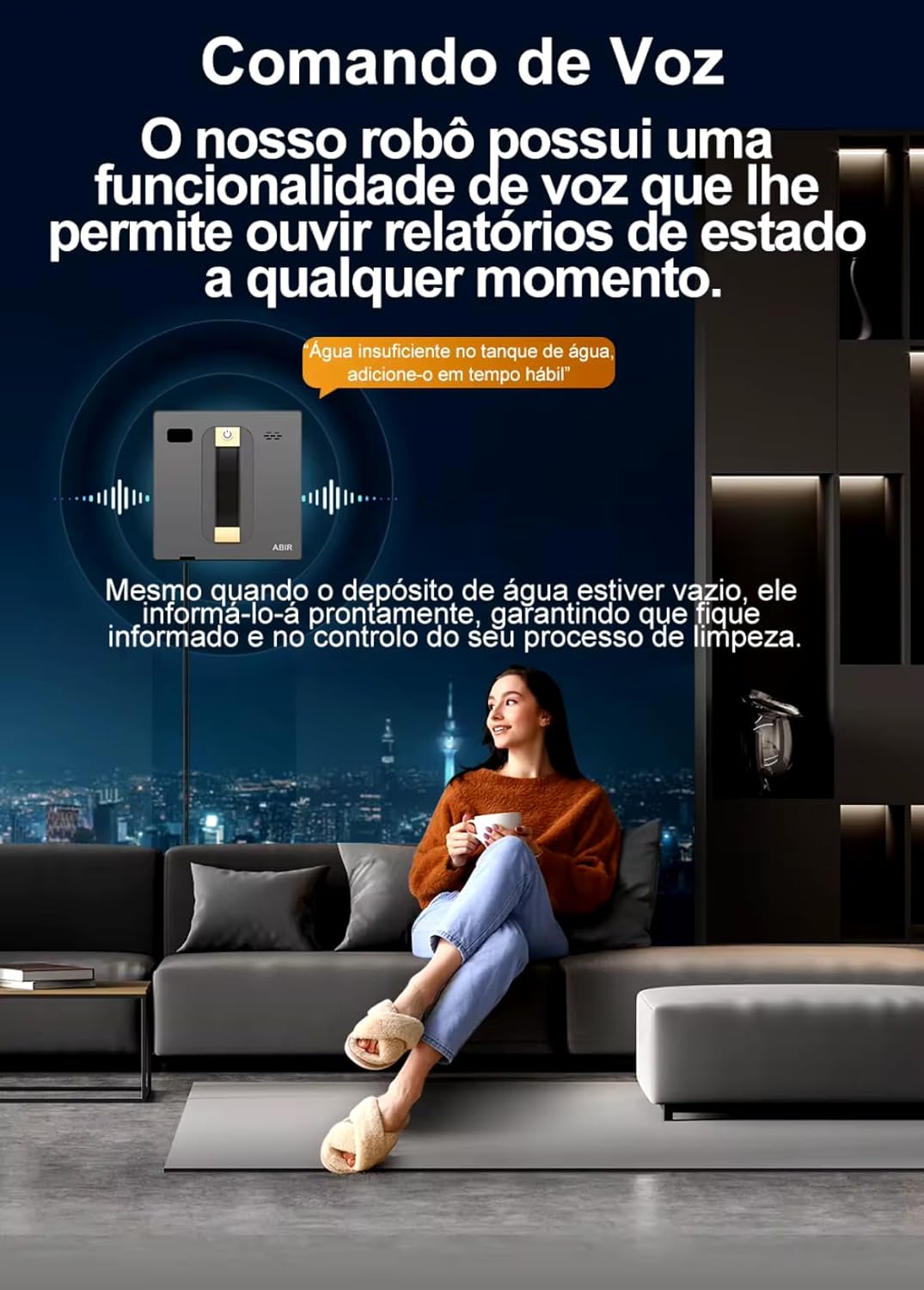
Image: An image depicting the ABIR WD8 robot with a voice bubble indicating an alert for "insufficient water," demonstrating its voice command and alert feature.
Maintenance
Cleaning the Robot
After each use, wipe the robot's exterior with a soft, dry cloth to remove any dust or residue.
Cleaning Pads
Remove and clean the used cleaning pads. They can typically be hand-washed or machine-washed with mild detergent. Ensure they are completely dry before reattaching them for the next use.
Water Tank
Empty any remaining water from the tank after use. Clean the tank periodically to prevent residue buildup and ensure hygienic operation.
Sensors
Gently wipe the laser sensors and edge detection sensors with a clean, dry cloth to ensure optimal performance and accurate navigation.
Troubleshooting
- Robot not adhering to the window:
- Check if the power cable is securely connected.
- Ensure the suction cups/pads are clean and free of debris.
- Verify the window surface is clean and dry.
- "Water insufficient" alert:
- Refill the water tank promptly.
- Robot not moving or stuck:
- Check for obstructions on the window surface.
- Ensure cleaning pads are not excessively dirty or wet.
- Restart the robot.
- Poor cleaning performance:
- Replace dirty cleaning pads.
- Ensure the water tank is filled with appropriate cleaning solution.
- Try a different cleaning mode (e.g., Deep Cleaning).
For persistent issues, refer to the manufacturer's support resources or contact your retailer for assistance.
Specifications
- Brand: ABIR
- Model: WD8
- Color: Gray
- Special Features: Advanced customized cleaning, Dual Water Spray, Intelligent Memory, SLAM 4.0, Voice Alerts
- Voltage: 110-220 Volts
- Power Source: Corded Electric
- Form Factor: Flat
- Product Weight: 1.3 kilograms
- Surface Recommendation: Glass
- Suction Power: 3000PA
Warranty and Support
For detailed warranty information and technical support, please refer to the official ABIR website or contact your authorized retailer. It is recommended to keep your purchase receipt as proof of purchase for any warranty claims.