
Introduction
This manual provides detailed instructions for the setup, operation, and maintenance of your FKU SF-777W 2.4G Wireless Gaming Desktop Microphone. Designed for gaming, streaming, recording, and online communication, this microphone features 2.4G wireless connectivity, RGB lighting, and intelligent noise reduction. Please read this manual carefully before using the product to ensure optimal performance and longevity.
Package Contents
Verify that all items listed below are included in your package:
- Microphone x 1
- Receiver x 1
- Tripod x 1
- USB cable x 1
- USB-A to USB-C adapter x 1
- User manual x 1
Product Features
The FKU SF-777W microphone offers a range of features to enhance your audio experience:
- 2.4G Wireless Technology: Provides a stable and reliable connection up to 10 meters, eliminating cable clutter.
- Dynamic RGB Lighting: Customizable lighting effects to complement your setup.
- Long Battery Life: Built-in polymer battery offers approximately 8 hours of use on a single 1.5-hour charge.
- ANC Noise Reduction: Integrated Active Noise Cancellation technology ensures clear and delicate sound pickup, even in noisy environments.
- Wide Compatibility: Supports wireless pairing with PC, Mac, PS4, PS5, and Switch, as well as mainstream audio systems.
- Metal Anti-slip Tripod: A stable and durable metal tripod design prevents tipping.
- Pop Filter: Equipped with an anti-spray net to effectively reduce plosives and sibilance.
- One-click Mute: Convenient button for instant muting.
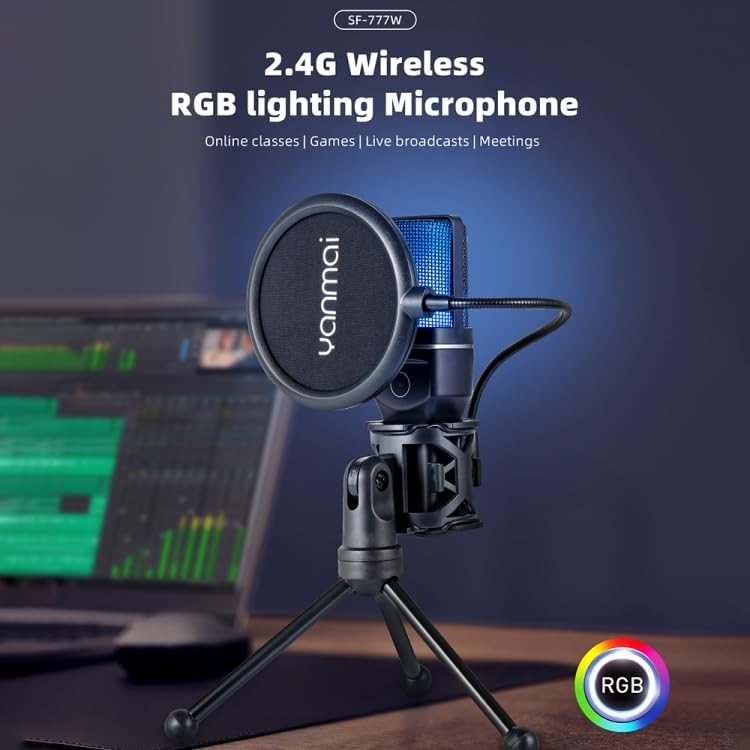
Image: The FKU SF-777W microphone with its 2.4G wireless receiver and RGB lighting, highlighting its wireless capability for various applications.
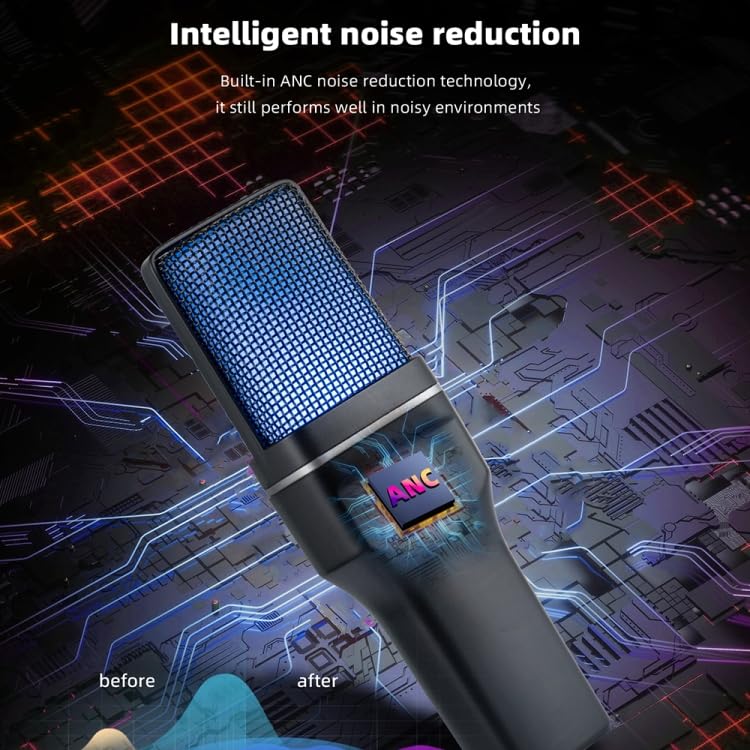
Image: A close-up of the microphone illustrating the intelligent noise reduction technology (ANC) for clearer audio.
Setup
- Assemble the Microphone: Attach the microphone to the shock mount, then secure the shock mount to the tripod. Adjust the angle as needed.
- Attach the Pop Filter: Connect the pop filter to the microphone stand or tripod using its clamp, positioning it a few inches in front of the microphone head.
- Connect the Receiver: Insert the 2.4G wireless receiver into an available USB-A port on your computer, gaming console (PS4, PS5, Switch), or other compatible device. If your device only has USB-C ports, use the provided USB-A to USB-C adapter.
- Power On the Microphone: Press and hold the power button on the microphone until the RGB lights illuminate, indicating it is powered on and attempting to connect.
- Pairing: The microphone and receiver should automatically pair. A solid light on the receiver typically indicates a successful connection.
- System Settings: On your device, navigate to sound settings and select the "SF-777W Microphone" as your input device.

Image: The microphone securely mounted on its metal triangular tripod with the pop filter attached, ready for use.
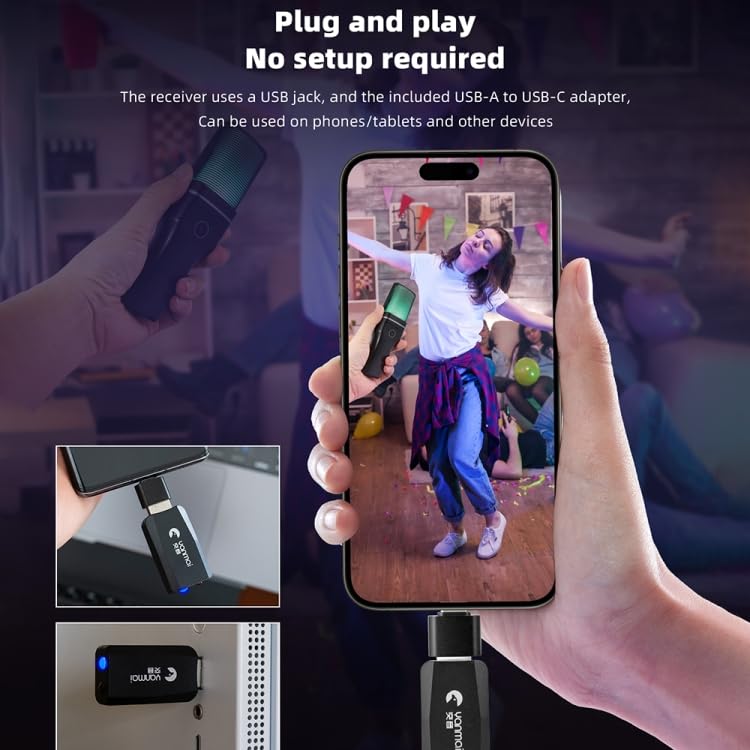
Image: The 2.4G wireless receiver shown connected to a device via a USB-A port, and with the USB-A to USB-C adapter for broader compatibility.
Operating Instructions
- Power On/Off: Press and hold the power button on the microphone for approximately 3 seconds to turn it on or off.
- Mute Function: Briefly press the power button to toggle the mute function. The microphone's indicator light will change to show its mute status.
- RGB Lighting Control: The microphone features dynamic RGB lighting. Specific controls for changing lighting modes or colors may be integrated with the power button or a dedicated touch switch. Refer to the product's quick start guide for detailed RGB control instructions.
- Optimal Placement: For best sound quality, position the microphone approximately 6-12 inches (15-30 cm) from your mouth, directly facing you. The pop filter should be between you and the microphone.
- Volume Adjustment: Adjust the microphone input volume through your computer's or console's sound settings.
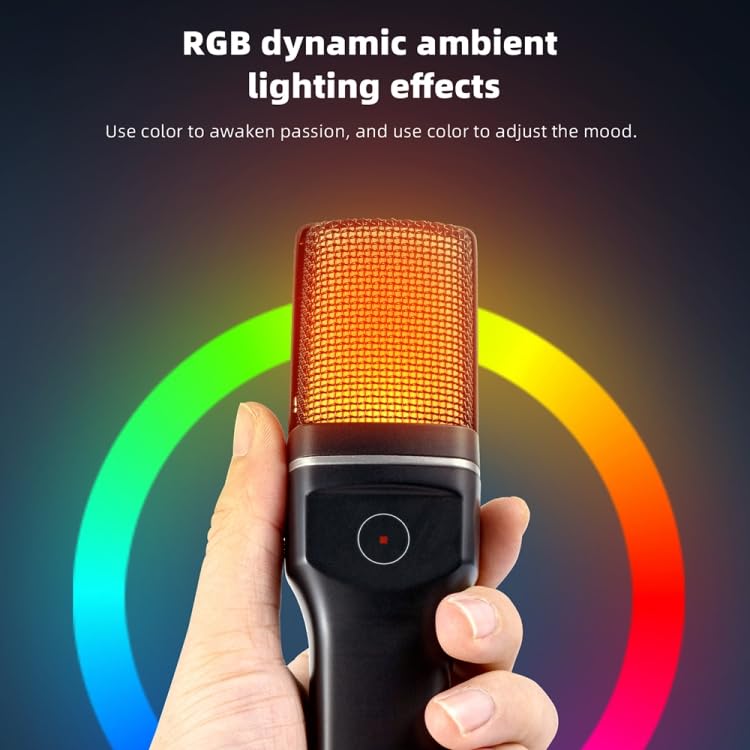
Image: The microphone displaying its dynamic RGB ambient lighting effects, which can be adjusted to suit user preference.
Video: A demonstration of the FKU SF-777W microphone, showcasing its design, RGB lighting changes, and overall appearance with the pop filter and tripod.
Maintenance
- Cleaning: Use a soft, dry cloth to wipe the microphone and tripod. Do not use harsh chemicals or abrasive cleaners.
- Storage: When not in use, store the microphone in a cool, dry place away from direct sunlight and extreme temperatures.
- Battery Care: To prolong battery life, avoid fully discharging the microphone frequently. Charge the microphone using the provided USB cable when the battery is low.
- Pop Filter: The pop filter can be gently cleaned with a damp cloth if necessary. Ensure it is completely dry before reattaching.
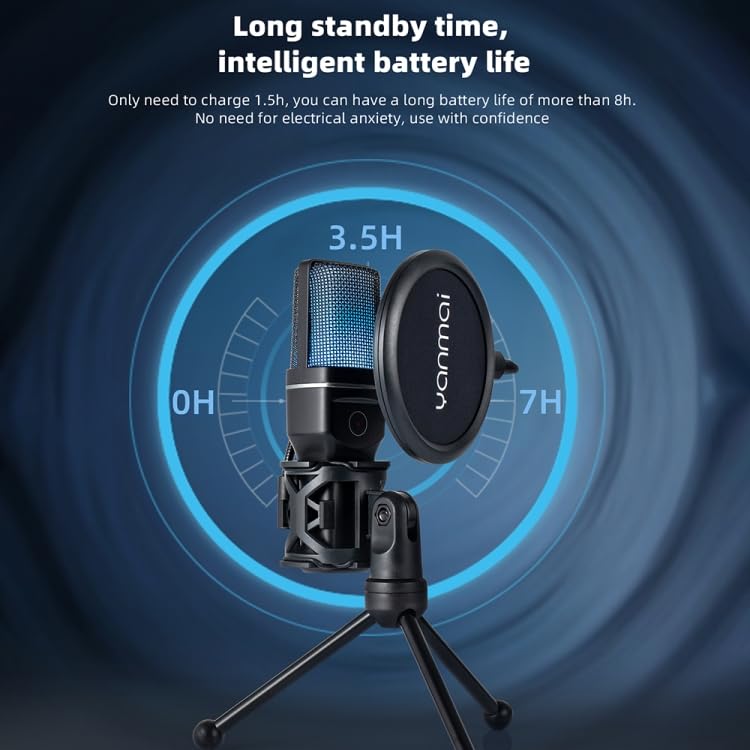
Image: An illustration depicting the microphone's long standby time and intelligent battery life, indicating charging and usage durations.
Troubleshooting
| Problem | Possible Cause | Solution |
|---|---|---|
| No sound output from microphone | Microphone not powered on; Not paired; Incorrect input device selected; Muted. | Ensure microphone is powered on. Check receiver connection and pairing status. Select "SF-777W Microphone" in device sound settings. Unmute the microphone. |
| Intermittent connection or poor audio quality | Out of range; Interference; Low battery. | Move closer to the receiver (within 10m). Avoid obstacles or other 2.4G devices. Charge the microphone battery. |
| RGB lighting not working | Microphone off; Lighting mode off. | Ensure microphone is powered on. Refer to the manual for RGB lighting control to activate or change modes. |
| Microphone not recognized by device | Receiver not properly connected; Driver issue (rare). | Ensure the receiver is firmly plugged into a working USB port. Try a different USB port or adapter. Restart your device. |
Specifications
| Parameter | Value |
|---|---|
| Microphone Head | Condenser type |
| Directivity | Cardioid |
| Sensitivity | -38+/-3dB |
| Frequency Response | 20-20kHz |
| Sampling Rate | 48kHz |
| Working Voltage | USB DC 5V |
| Battery Capacity | 300mAh |
| Battery Life | Approx. 8 hours |
| Charging Time | Approx. 1.5 hours |
| Usage Distance | Approx. 10m (without obstacles) |
| Receiver Weight | Approx. 7.5g |
| Transmitter Weight | Approx. 130g |
| Tripod Weight | Approx. 107g |
| Item Dimensions (L x W x H) | 20 x 8 x 8 cm |
| Item Weight | 200 g |
| Material | Metal |
| Compatible Devices | Gaming Console, Personal Computer |
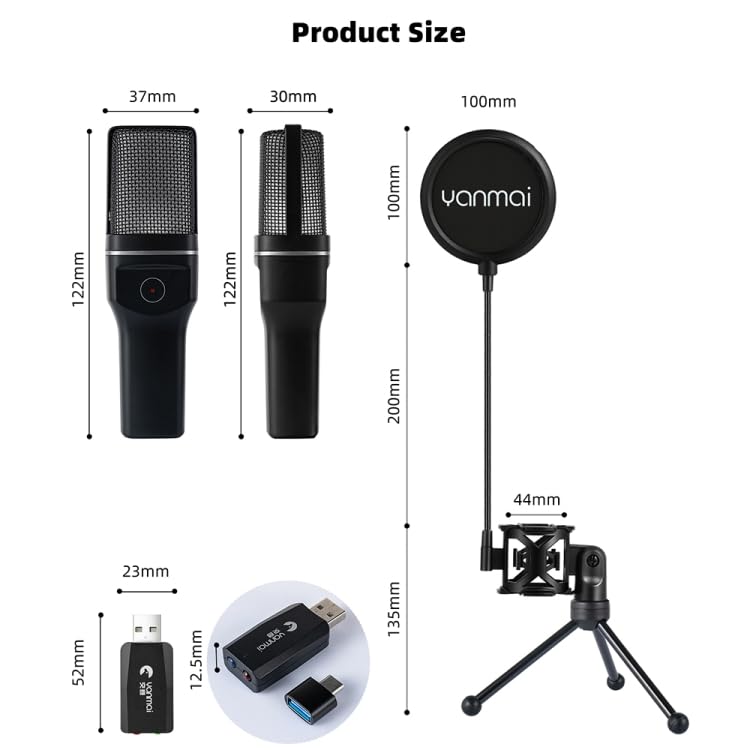
Image: A diagram illustrating the precise dimensions of the microphone, receiver, and tripod components.
Warranty and Support
For warranty information or technical support, please refer to the contact details provided with your purchase or visit the FKU official website. Keep your proof of purchase for any warranty claims.