
Technaxx TX-293
Technaxx TX-293 Cordless Portable Vacuum and Air Blower
Instruction Manual
Introduction
Thank you for choosing the Technaxx TX-293 Cordless Portable Vacuum and Air Blower. This versatile device combines powerful vacuuming and blowing functions, making it ideal for cleaning fine dust from computers, keyboards, sofas, and car interiors. It features a 160W high-performance motor, stepless speed control, and a 2500 mAh battery for extended use. Please read this manual carefully before operating the device to ensure safe and efficient use.
Safety Instructions
- Read all instructions before use.
- Keep the device away from water or other liquids.
- Do not operate the device with wet hands.
- Do not use the device near flammable or combustible materials.
- Ensure the dust cup and filter are properly installed before operation.
- Keep hair, loose clothing, fingers, and all body parts away from openings and moving parts.
- Use only the provided charging cable and accessories.
- Do not attempt to disassemble or repair the device yourself. Contact qualified service personnel.
- Store the device in a cool, dry place when not in use.
- This appliance is not intended for use by persons (including children) with reduced physical, sensory or mental capabilities, or lack of experience and knowledge, unless they have been given supervision or instruction concerning use of the appliance by a person responsible for their safety.
Package Contents
Verify that all items are present in the package:
- 1x Technaxx TX-293 Cordless Portable Vacuum and Air Blower
- 5x Nozzles (Vacuum cup adapter with filter, Dust brush, Bed nozzle, Universal blowing nozzle, Toy inflation nozzle, Nozzle adapter for static dust)
- 1x USB Type-C Charging Cable
- 1x User Manual

Image: The Technaxx TX-293 unit displayed with its five versatile nozzles and the vacuum cup adapter with filter.
Setup
1. Charging the Device
- Before first use, fully charge the device.
- Connect the USB Type-C charging cable to the charging port on the device.
- Connect the other end of the cable to a compatible USB power adapter (not included).
- The charging indicator lights will show the charging status. A full charge takes approximately 3.5 hours.
- Once fully charged, disconnect the charging cable. The device offers up to 120 minutes of continuous use on a single charge.
2. Attaching Nozzles
The TX-293 comes with 5 interchangeable nozzles for various cleaning tasks.
- For Vacuuming: Attach the vacuum cup adapter with filter to the suction inlet. Then, attach a suitable nozzle (e.g., dust brush, bed nozzle) to the vacuum cup adapter.
- For Blowing: Attach the desired blowing nozzle (e.g., universal blowing nozzle, toy inflation nozzle, nozzle adapter for static dust) directly to the air outlet.
- Ensure the nozzle is securely attached before operating the device.
Operating Instructions
Power On/Off and Speed Control
- To turn on the device, press and hold the power button.
- The TX-293 features stepless speed control. Rotate the control dial (if present, or press/hold for variable speed) to adjust the suction or blowing power according to your cleaning needs. This allows for precise control, from gentle dusting of delicate surfaces like keyboards to powerful cleaning of car interiors.
- To turn off the device, press and hold the power button again.
Using the Vacuum Function
With the vacuum cup adapter and appropriate nozzle attached, use the device to pick up dust, crumbs, and debris.

Image: Using the vacuum function with a brush nozzle to clean a keyboard.
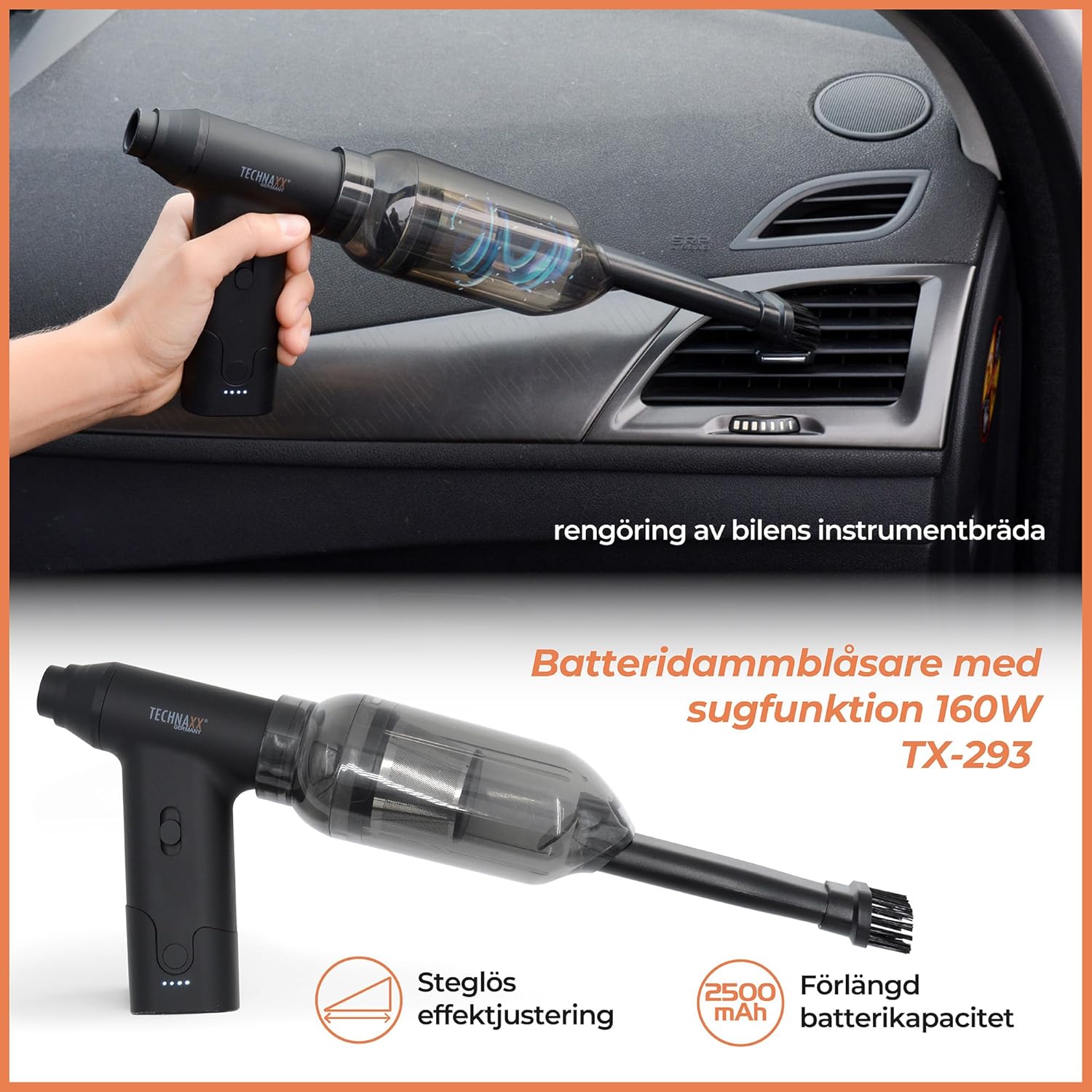
Image: The TX-293 effectively cleaning dust and debris from a car's dashboard and interior.

Image: The portable vacuum being used to clean dust from furniture upholstery.
Using the Blower Function
Attach a suitable blowing nozzle to the air outlet. The powerful airflow can be used for various tasks.

Image: Using the air blower to remove dust from the internal components of a computer tower.

Image: The blower function being used to inflate a swimming ring and to assist in starting a grill.
Maintenance
1. Emptying the Dust Cup
- After each use, or when the dust cup is full, detach it from the main unit.
- Empty the collected dust and debris into a waste bin.
2. Cleaning the Filter
- Remove the filter from the dust cup.
- Tap the filter gently to remove loose dust.
- If necessary, rinse the filter under running water. Ensure it is completely dry before reinserting it into the dust cup and attaching it to the device.
- Regular filter cleaning ensures optimal suction performance.
3. Cleaning the Device Exterior
- Wipe the exterior of the device with a soft, damp cloth.
- Do not use abrasive cleaners or solvents.
Troubleshooting
| Problem | Possible Cause | Solution |
|---|---|---|
| Device does not turn on. | Battery is depleted. | Charge the device fully. |
| Low suction/blowing power. | Dust cup is full. Filter is clogged. Nozzle is blocked. | Empty the dust cup. Clean or replace the filter. Clear any blockages from the nozzle or air path. |
| Device stops unexpectedly. | Battery is low. Overheating. | Recharge the device. Allow the device to cool down before resuming use. |
| Unusual noise during operation. | Foreign object in the air path or motor. | Turn off the device immediately and check for any obstructions. Do not force operation. |
Specifications
| Feature | Detail |
|---|---|
| Model Number | TX-293 (5168) |
| Power | 160 Watts |
| Battery Type | Lithium-ion |
| Battery Capacity | 2500 mAh |
| Operating Time | Up to 120 minutes (2 hours) |
| Charging Time | Approximately 3.5 hours (via USB Type-C) |
| Air Pressure (Max) | 6.5 kPa |
| Noise Level | Below 90 dB |
| Dimensions (L x W x H) | 10.6 x 13.8 x 3.6 cm |
| Weight | 220 Grams |
| Material | ABS |
| Filter Type | Fabric |
| Operating Temperature | 0-60°C |
Warranty and Support
Technaxx products are designed and manufactured to the highest quality standards. For information regarding warranty coverage, please refer to the warranty card included with your purchase or visit the official Technaxx website.
If you encounter any issues or have questions about your TX-293 device, please contact Technaxx customer support. Contact details can typically be found on the Technaxx website or on the product packaging. Please have your model number (TX-293 or 5168) and proof of purchase ready when contacting support.
Related documentsTX-293


Ask a question about this manual
Ask about setup, troubleshooting, compatibility, parts, safety, or missing instructions. Manuals+ will review the question and use this page’s manual context to help answer it.