
Introduction
Thank you for choosing the Starway SWAC18WC Split Air Conditioner. This manual provides essential information for the safe and efficient operation, installation, and maintenance of your new air conditioning unit. Please read this manual thoroughly before using the appliance and retain it for future reference.
Safety Information
To prevent injury to the user or other people and property damage, the following instructions must be followed. Incorrect operation due to ignoring instructions may cause harm or damage.
- Ensure the unit is installed by a qualified professional.
- Do not operate the unit with wet hands.
- Do not insert fingers or foreign objects into the air inlet or outlet.
- Keep the unit away from flammable gases or combustible materials.
- Always disconnect power before cleaning or servicing.
- This appliance is not intended for use by persons (including children) with reduced physical, sensory or mental capabilities, or lack of experience and knowledge, unless they have been given supervision or instruction concerning use of the appliance by a person responsible for their safety.
Product Overview
The Starway SWAC18WC is a split-system air conditioner designed for efficient cooling and air purification. It features a quiet, energy-saving compressor and Wi-Fi connectivity for convenient control.
Indoor Unit

This image shows the front view of the indoor unit, which is typically mounted on a wall. It features a sleek white design with the 'Starway' logo and an energy efficiency label.

This image displays the internal components of the indoor unit, specifically highlighting the air filters. The unit includes a Nano Aqua filter and a 4-in-1 filter system for enhanced air purification.
Outdoor Unit
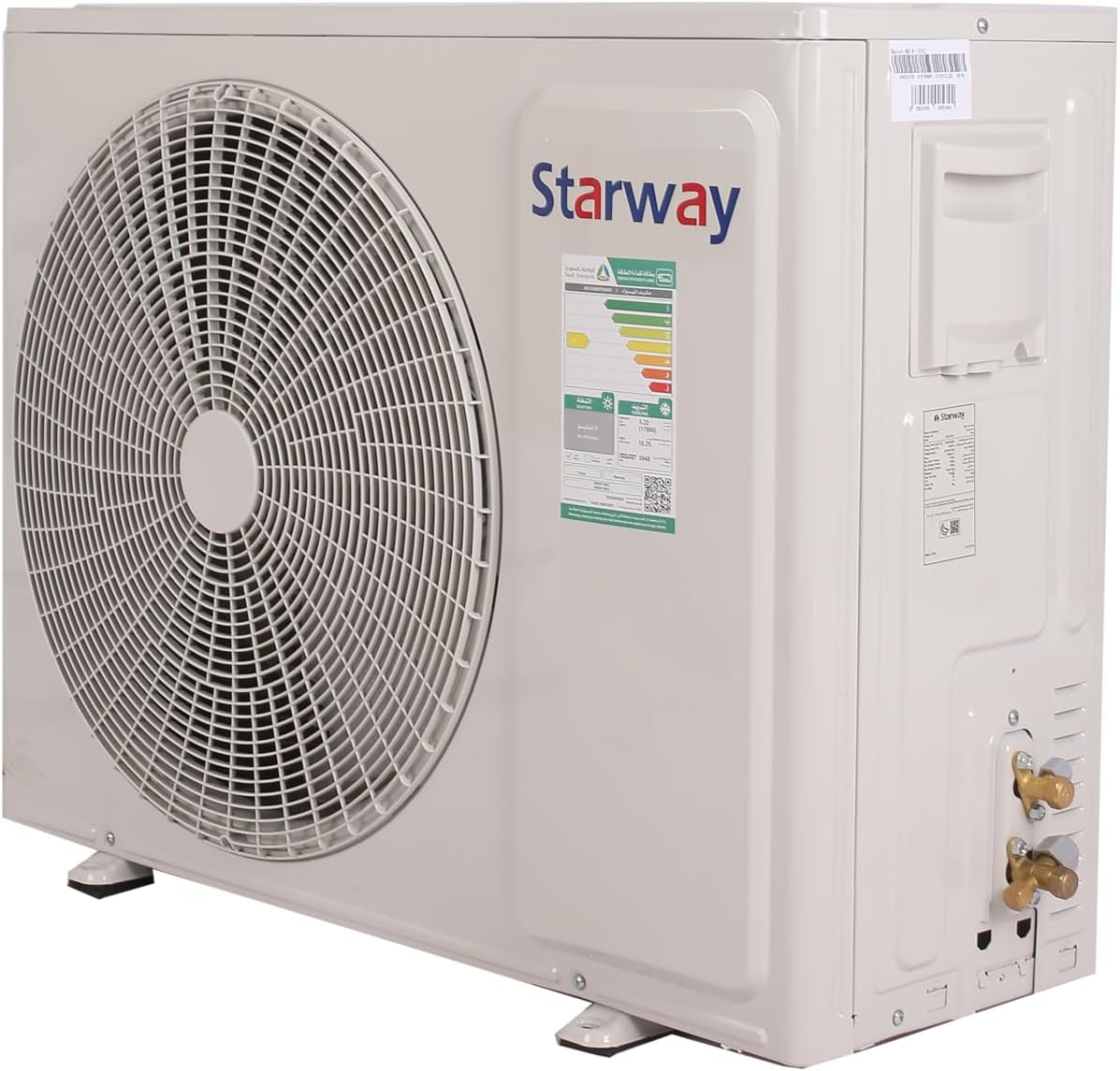
This image shows the outdoor unit, which houses the compressor and condenser coil. It is designed to be placed outside the building and is connected to the indoor unit via copper piping.
Remote Control

The remote control allows you to adjust settings such as temperature, mode, fan speed, and special features like sleep mode and swing function. It features clearly labeled buttons for ease of use.
Installation
Installation of the Starway SWAC18WC Split Air Conditioner requires specialized tools and knowledge. It is highly recommended that installation be performed by a certified and experienced technician to ensure proper function, safety, and warranty validity.
- The unit comes with 4 meters of copper piping for connection between the indoor and outdoor units.
- Ensure proper electrical wiring and grounding according to local regulations. The unit operates on 220 Volts.
- Select a location for the indoor unit that allows for optimal air distribution and easy access for maintenance.
- The outdoor unit should be placed in a well-ventilated area, away from direct sunlight and obstructions.
Setup
Initial Power-On
- After professional installation, ensure all connections are secure and the power supply is stable.
- Turn on the main power switch for the air conditioner.
- The unit will perform a self-check.
Wi-Fi Connectivity
This air conditioner supports Wi-Fi connectivity, allowing control via a smartphone application. Refer to the separate Wi-Fi setup guide or the manufacturer's website for detailed instructions on connecting your unit to your home network and controlling it remotely.
Operating Instructions
Use the remote control to operate the air conditioner. Point the remote control towards the indoor unit when pressing buttons.
Basic Functions
- ON/OFF: Press to turn the unit on or off.
- MODE: Cycle through operating modes: Cool, Fan, Dry, Auto.
- FAN: Adjust fan speed (Low, Medium, High, Auto).
- Temperature Adjustment: Use the up/down arrows to set the desired temperature.
Special Features
- Silent Mode: Activates a low-noise operation for a quieter environment.
- 4-Way Air Swing: Enables automatic horizontal and vertical louver movement for even air distribution. Press the 'SWING' button to activate/deactivate.
- Fast Cooling: Provides rapid cooling to reach the desired temperature quickly.
- Self-Cleaning: Initiates an automatic cleaning cycle for the indoor unit's evaporator.
- Sleep Mode: Adjusts temperature and fan speed for comfortable sleep conditions and energy saving.
Maintenance
Regular maintenance ensures optimal performance and longevity of your air conditioner. Always disconnect power before performing any maintenance.
Air Filter Cleaning
The unit is equipped with a Nano Aqua filter and a 4-in-1 filter system. These filters should be cleaned regularly (e.g., every two weeks or as needed) to maintain air quality and unit efficiency.
- Open the front panel of the indoor unit.
- Remove the air filters.
- Clean the filters with a vacuum cleaner or wash them with lukewarm water and mild detergent.
- Allow filters to dry completely before reinstalling.
- Close the front panel securely.
Self-Cleaning Function
Utilize the self-cleaning feature to automatically clean the indoor unit's evaporator coil, helping to prevent mold and bacteria growth. Refer to your remote control or Wi-Fi app for instructions on activating this feature.
Seasonal Checks
- Inspect the outdoor unit for any debris or obstructions.
- Check for any unusual noises or odors during operation.
- Consider professional servicing annually to ensure all components are functioning correctly.
Troubleshooting
Before contacting customer service, please refer to the following common issues and their potential solutions:
| Problem | Possible Cause | Solution |
|---|---|---|
| Unit does not start | No power supply; Remote control batteries low | Check power connection; Replace remote control batteries |
| Insufficient cooling | Dirty air filters; Blocked outdoor unit; Room too large | Clean air filters; Clear obstructions; Ensure unit capacity matches room size |
| Unusual noise | Loose parts; Unit not level; Foreign object | Check for loose parts; Ensure unit is level; Remove any foreign objects |
| Water leakage | Clogged drain hose; Improper installation | Clear drain hose; Contact a professional for inspection |
If the problem persists after attempting these solutions, please contact a qualified service technician.
Specifications
Detailed technical specifications for the Starway SWAC18WC Split Air Conditioner:
| Feature | Specification |
|---|---|
| Brand Name | Starway |
| Model Information | SWAC18WC |
| Product Dimensions (Indoor Unit) | 22 x 99 x 32 cm (Depth x Width x Height) |
| Item Weight | 42 Kilograms |
| Capacity | 1.5 Ton |
| Cooling Power | 18000 British Thermal Units (BTU) |
| Annual Energy Consumption | 6100 kWh |
| Noise Level | 34 dB |
| Installation Type | Split System |
| Form Factor | Split System |
| Special Features | Silent Mode, 4-way Air Swing, Fast Cooling, Self-cleaning, Wi-Fi Connectivity |
| Color | White |
| Voltage | 220 Volts |
| Power | 500 Watts |
| Included Components | Indoor unit + Outdoor unit with 4 meters extra copper for installation |
| Batteries Required? | No |
| Refrigerant Material | R-410A |
| Power Source | Corded Electric |
Warranty and Support
Your Starway SWAC18WC Split Air Conditioner comes with a 6-year warranty on the compressor, reflecting the manufacturer's commitment to quality and durability. For specific terms and conditions of the warranty, please refer to the warranty card included with your product or contact Starway customer service.
For technical support, service requests, or inquiries regarding your product, please contact Starway customer support through their official website or the contact information provided in your product packaging. Ensure you have your model number (SWAC18WC) and purchase details ready when contacting support.