
1. Introduction
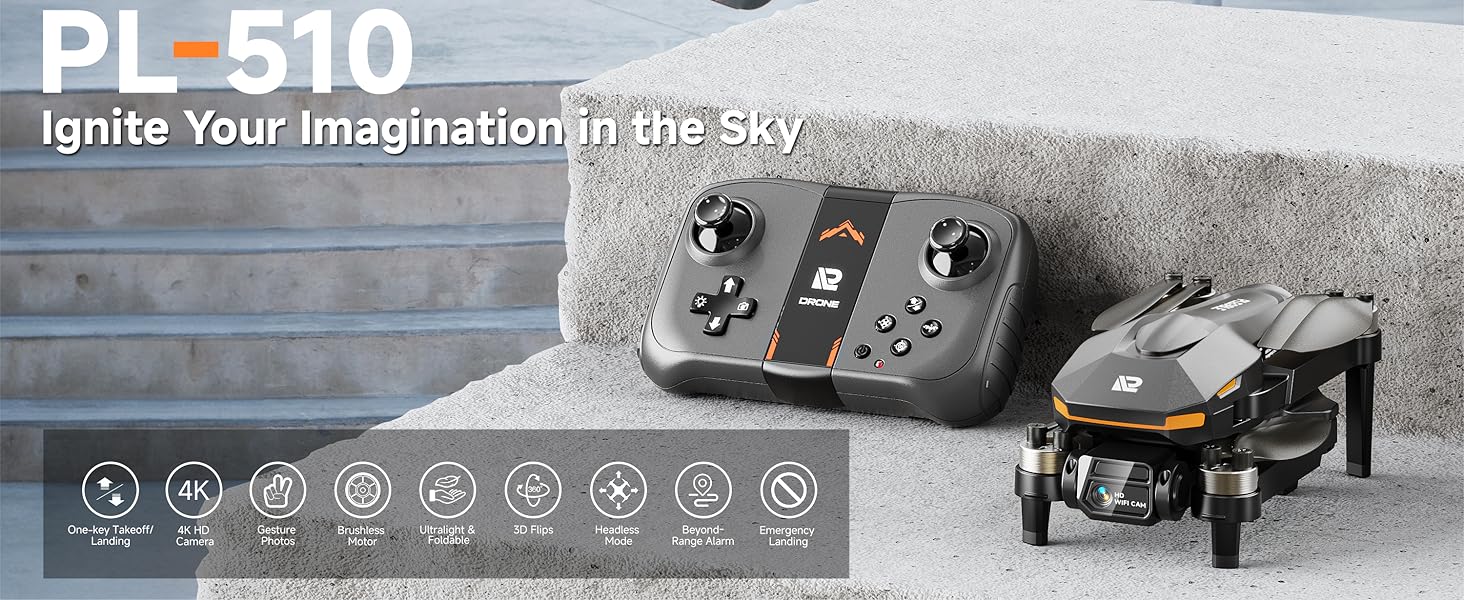
Welcome to the user manual for your PLEGBLE PL-510 Drone. This drone is designed for both beginners and experienced users, featuring a 4K HD camera, brushless motors for stable flight, and a foldable design for portability. Please read this manual thoroughly before operating your drone to ensure safe and optimal performance.

The PLEGBLE PL-510 drone and its complete set of accessories.
2. What's in the Box
Your PLEGBLE PL-510 Drone package includes the following components:
- Carrying Case
- Propeller (Spare set)
- Remote Control
- Screwdriver
- Screw (Spare set)
- 2 x Lithium Polymer Batteries
- USB Charging Cable
All included components of the PLEGBLE PL-510 Drone.
3. Product Overview
The PLEGBLE PL-510 drone is equipped with advanced features for an enhanced flying experience:
- 4K HD Camera with FPV: Capture crisp 3840 x 2160 resolution videos and photos. Features a shock-absorbing mount for smooth footage and a 90° adjustable lens for immersive FPV transmission.
- Brushless Motors: Provides superior performance, longer life, and greater energy efficiency compared to traditional brushed motors. Designed for higher flight speeds and less power consumption.
- Extended Flight Time: Dual-battery system offers up to 30 minutes of continuous flight. Batteries support USB-C/PD for faster charging and are UL-certified for up to 500 recharge cycles.
- Ultra-Lightweight & Foldable: Weighs less than 250 grams, making it easy to carry and fly without FAA or Remote ID registration in the U.S. The foldable design enhances portability.
- Multifunctional Control: Supports remote controller, app, and voice control. Features include responsive gesture photo, optical flow positioning for stable flight, automatic altitude adjustment, one-key takeoff/landing, emergency stop, and altitude hold.
- Beyond-Range and Data Loss Alert: Provides alerts when the drone is beyond its control range (328-492ft) or when the battery is low, minimizing the risk of loss.
4K HD Camera with adjustable lens.

Dual batteries for extended flight.

Efficient brushless motor technology.

Ultra-lightweight and foldable design.
4. Setup
Follow these steps for initial setup of your PLEGBLE PL-510 Drone:
- Charge Batteries: Ensure both drone batteries are fully charged using the provided USB charging cable. The indicator light on the battery will turn green when fully charged.
- Install Batteries: Insert a charged battery into the drone until it clicks securely into place.
- Unfold Drone Arms: Gently unfold all four propeller arms until they lock into position.
- Install Remote Control Batteries: Insert 2 AAA batteries (not included) into the remote control.
- Power On: Turn on the drone and then the remote control. The drone's LED will flash, then become steady once synchronized.
- Calibration: Place the drone on a flat, level surface. Press the Trimmer Mode button on the remote control to calibrate the gyroscope. The drone's LED will change from flashing to steady light, indicating successful calibration.
- App Connection (Optional): Download the official PLEGBLE drone app on your smartphone. Connect your phone to the drone's Wi-Fi network (usually named 'PLEGBLE-XXXX'). This allows for FPV viewing and additional control options.

Visual guide for quick setup steps.
Setup Video Tutorial
This video demonstrates the unboxing, initial setup, and basic flight of the PLEGBLE PL-510 drone, including battery installation and controller functions.
5. Operating the Drone
The PLEGBLE PL-510 offers intuitive controls for a seamless flying experience.
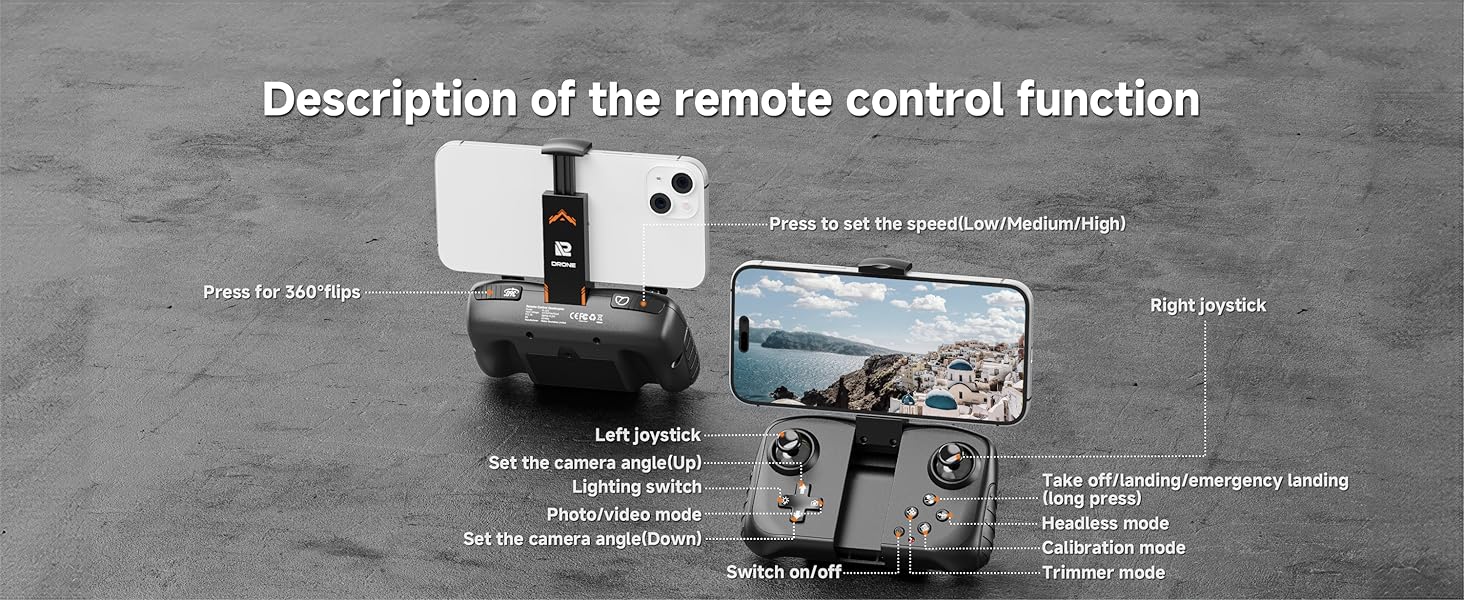
Remote Control Functions

Detailed overview of the remote control layout and functions.
- One-Key Takeoff/Landing: Press the dedicated button for automatic takeoff or landing.
- Joysticks: Control drone movement (forward/backward, left/right, ascend/descend, rotate).
- Speed Adjustment: Cycle through low, medium, and high-speed modes to suit your flying environment and skill level.
- Camera Angle Adjustment: Use the designated buttons to adjust the camera's vertical angle during flight.
- Photo/Video Mode: Switch between taking photos and recording videos.
- 360° Flips: Execute impressive aerial stunts with a single button press.
App Control (FPV)
For an immersive First Person View (FPV) experience, attach your smartphone to the remote control and connect via the PLEGBLE drone app. The app provides a real-time view from the drone's camera and additional control features like

