
Introduction
The Portronics Ki-Pad 4 is a full-size USB wired keyboard designed for reliable and comfortable typing. It features a 104-key layout, including a dedicated numeric pad and multimedia hotkeys, making it suitable for various computing tasks on laptops, PCs, and Mac systems.
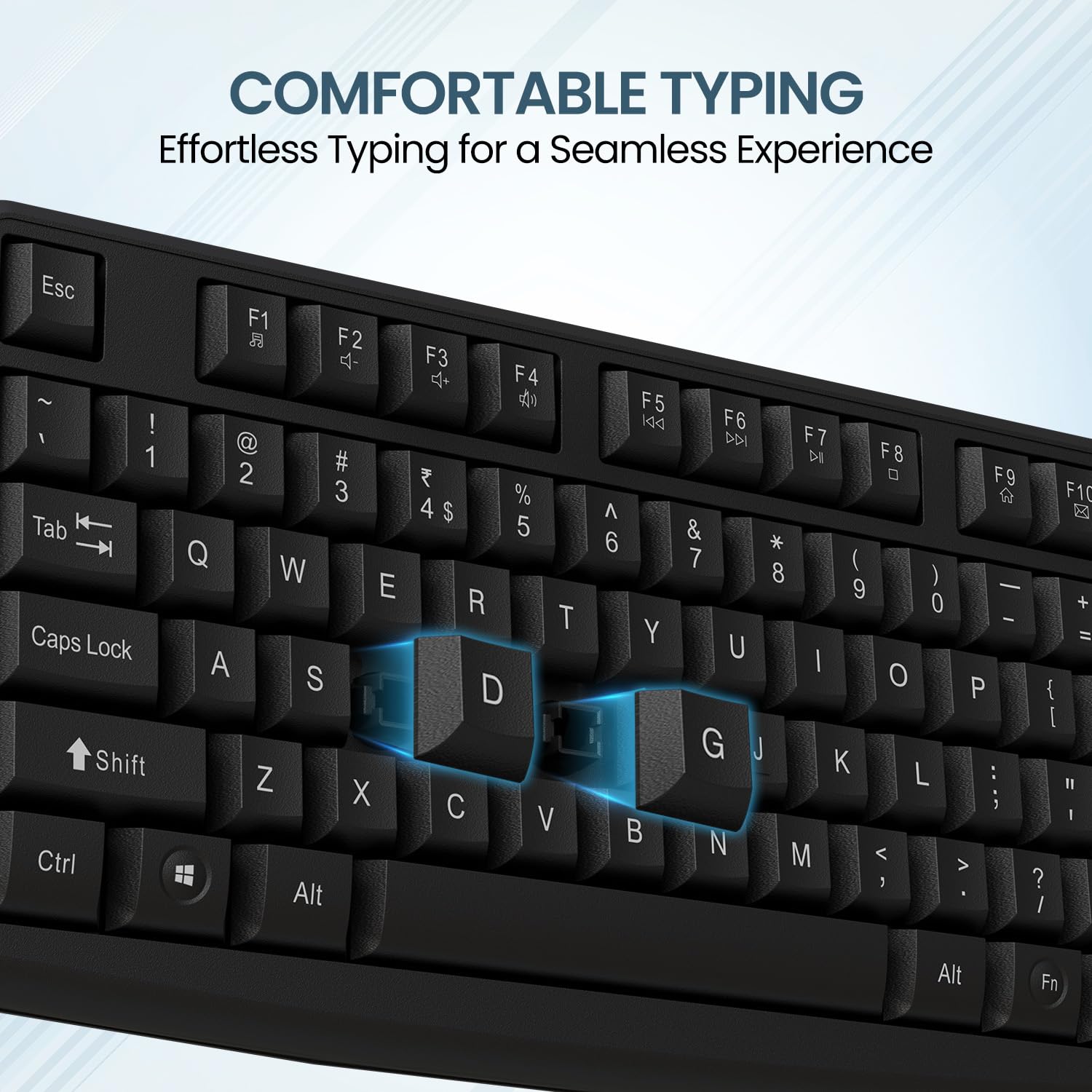
Image: Overview of the Portronics Ki-Pad 4 USB Wired Keyboard, showcasing its full-size layout.
Package Contents
Please verify that all items are present in the package:
- 1N Wired Keyboard
Setup Instructions
The Portronics Ki-Pad 4 keyboard is designed for simple plug-and-play functionality, requiring no additional driver installation.
- Connect the USB Cable: Locate an available USB port on your computer (laptop, PC, or Mac). Insert the USB-A connector of the keyboard cable into the USB port.

Image: Close-up of the USB-A connector, highlighting the 1.5-meter cable length for flexible connectivity.
- System Recognition: Your operating system (Windows, macOS) will automatically detect and install the necessary drivers. This process usually takes a few seconds.
- Begin Typing: Once recognized, the keyboard is ready for immediate use.

Image: The Portronics Ki-Pad 4 keyboard in use, demonstrating its full-sized layout with 104 keys and numeric pad.
Operating Instructions
Basic Typing
The Portronics Ki-Pad 4 features standard QWERTY key layout with a dedicated numeric pad for efficient data entry. The soft-touch keys are designed for a quiet and comfortable typing experience.

Image: A finger pressing a key on the Portronics Ki-Pad 4 keyboard, illustrating the quiet and comfortable typing experience.
Multimedia Hotkeys
The keyboard includes 12 multimedia function keys (F1-F12) that provide quick access to various controls. To activate these functions, press the Fn key simultaneously with the desired F-key.

Image: A visual representation of the multimedia hotkeys (F1-F12) and their corresponding functions, such as media control and volume adjustment.
- Fn + F1: Media Player
- Fn + F2: Volume Down
- Fn + F3: Volume Up
- Fn + F4: Mute
- Fn + F5: Previous Track
- Fn + F6: Next Track
- Fn + F7: Play/Pause
- Fn + F8: Stop
- Fn + F9: Home Page
- Fn + F10: Email
- Fn + F11: My Computer
- Fn + F12: Favorites
Ergonomic Design
The keyboard features an ergonomic design for comfortable use during extended periods. It includes integrated kickstands on the underside, allowing you to adjust the typing angle to your preference.

Image: View of the keyboard's underside, highlighting the adjustable kickstand for ergonomic positioning.
Maintenance
To ensure the longevity and optimal performance of your Portronics Ki-Pad 4 keyboard, follow these maintenance guidelines:
- Cleaning: Use a soft, dry cloth to wipe the surface of the keyboard. For deeper cleaning, a slightly damp cloth with mild soap can be used, ensuring no liquid enters the key switches or internal components.
- Dust Removal: Use compressed air to remove dust and debris from between the keys.
- Avoid Liquids: Do not spill liquids on the keyboard. In case of accidental spills, immediately disconnect the keyboard from your computer and allow it to dry completely before reconnecting.
- Storage: Store the keyboard in a clean, dry environment away from extreme temperatures and direct sunlight.
Troubleshooting
If you encounter issues with your Portronics Ki-Pad 4 keyboard, please refer to the following common solutions:
- Keyboard Not Responding:
- Ensure the USB cable is securely plugged into a functional USB port on your computer.
- Try plugging the keyboard into a different USB port.
- Restart your computer.
- Test the keyboard on another computer to determine if the issue is with the keyboard or the computer.
- Keys Not Functioning Correctly:
- Check for any physical obstructions or debris under the non-functioning keys.
- Ensure that no software conflicts are present. Try using the keyboard in a different application or a basic text editor.
- Multimedia Hotkeys Not Working:
- Ensure you are pressing the Fn key simultaneously with the desired F-key.
- Verify that your operating system and media player software are up to date.
Specifications
| Feature | Detail |
|---|---|
| Brand | Portronics |
| Model Name | Ki-Pad 4 |
| Item Model Number | POR-2753 |
| Connectivity Technology | USB Wired |
| Keyboard Layout | Full-Size, 104 Keys with Numeric Pad |
| Special Features | Multimedia Hotkeys, Ergonomic Design, Rupee Symbol |
| Cable Length | 1.5 Metres |
| Compatible Devices | Laptop, PC, Mac (Windows 11/10/8/7, macOS) |
| Product Dimensions | 16.6 x 45 x 3.4 cm |
| Item Weight | 630 g |
| Color | Black |
| Country of Origin | China |
Warranty and Support
For warranty information or technical support, please contact Portronics Digital Pvt. Ltd. directly.
- Email: help@portronics.com
- Phone: +91 9555-245-245
- Manufacturer Address: First Floor Property No D 8 Upper Basement Sector 8 Noida Uttar Pradesh 201301
