1. Introduction
This manual provides essential information for the safe and efficient operation of your Bosch Series 6 HBG578EB7 Pyrolytic Multifunction Oven. Please read these instructions carefully before installation, first use, and maintenance. Keep this manual for future reference.
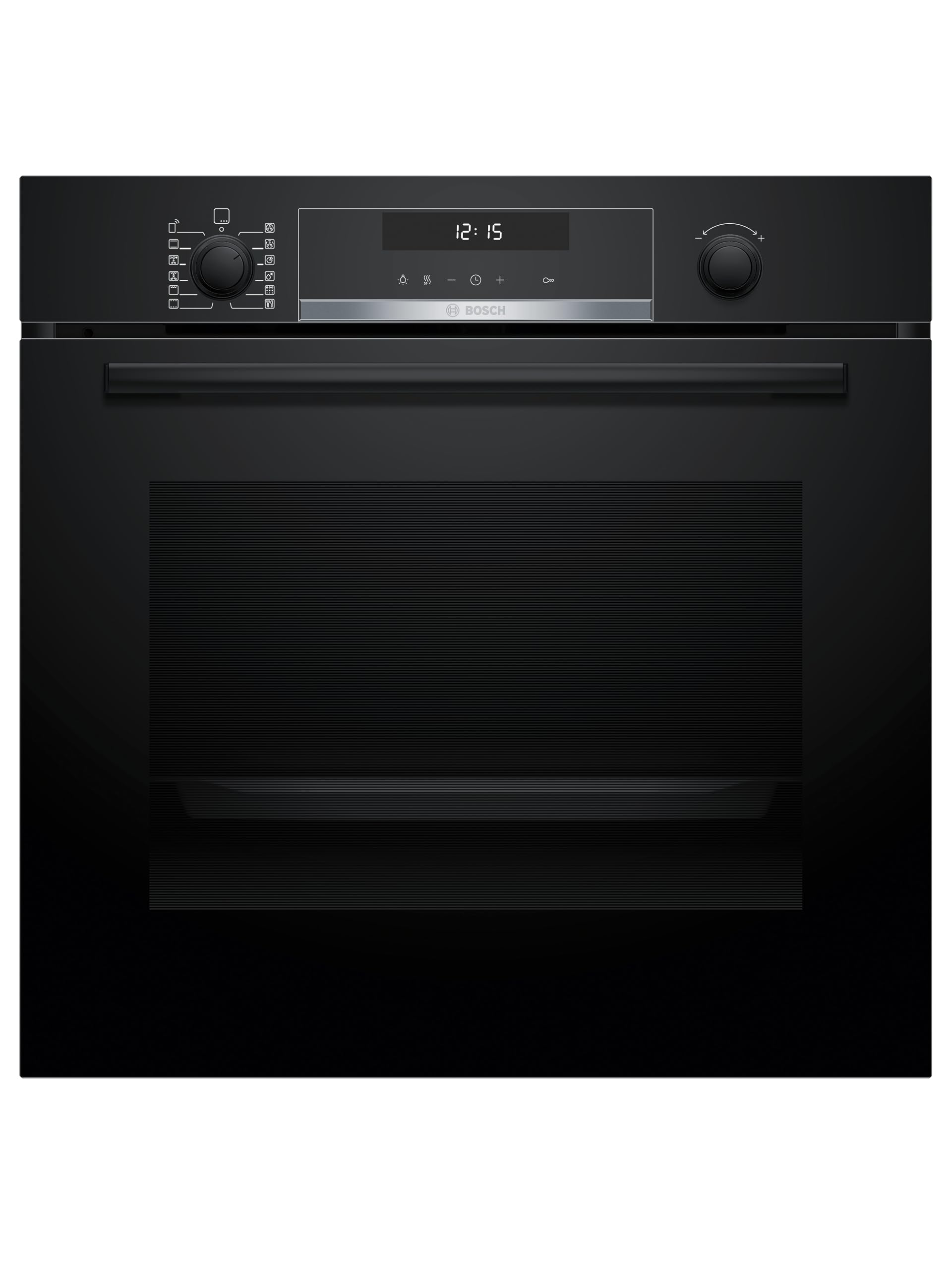
Front view of the Bosch Series 6 HBG578EB7 Pyrolytic Multifunction Oven.
Your new oven features advanced functions such as Home Connect for remote control, AirFry for healthier crispy results, and 3D Hotair for even cooking on multiple levels. It also includes pyrolytic self-cleaning for effortless maintenance.
2. Safety Information
Always adhere to the following safety guidelines to prevent personal injury or damage to the appliance:
- Electrical Safety: Ensure the oven is correctly installed and grounded by a qualified technician. Do not use extension cords or adapters.
- Hot Surfaces: The oven and its accessible parts become hot during use. Exercise caution to avoid touching heating elements. Keep children away.
- Pyrolytic Cleaning: During pyrolytic cleaning, the oven reaches very high temperatures. Ensure the kitchen is well-ventilated and remove all accessories and food residues before starting the cycle.
- Supervision: Do not leave the oven unattended during operation, especially when cooking with oil or fat.
- Damage: Do not operate the oven if it is damaged. Contact customer service for repairs.
- Cleaning: Use only recommended cleaning agents and methods. Refer to the "Cleaning and Maintenance" section.
3. Installation
Proper installation is crucial for the safe and efficient operation of your oven. Refer to the installation diagram for precise measurements and clearances.

Detailed installation dimensions for the Bosch HBG578EB7 oven. Dimensions are in millimeters. (A) indicates the minimum gap for ventilation, (B) indicates the space required for electrical connection.
- Cabinet Dimensions: Ensure the cabinet opening meets the specified dimensions (Height: 585-595 mm, Width: 560-568 mm, Depth: 550 mm minimum).
- Ventilation: Adequate ventilation is required. Maintain a minimum clearance of 20 mm at the top and rear of the appliance.
- Electrical Connection: The oven requires a 230V electrical supply. The connection space (B) is 320 x 115 mm. Installation must be performed by a qualified electrician in accordance with local regulations.
- Leveling: Ensure the oven is level after installation to ensure proper door function and even cooking.
4. Initial Setup
Before using your oven for the first time:
- Remove Packaging: Remove all packaging materials and accessories from the oven cavity.
- Clean Interior: Wipe the interior of the oven with a damp cloth and mild detergent.
- First Heating: Heat the empty oven for approximately one hour at 200°C (392°F) using the 3D Hotair function to burn off any manufacturing residues. Ensure good ventilation during this process.
- Set Clock: Follow the on-screen instructions on the LCD TouchControl display to set the current time.
- Home Connect Setup: Download the Home Connect app and follow the instructions to pair your oven with your mobile device.
5. Operating Instructions
Your oven features an intuitive LCD TouchControl display and retractable knobs for easy operation.

The control panel features an LCD TouchControl display and two retractable knobs for function and temperature selection.
5.1. Basic Operation
- Function Selection: Turn the left retractable knob to select a cooking function (e.g., 3D Hotair, Top/Bottom Heat, Grill).
- Temperature/Setting Selection: Turn the right retractable knob to set the desired temperature or other specific settings for the selected function.
- Start/Stop: Press the Start/Stop button on the TouchControl display to begin or end a cooking process.
5.2. 3D Hotair Function
The 3D Hotair function ensures uniform heat distribution throughout the oven cavity, allowing you to cook on up to three levels simultaneously without flavor transfer.

The 3D Hotair fan ensures even cooking across all levels.
- Ideal for baking cakes, cookies, and roasting poultry on multiple racks.
- Place food on different levels as needed.
5.3. AirFry Function
The AirFry function, combined with the dedicated Air Fry cooking tray, allows you to prepare crispy foods with less oil, similar to an air fryer.

The AirFry function provides crispy results with minimal oil.
- Use the included Air Fry cooking tray for best results.
- Distribute food evenly on the tray for optimal crisping.
- Refer to the recipe book or Home Connect app for specific AirFry settings and cooking times.
5.4. Gourmet Automatic Programs
Your oven includes 30 automatic Gourmet programs. Simply select the food type and weight, and the oven will automatically set the optimal cooking parameters.

Select from a variety of automatic Gourmet programs for precise cooking.
- Access these programs via the TouchControl display.
- Follow the on-screen prompts to select the desired dish and input the weight.
5.5. Home Connect
The Home Connect feature allows you to control and monitor your oven remotely using a smartphone or tablet. It also provides access to additional recipes and remote diagnostics.

Control your oven remotely with the Home Connect app.
- Download the Home Connect app from your device's app store.
- Follow the in-app instructions to connect your oven to your home Wi-Fi network.
- Once connected, you can start/stop cooking, adjust settings, and receive notifications.
6. Cleaning and Maintenance
6.1. Pyrolytic Self-Cleaning
The pyrolytic self-cleaning function burns off food residues at high temperatures, turning them into ash that can be easily wiped away.

Comparison of oven interior before and after pyrolytic cleaning, showing effective residue removal.
- Preparation: Remove all accessories (racks, trays, side rails) from the oven cavity. Wipe away any large food spills.
- Start Cycle: Select the pyrolytic cleaning function on the display. Choose the desired cleaning intensity (light, medium, intensive).
- Ventilation: Ensure the kitchen is well-ventilated during the cleaning cycle. The oven door will lock automatically.
- After Cleaning: Once the cycle is complete and the oven has cooled, wipe away the fine ash with a damp cloth.
6.2. General Cleaning
- Exterior: Clean the exterior surfaces with a soft cloth and mild detergent. Avoid abrasive cleaners.
- Control Panel: Wipe the TouchControl display and knobs with a soft, damp cloth.
- Door Glass: Clean the inner and outer glass panels with a glass cleaner or mild soapy water.
7. Troubleshooting
Refer to this section for common issues and their solutions. If the problem persists, contact Bosch customer service.
| Problem | Possible Cause | Solution |
|---|---|---|
| Oven does not heat. | No power supply; incorrect settings. | Check circuit breaker. Ensure oven is plugged in. Verify cooking function and temperature settings. |
| Uneven cooking. | Improper rack position; overloaded oven; fan malfunction. | Use recommended rack positions. Avoid overcrowding. Ensure 3D Hotair is selected for multi-level cooking. |
| Smoke during pyrolytic cleaning. | Excessive food residue. | Ensure all large food residues are removed before starting the cycle. Ensure good ventilation. |
| Home Connect not connecting. | Wi-Fi issue; incorrect app setup. | Check home Wi-Fi connection. Re-run Home Connect setup in the app. Ensure oven is within Wi-Fi range. |
8. Specifications
| Feature | Detail |
|---|---|
| Model Number | HBG578EB7 |
| Brand | Bosch |
| Type | Multifunction Pyrolytic Oven |
| Color | Black |
| Dimensions (H x W x D) | 59.5 x 59.4 x 54.8 cm |
| Cavity Dimensions (H x W x D) | 35.7 x 48 x 41.5 cm |
| Capacity | 71 Liters |
| Wattage | 3600 Watts |
| Voltage | 230 V |
| Energy Efficiency Class | A+ |
| Special Functions | Home Connect, AirFry, 3D Hotair, Pyrolytic Self-Cleaning, 30 Gourmet Automatic Programs |


Energy label and product data sheet for the HBG578EB7 oven, highlighting its A+ efficiency and 71-liter volume.
9. What's in the Box
Upon unpacking your Bosch HBG578EB7 oven, you should find the following items:
- 1 x Bosch HBG578EB7 Pyrolytic Multifunction Oven
- 1 x Professional Grill Rack
- 1 x Universal Tray
- 1 x Air Fry Cooking Tray
- 1 x User Manual (this document)

The included professional grill rack, universal tray, and Air Fry cooking tray.
10. Warranty and Support
Your Bosch oven comes with a manufacturer's warranty. Please refer to the warranty card included with your appliance for specific terms and conditions. For technical support, spare parts, or service inquiries, please contact Bosch customer service:
- Online Support: Visit the official Bosch website for your region.
- Telephone Support: Refer to your warranty documentation or the Bosch website for local contact numbers.
- Model Number: When contacting support, please have your oven's model number (HBG578EB7) and serial number ready.