
Furmax F24VN02430474
Furmax Vanity Desk with Lighted Mirror User Manual
Model: F24VN02430474
Introduction
This manual provides comprehensive instructions for the assembly, operation, and maintenance of your Furmax Vanity Desk with Lighted Mirror. Please read this manual thoroughly before beginning assembly or use to ensure proper function and safety. Retain this manual for future reference.
The Furmax Vanity Desk is designed to provide a functional and elegant space for your beauty routine, featuring ample storage, adjustable LED lighting, and convenient power outlets.
Safety Information
Important Safety Precautions:
- Always follow detailed instructions provided in the assembly guide.
- Exercise caution to avoid sharp edges and pinch points during assembly.
- Be aware of electrical components and ensure proper usage.
- Handle the product with care due to its weight and size. It is recommended that two people assemble this unit.
- Do not overload shelves or drawers.
- Keep electrical cords away from water and heat sources.
Product Overview
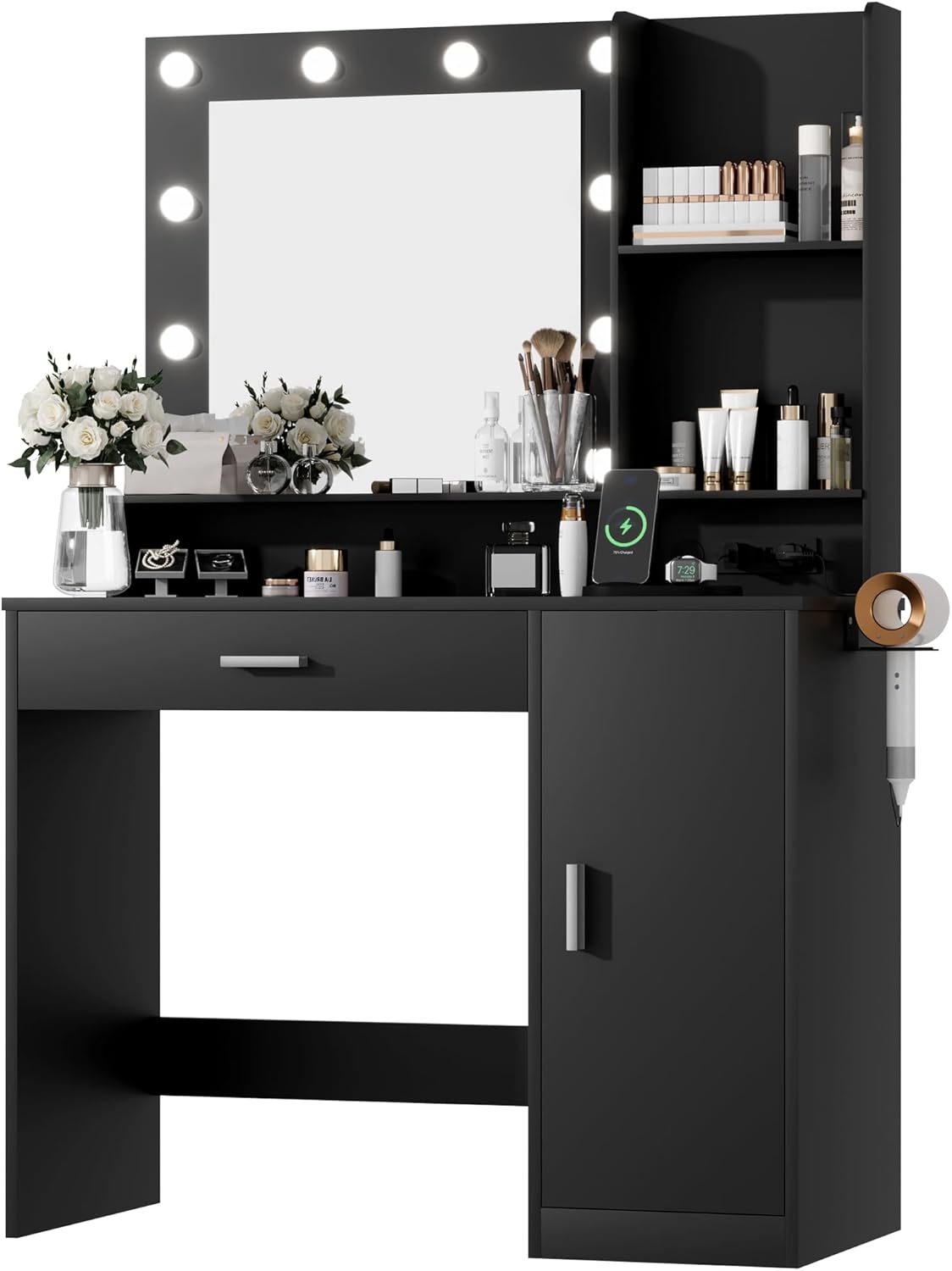
Figure 1: Front view of the Furmax Vanity Desk, showcasing the lighted mirror, main desktop, and integrated storage.

Figure 2: Detailed view highlighting key features including the lighted mirror, LED lamp bulbs, open shelves, wide desktop, large drawer, and side drawers.
Setup and Assembly
The Furmax Vanity Desk requires assembly. While detailed instructions and labeled accessories are provided, assembly can be complex and may take several hours. It is highly recommended to have two people for assembly.
Before You Begin:
- Unpack all components and verify against the parts list provided in the separate assembly instructions.
- Ensure you have adequate space for assembly.
- Gather necessary tools. Typically, only a screwdriver is required.
- Review the entire assembly instruction manual before starting.
Assembly Tips:
- Follow the step-by-step diagrams carefully.
- Ensure all screws and fasteners are tightened securely, but do not overtighten.
- For stability, it is suggested to assemble the main desktop first, then attach the mirror section.
- If any parts are missing or damaged, contact customer support immediately.
Operating Instructions
Lighted Mirror Operation:
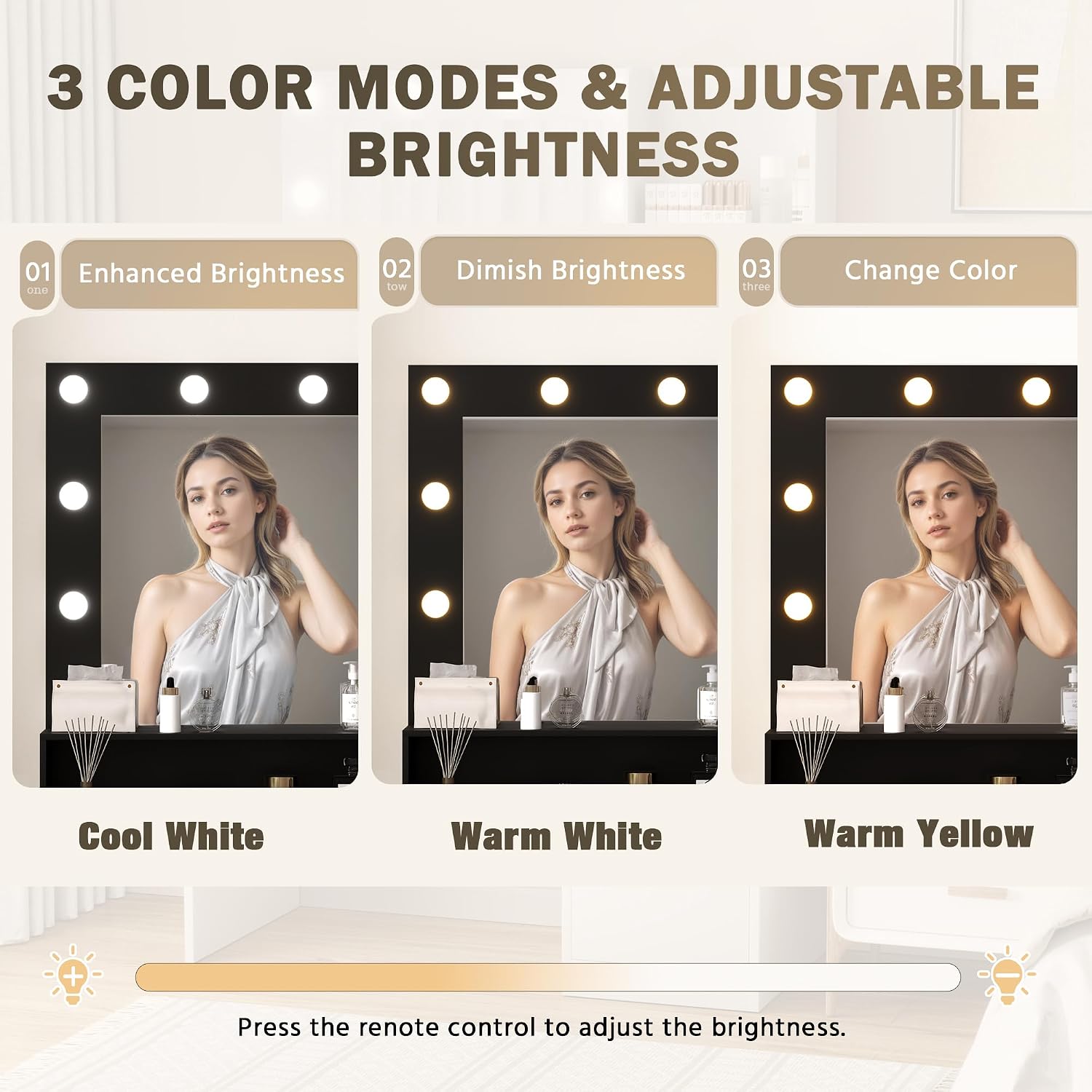
Figure 3: Illustration of the lighted mirror's three color modes (Cool White, Warm White, Warm Yellow) and adjustable brightness, controlled by a remote.
- Connect the vanity desk to a standard electrical outlet.
- Use the provided remote control to operate the mirror lights.
- Lighting Modes: The mirror offers three distinct lighting modes:
- Cool White
- Warm White
- Warm Yellow
- Brightness Adjustment: Press the designated buttons on the remote control to increase or decrease the brightness of the lights to suit your preference and ambient lighting conditions.
Power Outlets and USB Ports:

Figure 4: Close-up of the integrated power strip, featuring two AC outlets, two USB ports, and a dedicated hair dryer holder for convenient access to electrical devices.
- The vanity desk is equipped with 2 AC outlets (125V/12V) and 2 USB ports (5V/2.1A).
- These outlets and ports are designed for convenient charging of electronic devices such as smartphones, tablets, and for powering beauty tools like hair dryers and curling irons.
- Ensure devices are compatible with the provided voltage and current.
Storage Features:
- Utilize the large drawer, three open shelves, and the cabinet with three side drawers for organizing makeup, accessories, and other personal items.
- Distribute weight evenly within drawers and shelves to maintain stability.
Maintenance and Care
- Cleaning: The vanity desk features a smooth and waterproof surface. Wipe clean with a soft, damp cloth. Avoid abrasive cleaners or harsh chemicals that may damage the finish.
- Mirror Care: Clean the mirror with a glass cleaner and a lint-free cloth. Do not spray cleaner directly onto the mirror; apply to the cloth first.
- Electrical Components: Ensure all electrical connections are secure. If any part of the lighting system or power strip malfunctions, discontinue use and contact customer support.
- General Maintenance: Periodically check all screws and fasteners to ensure they remain tight. Retighten as necessary to maintain structural integrity.
Troubleshooting
| Problem | Possible Cause | Solution |
|---|---|---|
| Lights do not turn on. |
|
|
| Power outlets/USB ports not working. |
|
|
| Desk feels wobbly after assembly. |
|
|
Specifications

Figure 5: Dimensional diagram of the Furmax Vanity Desk, providing key measurements for height, width, and depth.
| Feature | Detail |
|---|---|
| Model Number | F24VN02430474 |
| Dimensions (D x W x H) | 15.74" x 39.3" x 58.8" (40cm x 99.8cm x 149.4cm) |
| Material | Engineered Wood |
| Color | Black |
| Item Weight | 53.6 pounds (24.3 kg) |
| Lighting Modes | 3 (Cool White, Warm White, Warm Yellow) |
| Power Outlets | 2 AC Outlets (125V/12V) |
| USB Ports | 2 USB Ports (5V/2.1A) |
| Power Cord Length | 4.6 Feet |
Note: All specifications are approximate and subject to change without notice.
Warranty Information
Specific warranty details for the Furmax Vanity Desk are typically provided with the product packaging or can be obtained by contacting Furmax customer support directly. Please retain your proof of purchase for any warranty claims.
Common warranty coverage may include defects in materials and workmanship under normal use. Damage resulting from improper assembly, misuse, abuse, or unauthorized modifications is generally not covered.
Customer Support
For any questions regarding assembly, operation, maintenance, or troubleshooting that are not covered in this manual, please contact Furmax customer support.
You can typically find contact information (phone number, email, or website) on the product packaging, the Furmax brand store on Amazon, or by visiting the official Furmax website.
When contacting support, please have your product model number (F24VN02430474) and proof of purchase readily available.
Visit the official Furmax Store for more information: Furmax Store on Amazon
Related documentsF24VN02430474

Ask a question about this manual
Ask about setup, troubleshooting, compatibility, parts, safety, or missing instructions. Manuals+ will review the question and use this page’s manual context to help answer it.