
Spigen ACS08964
Spigen Tough Armor (Ai) MagFit Case for Samsung Galaxy S25 Ultra (Black) Instruction Manual
Model: ACS08964
Introduction
This manual provides comprehensive instructions for the proper installation, use, and maintenance of your Spigen Tough Armor (Ai) MagFit Case designed for the Samsung Galaxy S25 Ultra. Please read this manual thoroughly before using the product to ensure optimal performance and protection.
Key Features
- AI-enhanced XRD Foam Placement: Optimized via LS-DYNA Test for superior impact absorption.
- Military-Grade Protection: Features raised edges for screen and camera protection, achieved through Extreme Protection Technology.
- Built-in Kickstand: All-new revamped design with an integrated kickstand for convenient hands-free viewing.
- Fast Wireless Charging Compatibility: Designed to work seamlessly with chargers made for Galaxy devices.
- MagFit Compatibility: Integrated MagFit technology for secure attachment of magnetic accessories.
Setup and Installation
Follow these steps to properly install your Spigen Tough Armor (Ai) MagFit Case onto your Samsung Galaxy S25 Ultra.
- Prepare Your Device: Ensure your Samsung Galaxy S25 Ultra is clean and free of dust or debris.
- Separate Case Components (if applicable): The Tough Armor case typically consists of a soft TPU inner layer and a hard PC outer shell. Gently separate these components if they are pre-assembled.
- Insert Device into Inner Layer: Place your Galaxy S25 Ultra into the soft TPU inner layer, ensuring all edges and corners are properly seated.
- Attach Outer Shell: Align the hard PC outer shell with the TPU inner layer and snap it securely into place. Ensure all clips and edges are flush.
- Verify Fit: Check that all buttons are responsive and all ports are accessible. The case should fit snugly without any gaps.

Image: Front, back, and inner views of the Spigen Tough Armor (Ai) MagFit Case, demonstrating its multi-layered design and integrated kickstand.

Image: The Spigen Tough Armor (Ai) MagFit Case alongside a Samsung Galaxy S25 Ultra, emphasizing its perfect fit and design for the specific model.
Operating Instructions
Using the Kickstand
The integrated kickstand allows for convenient hands-free viewing in both portrait and landscape orientations.
- To Deploy: Gently pull the kickstand outwards from its recessed position on the back of the case until it clicks into place.
- To Retract: Push the kickstand back into its recessed slot until it is flush with the case surface.

Image: The built-in kickstand of the Spigen Tough Armor (Ai) MagFit Case in use, providing a stable horizontal viewing angle for the Samsung Galaxy S25 Ultra.
Wireless Charging
The case is designed to be compatible with fast wireless charging for Galaxy devices. Place your device with the case on a compatible wireless charger. Ensure proper alignment for efficient charging.
Video: Demonstration of the Spigen Tough Armor (Ai) MagFit Case on a Samsung Galaxy S25 Ultra, showcasing its compatibility with wireless charging.
MagFit Accessory Use
The integrated MagFit ring allows for secure attachment of various magnetic accessories.
- Align your MagFit-compatible accessory with the magnetic ring on the back of the case until it snaps securely into place.
- Ensure the accessory is firmly attached before use.
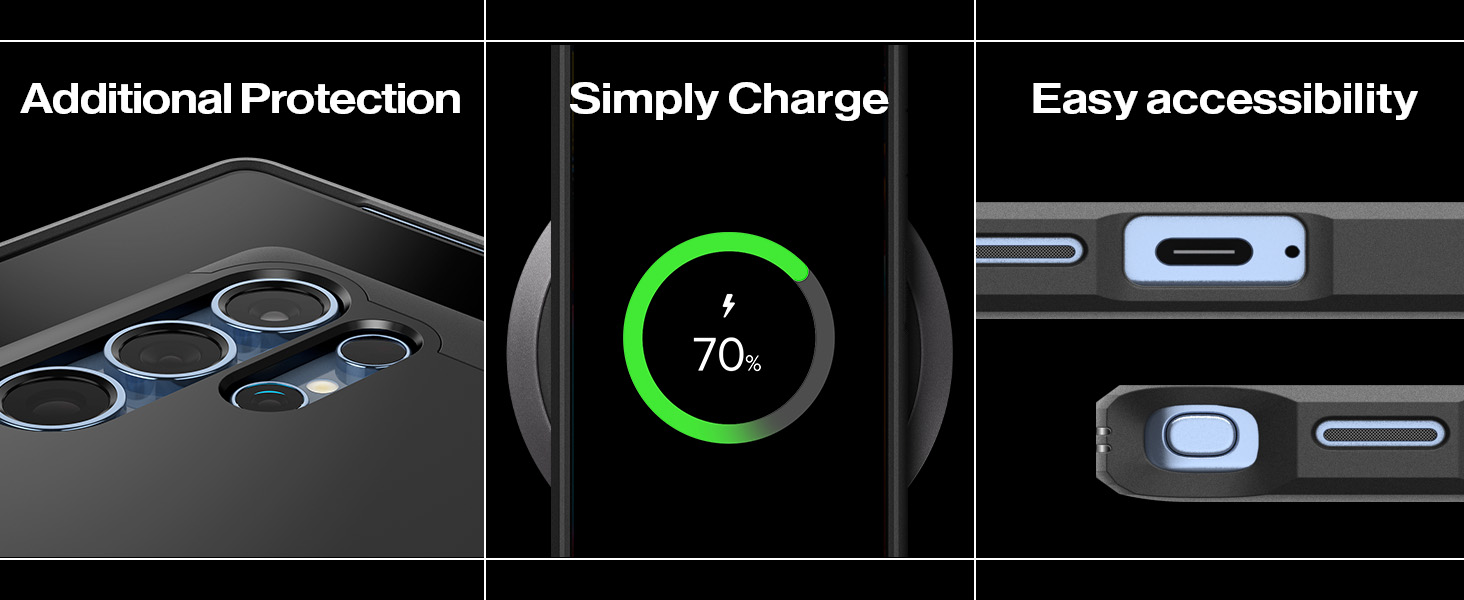
Image: The Spigen Tough Armor (Ai) MagFit Case demonstrating its magnetic compatibility with various accessories, including a magnetic wallet and charger.
Care and Maintenance
- Cleaning: To clean your case, remove it from your device. Use a soft, damp cloth with mild soap and water. Avoid harsh chemicals or abrasive materials.
- Storage: Store the case in a cool, dry place away from direct sunlight when not in use.
- Inspection: Periodically inspect the case for any signs of wear or damage. Replace the case if it shows significant damage to ensure continued protection.
Troubleshooting
| Issue | Possible Cause | Solution |
|---|---|---|
| Case does not fit properly. | Incorrect model or improper installation. | Ensure the case is designed specifically for the Samsung Galaxy S25 Ultra. Re-install the case following the "Setup and Installation" steps. |
| Wireless charging is not working. | Misalignment on charger, incompatible charger, or foreign objects. | Adjust phone position on the wireless charger. Ensure your charger is compatible with Galaxy devices. Remove any metal objects between the phone and charger. |
| Kickstand is loose or not staying open. | Wear and tear or excessive force. | If the kickstand is damaged, it may need replacement. Avoid applying excessive force when deploying or retracting. |
Product Specifications
- Model: ACS08964
- Compatibility: Samsung Galaxy S25 Ultra
- Material: Polycarbonate, Thermoplastic Polyurethane (TPU)
- Color: Black
- Dimensions: 6.66 x 3.31 x 0.49 inches
- Item Weight: 2.14 ounces
- Special Features: Heavy Duty Protection, Built-in Kickstand, MagFit Compatible
Warranty and Support
Spigen products are covered by a manufacturer's warranty. For detailed warranty information, product support, or to register your product, please visit the official Spigen website or contact their customer service directly.
Manufacturer: Spigen
Website: www.spigen.com
Related documentsACS08964

Ask a question about this manual
Ask about setup, troubleshooting, compatibility, parts, safety, or missing instructions. Manuals+ will review the question and use this page’s manual context to help answer it.