
SANODESK MT027
SANODESK Mobile Standing Desk (Model MT027) Instruction Manual
Your guide to assembly, operation, and maintenance.
1. Introduction
Thank you for choosing the SANODESK Mobile Standing Desk. This manual provides essential information for the safe and efficient use of your new desk. Please read it thoroughly before assembly and operation, and keep it for future reference.
2. Safety Information
To prevent injury and damage to the product, please observe the following safety precautions:
- Do not exceed the maximum weight limit of 15.4 lbs (7 kg) on the desktop.
- Ensure all bolts and screws are tightened securely before use.
- Keep hands and fingers clear of moving parts during height adjustment.
- Do not allow children to operate the desk without adult supervision.
- Place the desk on a flat, stable surface.
- Avoid placing hot items directly on the desktop without protection.
- Do not sit or stand on the desk.
- If any parts are missing or damaged, contact customer service immediately.
Warning: Failure to follow these instructions may result in personal injury or product damage.
3. Package Contents
Verify that all components are present and undamaged before beginning assembly. If anything is missing or damaged, please contact SANODESK customer service.
| Item | Description | Quantity |
|---|---|---|
| Desktop | (27.6" W x 15.7" D, Black+Maple Band) | 1 |
| Desk Column/Leg | With pneumatic lifting mechanism | 1 |
| Base Frame | With hidden wheels | 1 |
| Cup Holder | Detachable | 1 |
| Assembly Tools | (e.g., Allen wrench, screwdriver) | 1 set |
4. Setup and Assembly
The SANODESK Mobile Standing Desk is designed for easy assembly. It is recommended that two people assemble the desk, especially for attaching the desktop to the column.
Step-by-Step Assembly:
- Unpack Components: Carefully remove all parts from the packaging and lay them out on a clean, soft surface to prevent scratches. Refer to the "Package Contents" section to ensure all parts are present.
- Attach the Base Frame: Connect the desk column to the base frame using the provided screws and tools. Ensure the hidden wheels on the base are facing downwards and are securely attached.
- Install the Operating Lever: Locate the operating lever and the gas spring mechanism. Carefully install the operating lever into its designated slot on the desk column, ensuring the gas spring is correctly seated. This step may require holding the parts together while securing the bolt.
- Attach the Desktop: Align the desktop with the top of the desk column. Secure the desktop to the column using the remaining screws. It is advisable to have a second person hold the desktop steady during this step.
- Install the Cup Holder: Attach the detachable cup holder to the side of the desktop in your preferred position.
- Final Check: Once assembled, gently test the desk for stability and ensure all connections are tight.
5. Operating Instructions
Height Adjustment:
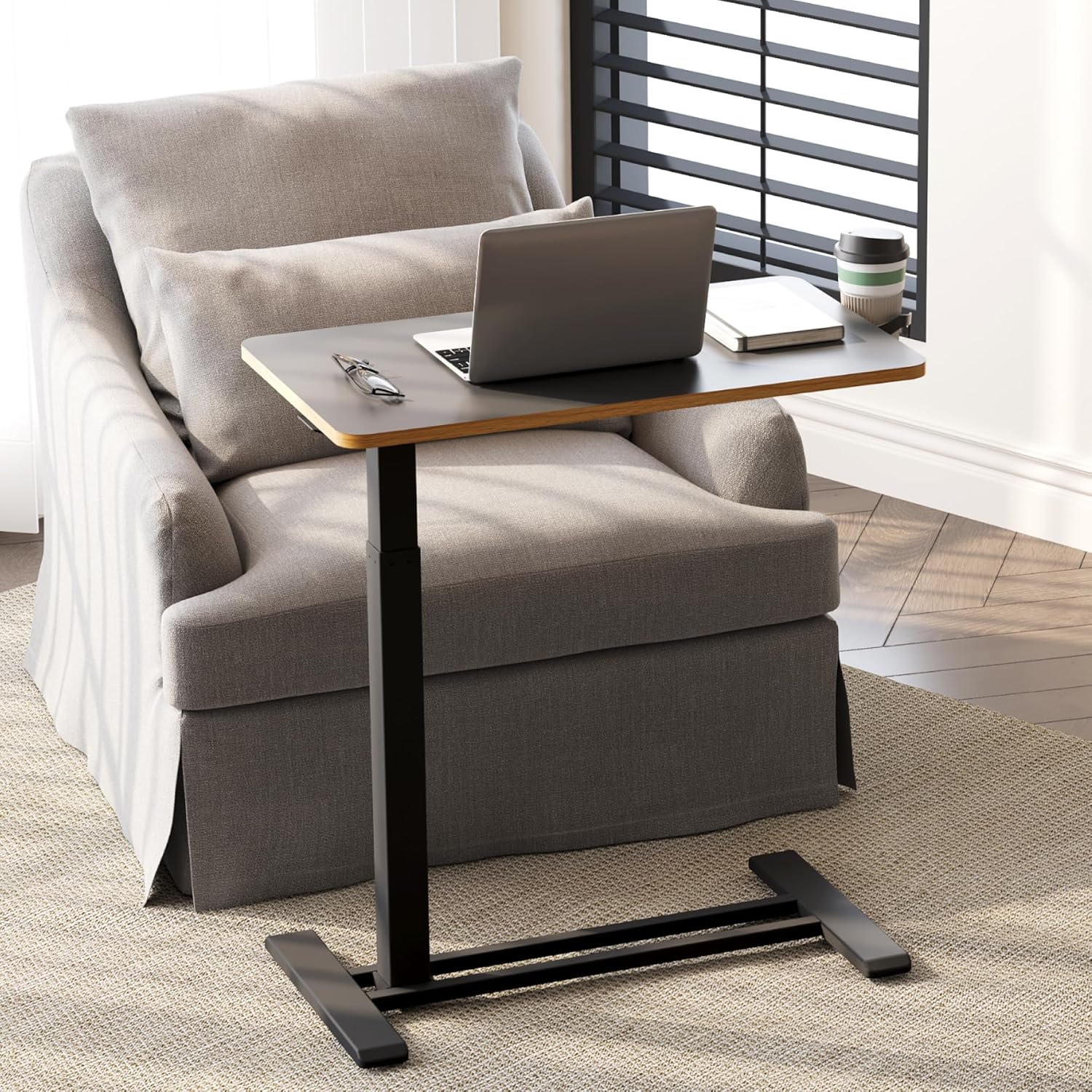
The desk features a pneumatic gas spring for smooth and effortless height adjustment. The height can be adjusted from 26 inches (minimum) to 41.7 inches (maximum).
- To Raise: Locate the operating lever under the desktop. Press and hold the lever, then gently lift the desktop upwards. The gas spring will assist in raising the desk. Release the lever at your desired height.
- To Lower: Press and hold the operating lever. Apply gentle downward pressure on the desktop. The desk will smoothly lower. Release the lever at your desired height.


Mobility:
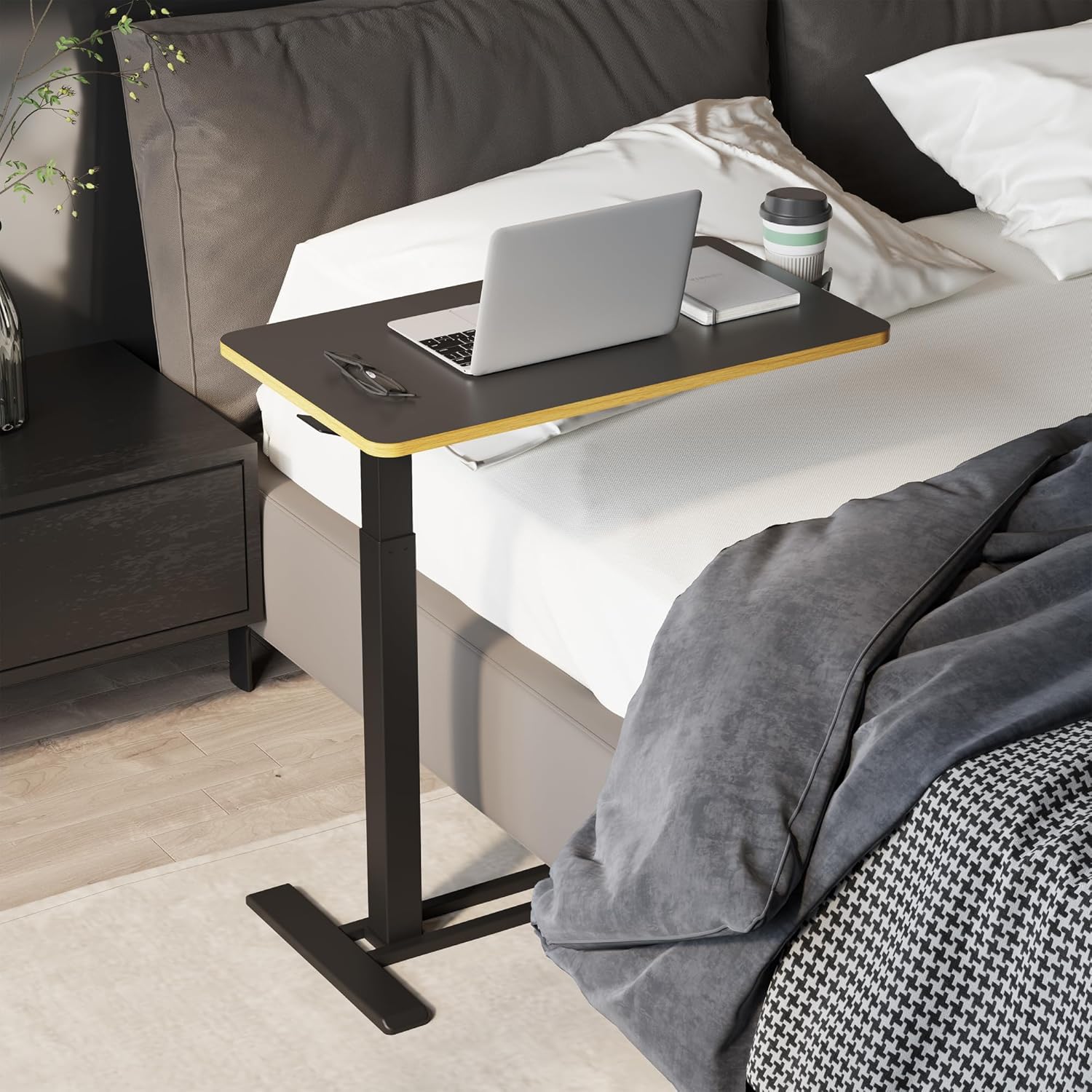
The desk is equipped with hidden wheels for easy movement. The low-profile base allows it to slide under furniture with a clearance of at least 1.2 inches.
- To move the desk, simply push or pull it to your desired location. The hidden wheels ensure smooth gliding on various floor surfaces.
- The L-shaped base is designed to tuck under beds, sofas, or recliners, bringing the desktop closer to you for comfortable use.


6. Maintenance
Regular maintenance will ensure the longevity and optimal performance of your SANODESK Mobile Standing Desk.
- Cleaning: The desktop features a melamine finish, which is water-proof and easy to clean. Use a soft, damp cloth to wipe down the surface. Avoid abrasive cleaners or harsh chemicals.
- Tighten Connections: Periodically check all screws and bolts and tighten them as needed to maintain stability.
- Gas Spring: The pneumatic gas spring is designed for maintenance-free operation. Do not attempt to lubricate or disassemble it.
- Wheels: Keep the hidden wheels free of debris to ensure smooth movement.

7. Troubleshooting
If you encounter any issues with your SANODESK Mobile Standing Desk, please refer to the following common problems and solutions:
| Problem | Possible Cause | Solution |
|---|---|---|
| Desk wobbles or is unstable. | Loose connections; uneven surface. | Check and tighten all screws and bolts. Ensure the desk is on a flat, level surface. |
| Difficulty adjusting height. | Lever not fully engaged; excessive weight on desktop. | Ensure the operating lever is fully pressed. Reduce the weight on the desktop (do not exceed 15.4 lbs). |
| Desk does not move smoothly. | Debris in wheels; uneven floor. | Clean any debris from the hidden wheels. Ensure the floor surface is smooth. |
If the problem persists, please contact SANODESK customer service for further assistance.
8. Specifications
- Model Number: MT027
- Brand: SANODESK
- Product Dimensions: 15.7"D x 27.6"W x 26"H (Minimum Height)
- Adjustable Height Range: 26 inches to 41.7 inches
- Desktop Material: Engineered Wood with Melamine Finish
- Base Material: Carbon Steel
- Lifting Mechanism: Pneumatic Gas Spring
- Weight Capacity: 15.4 lbs (7 kg)
- Item Weight: 22 Pounds
- Special Features: Adjustable Height, Portable, Hidden Wheels, Detachable Cup Holder
- Assembly Required: Yes (Tools included)
- Recommended People for Assembly: 2
9. Warranty and Support
The SANODESK Mobile Standing Desk comes with a limited warranty. For detailed warranty information or to contact customer support, please refer to the warranty card included in your package or visit the official SANODESK website.
Customer Service: If you have any questions, concerns, or require assistance with your product, please do not hesitate to contact our professional customer service team.
Online Support: Visit the SANODESK Store on Amazon
Ask a question about this manual
Ask about setup, troubleshooting, compatibility, parts, safety, or missing instructions. Manuals+ will review the question and use this page’s manual context to help answer it.