
COLSUR COLSUR White Noise Machine (Model: B0DJ91RV74)
COLSUR White Noise Machine User Manual
Model: B0DJ91RV74
Introduction
Thank you for choosing the COLSUR White Noise Machine. This device combines a white noise generator, a Bluetooth speaker, and a dimmable bedside lamp, designed to create a soothing environment for sleep, relaxation, and focus. Please read this manual carefully before use to ensure proper operation and to maximize your experience with the product.

The COLSUR White Noise Machine, showcasing its elegant design and illuminated lamp feature.
Safety Information
- Always use the device under adult supervision, especially when children or babies are present. Keep the device out of reach of infants and young children.
- Do not expose the device to water or excessive moisture.
- Do not disassemble, repair, or modify the device yourself. Contact customer support for assistance.
- Use only the provided USB cable for charging.
- Avoid placing the device near heat sources or in direct sunlight.
- Clean the device with a soft, dry cloth. Do not use abrasive cleaners or solvents.
Package Contents
Please check the package for the following items:
- COLSUR White Noise Machine
- USB Charging Cable
- User Manual
Product Overview
The COLSUR White Noise Machine features intuitive controls and a compact design, making it suitable for various environments. Key components include the touch-sensitive top panel for sound and light control, the integrated speaker, and the dimmable LED lamp.

The COLSUR White Noise Machine, illustrating its compact dimensions (11.2 cm height, 10.4 cm diameter) and versatility for various uses such as sleeping, reading, relaxation, and nursing.
Setup
- Unpack the Device: Carefully remove the COLSUR White Noise Machine from its packaging.
- Initial Charge: Before first use, fully charge the device using the provided USB cable. Connect the USB cable to the charging port on the device and plug the other end into a standard USB power adapter (not included) or a computer USB port. The charging indicator will show the charging status. A full charge takes approximately 2.5 hours.
- Placement: Place the device on a stable, flat surface away from direct sunlight, heat sources, and moisture.

The device offers over 10 hours of listening enjoyment after a 2.5-hour charge, ideal for extended use.
Operating Instructions
Power On/Off
To power on the device, locate the power button on the top panel and press it briefly. To power off, press and hold the power button until the device shuts down.
White Noise and Music Playback
The COLSUR White Noise Machine offers a variety of natural sounds and melodies:
- Natural Sounds: Includes thunder, rain, wind, nature sounds, and sea wave sounds. Press the dedicated natural sound button to cycle through these options.
- Soothing Melodies: Access a selection of calming melodies by pressing the music note button.
To turn off the currently playing sound source, press and hold the corresponding sound button.
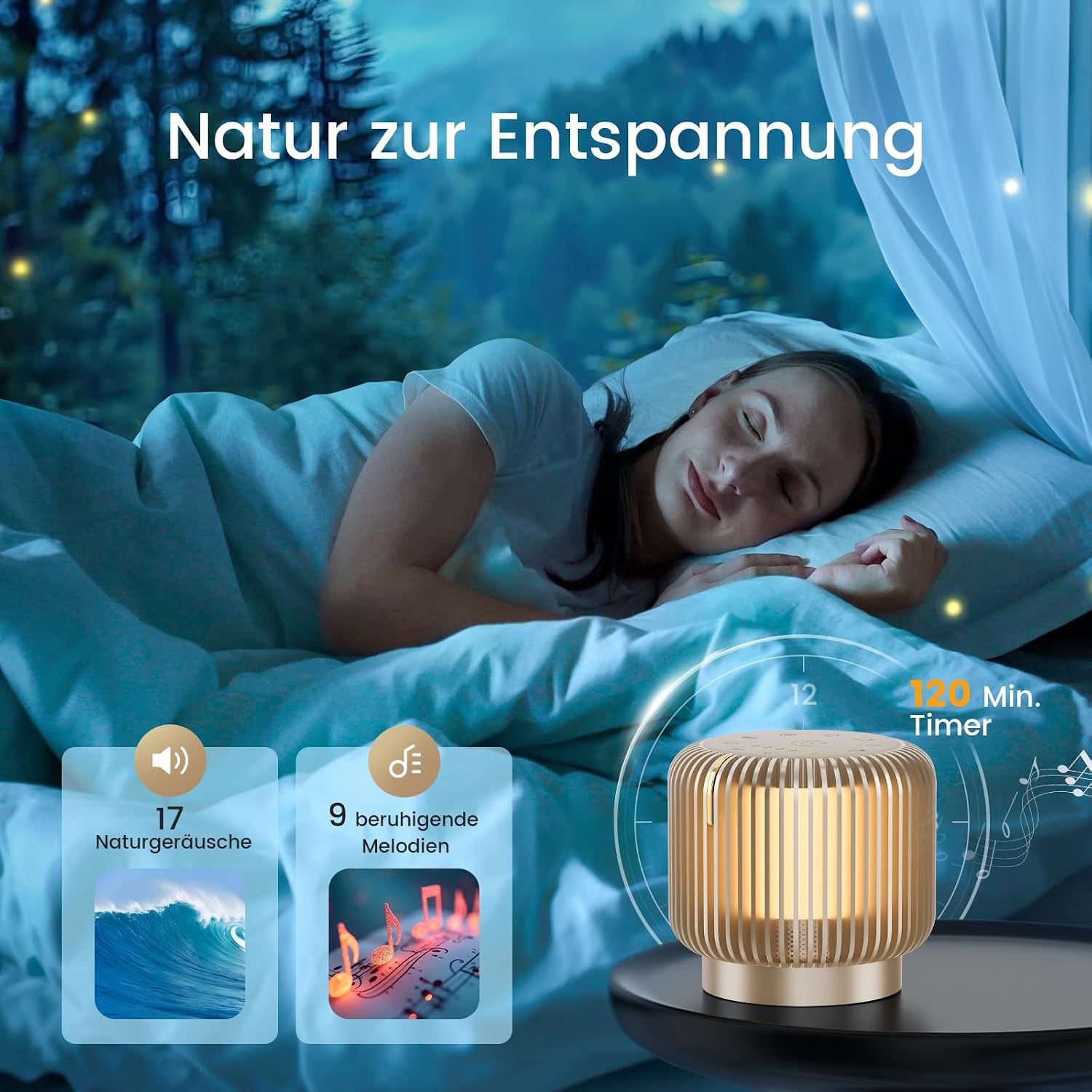
Explore 17 natural sounds and 9 soothing melodies for relaxation, with an adjustable timer up to 120 minutes.
Bluetooth Connection
The device features Bluetooth 5.1 for seamless audio streaming:
- Ensure the device is powered on.
- Short press the [BT] button on the top panel to activate Bluetooth pairing mode. The Bluetooth indicator will blink.
- On your mobile phone or other Bluetooth-enabled device, search for available Bluetooth devices.
- Select "K6S" from the list to connect. Once connected, the Bluetooth indicator will remain solid.
- You can now play any audio from your phone through the COLSUR White Noise Machine.

Equipped with Bluetooth 5.1, the device offers a quick 1-second connection and a stable range of up to 10 meters.

Experience immersive audio with the 360-degree broadband driver technology, delivering stable and pure sound quality.
Light Operation
The integrated bedside lamp offers adjustable brightness:
- Turn On/Off: Briefly touch the metal switch on the side of the device to turn the light on or off.
- Adjust Brightness: Press and hold the metal switch to continuously adjust the brightness level. Release when the desired brightness is reached. The light can be dimmed from 1LM to 50LM.
The gentle illumination is ideal for nighttime use, such as checking on a baby or for soft ambient lighting.
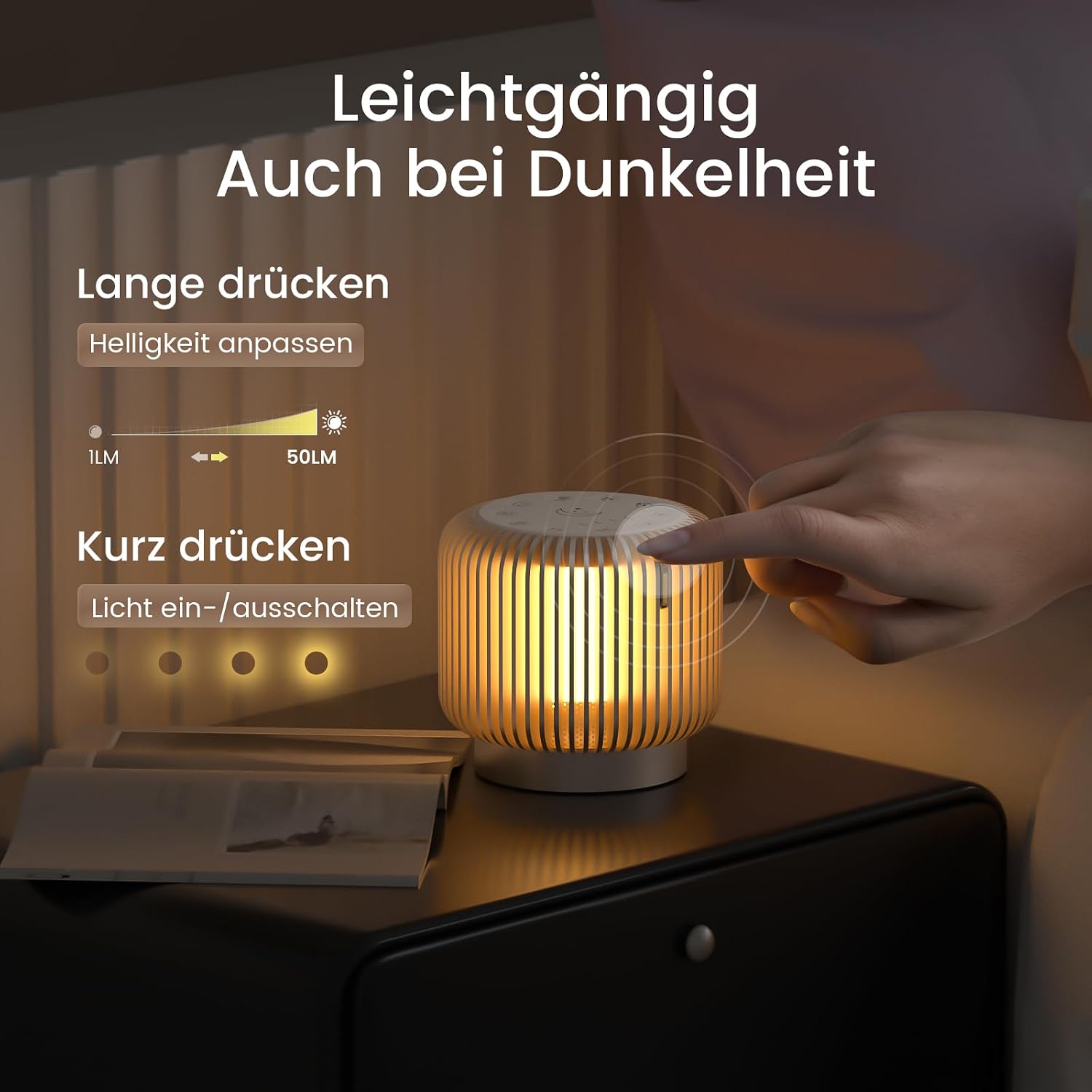
Easily control the light: short press to toggle on/off, long press to adjust brightness from 1LM to 50LM.
Timer Function
The device includes a timer function to automatically turn off the sound after a set period:
- Press the timer button to cycle through available timer options: 30 minutes, 60 minutes, 90 minutes, and 120 minutes.
- The selected timer duration will be indicated on the display.
- The device will automatically turn off the sound when the timer expires.
Memory Function
The COLSUR White Noise Machine features a convenient memory function. It will remember your last used sound and volume settings, providing a personalized experience each time you turn it on.
Maintenance
- Cleaning: Wipe the device with a soft, dry, lint-free cloth. Do not use liquid cleaners, aerosols, or abrasive solvents.
- Storage: When not in use for extended periods, store the device in a cool, dry place, away from direct sunlight and extreme temperatures.
- Battery Care: To prolong battery life, avoid fully discharging the battery frequently. Charge the device regularly, even if not in constant use.
Troubleshooting
If you encounter any issues with your COLSUR White Noise Machine, please refer to the table below for common problems and solutions:
| Problem | Possible Cause | Solution |
|---|---|---|
| Device does not turn on. | Battery is depleted. | Charge the device using the provided USB cable. |
| No sound from speaker. | Volume is too low or muted. Incorrect sound source selected. | Increase the volume. Ensure a sound mode (white noise, melody, or Bluetooth) is active. |
| Bluetooth connection fails. | Device not in pairing mode. Bluetooth on phone is off. "K6S" not selected. | Ensure the device is in Bluetooth pairing mode (blinking indicator). Turn on Bluetooth on your phone and select "K6S". Move devices closer. |
| Light does not turn on or adjust. | Incorrect touch operation. | Briefly touch the metal switch to toggle the light. Long press to adjust brightness. |
| Timer function not working. | Timer not set correctly. | Press the timer button to cycle through and select the desired duration. |
If the problem persists after trying these solutions, please contact COLSUR customer support for further assistance.
Specifications
| Feature | Specification |
|---|---|
| Brand | COLSUR |
| Model | B0DJ91RV74 |
| Product Dimensions | 11.5 x 11.4 x 11.5 cm |
| Item Weight | 0.52 Kilograms |
| Material | Metal |
| Power Source | Battery Powered (USB rechargeable) |
| Bluetooth Version | 5.1 |
| Light Brightness | 1LM - 50LM (Dimmable) |
| Timer Options | 30 min / 60 min / 90 min / 120 min |
| Special Features | Bass amplification, LED light, Noise cancellation, Portable, USB port, Memory function |
Warranty and Support
COLSUR products are manufactured to high quality standards. For warranty information, technical support, or any inquiries regarding your COLSUR White Noise Machine, please refer to the contact information provided with your purchase or visit the official COLSUR website. Please retain your proof of purchase for warranty claims.
Related documentsCOLSUR White Noise Machine (Model: B0DJ91RV74)

Ask a question about this manual
Ask about setup, troubleshooting, compatibility, parts, safety, or missing instructions. Manuals+ will review the question and use this page’s manual context to help answer it.