
1. Introduction
Thank you for choosing the XINDADA H19 Smart Watch. This manual provides essential information for setting up, operating, and maintaining your device. Please read it carefully to ensure optimal performance and longevity of your smartwatch.
Package Contents:
- XINDADA H19 Smart Watch (1 unit)
- Watch Strap (1 unit)
- Charging Cable (1 unit)
- Product Manuals (1 unit)
2. Safety Information
Please observe the following safety guidelines to prevent damage to your device or personal injury.
Water Resistance:
The XINDADA H19 Smart Watch is life waterproof (IP67 rated). This means it can be used normally when washing hands and in rainy conditions. However, it is not suitable for swimming or bathing. Do not soak the watch in water. Be careful to avoid corrosive liquids like hand sanitizer or soap from entering the watch, as this can cause component damage.
Charging:
Upon receiving the product, ensure it is fully charged before initial use to guarantee sufficient power when turned on. Use only the provided charging cable.
NFC Functionality:
Please note that NFC payment functions are not supported on this device.
3. Setup
3.1 Initial Charging
Connect the provided charging cable to the charging port on the back of the watch and to a standard USB power adapter. The watch display will indicate charging status. Allow the watch to charge completely before its first use.
3.2 SIM Card Installation
The H19 Smart Watch supports 4G network connectivity via a SIM card. Locate the SIM card slot on the side of the watch. Carefully insert a nano-SIM card into the tray, ensuring correct orientation. Close the tray securely.
3.3 Powering On/Off
- To Power On: Press and hold the power button (typically the top right button) until the XINDADA logo appears.
- To Power Off: Press and hold the power button, then select 'Power Off' from the options on the screen.
3.4 Initial Configuration
Upon first power-on, the watch will guide you through initial setup steps, including:
- Language selection
- Time and date settings
- Connecting to Wi-Fi (if desired)
- Logging into your Google account (for Play Store access)
4. Operating Instructions
4.1 Basic Navigation
The H19 Smart Watch features a 1.95-inch AMOLED touchscreen for primary interaction. Swipe left, right, up, or down to navigate through menus and notifications. Use the physical buttons on the side for additional controls, such as returning to the home screen or accessing specific functions.
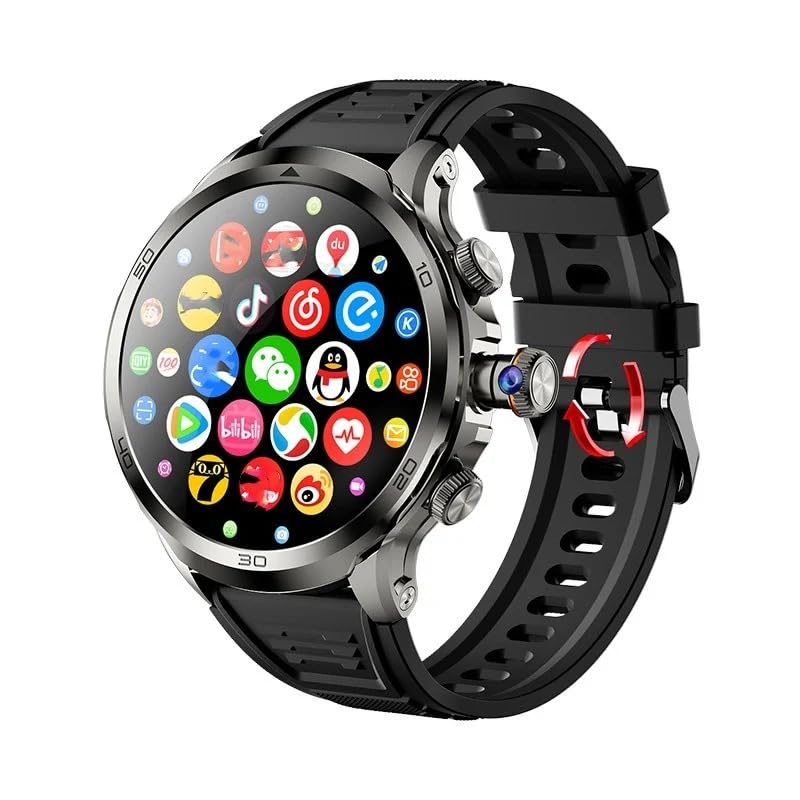
Image: The XINDADA H19 Smart Watch displaying various application icons on its AMOLED screen.
4.2 Key Features
- Phone Calls & Messages: With a 4G SIM card, make and receive calls directly from your watch. Access messages and notifications.
- Camera: The watch features a 900W HD rotating camera. This allows for flexible photo and video capture.

Image: Close-up of the XINDADA H19 Smart Watch highlighting its new retractable rotating camera feature.
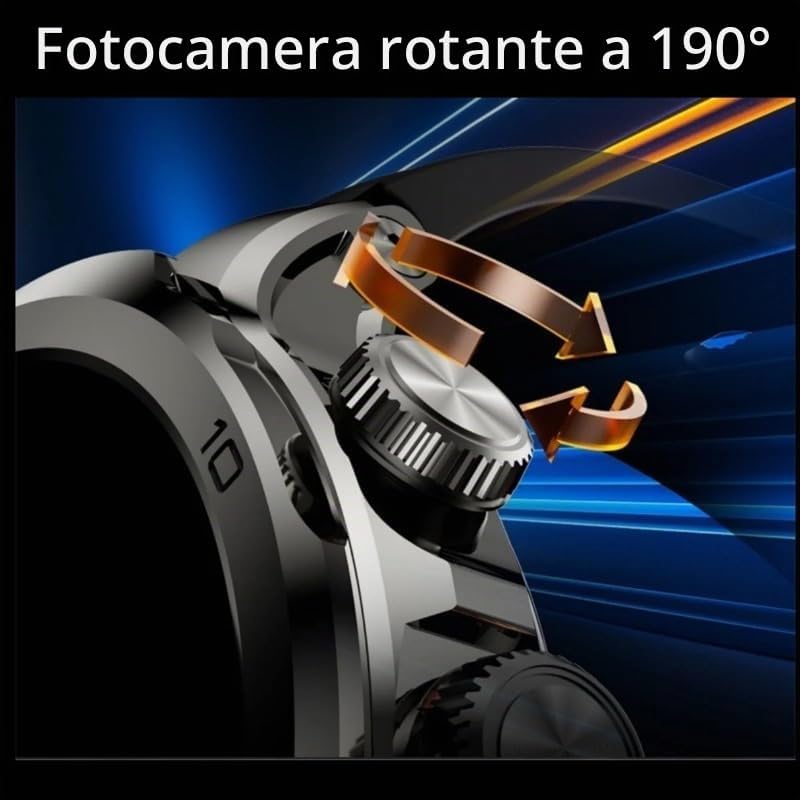
Image: Illustration showing the XINDADA H19 Smart Watch's camera rotating up to 190 degrees for versatile shooting angles.
- Music Playback: Store music on the watch or stream via connected services. Connect Bluetooth headphones for private listening.

Image: The XINDADA H19 Smart Watch displaying music playback, with Bluetooth headphones and a smartphone in the background, indicating music functionality.
- Heart Rate Monitor: Track your heart rate throughout the day.
- GPS: Integrated GPS for accurate location tracking and navigation.
- Applications: Access a wide range of applications including Browser, Downloads, Calendar, Clock, Gallery, Voice Recorder, File Management, Sports, Weather, and Maps. The Google Play Store is available for downloading additional apps.

Image: The XINDADA H19 Smart Watch showcasing its 1.95-inch AMOLED screen with a resolution of 720x720, displaying time and weather information.
4.3 Network & Connectivity
The H19 Smart Watch supports various connectivity options:
- 4G Network: Full Netcom support for global calls and data.
- Wi-Fi: Connect to Wi-Fi networks (802.11ac standard) for faster internet access.
- Bluetooth: For connecting to headphones, speakers, and other compatible devices.
5. Maintenance
5.1 Cleaning
To clean your smartwatch, gently wipe the screen and body with a soft, dry, lint-free cloth. Avoid using abrasive materials, solvents, or harsh chemicals, as these can damage the finish or internal components.
5.2 Battery Care
The H19 Smart Watch is equipped with a 1900mAh battery. Due to its Android operating system and 4G connectivity, which consume more power than standard Bluetooth watches, the battery life typically lasts 1 to 2 days under normal usage. To prolong battery life, consider:
- Adjusting screen brightness.
- Disabling unnecessary background apps.
- Turning off Wi-Fi or 4G when not needed.
5.3 Software Updates
Periodically check for software updates through the watch's settings menu. Updates can provide new features, performance improvements, and security enhancements.
6. Troubleshooting
Device Not Powering On:
Ensure the watch has sufficient charge. Connect it to the charging cable and allow it to charge for at least 30 minutes before attempting to power it on again.
Short Battery Life:
As an Android 4G smartwatch, the H19 has higher power consumption. A battery life of 1 to 2 days under normal use is expected. If battery life is significantly shorter, review background app usage and connectivity settings.
Network Connectivity Issues:
Check if the SIM card is correctly installed and activated. Verify network settings on the watch. Ensure you are in an area with 4G coverage. For Wi-Fi, confirm the password and network availability.
Limited Storage/RAM:
Note that the available storage and RAM will be less than the total memory due to the operating system and pre-installed software. This is normal and does not indicate a defect.
7. Specifications
| Feature | Specification |
|---|---|
| Model | H19 |
| CPU | SL8541E 4-core |
| Operating System | Android 9.0 |
| Display | 1.95 inch AMOLED, 720*720 Resolution |
| Memory | 4GB RAM + 32GB/64GB Storage |
| Battery Capacity | 1900mAh |
| Network Connectivity | 2G, 3G, 4G (FDD: B1/B2/B3/B4/B5/B7/B8/B12/B17/B20/B28/B66; TDD: B34/B38/B39/B40/B41) |
| Wireless Standards | Wi-Fi (802.11ac), Bluetooth |
| GPS | Integrated GPS |
| Water Resistance | IP67 (Life Waterproof, 1 Meter Depth) |
| Camera | 900W HD Rotating Camera |
| Heart Rate Monitor | Yes |
| User Interface | Touchscreen, Physical Buttons |
| Compatible Devices | Android smartphones, other wearables, laptops, tablets (excluding iPhone) |
| Supported Languages | English, Arabic, German, Spanish, Farsi, Finnish, French, Italian, Japanese, Hebrew, Malaysian, Dutch, Polish, Portuguese, Russian, Thai, Turkish, Vietnamese, Korean, Filipino, Indian, etc. |
8. Warranty and Support
Warranty Information:
The XINDADA H19 Smart Watch comes with a Limited Warranty. Please refer to the warranty card included in your package or contact your retailer for specific terms and conditions.
Customer Support:
For any technical assistance, troubleshooting, or inquiries not covered in this manual, please contact the retailer or manufacturer's customer support. Keep your purchase receipt and product model information handy when seeking support.