
1. Introduction
Thank you for purchasing the TriPole Mini Portable Desk Fan, Model KW59. This manual provides important information regarding the safe use, operation, and maintenance of your fan. Please read it thoroughly before using the product and retain it for future reference.
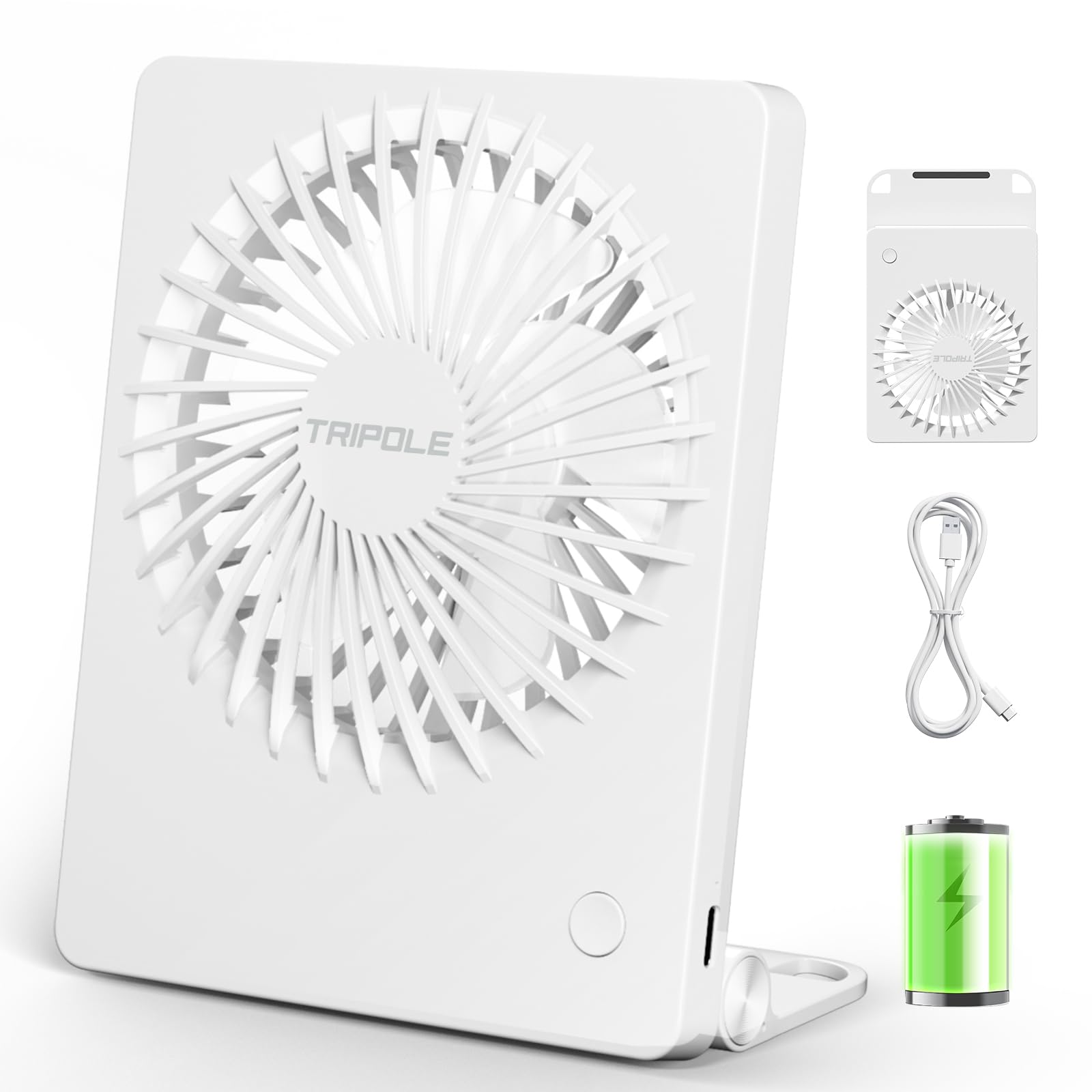
The TriPole Mini Portable Desk Fan in its compact white design.
2. Product Features
- Ultra-Quiet Operation: Operates at a minimum noise level of just 25 dB, ensuring a peaceful environment for work, study, or sleep.
- Compact and Portable Design: Small and thin, making it highly convenient to carry for travel, office, or outdoor use.
- Adjustable Airflow: Provides a maximum wind speed of 4.6 m/s with three adjustable speed settings (Soft, Cool, Strong).
- USB Rechargeable: Equipped with a 1200 mAh battery that fully charges in approximately 2 hours via USB.
- Long Battery Life: Offers up to 6 hours of continuous operation on a single charge (on the lowest speed setting).
- 180° Tilt and Foldable Stand: Features a versatile stand that allows for 180-degree tilt adjustment and can be folded for hanging.

Internal view highlighting the silent brushless motor and five-blade fan design for quiet operation.

The fan features a 180-degree adjustable and foldable stand, allowing for versatile placement on a desk or hanging from a hook.
3. What's in the Box
Upon opening your TriPole Mini Portable Desk Fan package, you should find the following items:
- TriPole Mini Portable Desk Fan (Model KW59)
- USB Charging Cable
- User Manual
Video demonstrating the unboxing and features of the TriPole Portable Small Fan, including its compact size and USB charging cable.
4. Setup
- Initial Charge: Before first use, fully charge the fan. Connect the provided USB charging cable to the fan's charging port and plug the other end into a USB power adapter (not included), computer, or power bank. The charging indicator light will show charging status. A full charge takes approximately 2 hours.
- Positioning:
- Desk Use: Unfold the integrated stand to position the fan on a flat surface. Adjust the fan head to your desired angle (up to 180 degrees).
- Hanging Use: Utilize the hooks on the foldable stand to hang the fan from a suitable fixture.

The fan is easily rechargeable via USB. Ensure it is fully charged before initial use.
5. Operating Instructions
- Power On/Off: Press the power button located on the front of the fan once to turn it on to the lowest speed setting. Press again to cycle through the speed settings. To turn off the fan, press the power button after the highest speed setting.
- Adjusting Speed: The fan has three speed settings:
- First Press: Low Speed (Soft wind, approx. 2.4 m/s, 2700 rpm)
- Second Press: Medium Speed (Cool wind, approx. 3.6 m/s, 3400 rpm)
- Third Press: High Speed (Strong wind, approx. 4.6 m/s, 4000 rpm)
- Fourth Press: Power Off
- Adjusting Angle: The fan head can be manually tilted up to 180 degrees to direct airflow as needed.

The fan offers three distinct speed settings for personalized comfort.
6. Maintenance
- Cleaning: Ensure the fan is turned off and unplugged before cleaning. Use a soft, dry cloth to wipe the exterior of the fan. Do not use abrasive cleaners or immerse the fan in water.
- Blade Cleaning: Carefully use a soft brush or compressed air to remove dust from the fan blades. Do not insert fingers or foreign objects into the fan grille.
- Storage: When not in use for extended periods, store the fan in a cool, dry place, away from direct sunlight and extreme temperatures.
- Battery Care: To prolong battery life, avoid fully discharging the battery frequently. Recharge the fan when the battery is low.
7. Troubleshooting
| Problem | Possible Cause | Solution |
|---|---|---|
| Fan does not turn on. | Battery is depleted. | Charge the fan using the provided USB cable. |
| Weak airflow. | Fan is on a low speed setting or battery is low. | Increase the speed setting or recharge the fan. |
| Unusual noise during operation. | Obstruction in the fan blades or internal issue. | Turn off and unplug the fan. Carefully check for any obstructions and remove them. If the issue persists, contact customer support. |
| Fan does not charge. | Faulty USB cable or power adapter. | Try using a different USB cable or power adapter. Ensure connections are secure. |
8. Specifications
| Brand | TriPole |
| Model Name | KW59 |
| Color | White |
| Fan Type | Mini Portable Desk Fan |
| Power Source | Battery Powered (1200 mAh) |
| Charging Time | Approx. 2 hours |
| Battery Life | Up to 6 hours (low speed) |
| Wind Speed | Max 4.6 m/s |
| Noise Level | Min 25 Decibels |
| Number of Speeds | 3 |
| Control Method | Touch Button |
| Adjustability | 180° Tilt, Foldable Stand |
| Dimensions (Approx.) | 5.5" x 4.4" x 1.4" (L x W x H) |
| Item Weight | 6.7 ounces |
| Material | Plastic |
9. Warranty & Support
For warranty information or technical support, please refer to the product packaging or contact the seller directly. Keep your purchase receipt as proof of purchase.
Manufacturer: Keeway Technology Co., Ltd.
Address: Room 1019, Building B, Guangming Hi-Tech Park, No. 3, Xinguang Road, Xinhu Community, Guangming Street, Guangming District, Shenzhen