1. Introduction
The Shimbol TP Max is a high-performance wireless video transmission system designed for professional video production. It enables reliable, long-distance transmission of 1080p60 HDMI signals with ultra-low latency, making it ideal for live broadcasting, monitoring, and various shooting scenarios. This manual provides essential information for the safe and effective use of your TP Max system.

Image 1.1: Overview of the Shimbol TP Max system highlighting its wireless capabilities, 1080p resolution, aluminum alloy build, and fanless design.
2. Safety Information
- Do not expose the device to water or excessive moisture.
- Avoid dropping or subjecting the device to severe impact.
- Use only approved power adapters and batteries.
- Do not attempt to disassemble or modify the device.
- Keep the device away from strong electromagnetic fields.
- Ensure proper ventilation during operation.
3. Package Contents
Please verify that all items are present in your package:
- Shimbol TP Max Transmitter (TX) Unit: 1
- Shimbol TP Max Receiver (RX) Unit: 1
- User Manual: 1
- Sticker (Panda Design): 2
- USB Charging Cable: 2
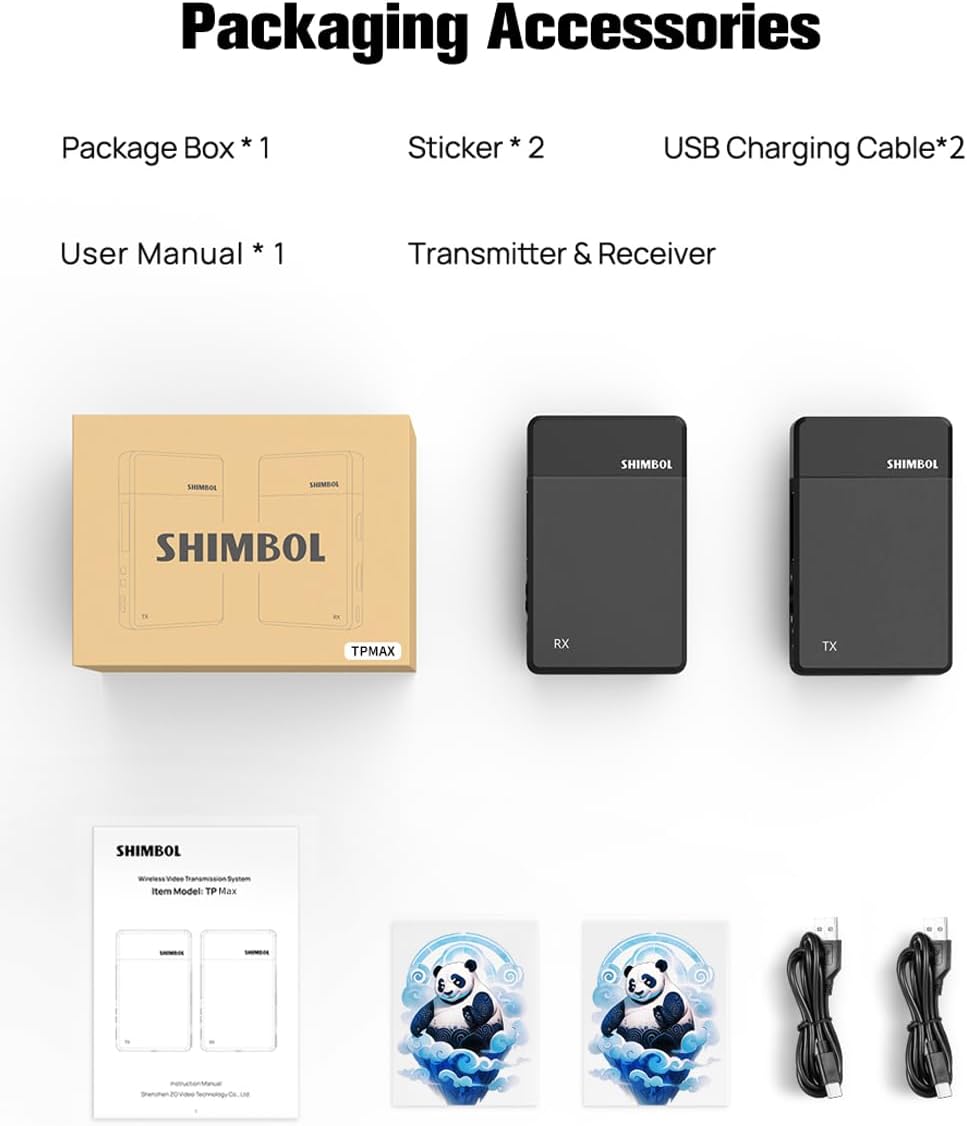
Image 3.1: Contents of the Shimbol TP Max package, including the transmitter, receiver, user manual, stickers, and USB cables.
4. Product Overview
The Shimbol TP Max system consists of a Transmitter (TX) and a Receiver (RX) unit. Both units feature a compact design with essential ports and indicators for easy operation.
4.1. Transmitter (TX) Unit
- HDMI IN: Connects to your video source (e.g., camera, camcorder).
- USB 5V / Type-C: Power input port.
- Power Switch: On/Off control.
- Indicator Lights: Display power status and connection status.
4.2. Receiver (RX) Unit
- HDMI OUT: Connects to your display device (e.g., monitor, TV).
- USB 5V / Type-C: Power input port.
- Power Switch: On/Off control.
- Indicator Lights: Display power status and connection status.
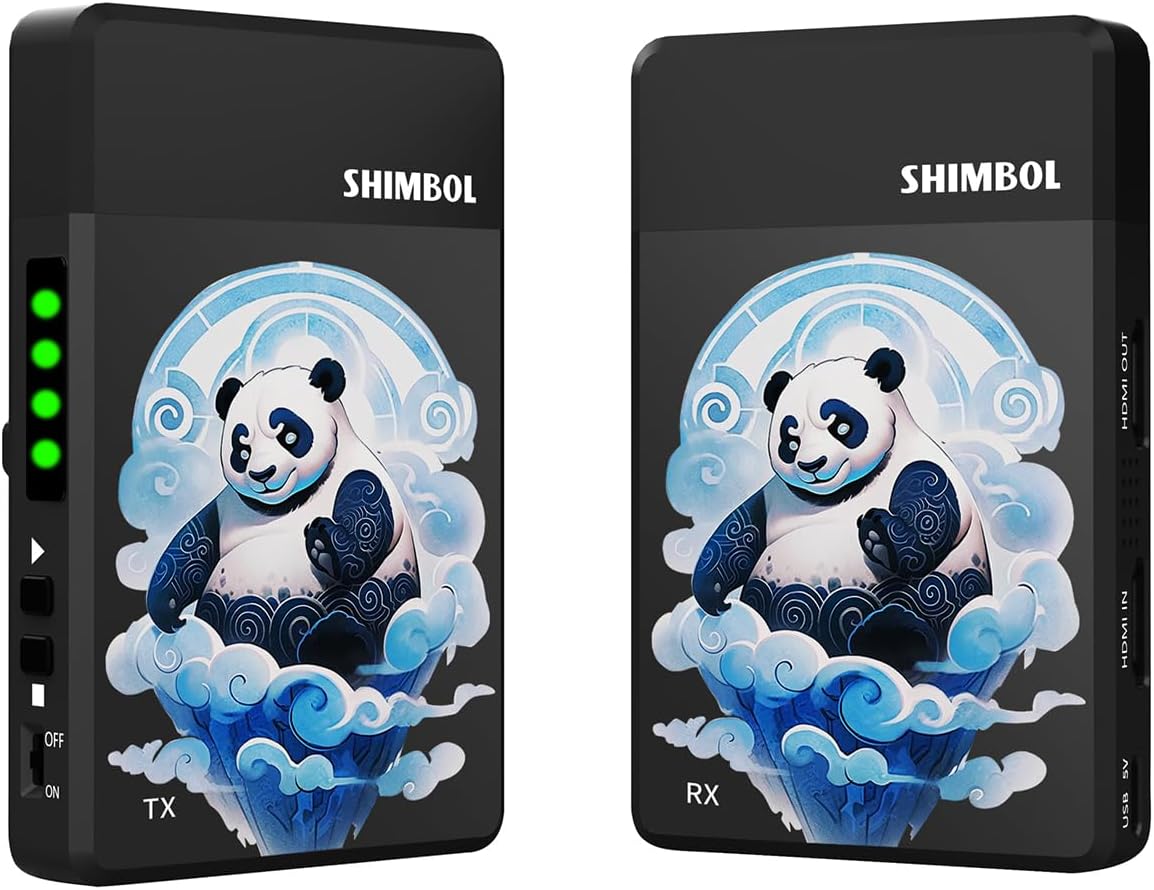
Image 4.1: Front view of the Shimbol TP Max Transmitter (TX) and Receiver (RX) units, showing their compact form factor and indicator lights.

Image 4.2: Side view of the Shimbol TP Max Receiver (RX) unit, illustrating the HDMI IN/OUT ports and USB-C power input.
5. Setup Instructions
Follow these steps to set up your Shimbol TP Max wireless video transmission system:
- Powering the Units:
- Using NPF Batteries: Attach a compatible NPF battery (e.g., NPF550, NPF970) to the battery plate on the back of both the TX and RX units.
- Using USB Type-C: Connect a 5V power source (e.g., power bank, USB adapter) to the USB Type-C port on both the TX and RX units using the provided USB cables.

Image 5.1: The Shimbol TP Max unit with an NPF battery attached, demonstrating one of the power supply options.
- Connecting the Transmitter (TX): Connect an HDMI cable from your video source (e.g., camera HDMI output) to the HDMI IN port on the Shimbol TP Max Transmitter unit.
- Connecting the Receiver (RX): Connect an HDMI cable from the HDMI OUT port on the Shimbol TP Max Receiver unit to your display device (e.g., monitor HDMI input).
- Power On: Flip the power switch on both the TX and RX units to the 'ON' position. The indicator lights will illuminate.
- Automatic Pairing: The TX and RX units are designed to pair automatically. Once powered on, they will establish a connection, and the indicator lights will show a stable connection status. This process typically takes a few seconds.
6. Operating Instructions
Once the setup is complete and the units are paired, the Shimbol TP Max system will begin transmitting video. Ensure both units have a clear line of sight for optimal performance, especially over longer distances.
- Monitoring Status: Observe the indicator lights on both units. A stable light typically indicates a successful connection and active transmission.
- Signal Quality: If the video signal is unstable or drops, try reducing the distance between the TX and RX units or ensuring there are no obstructions.
- HDMI Loop-out: The TX unit supports an HDMI loop-out function, allowing you to connect a local monitor to the transmitter while simultaneously sending the signal wirelessly to the receiver.
7. Key Features
- Long-distance Transmission: The system supports wireless video transmission up to 1000 feet (350 meters), providing extensive coverage for various production environments.
- Ultra-Low Latency: Experience real-time video monitoring with a latency as low as 0.07 seconds (70ms), ensuring minimal delay between source and display.
- High-Definition Video: Supports video resolutions up to 1080p at 60 frames per second (1080p60), delivering clear and crisp images.
- Dual HDMI Ports: Equipped with both HDMI IN and HDMI OUT ports, facilitating flexible connectivity and an HDMI loop-out function.
- Fanless Design: The system operates without a fan, ensuring silent performance crucial for audio-sensitive recording environments.
- Multiple Power Supply Options: Can be powered by NPF series batteries (NPF550, NPF970) for portability or via a USB Type-C power source.
- Intelligent Frequency Hopping: Utilizes advanced technology to maintain a stable connection and minimize interference in complex wireless environments.
- Durable Aviation Aluminum Alloy Shell: Constructed with an integrated die-casting process, providing a robust and lightweight housing capable of handling demanding usage.
- Lightweight and Portable: Each unit weighs approximately 120g, making the system easy to transport and mount.

Image 7.1: Visual representation of key performance features including 1000ft transmission, fanless design, aluminum shell, intelligent frequency hopping, and low power consumption.

Image 7.2: Illustration of the system's 70ms low latency, enabling real-time audio and video transmission.
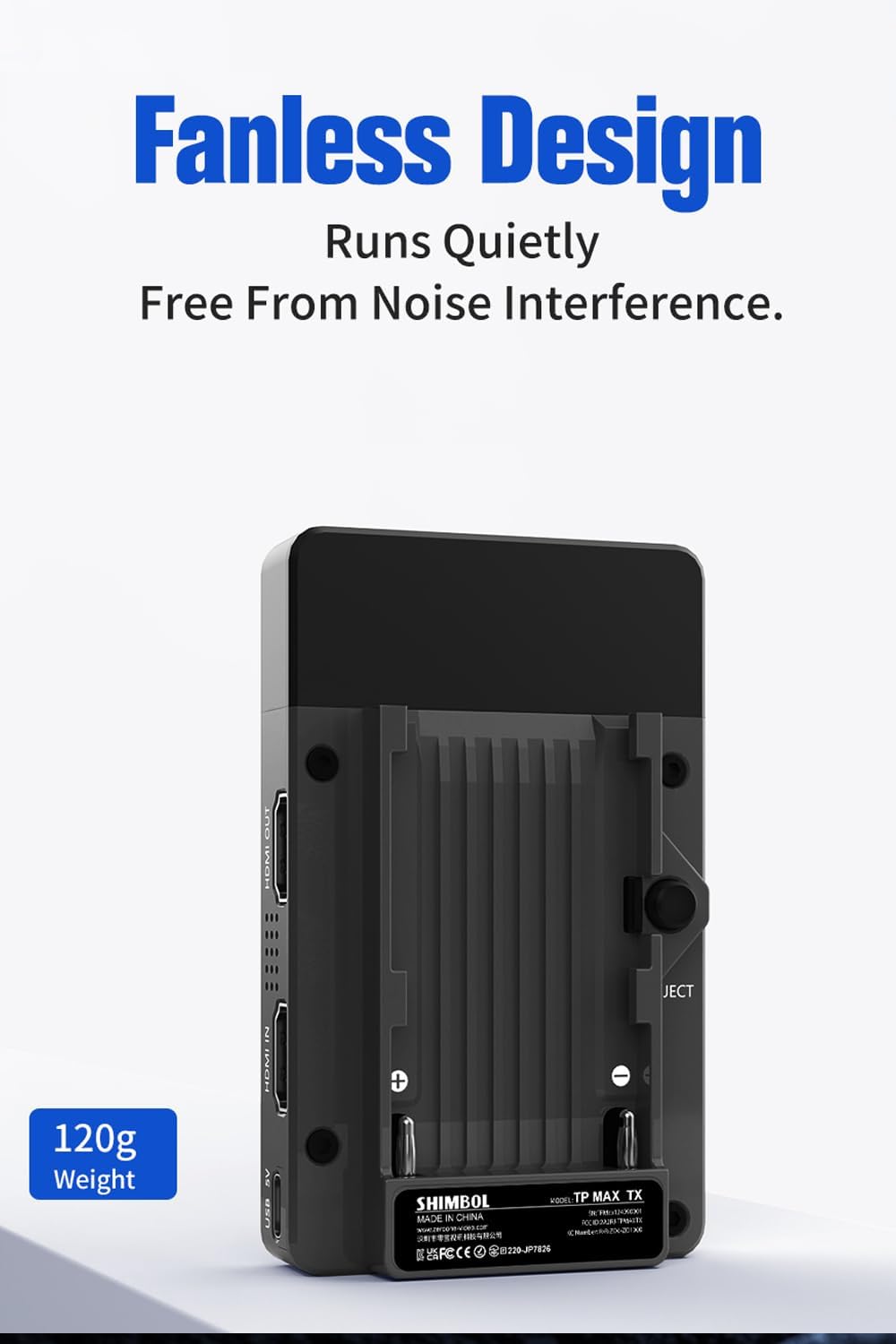
Image 7.3: The fanless design of the Shimbol TP Max, emphasizing quiet operation and its lightweight of 120g.
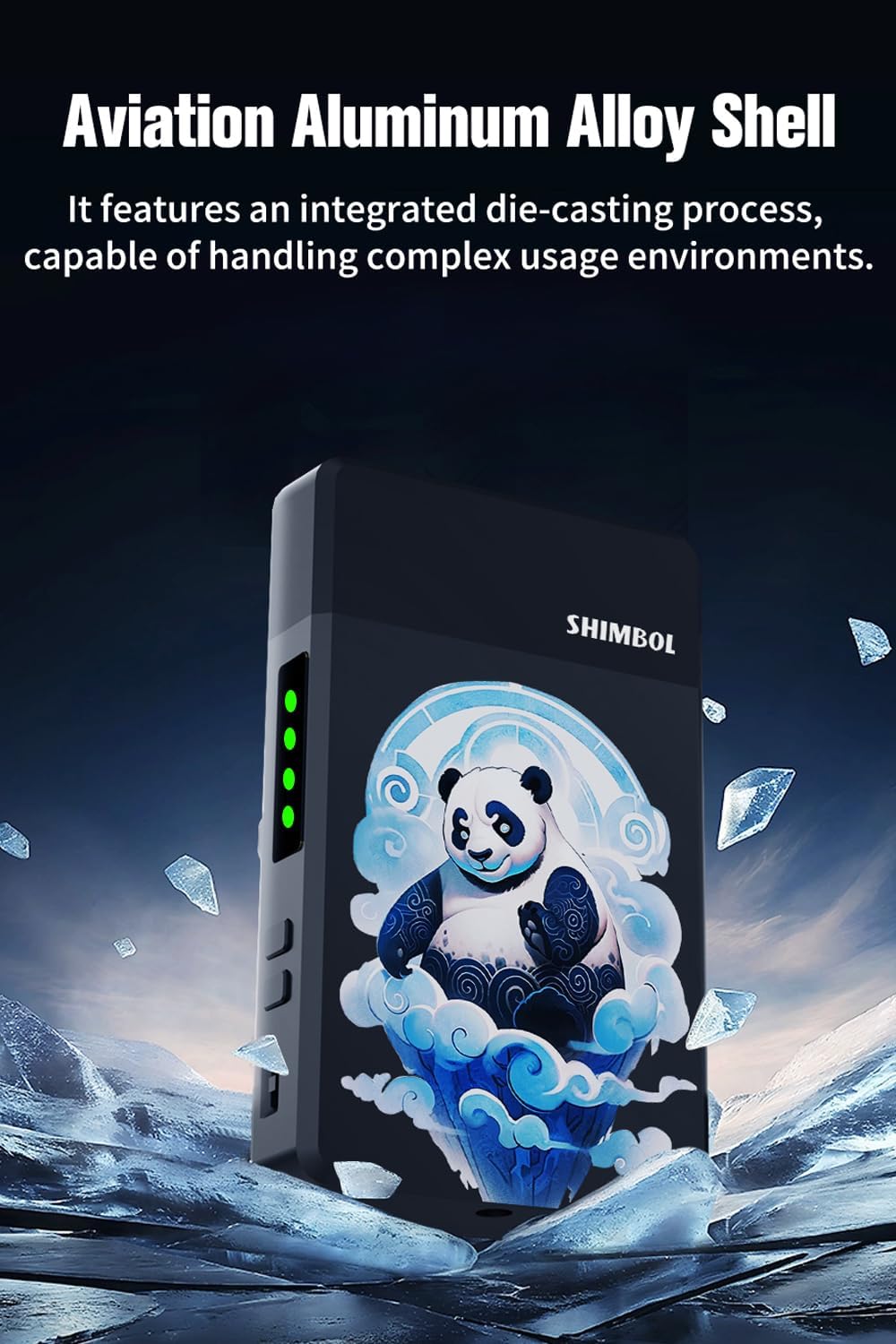
Image 7.4: Close-up of the Shimbol TP Max's aviation aluminum alloy shell, highlighting its durable construction.
8. Maintenance
Proper maintenance ensures the longevity and optimal performance of your Shimbol TP Max system:
- Cleaning: Use a soft, dry cloth to clean the exterior of the units. Avoid using liquid cleaners or solvents.
- Storage: Store the units in a cool, dry place away from direct sunlight and extreme temperatures when not in use.
- Battery Care: If using NPF batteries, follow the manufacturer's guidelines for charging and storage to maximize battery life. Remove batteries if the units will not be used for an extended period.
- Cable Management: Ensure HDMI and USB cables are not kinked or strained to prevent damage to the ports.
9. Troubleshooting
If you encounter issues with your Shimbol TP Max, refer to the following common problems and solutions:
| Problem | Possible Cause | Solution |
|---|---|---|
| No video signal on receiver | Units not powered on; HDMI cables loose or faulty; Units not paired; Out of range; Interference. | Ensure both TX and RX are powered on. Check HDMI cable connections. Power cycle both units to re-initiate pairing. Reduce distance between units. Minimize obstructions. |
| Intermittent signal or poor video quality | Excessive distance; Obstructions; Strong wireless interference. | Move TX and RX closer. Ensure clear line of sight. Avoid operating near other 5G wireless devices. |
| Units not pairing | Units too far apart; Power issue; Firmware issue. | Bring units closer together. Ensure stable power supply. Contact support if issue persists. |
| No power | Battery depleted; USB cable faulty; Power source issue. | Charge or replace NPF battery. Check USB cable and power source. |
10. Specifications
| Feature | Detail |
|---|---|
| Model | Shimbol TP MAX |
| Transmission Range | Up to 1000ft (350m) |
| Latency | 0.07s (70ms) |
| Video Resolution | Up to 1080p60 |
| Input/Output | HDMI IN (TX), HDMI OUT (RX) |
| Power Input | NPF Battery, USB Type-C 5V |
| Weight (per unit) | Approx. 120g (4.2 oz) |
| Dimensions (per unit) | Refer to product images for approximate size. |
| Housing Material | Aviation Aluminum Alloy |
| Date First Available | September 30, 2024 |
11. Warranty and Support
For warranty information and technical support, please refer to the documentation included with your purchase or visit the official Shimbol website. If you require assistance, please contact Shimbol customer service with your product model and purchase details.


