
1. Introduction
The Linsoul LC02 is a durable, portable hard case designed to protect your in-ear monitors (IEMs), earbuds, and associated cables and accessories. Its robust construction ensures your audio equipment remains safe from environmental elements and physical impacts during travel or daily use. This manual provides essential information on the features, proper use, and maintenance of your LC02 case.
2. Product Features
- Versatile Storage Capacity: The LC02 case offers ample space for in-ear monitors, earbud cables, charging cables, memory cards, and USB flash drives. It is designed to be a compact yet spacious solution for various small electronic accessories.
- Durable and Protective Design: Constructed from high-density pure polycarbonate, this case is impact-resistant, crushproof, waterproof, and dustproof. Its sealed design prevents moisture and dust from reaching your valuable items, ensuring their longevity.
- Integrated Fixing Rope: Equipped with a durable safety fixing rope, the case can be securely attached to bags or other items, preventing accidental loss. This feature enhances convenience and security for both outdoor adventures and everyday activities.
- High-Quality Construction: Made from premium materials, the LC02 case is extremely strong and unbreakable. The transparent lid allows for easy identification of contents without opening the case.

Image: The Linsoul LC02 case demonstrating its capacity to hold earbuds, cables, and other small accessories.

Image: Dimensions of the Linsoul LC02 case (107mm x 80mm x 41mm) and a detail of the fixing rope attachment point.

Image: The Linsoul LC02 case with water droplets, highlighting its waterproof and protective capabilities.
3. Setup and Usage
3.1 Opening the Case
- Locate the latch on the front of the case, marked with "OPEN".
- Gently lift the latch to release the seal.
- Open the lid to access the interior compartment.
3.2 Storing Items
- Place your in-ear monitors, earbuds, cables, or other small accessories neatly inside the case.
- Ensure items are arranged to prevent excessive pressure when closing the lid.
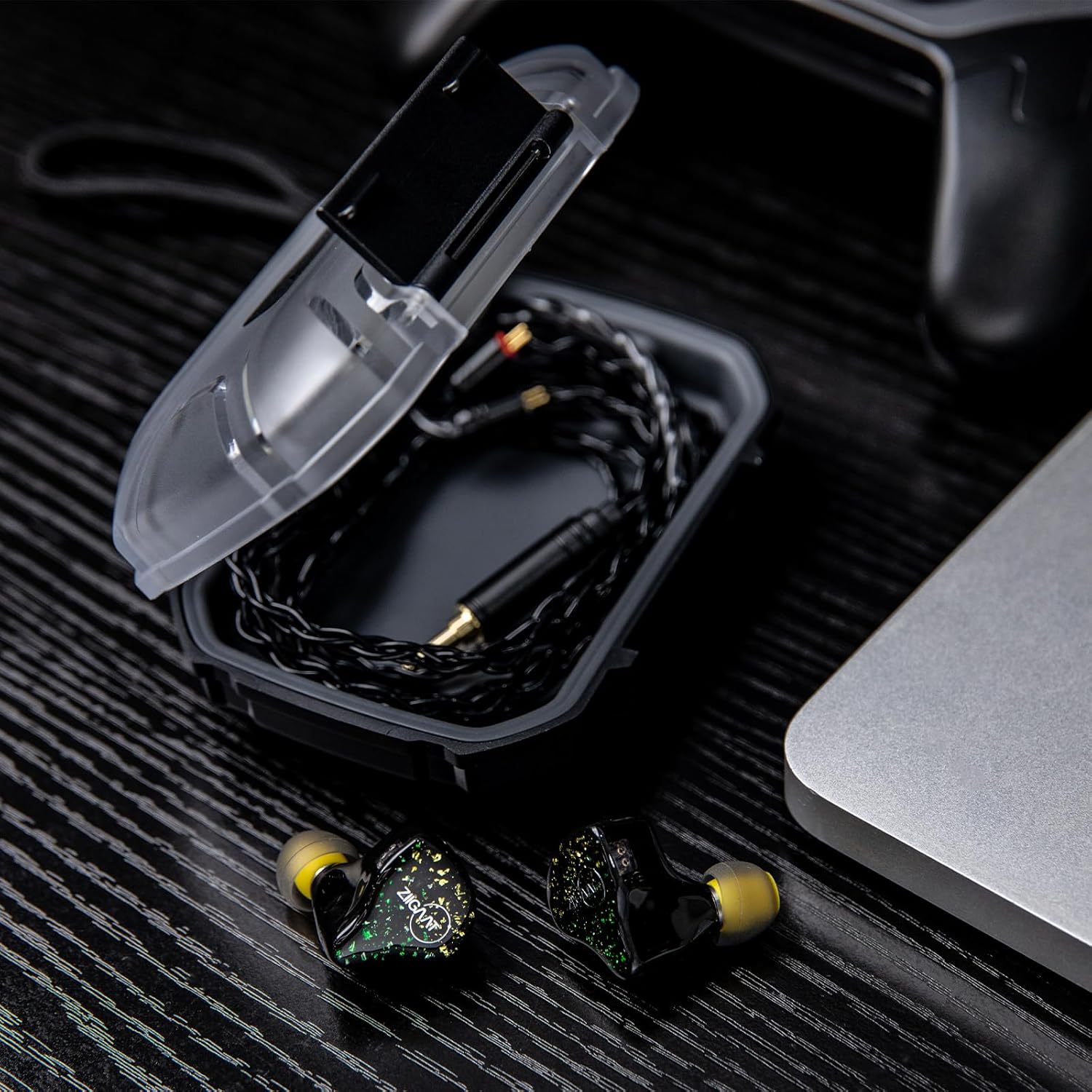
Image: An open Linsoul LC02 case with in-ear monitors and their cables neatly stored within.
3.3 Closing the Case
- Close the lid firmly until you hear a click, indicating the latch is secured.
- Verify the latch is fully engaged to ensure the waterproof and dustproof seal.
3.4 Using the Fixing Rope
- Attach the included fixing rope to the designated loop on the case.
- Use the rope to secure the case to a backpack, belt loop, or other convenient location for easy access and to prevent loss.

Image: The Linsoul LC02 case shown with its attached fixing rope for secure carrying.
4. Maintenance
- Cleaning: Wipe the exterior of the case with a soft, damp cloth. For stubborn dirt, a mild soap solution can be used. Ensure the case is completely dry before closing or storing.
- Seal Inspection: Periodically check the rubber seal around the lid for any signs of wear, cracks, or debris. A clean and intact seal is crucial for maintaining the waterproof and dustproof properties.
- Avoid Harsh Chemicals: Do not use abrasive cleaners, solvents, or harsh chemicals, as these can damage the polycarbonate material and compromise the case's integrity.
- Storage: Store the case in a cool, dry place away from direct sunlight when not in use.
5. Troubleshooting
- Case does not close properly: Ensure no items are obstructing the lid or the sealing gasket. Check the latch mechanism for any debris.
- Moisture inside the case: Verify that the lid was securely latched. Inspect the rubber seal for damage or foreign particles. If the seal is damaged, contact customer support.
- Difficulty opening the latch: The latch is designed for a secure fit. Apply firm, even pressure to the 'OPEN' area to release it. Avoid forcing the latch.
6. Specifications
| Model Number | LC02 |
| Material | High-density Polycarbonate |
| Color | Black |
| Package Dimensions | 4.37 x 3.39 x 1.77 inches (11.1 x 8.6 x 4.5 cm) |
| Item Weight | 4.2 ounces (119 grams) |
| Special Features | Waterproof, Dustproof, Crushproof |
| Form Factor | Hard Case |
7. What's in the Box
- 1 x Linsoul LC02 In-Ear Monitor Case
- 1 x Fixing Rope
- 1 x User Manual (this document)

Image: The Linsoul LC02 case, fixing rope, and packaging, illustrating the items included in the box.
8. Warranty and Support
Linsoul is committed to providing world-class support to its customers. If you encounter any issues or have questions regarding your Linsoul LC02 case, please do not hesitate to contact our professional customer support team. We are available to assist you before, during, and after your purchase.
For support, please visit the official Linsoul website or refer to the contact information provided with your purchase documentation.