
1. Introduction
Thank you for purchasing the FUSOU Fluted Night Stand Set 2. This manual provides detailed instructions for assembly, operation, maintenance, and troubleshooting to ensure safe and efficient use of your new nightstands. Each nightstand features a built-in charging station, integrated LED lighting, and ample storage.
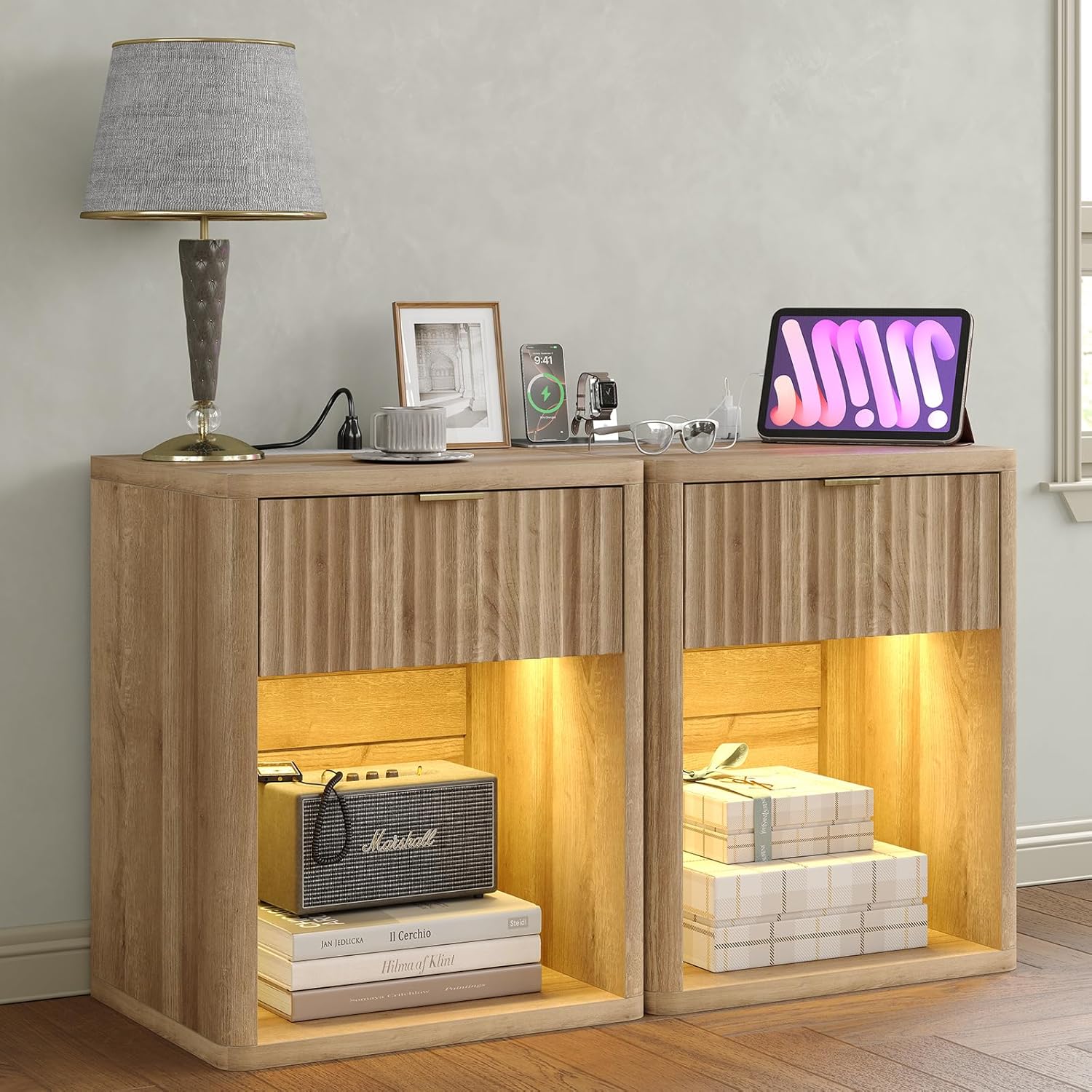
Image 1.1: Overview of the FUSOU Fluted Night Stand Set 2. This image shows two oak-colored nightstands with fluted drawer fronts, illuminated open shelves, and devices charging on top surfaces.
2. Safety Information
Please read and understand all safety instructions before assembly and use. Failure to follow these instructions may result in injury or damage to the product.
- Keep all small parts and packaging materials away from children and pets to prevent choking hazards.
- Ensure all connections for the charging station are secure and properly grounded. Do not overload electrical outlets.
- Do not place hot items directly on the surface. Use coasters or protective pads.
- Avoid exposing the nightstand to excessive moisture or direct sunlight.
- Do not stand or sit on the nightstand.
- Distribute weight evenly on the top surface and inside the drawer to prevent tipping. The maximum weight recommendation for the top surface is 70 pounds.
- If any parts are missing or damaged, do not attempt to assemble the product. Contact customer support immediately.
3. Package Contents
Verify that all components are present before beginning assembly. If any items are missing or damaged, please contact customer support.
- Nightstand Panels (Engineered Wood)
- Drawer Components
- Charging Station Unit (2 AC Outlets, 2 USB Ports, 5-foot Power Cord)
- LED Light Strip
- LED Remote Control
- Hardware Pack (Screws, dowels, cam locks, drawer slides, handle)
- Assembly Guide
- Installation Tool (e.g., Hex Key, Screwdriver)
4. Setup and Assembly
Assembly typically requires two people. Follow the included assembly guide for detailed, step-by-step instructions. A screwdriver is recommended for assembly.
- Unpack and Identify Parts: Carefully remove all components from the packaging. Lay them out on a clean, soft surface to prevent scratches. Refer to the parts list in the assembly guide to identify each piece.
- Assemble the Frame: Attach the side panels to the base and top panels using the provided hardware (dowels, screws, cam locks). Ensure all connections are tight and secure.
- Install Drawer Slides: Secure the drawer slides to the interior side panels of the nightstand frame according to the assembly guide.
- Assemble the Drawer: Construct the drawer box using the drawer panels and hardware. Attach the fluted drawer front and the gold handle.
- Insert the Drawer: Carefully slide the assembled drawer onto the installed drawer slides. Ensure it operates smoothly.
- Install Charging Station: Place the charging station unit into the designated cutout on the top surface of the nightstand. Ensure it sits flush and is securely positioned.
- Install LED Light Strip: Adhere the LED light strip to the underside of the drawer or the designated area within the open storage shelf. Connect it to the power source as instructed.
- Final Placement: Position the nightstand in its desired location. Plug the power cord into a wall outlet.
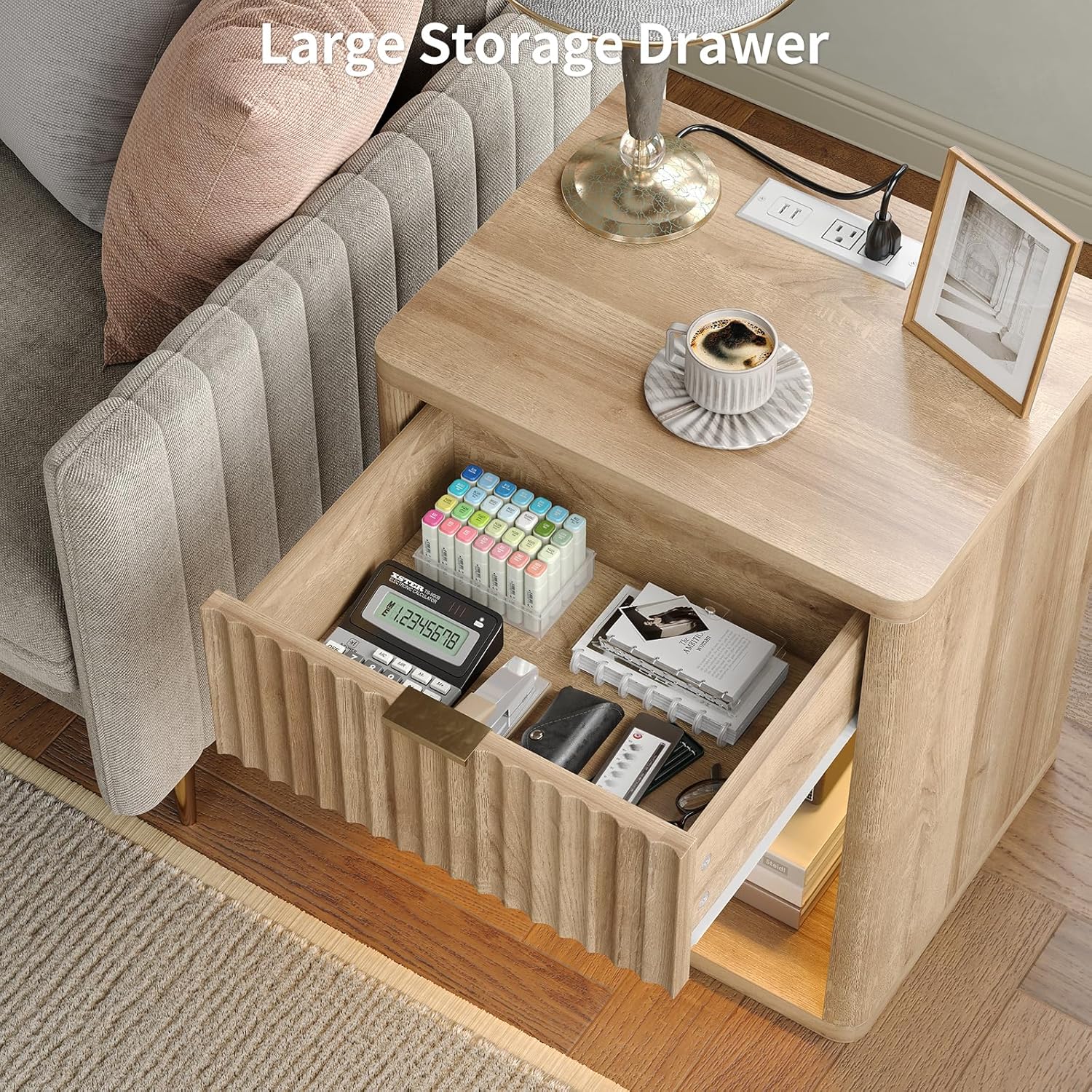
Image 4.1: The nightstand features a large storage drawer for organizing essentials.
5. Operating Instructions
5.1 Charging Station
The integrated charging station provides convenient power access for your electronic devices.
- AC Outlets: The nightstand includes 2 standard 120V/12A AC outlets. Plug in lamps, laptops, or other small appliances.
- USB Ports: Two 5V/2A USB ports are available for charging smartphones, tablets, and other USB-powered devices.
- Power Cord: The charging station is connected via a 5.0-foot power cord. Ensure it is plugged into a functional wall outlet.

Image 5.1: Detail of the built-in charging station with two AC outlets and two USB ports.
5.2 LED Lighting
The nightstand features a hidden LED strip with customizable lighting options, controlled by the included remote.
- Power On/Off: Press the power button on the remote control to turn the LED lights on or off.
- Color Selection: Use the color buttons on the remote to choose from 7 available colors.
- Brightness Adjustment: Use the brightness up/down buttons to increase or decrease the light intensity.
- Mode Selection: Select between dynamic modes (e.g., flash, strobe, fade, smooth) or static mode using the corresponding buttons on the remote.

Image 5.2: The LED light strip offers multiple color options, brightness control, and dynamic modes, managed by a remote control.
6. Maintenance
Proper care will extend the life and appearance of your nightstands.
- Cleaning: Wipe surfaces with a soft, damp cloth. Avoid harsh chemicals or abrasive cleaners, which can damage the finish.
- Spills: Immediately wipe up any spills to prevent water damage or staining. The surface is waterproof, but prolonged exposure to liquids should be avoided.
- Dusting: Regularly dust with a dry, soft cloth.
- Drawer Maintenance: Periodically check drawer slides for smooth operation. If needed, a small amount of silicone lubricant can be applied to the slides.
- Electrical Components: Ensure the charging station and LED lights are unplugged before cleaning. Do not attempt to disassemble electrical components.

Image 6.1: The nightstand features a waterproof tabletop and smooth-gliding drawer for easy maintenance.
7. Troubleshooting
If you encounter issues, refer to the following common problems and solutions.
| Problem | Possible Cause | Solution |
|---|---|---|
| LED lights do not turn on. |
|
|
| Charging station is not working. |
|
|
| Drawer is difficult to open/close. |
|
|
| Nightstand feels unstable. |
|
|
8. Specifications
| Feature | Detail |
|---|---|
| Brand | FUSOU |
| Model Number | NS001-NA-2PCS |
| Product Dimensions (D x W x H) | 15.4" x 19.7" x 23.6" (39.1 cm x 50 cm x 60 cm) |
| Item Weight | 62 Pounds (28.1 kg) |
| Maximum Weight Recommendation | 70 Pounds (31.7 kg) |
| Color | Oak |
| Material Type | Engineered Wood |
| Charging Station | 2 AC Outlets (120V/12A), 2 USB Ports (5V/2A) |
| Power Cord Length | 5.0 Feet (1.5 meters) |
| LED Light Features | 7 Colors, Adjustable Brightness, Dynamic & Static Modes |
| Included Components | Assembly Guide, Installation Tool |
| Tools Recommended For Assembly | Screwdriver |
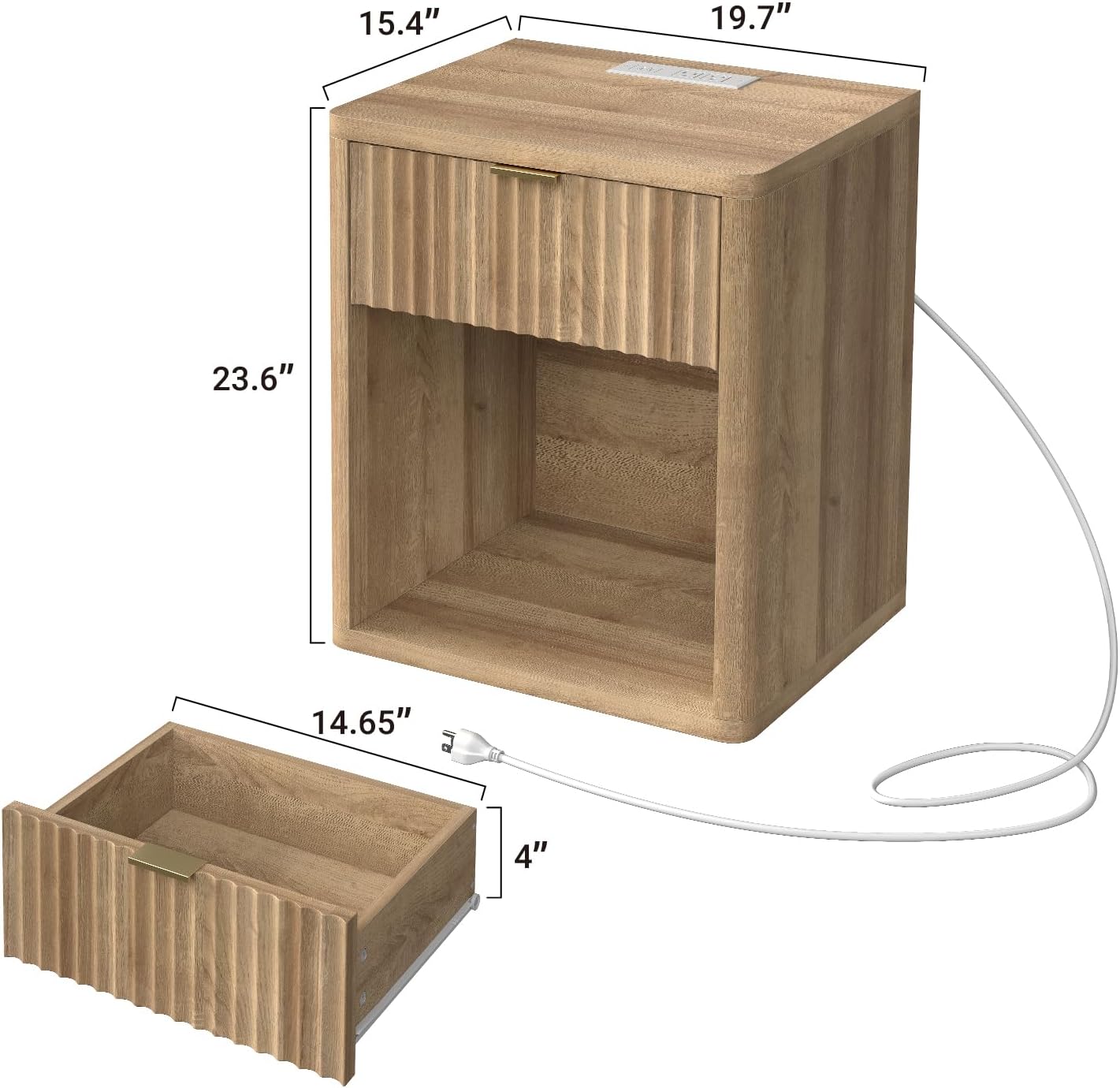
Image 8.1: Detailed dimensions of the FUSOU Night Stand.
9. Warranty Information
Specific warranty details for this product are not provided in this manual. For information regarding warranty coverage, please refer to the product packaging or contact FUSOU customer support directly. Keep your purchase receipt as proof of purchase.
10. Customer Support
If you have any questions, require assistance with assembly, or need to report missing/damaged parts, please contact FUSOU customer support. Refer to the contact information provided on the product packaging or the official FUSOU website.
For general inquiries, you may visit the FUSOU store on Amazon: FUSOU Store