1. What's in the Box
The AWEI T12P Bluetooth Earbuds package includes the following components:
- AWEI T12P Wireless Earbuds (Left and Right)
- Portable Charging Case
- USB Type-C Charging Cable
- User Manual
- Multiple Sizes of Eartips

2. Product Overview
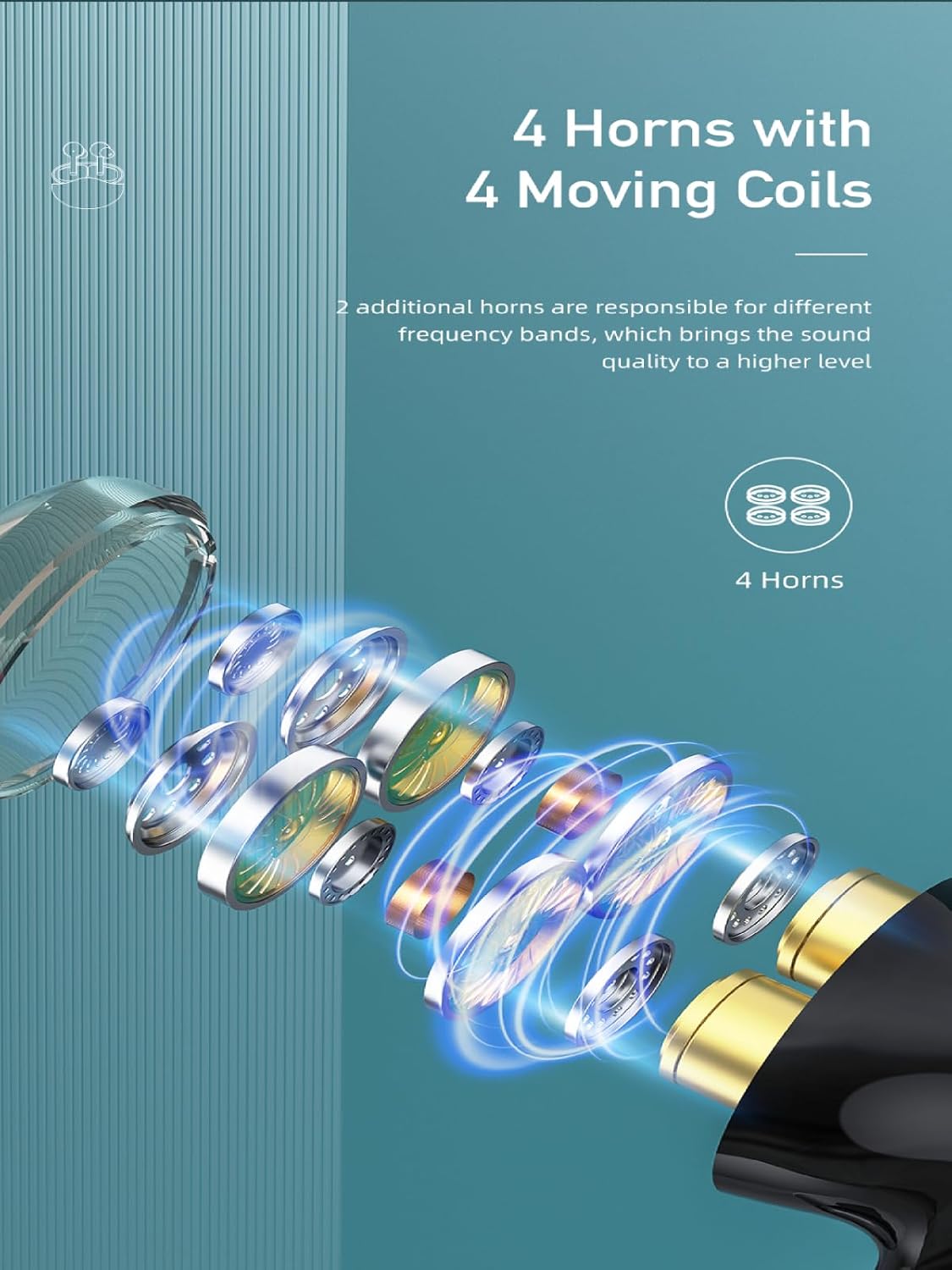
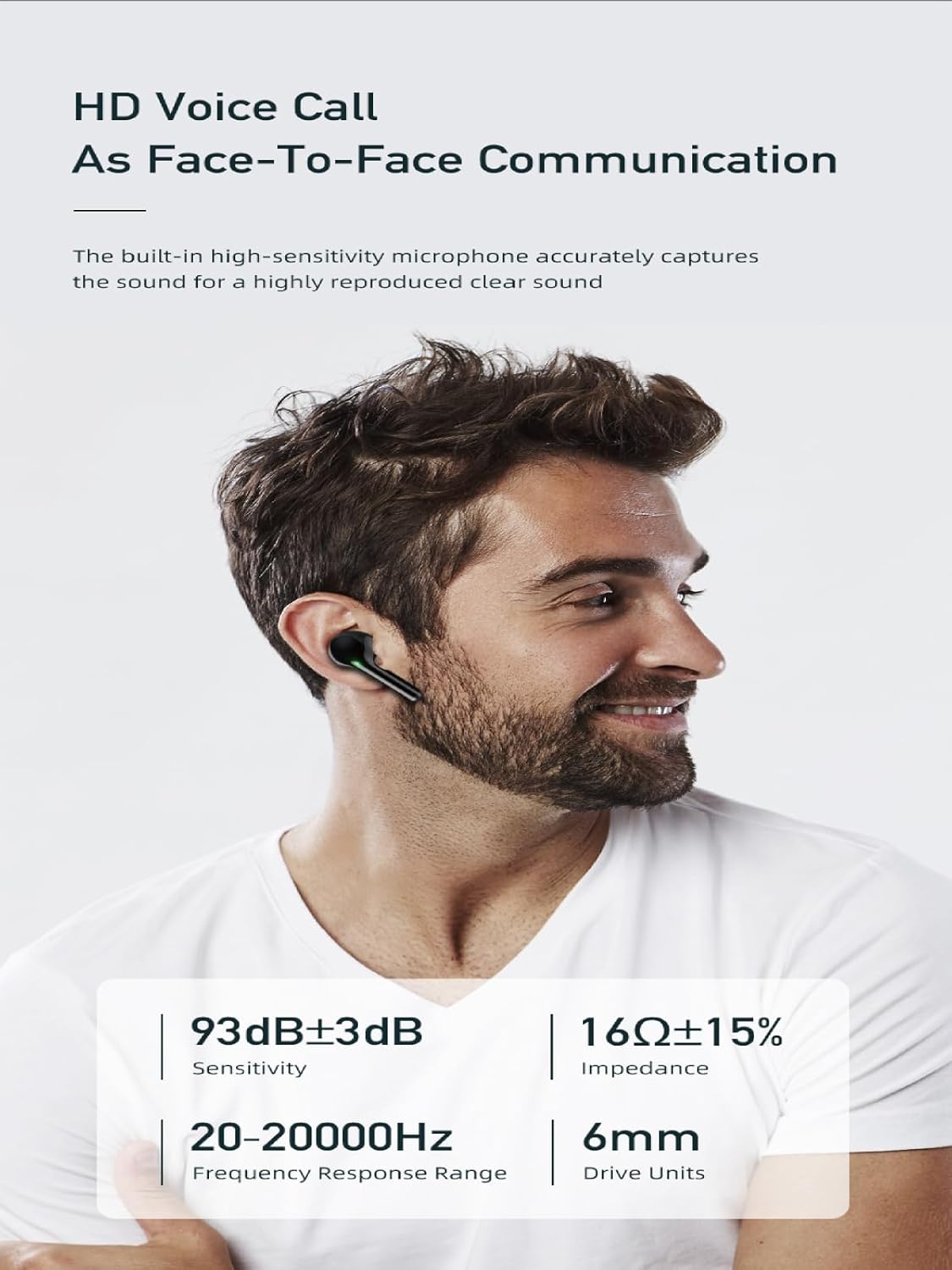
The AWEI T12P Bluetooth Earbuds are designed to provide a high-quality audio experience with advanced features. They incorporate a 12mm speaker for immersive sound and a high-sensitivity microphone for clear call performance.

3. Setup
3.1 Charging the Earbuds and Case
Before first use, fully charge the earbuds and the charging case. The charging case has a 350mAh capacity and can be fully charged in approximately 1.5 hours via the fast-charge Type-C port.
- Place the earbuds into the charging case. Ensure they are correctly seated to initiate charging.
- Connect the provided USB Type-C cable to the charging port on the case and the other end to a compatible USB power source (e.g., wall adapter, computer USB port).
- The digital display on the charging case will indicate the charging status and battery level.

3.2 Bluetooth Pairing
The AWEI T12P earbuds utilize Bluetooth 5.3 technology for a stable and fast connection. They support automatic pairing.
- Open the lid of the charging case. The earbuds will automatically power on and enter pairing mode.
- On your device (smartphone, tablet, laptop, TV), enable Bluetooth and search for available devices.
- Select "AWEI T12P" from the list of found devices to connect.
- Once connected, the earbuds will provide an audio confirmation. They will automatically reconnect to the last paired device when taken out of the case.

4. Operating Instructions
4.1 Power On/Off
- Power On: Open the charging case lid, or take the earbuds out of the case. They will power on automatically.
- Power Off: Place the earbuds back into the charging case and close the lid. They will power off automatically and begin charging.
4.2 Smart Touch Controls
The AWEI T12P earbuds feature intuitive touch controls on both earbuds for easy management of music, calls, and voice assistant.

| Function | Action |
|---|---|
| Power On/Off | Take out from charging case / Place in charging case |
| Play/Pause | Tap either earbud once |
| Next Song | Tap right earbud twice |
| Previous Song | Tap left earbud twice |
| Volume Up | Long touch right earbud |
| Volume Down | Long touch left earbud |
| Answer/End Call | Tap either earbud once |
| Reject Call | Touch either earbud for 2 seconds |
| Activate Voice Assistant | Tap either earbud three times |
5. Maintenance
5.1 Cleaning
To maintain optimal performance and hygiene, regularly clean your earbuds and charging case:
- Use a soft, dry, lint-free cloth to wipe the earbuds and charging case.
- For stubborn dirt, slightly dampen the cloth with water or a mild, non-abrasive cleaner. Avoid getting moisture into openings.
- Gently remove any earwax or debris from the eartips and speaker mesh using a small, soft brush or cotton swab.
5.2 Storage
When not in use, store the earbuds in their charging case to protect them from dust, damage, and to keep them charged.
5.3 IPX6 Waterproof Rating
The AWEI T12P earbuds are rated IPX6 waterproof, meaning they are protected against powerful water jets. This makes them suitable for use during exercise and in light rain. However, they are not designed for submersion in water.
- Do not intentionally submerge the earbuds in water.
- Ensure the charging port is dry before charging to prevent damage.
- Wipe off any sweat or water after use to prolong the lifespan of the earbuds.

6. Troubleshooting
If you encounter issues with your AWEI T12P earbuds, refer to the following common solutions:
- No Sound / Disconnection:
- Ensure earbuds are charged.
- Check Bluetooth connection on your device. Try turning Bluetooth off and on again.
- Forget "AWEI T12P" from your device's Bluetooth list and re-pair.
- Ensure earbuds are within the 10-meter (33 feet) Bluetooth range.
- Only One Earbud Working:
- Place both earbuds back into the charging case, close the lid, wait a few seconds, then take them out again.
- Ensure both earbuds are charged.
- Try resetting the earbuds (refer to manufacturer's specific reset instructions if available, or try holding touch area for extended time while in case).
- Earbuds Not Charging:
- Ensure the charging cable is securely connected to both the case and the power source.
- Check if the charging case itself has power.
- Clean the charging contacts on both the earbuds and inside the case with a dry cotton swab.
- Try a different USB Type-C cable and power adapter.
- Touch Controls Not Responding:
- Ensure your fingers are clean and dry.
- Try restarting the earbuds by placing them in the case and taking them out.
7. Specifications
| Feature | Detail |
|---|---|
| Model Name | T12P |
| Connectivity Technology | Wireless (Bluetooth) |
| Bluetooth Version | 5.3 |
| Bluetooth Range | Up to 10 meters (33 feet) |
| Audio Driver Type | Dynamic Driver (12mm speaker) |
| Impedance | 16 Ohm |
| Battery Life (Earbuds) | Up to 7 hours (single charge) |
| Total Playtime (with Case) | Up to 42 hours (dual-ear mode), 70 hours (single-ear alternating) |
| Charging Case Capacity | 350mAh |
| Charging Port | USB Type-C |
| Water Resistance Rating | IPX6 |
| Control Type | Touch Control |
| Material | Plastic, Silicone |
| Compatible Devices | Laptops, Tablets, Mobile Phones (iOS, Android, PC) |
8. Warranty and Support
AWEI products are manufactured to high-quality standards. For specific warranty details, please refer to the warranty card included with your product or visit the official AWEI website.
If you require technical assistance or have questions not covered in this manual, please contact AWEI customer support through the official brand channels or the retailer from whom you purchased the product. Please have your product model number (T12P) and purchase information ready when contacting support.


