
Product Overview
This manual provides detailed instructions for the proper installation and maintenance of your TOONIOOS Cat Fountain Filters, designed specifically for the TOONIOOS W2 Wireless Cat Water Fountain. Regular filter replacement is crucial for maintaining water quality and ensuring your pet has access to clean, fresh drinking water.
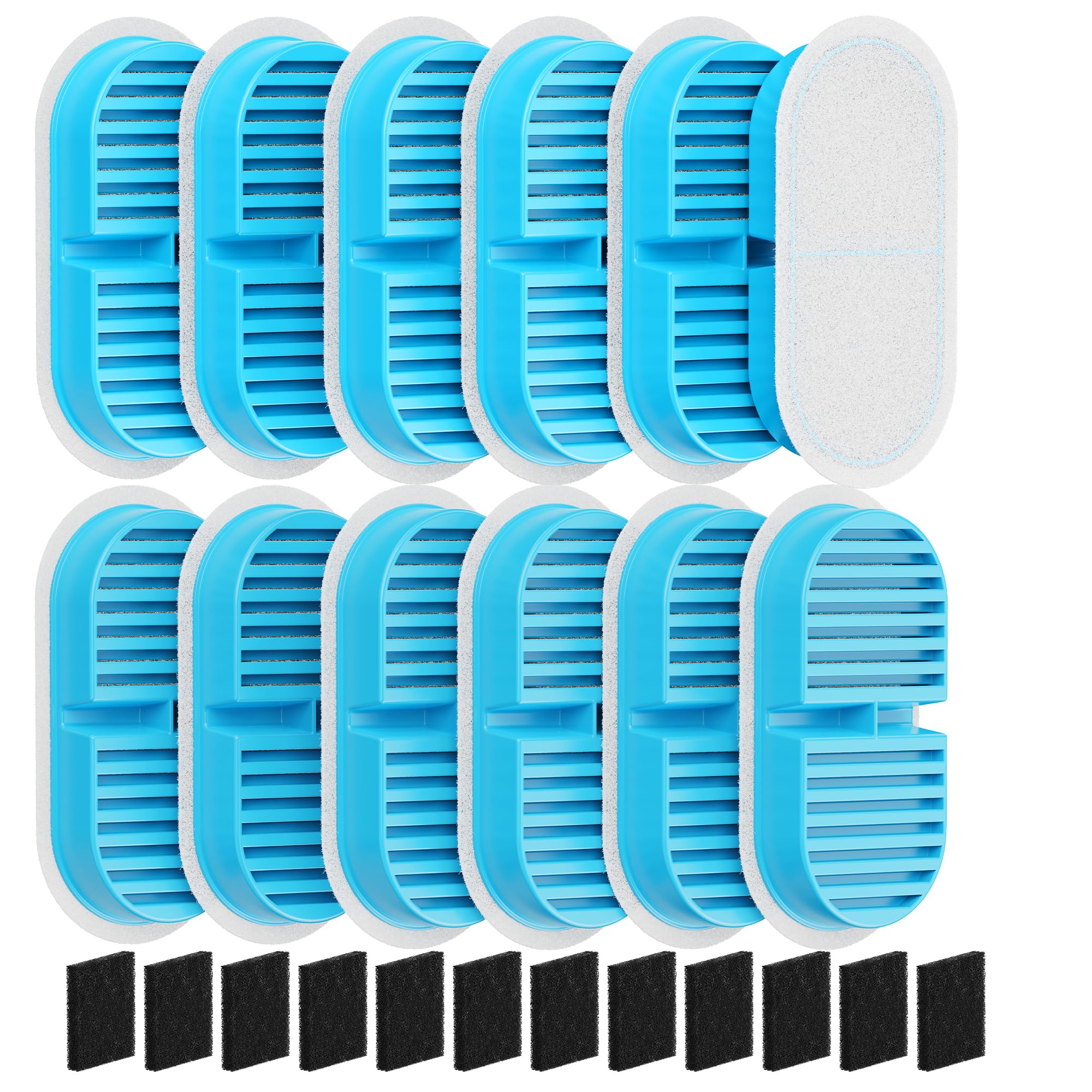
Image: Packaging of the TOONIOOS W2 Cat Fountain Filters Replacement, showing 12 carbon filters and 12 sponge filters.
Included Components:
- 12 x Carbon Filters
- 12 x Sponge Filters

Image: Close-up of the carbon filters (black) and sponge filters (white) included in the replacement pack.
Setup and Installation
Preparing Your Filters:
- Before first use, soak each new filter (both carbon and sponge) in a bowl of clean water for 5 minutes. This activates the filter material and removes any loose carbon dust.
- After soaking, rinse each filter thoroughly under running water for approximately 30 seconds.
Video: A demonstration of how to install a cat water dispenser, including filter preparation and placement.
Replacing Filters in Your TOONIOOS W2 Fountain:
- Unplug the fountain and remove the top tray.
- Carefully remove the old carbon filter and sponge filter from their respective compartments.
- Clean the fountain's water tank and pump thoroughly to remove any debris or slime.
- Place a new, prepared sponge filter into the designated slot, typically around the pump.
- Insert a new, prepared carbon filter into its compartment on the underside of the top tray. Ensure it is seated correctly.
- Reassemble the fountain, ensuring all parts are securely in place.
- Refill the water tank with clean drinking water, ensuring the water level does not exceed the 'MAX' line.
- Plug in the fountain and turn it on.
Video: Another demonstration showing the installation process of a cat water dispenser, including filter placement.
Operating Instructions
Once new filters are installed and the fountain is refilled, the TOONIOOS W2 Cat Water Fountain will operate according to its selected mode (e.g., motion sensor, timed, or continuous). The filters work continuously to purify the water as it circulates.
Ensure the water level is always above the 'MIN' line to prevent the pump from running dry, which can cause damage.
Maintenance and Care
Filter Replacement Frequency:
- To maintain optimal filtering effect, it is recommended to replace the filters every 2 weeks.
- If you have multiple pets using the fountain, or if the water appears cloudy or has an odor, it is recommended to clean the fountain and change the filters more often.
Fountain Cleaning:
- Clean the entire fountain, including the water tank, tray, and pump, at least once a week.
- Disassemble the pump and clean its internal components to prevent mineral buildup and ensure proper function.
Video: A guide on how to install the cat water fountain, which includes steps for cleaning and filter setup.
Product Specifications
- Model Number: W2-12PCS
- Product Dimensions: 21.5 x 12 x 5 cm; 231 g
- Material: Cat Water Fountain Filters (Carbon, Sponge)
- Compatibility: TOONIOOS Wireless Cat Water Fountain (108oz/3.2L W2)
- Country of Origin: China
Troubleshooting Common Issues
- Reduced Water Flow: Check if the filters are clogged with debris (pet hair, food particles). Replace filters if necessary. Ensure the pump is clean and free of obstructions.
- Unusual Odor/Taste: This indicates the filters are no longer effectively purifying the water. Replace both carbon and sponge filters immediately and thoroughly clean the fountain.
- Fountain Not Operating: Ensure the fountain is properly plugged in and the power source is active. Check if the pump is correctly installed and not blocked.
Warranty and Customer Support
For any questions, concerns, or to purchase additional replacement parts for your TOONIOOS W2 Cat Water Fountain, please search for "TOONIOOS" on the retailer's website or contact TOONIOOS customer support directly. Keep your purchase receipt for any warranty claims.