
EarFun HP200
EarFun Tune Pro Active Noise Canceling Headphones User Manual
Model: HP200
Introduction
Welcome to the user manual for your EarFun Tune Pro Active Noise Canceling Headphones. This manual provides detailed instructions on how to set up, operate, maintain, and troubleshoot your headphones to ensure optimal performance and a superior audio experience. Please read this manual thoroughly before using your headphones.
What's In The Box
Before you begin, please verify that all the following items are included in your package:
- 1 x EarFun Tune Pro Bluetooth Headphones
- 1 x User Manual
- 1 x AUX Audio Cable (3.5mm, 1.3m / 51.2inch Length)
- 1 x USB-C Fast Charging and Data Cable (1.2m / 47.2inch Length)

Image: The EarFun Tune Pro headphones, user manual, 3.5mm AUX audio cable, and USB-C charging cable, as typically found in the product packaging.
Product Overview
The EarFun Tune Pro headphones are designed for comfort and high-quality audio. They feature an adjustable headband, soft memory foam ear cushions, and foldable earcups for portability. Key controls are located on the earcups for easy access.

Image: A detailed view of the EarFun Tune Pro headphones, highlighting their sleek black design and over-ear form factor.
Key Features:
- Dual Drivers: Equipped with 40mm + 10mm Dual Composite Dynamic Drivers for balanced audio.
- Active Noise Cancellation (ANC): Up to 45dB noise reduction with EarFun QuietSmart 2.0 technology.
- 5 Mics with AI Noise Reduction: For clear hands-free calls.
- Long Playtime: Up to 120 hours (ANC off) or 80 hours (ANC on).
- Bluetooth 5.4: For stable and efficient wireless connection.
- Multipoint Connection: Connect to two devices simultaneously.
- Hi-Res Audio: Supported via USB-C wired connection.
- Foldable Design: For easy storage and transport.
Setup
1. Initial Charging
Before first use, fully charge your EarFun Tune Pro headphones. Connect the provided USB-C cable to the charging port on the headphones and the other end to a USB power adapter (not included) or a computer's USB port. The LED indicator will show charging status and turn off when fully charged.
- A 10-minute fast charge provides approximately 15 hours of runtime.
- Full charge provides up to 120 hours of playtime with ANC off, or 80 hours with ANC on.
Image: Visual representation of the long battery life and fast charging capabilities of the EarFun Tune Pro headphones.
2. Bluetooth Pairing
- Ensure the headphones are powered off.
- Press and hold the Power button for approximately 3-5 seconds until the LED indicator flashes blue and red, indicating pairing mode.
- On your device (smartphone, tablet, laptop), enable Bluetooth and search for "EarFun Tune Pro" in the list of available devices.
- Select "EarFun Tune Pro" to connect. Once connected, the LED indicator will turn solid blue.
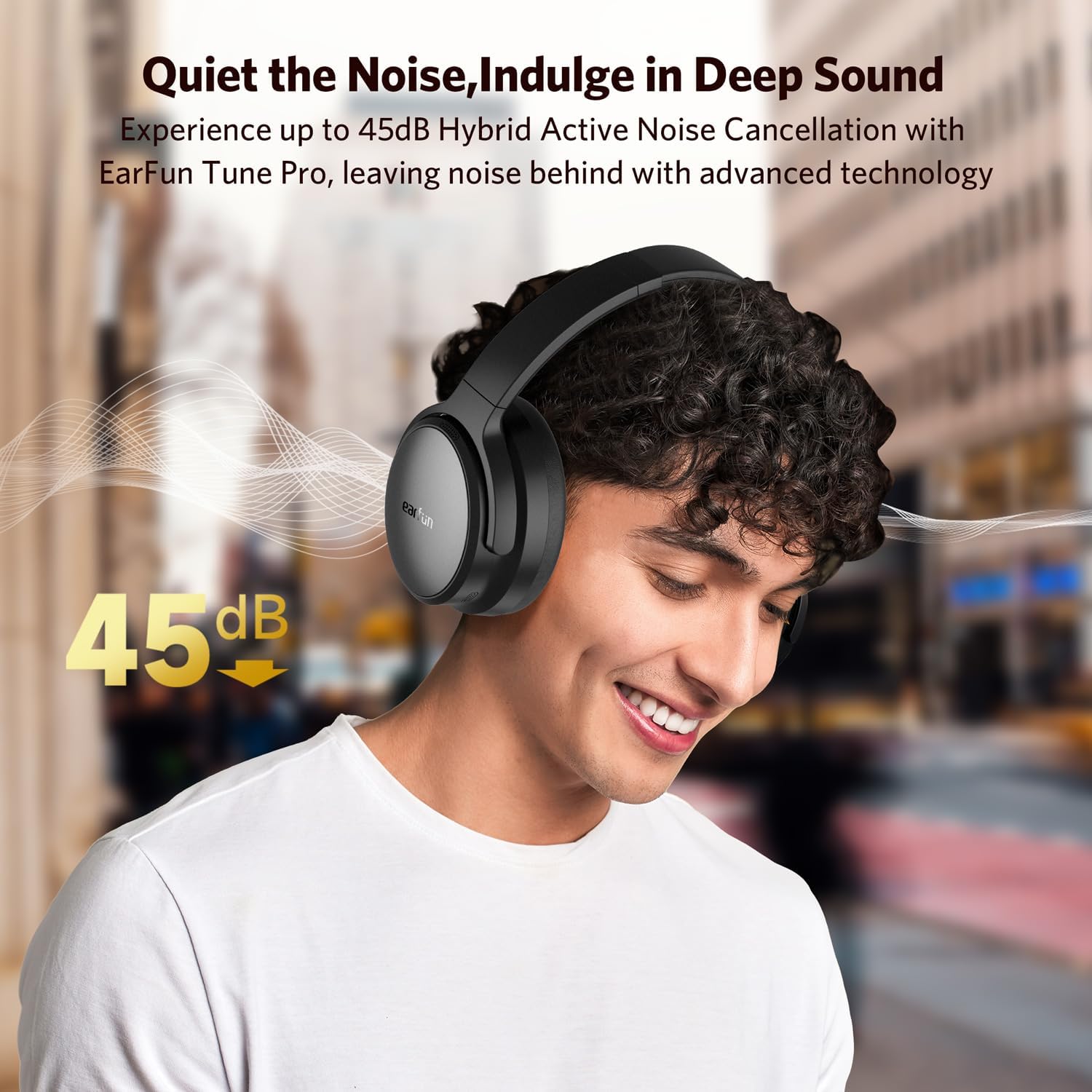
Image: The EarFun Tune Pro headphones connected simultaneously to a smartphone and a laptop, illustrating the multipoint connection feature with Bluetooth 5.4.
3. Multipoint Connection
The EarFun Tune Pro supports connecting to two devices simultaneously. After connecting to the first device, put the headphones back into pairing mode and connect to the second device. The headphones will automatically switch between the two connected devices based on audio playback.

Image: A visual representation of the advanced multipoint connection feature, allowing seamless switching between a smartphone and a laptop.
4. EarFun Audio App Installation
For enhanced control and customization, download the EarFun Audio App from your device's app store. The app allows you to:
- Select ANC modes.
- Customize EQ settings.
- Personalize button functions.
- Adjust auto power-off settings.
- View battery indicator.
- Perform firmware upgrades.

Image: Screenshots of the EarFun Audio app, demonstrating its features for customizing audio settings and headphone controls.

Image: An overview of the comprehensive features available within the EarFun Audio App, including mode switching, battery monitoring, EQ customization, and firmware updates.
Operating Your Headphones
Power On/Off
- Power On: Press and hold the Power button until the LED indicator lights up.
- Power Off: Press and hold the Power button until the LED indicator turns off.
Music Playback Controls
- Play/Pause: Press the Multi-function button once.
- Next Track: Press the "Volume Up" button for 2 seconds.
- Previous Track: Press the "Volume Down" button for 2 seconds.
- Volume Up: Short press the "Volume Up" button.
- Volume Down: Short press the "Volume Down" button.
Call Management
- Answer/End Call: Press the Multi-function button once.
- Reject Call: Press and hold the Multi-function button for 2 seconds.
- Activate Voice Assistant: Triple press the Multi-function button.
The headphones feature 5 built-in microphones with AI noise-reducing algorithms to ensure crystal-clear conversations by filtering out background noise.
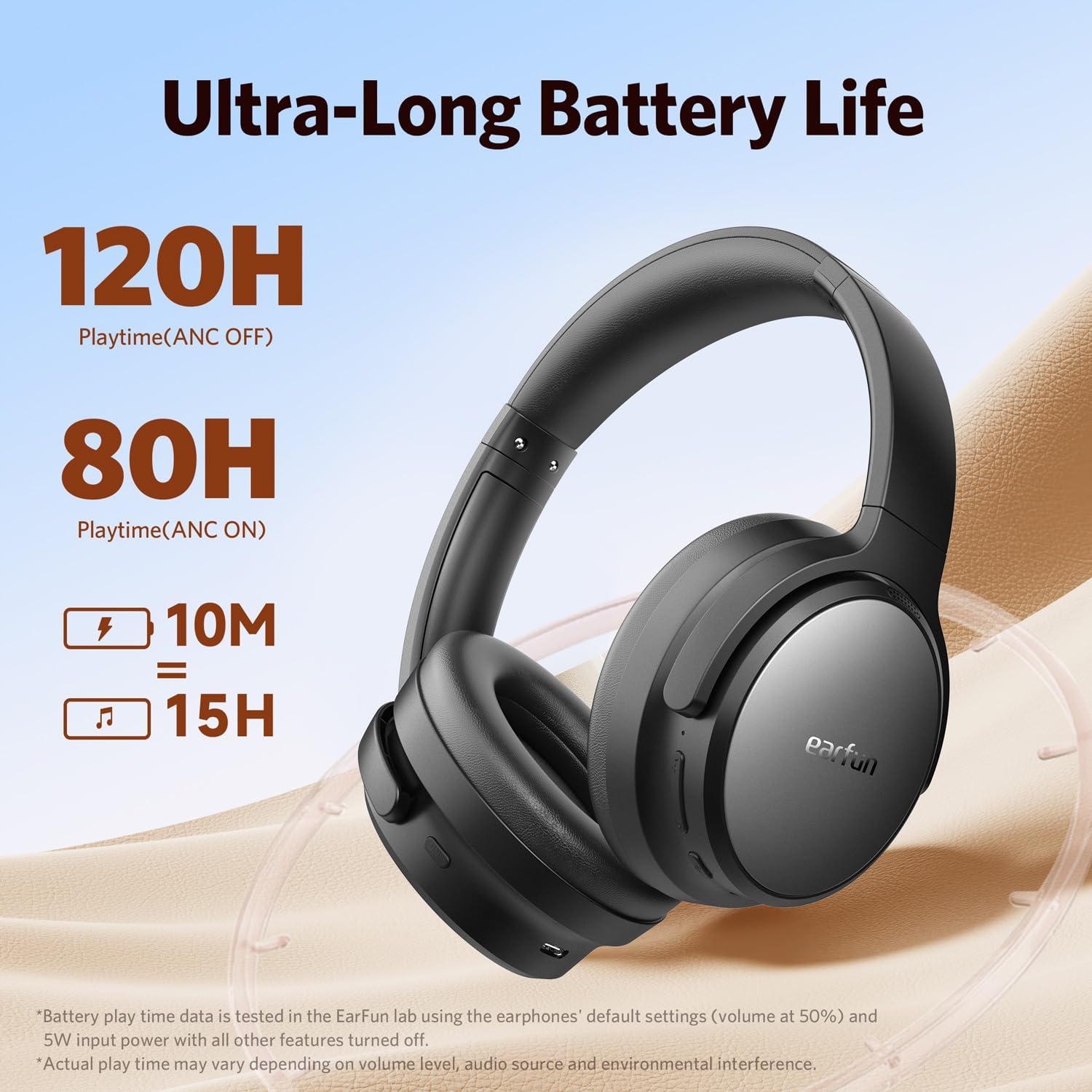
Image: The AI-Powered ENC feature for clear calls, showing how the headphones isolate the user's voice from ambient noise.
Active Noise Cancellation (ANC)
The EarFun Tune Pro headphones utilize advanced hybrid active noise cancellation with EarFun QuietSmart 2.0 technology, achieving noise-canceling depths up to 45dB. This effectively blocks out a wide frequency range of noises, providing an immersive listening experience.
- Toggle ANC Modes: Press the ANC button on the left earcup to cycle through Normal, Ambient Sound, and Noise Canceling modes.
- Noise cancellation can also be enjoyed using a wired connection.

Image: The active noise canceling capability of the EarFun Tune Pro headphones, demonstrating up to 45dB noise reduction for an immersive audio experience.
Hi-Res Audio (Wired Connection)
For the highest fidelity audio, connect your EarFun Tune Pro headphones using the provided USB-C cable. This enables Hi-Res audio playback, delivering a balanced blend of rich bass and clear highs through its 40mm+10mm Dual Composite Dynamic Drivers.
- Hi-Res Audio is only available in wired mode, not wireless mode.

Image: A user enjoying the Hi-Res audio precision of the EarFun Tune Pro headphones when connected via a wired connection.
Maintenance
- Cleaning: Use a soft, dry cloth to clean the headphones. Do not use abrasive cleaners or solvents.
- Storage: When not in use, store the headphones in a cool, dry place, away from direct sunlight and extreme temperatures. The foldable design allows for compact storage.
- Battery Care: To prolong battery life, avoid fully discharging the headphones frequently. Charge them regularly, even if not in constant use.
- Water Resistance: These headphones are not water resistant. Avoid exposure to liquids.
Troubleshooting
No Sound / Poor Sound Quality
- Ensure the headphones are powered on and fully charged.
- Check that the headphones are properly paired with your device.
- Adjust the volume on both the headphones and your connected device.
- If using a wired connection, ensure the AUX cable is securely plugged into both the headphones and the audio source.
- Try resetting the headphones (refer to the EarFun Audio App for reset options).
Cannot Pair with Device
- Ensure the headphones are in pairing mode (LED flashing blue and red).
- Turn off Bluetooth on other nearby devices to avoid interference.
- Clear the Bluetooth pairing history on your device and try pairing again.
- Restart both your headphones and the device you are trying to pair with.
ANC Not Working Effectively
- Ensure ANC mode is activated (check the ANC button or EarFun Audio App settings).
- Make sure the earcups form a good seal around your ears. Adjust the headband for a snug fit.
- Some types of noise (e.g., human voices) are harder to cancel completely.
Call Quality Issues
- Ensure the headphones are connected and selected as the audio output/input device for calls.
- Check for strong Bluetooth signal. Move closer to your connected device.
- Ensure the microphones are not obstructed.
Specifications
| Feature | Detail |
|---|---|
| Model Name | EarFun Tune Pro Bluetooth Headphones |
| Model Number | HP200 |
| Connectivity Technology | Wireless (Bluetooth 5.4) |
| Noise Control | Active Noise Cancellation (up to 45dB) |
| Headphones Jack | 3.5 mm Jack |
| Drivers | 40mm + 10mm Dual Composite Dynamic Drivers |
| Microphones | 5 Mics with AI Noise Reduction |
| Battery Life (ANC Off) | Up to 120 Hours |
| Battery Life (ANC On) | Up to 80 Hours |
| Fast Charging | 10 mins charge = 15 hours playtime |
| Frequency Range | 20Hz - 40kHz |
| Impedance | 32 Ohm |
| Item Weight | 285 Grams |
| Material | Composite |
| Water Resistance Level | Not Water Resistant |
Warranty and Support
EarFun products typically come with a standard manufacturer's warranty. Please refer to the warranty card included in your product packaging or visit the official EarFun website for detailed warranty terms and conditions specific to your region.
Customer Support:
For technical assistance, troubleshooting, or warranty claims, please contact EarFun customer support through their official website or the contact information provided in your product documentation. You may also find helpful FAQs and support resources on the EarFun brand store page on Amazon.
Note: Keep your purchase receipt as proof of purchase for warranty purposes.
Related documentsHP200


Ask a question about this manual
Ask about setup, troubleshooting, compatibility, parts, safety, or missing instructions. Manuals+ will review the question and use this page’s manual context to help answer it.