
1. Introduction and Overview
The LOOP GEAR SK05 Pro Flat LED Flashlight is a compact, high-performance lighting tool designed for various outdoor and everyday uses. It combines powerful spotlight and floodlight functions with a versatile sidelight, and also serves as an 8000mAh power bank. Built for durability, it features a robust aluminum alloy body and is rated IP68 for water resistance.

Image: The SK05 Pro Flat LED Flashlight, showcasing its compact and robust design.
2. Package Contents
Please verify that all items listed below are included in your package:
- SK05 Pro Flashlight x1
- Charging Cable (USB-C to USB-C) x1
- Back Clip x1
- User Manual x1
- Screwdriver x1
- Rubber Gasket x1
- Screws x4
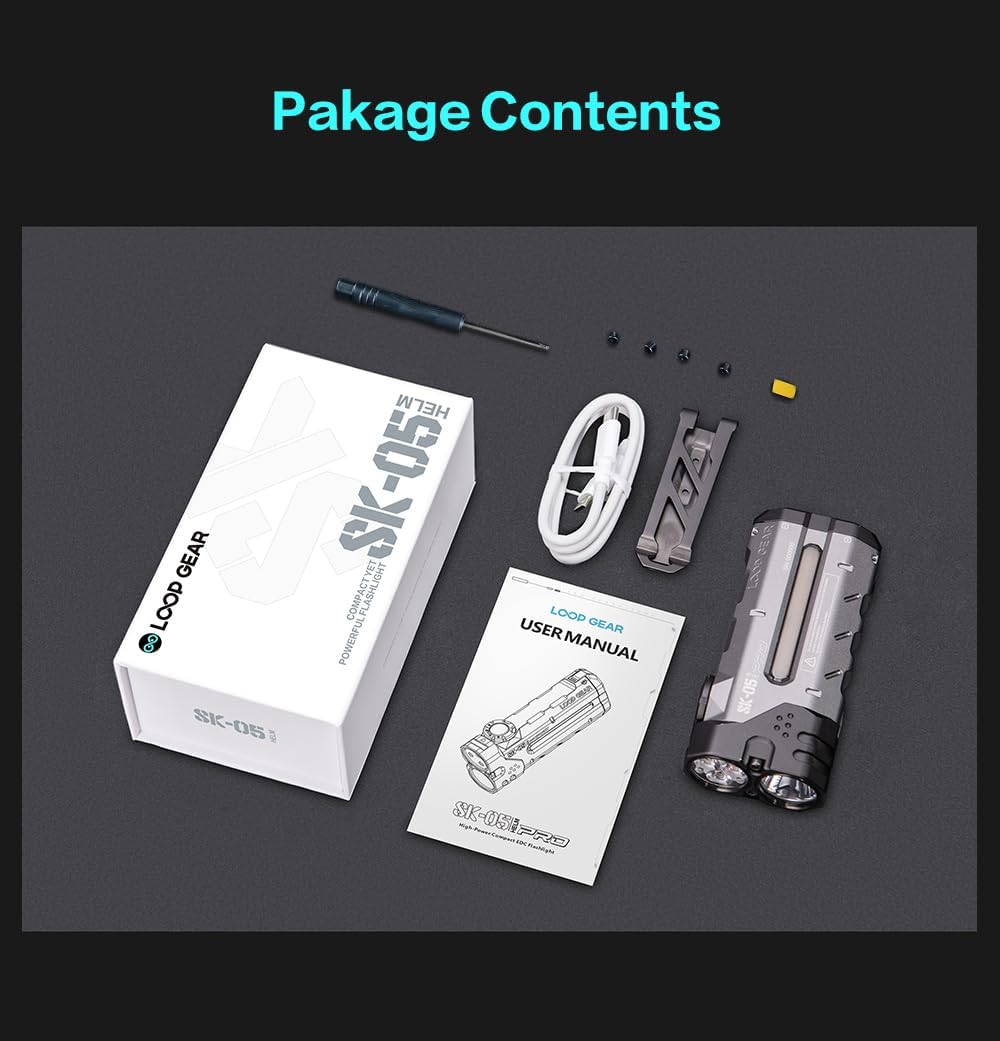
Image: All components included in the SK05 Pro Flashlight package, neatly arranged.
3. Key Features
- Palm-Sized High Lumen Output: Delivers an ultra-bright 4360 lumens with a 405m beam range, all within a compact, everyday carry (EDC) design. Features anti-slip grooves for secure handling.

Image: The SK05 Pro flashlight illuminating a wide area at night, demonstrating its high lumen output and beam range.
- Integrated Power Bank: Equipped with dual 4000mAh batteries, providing a total of 8000mAh capacity for extended runtime (20+ days) and emergency charging for mobile devices via 20W USB-C fast charge.

Image: The SK05 Pro flashlight connected via USB-C, charging a smartphone, highlighting its power bank functionality.
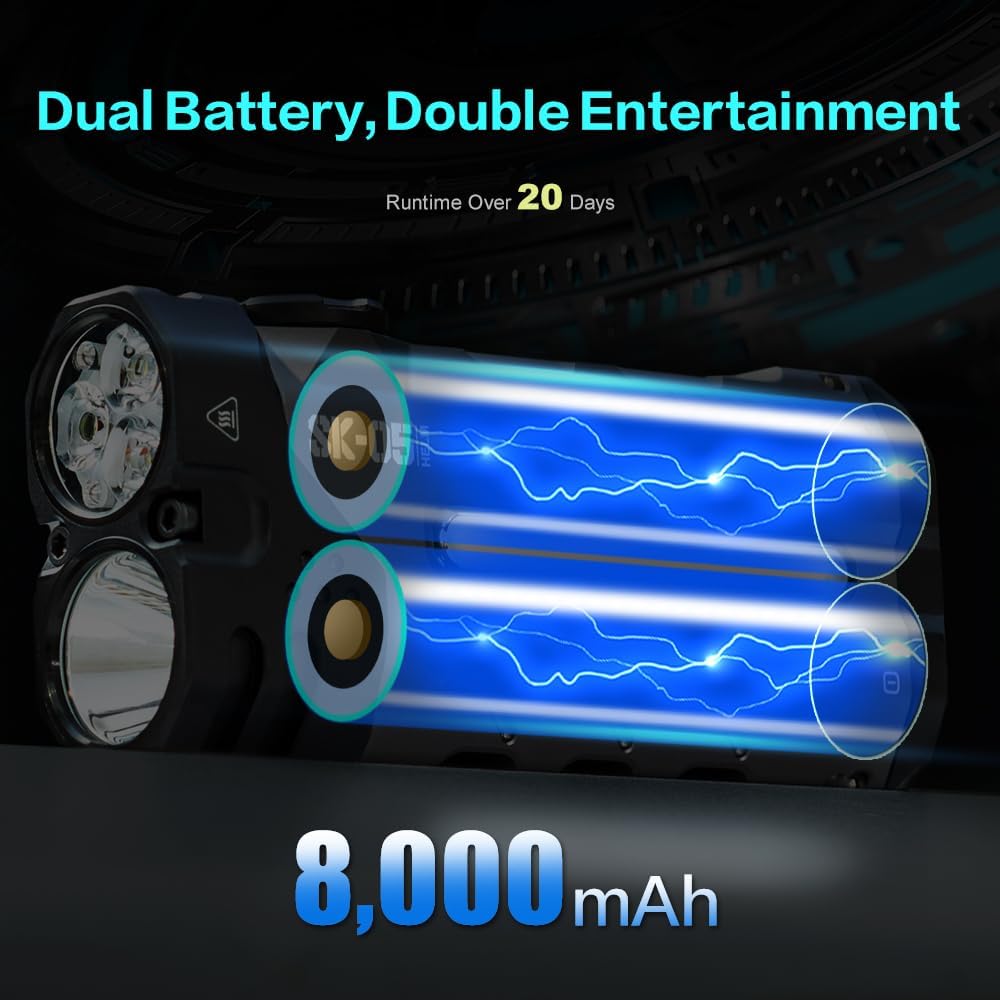
Image: An internal view of the SK05 Pro, showing its dual 4000mAh batteries, emphasizing its 8000mAh capacity.
- Versatile Sidelight: Features a multifunctional RGB sidelight with 7 modes and 8 colors, suitable for various applications such as a camp night light, emergency warning beacon, mood lighting, or trail marker.
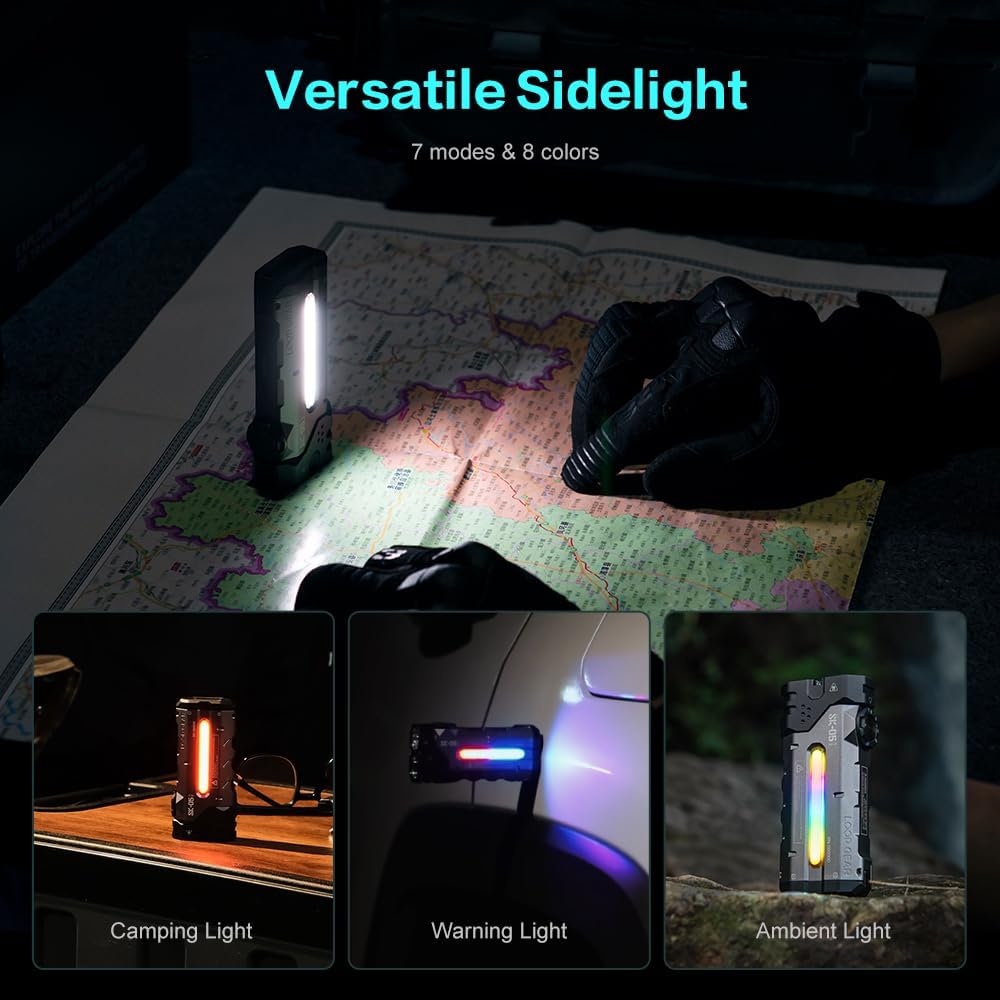
Image: Three different scenarios demonstrating the versatile sidelight: as a camping light, a warning light on a vehicle, and an ambient light.
- Magnetic Tail & Quick-Swap Batteries: A magnetic tail cap allows for hands-free attachment to metal surfaces. The robust clip secures to packs or belts. Batteries can be swapped in 5 seconds for continuous use.

Image: A hand demonstrating the quick battery replacement feature of the SK05 Pro, showing the battery compartment opening.
- Mil-Spec Tough & Waterproof: Constructed from premium aluminum alloy, it is IP68 waterproof and 1m drop-proof. It operates reliably in extreme temperatures from -40°C to 80°C.
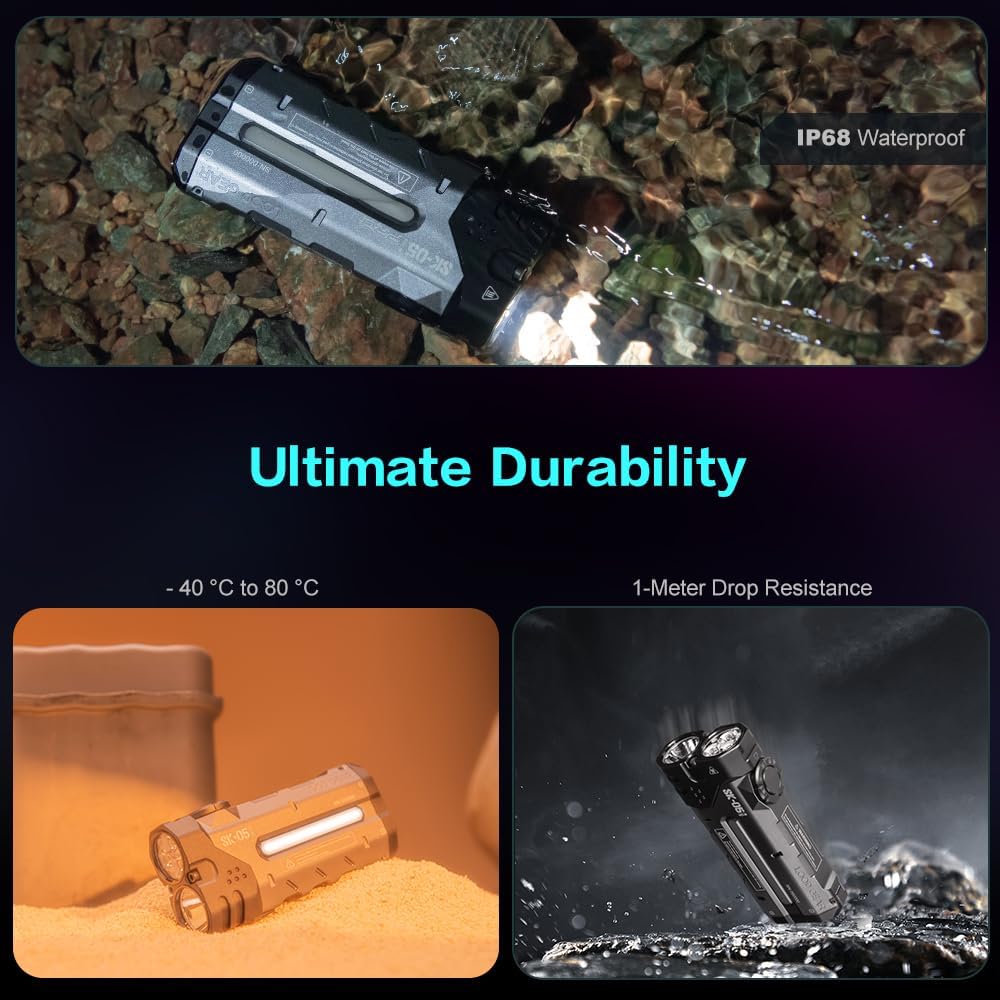
Image: A composite image showing the SK05 Pro flashlight submerged in water (IP68 waterproof) and being dropped (1-meter drop resistance), illustrating its durability.
4. Setup
4.1 Battery Installation
- Locate the battery compartment release mechanism on the flashlight body.
- Open the compartment. The flashlight uses two 18650 Lithium-Ion batteries (4000mAh each).
- Remove the protective white insulating discs from the battery terminals if present.
- Insert the batteries according to the polarity indicators (+/-) inside the compartment.
- Close the battery compartment securely until it clicks into place.
4.2 Charging the Flashlight
The SK05 Pro features a 20W USB-C fast charging port. It can be charged using the provided USB-C to USB-C cable.
- Connect one end of the USB-C cable to the flashlight's charging port.
- Connect the other end to a compatible USB-C power adapter (not included) or power source.
- The sidelight will indicate the charging status. A blue light indicates charging, and it will change color and length depending on the charge level.
- Once fully charged, disconnect the charging cable.
5. Operating Instructions
The SK05 Pro features intuitive control via a center button and an outer rotary dial.
5.1 Main Light (Spotlight & Floodlight)
- Power On/Off: Press the center button once to turn the main light on or off.
- Switch Modes: Rotate the outer dial to switch between Spotlight and Floodlight modes.
- Adjust Brightness: In either Spotlight or Floodlight mode, continue rotating the dial to cycle through brightness levels (Low, Medium, High, Turbo).
5.2 Sidelight Operation
- Activate Sidelight: With the main light off, rotate the outer dial to the sidelight icon to activate the sidelight.
- Change Sidelight Modes/Colors: Once the sidelight is active, press the center button to cycle through the 7 modes and 8 colors.
5.3 Lockout Function
To prevent accidental activation, the flashlight features a lockout function.
- Engage Lockout: Rotate the outer dial to the lock icon. The sidelight will flash to indicate it is locked.
- Disengage Lockout: Rotate the outer dial away from the lock icon to an operating mode (main light or sidelight). The sidelight will flash, indicating it is unlocked and ready for use.
6. Maintenance
- Cleaning: Wipe the flashlight body with a soft, damp cloth. Do not use harsh chemicals or abrasive cleaners.
- Battery Care: For optimal performance and longevity, charge the batteries regularly. If storing for extended periods, charge them to approximately 50% and recharge every 3-6 months.
- O-Rings: Periodically inspect the O-rings for wear and tear. Lubricate them with silicone grease to maintain water resistance. Replace if damaged.
- Storage: Store the flashlight in a cool, dry place away from direct sunlight and extreme temperatures.
- Clip Installation: Use the provided screwdriver and screws to attach or remove the back clip as needed. Ensure screws are tightened securely to prevent loss.
7. Troubleshooting
| Problem | Possible Cause | Solution |
|---|---|---|
| Flashlight does not turn on. |
|
|
| Sidelight not working or displaying incorrect colors. |
|
|
| Charging issue (not charging or slow charging). |
|
|
8. Specifications
| Feature | Detail |
|---|---|
| Model | SK05PRO |
| Brightness (White Light) | Up to 4360 Lumens |
| Max. Beam Distance | 405 meters |
| Battery Capacity | 8000mAh (2 x 4000mAh 18650 Lithium-Ion) |
| Power Bank Output | 20W USB-C Fast Charge |
| Water Resistance | IP68 (Waterproof) |
| Drop Resistance | 1 meter |
| Dimensions (D x W x H) | 0.88" x 1.89" x 4.17" |
| Item Weight | 225 Grams (7.9 ounces) |
| Runtime | Up to 480 hours (low mode) |
| Color Temperature | 6500 Kelvin |
| Material | Aluminum Alloy |

Image: Detailed specifications table for the SK05 Pro, including brightness, runtime, and dimensions.
9. Warranty and Support
LOOP GEAR is committed to providing high-quality products and excellent customer service. The SK05 Pro Flat LED Flashlight comes with the following support:
- 30-Day Money Back Guarantee: If you are not satisfied with your purchase, you may return it within 30 days for a full refund.
- 5-Year Warranty: The flashlight is covered by a 5-year warranty against manufacturing defects.
- 24/7 Lifetime Support: Access to continuous customer support for any inquiries or assistance needed throughout the product's lifetime.
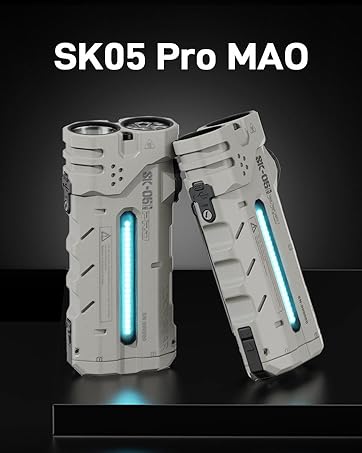
Image: Visual representation of LOOP GEAR's after-sales support, including money-back guarantee, warranty, and lifetime support.