
ORFOFE TAB40WI15WKCSF1953XTAX
ORFOFE Hair Trimmer for Newborns User Manual
Model: TAB40WI15WKCSF1953XTAX
1. Introduction
Thank you for choosing the ORFOFE Hair Trimmer for Newborns. This rechargeable cordless hair cutter is designed to provide smooth and safe haircuts for infants and young children. Please read this manual thoroughly before first use to ensure proper operation, maintenance, and safety.
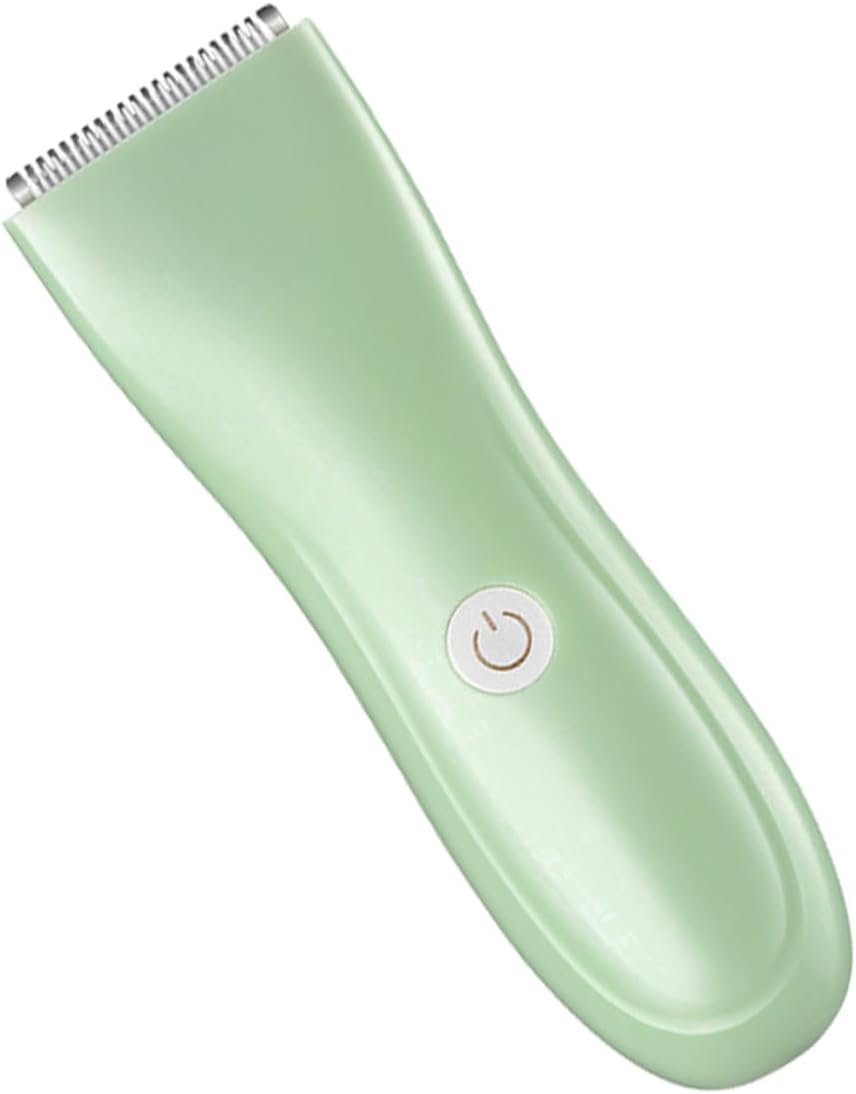
Figure 1.1: ORFOFE Hair Trimmer for Newborns.
2. Safety Information
To ensure safe operation and prevent injury, please observe the following precautions:
- Keep the trimmer out of reach of children when not in use.
- Do not immerse the trimmer in water. The body is not waterproof, only the blade head may be rinsed.
- Do not use the trimmer if the blade is damaged or bent, as this may cause injury.
- Avoid using the trimmer on wet hair unless specified.
- Ensure the charging port is dry before connecting the charger.
- Do not attempt to disassemble or repair the trimmer yourself. Contact customer support for assistance.
- Use only the provided charging cable and adapter.
3. Product Overview
The ORFOFE Hair Trimmer features a compact design with rounded blades for safe use on delicate skin. Key components include:
- Ceramic Blade: Designed for smooth and safe cutting, minimizing pulls and nicks.
- Power Button: Located on the front for easy on/off control.
- Charging Port: Typically located at the bottom or rear of the device.
- Indicator Light: Shows charging status or power level.

Figure 3.1: Durable and Practical Design.

Figure 3.2: Detailed view of the ceramic blade.
4. Setup
4.1 Charging the Trimmer
Before first use, fully charge the trimmer. A full charge typically takes a few hours.
- Connect the charging cable to the trimmer's charging port.
- Plug the other end of the cable into a compatible USB power adapter (not always included) or a USB port.
- The indicator light will typically show the charging status (e.g., red while charging, green when fully charged).
- Once fully charged, disconnect the trimmer from the power source.
4.2 Attaching Guide Combs (If applicable)
If your model includes guide combs, select the desired length and securely attach it to the trimmer head. Ensure it clicks into place.
5. Operating Instructions
Follow these steps for a safe and effective haircut:
- Prepare the Hair: Ensure the child's hair is clean and dry for best results. For very thick hair, you may need to comb it to remove tangles.
- Turn On: Press the power button to turn on the trimmer.
- Start Trimming: Gently place the trimmer against the hair, moving it slowly and steadily against the direction of hair growth. Use light pressure.
- Section Hair: For easier trimming, divide the hair into smaller sections.
- Clean During Use: Periodically brush off accumulated hair from the blade to maintain cutting efficiency.
- Turn Off: Once finished, press the power button again to turn off the trimmer.

Figure 5.1: Trimmer in use, demonstrating ease of handling and application.

Figure 5.2: Features highlighting safe, strong, and easy operation.
6. Maintenance
6.1 Cleaning the Trimmer
Regular cleaning ensures optimal performance and hygiene.
- Turn Off: Ensure the trimmer is turned off before cleaning.
- Remove Hair: Use the included cleaning brush to remove any loose hair from the blade and trimmer head.
- Rinse Blade: The blade head can be rinsed under running water. Do not rinse the main body of the trimmer.
- Dry: Allow the blade head to air dry completely before reattaching or storing.
- Lubricate (Optional): Apply a small drop of clipper oil (not included) to the blades periodically to maintain smooth operation.
6.2 Storage
Store the trimmer in a cool, dry place, away from direct sunlight and moisture. Keep it out of reach of children.
7. Troubleshooting
| Problem | Possible Cause | Solution |
|---|---|---|
| Trimmer does not turn on. | Battery is low or dead. | Charge the trimmer fully. |
| Trimmer pulls hair or cuts poorly. | Blades are dull or clogged with hair. | Clean the blades thoroughly. Consider lubricating the blades. |
| Trimmer makes unusual noise. | Blades are not properly aligned or lubricated. | Ensure blades are clean and properly seated. Apply clipper oil. |
| Charging indicator not working. | Faulty cable or power source. | Try a different USB cable or power adapter. Ensure connections are secure. |
8. Specifications
| Feature | Detail |
|---|---|
| Product Dimensions | 5.51 x 1.57 x 1.57 inches (14 x 4 x 4 cm) |
| Item Weight | 0.4 Pounds (6.4 ounces) |
| Model Number | TAB40WI15WKCSF1953XTAX |
| Brand | ORFOFE |
| Color | Light Green |
| Blade Material | Ceramic (implied by "rounded blade for smooth safe haircuts") |
| Power Source | Rechargeable Battery |

Figure 8.1: Product Dimensions.
9. Warranty and Support
This product comes with a standard manufacturer's warranty. For specific warranty details, please refer to the product packaging or contact the seller directly. If you encounter any issues or have questions not covered in this manual, please contact ORFOFE customer support through your purchase platform.
Seller: Establish Wen
ASIN: B0DJ74NWYT
Ask a question about this manual
Ask about setup, troubleshooting, compatibility, parts, safety, or missing instructions. Manuals+ will review the question and use this page’s manual context to help answer it.