
1. Introduction
The OneOdio Focus A10 headphones offer a premium audio experience with advanced Hybrid Active Noise Cancelling (ANC) technology. Designed for comfort and versatility, these headphones provide Hi-Res Audio, extended battery life, and seamless connectivity for various uses, including travel, work, and daily listening.
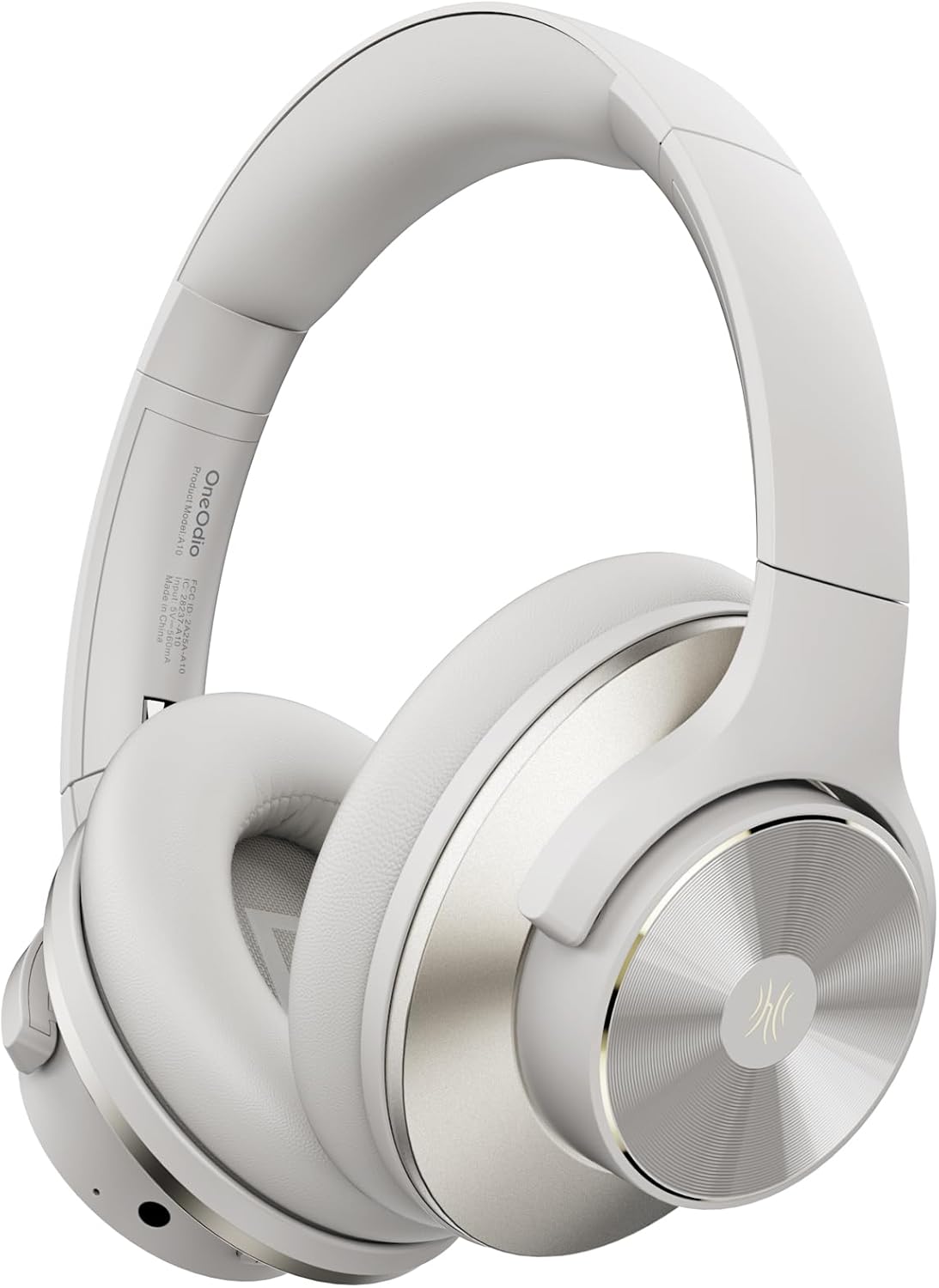
Figure 1: OneOdio Focus A10 Wireless Bluetooth Noise Cancelling Headphones.
2. What's in the Box
Your OneOdio Focus A10 package includes the following items:
- 1 x OneOdio A10 Noise Cancelling Headphones
- 1 x Carrying Travel Case
- 1 x AUX 3.5mm Cable
- 1 x USB-C Charging Cable
- 1 x User Manual

Figure 2: Included components with the OneOdio Focus A10 headphones.
3. Product Overview
The Focus A10 headphones feature a sleek design with intuitive controls and comfortable materials.
3.1. Design and Comfort
The headphones are constructed with ultra-soft protein ear cushions and an adjustable headband for extended comfort. The ear shells feature a gold-colored metal finish with a classic CD pattern, enhancing both aesthetics and durability. The foldable design allows for easy storage and portability.

Figure 3: Comfortable fit and Hi-Res Audio experience.
3.2. Controls and Ports
All controls are conveniently located on the earcups:
- Power Button: Used to power the headphones on/off and initiate Bluetooth pairing.
- Volume Buttons (+/-): Adjusts the audio volume.
- ANC Button: Toggles between Hybrid Active Noise Cancelling, Transparency Mode, and Normal Mode.
- USB-C Port: For charging the headphones.
- 3.5mm AUX Jack: For wired audio connection.

Figure 4: Detailed view of headphone controls and ports.
4. Setup
4.1. Charging the Headphones
Connect the provided USB-C charging cable to the USB-C port on the headphone earcup and the other end to a compatible USB power source. A full charge takes approximately 2 hours.
4.2. Bluetooth Pairing
- Ensure the headphones are powered off.
- Press and hold the Power Button until the LED indicator flashes, indicating pairing mode.
- On your device (smartphone, tablet, computer), enable Bluetooth and search for "OneOdio Focus A10".
- Select the headphones from the list to connect. The LED indicator will turn solid blue once connected.
4.3. Wired Connection
For a wired connection, plug the 3.5mm AUX cable into the headphone jack on the earcup and the other end into your audio source. This allows for lossless audio transmission and continued use even if the battery is depleted.

Figure 5: Bluetooth Dual Device Connection capability.
5. Operating Instructions
5.1. Power On/Off
Press and hold the Power Button for approximately 3 seconds to power the headphones on or off.
5.2. Volume Control
Use the '+' and '-' buttons on the earcup to increase or decrease the volume.
5.3. Noise Control Modes
The ANC button allows you to cycle through three noise control modes:
- Hybrid Active Noise Cancelling (ANC): Reduces up to 95% of low-frequency ambient noise, ideal for immersive listening.
- Transparency Mode: Amplifies ambient sounds, allowing you to hear your surroundings without removing the headphones.
- Normal Mode: Disables ANC and Transparency Mode, providing standard audio playback.

Figure 6: Hybrid Active Noise Cancelling in action.
5.4. Music Playback and Calls
The headphones support standard music playback controls (play/pause, skip track) and call management (answer/end call) via the multi-function button (often the power button or a dedicated button, refer to the included manual for specific button functions). The built-in microphone ensures clear communication during calls.
Video 1: Demonstrates the ultra-soft ear and head padding, and active noise cancelling features of the OneOdio Focus A10 headphones.
6. Comfort and Fit
The OneOdio Focus A10 headphones are designed for prolonged wear. The adjustable headband allows for a customized fit for various head sizes, while the soft ear cushions provide a comfortable seal around the ears, contributing to both sound isolation and overall comfort.

Figure 7: Foldable design for enhanced portability and storage.
7. Maintenance
To ensure the longevity and optimal performance of your headphones:
- Clean the ear cushions and headband regularly with a soft, dry cloth.
- Avoid exposing the headphones to extreme temperatures, humidity, or direct sunlight.
- Store the headphones in their provided carrying case when not in use to protect them from dust and damage.
- Do not attempt to disassemble or repair the headphones yourself, as this may void the warranty.
8. Troubleshooting
If you encounter issues with your OneOdio Focus A10 headphones, try the following:
- No Power: Ensure the headphones are fully charged.
- No Sound (Bluetooth): Check if the headphones are properly paired with your device. Ensure the volume is not muted on either the headphones or your device.
- No Sound (Wired): Verify that the 3.5mm AUX cable is securely connected to both the headphones and the audio source.
- Poor Sound Quality: Ensure the audio source is playing high-quality audio. Try re-pairing the Bluetooth connection or using the wired connection.
- ANC Not Working: Ensure the ANC mode is activated using the ANC button.
9. Specifications
| Feature | Specification |
|---|---|
| Model Name | Focus A10 |
| Noise Control | Hybrid Noise Cancellation, Sound Isolation |
| Frequency Response | 40000 Hz |
| Sensitivity | 42 dB |
| Headphones Jack | 3.5 mm Jack |
| Connectivity Technology | Wired, Wireless |
| Wireless Communication Technology | Bluetooth |
| Charging Time | 2 Hours |
| Battery Life (ANC off) | 62 Hours |
| Battery Life (Bluetooth 70% volume) | 50 Hours |
| Bluetooth Range | 10 Millimeters |
| Bluetooth Version | 5.2 |
| Audio Driver Size | 40 Millimeters |
| Item Weight | 280 Grams (9.9 ounces) |
| Product Dimensions | 7.72 x 6.65 x 3.35 inches |

Figure 8: Battery life details for various usage scenarios.
10. Warranty and Support
For warranty information and customer support, please refer to the official OneOdio website or contact their customer service directly. Keep your purchase receipt for any warranty claims.


