
PRUNUS 750
PRUNUS 750 Portable Bluetooth AM FM Radio Instruction Manual
Model: 750 (Internal ID: 18ac655b-fa71-4878-a516-c6ac5ce85991)
Introduction
Thank you for purchasing the PRUNUS 750 Portable Bluetooth AM FM Radio. This device combines classic radio functionality with modern connectivity, offering versatile audio playback options including AM/FM/SW radio, Bluetooth 5.3, USB drive, and TF card support. It features dual 5W speakers for clear stereo sound, colorful light effects, and convenient USB-C and solar charging. This manual provides detailed instructions for setup, operation, maintenance, and troubleshooting to ensure optimal performance and longevity of your radio.
Safety Information
Please read and understand all safety instructions before using this product. Keep this manual for future reference.
- Do not expose the radio to extreme temperatures, direct sunlight for prolonged periods (except for solar charging), or high humidity.
- Avoid dropping or subjecting the radio to strong impacts.
- Do not disassemble, repair, or modify the device yourself. Refer all servicing to qualified personnel.
- Keep the radio away from water and other liquids. If liquid enters the device, discontinue use immediately and contact support.
- Use only the provided USB-C charging cord or a certified equivalent.
- Ensure proper ventilation when charging.
- Dispose of batteries and electronic components responsibly according to local regulations.
Package Contents
Verify that all items are present in the package:
- PRUNUS 750 Portable Bluetooth AM FM Radio
- Owner's Manual (this document)
- Quick Start Guide
- USB-C Charging Cord
Product Overview
Familiarize yourself with the components of your PRUNUS 750 radio.

Figure 1: Front view of the PRUNUS 750 radio, showing the dual speakers with colorful light effects, central volume knob, tuning dial, and solar panel on top.
Key Components:
- Telescopic Antenna: For improved radio reception.
- Solar Panel: Located on the top, for solar charging.
- Dual Speakers: Two 5W speakers on the front for stereo sound.
- Colorful Light Effects: Integrated into the speakers, with 10 different effects.
- Volume Knob: Central knob to adjust audio output level.
- Tuning Dial: For selecting radio frequencies.
- Mode Switch: To select between FM, AM, SW, Bluetooth, USB, and TF card modes.
- USB Port: For USB drive playback.
- TF Card Slot: For TF card playback.
- USB-C Charging Port: For wired charging.
- Carrying Handle: For easy portability.
Setup
Initial Charging
Before first use, it is recommended to fully charge the radio's built-in 1800mAh battery.
- USB-C Charging: Connect the provided USB-C charging cord to the radio's USB-C port and the other end to a standard USB power adapter (not included) or a computer USB port. The charging indicator will illuminate.
- Solar Charging: Place the radio in direct sunlight with the solar panel facing upwards. The solar panel will convert sunlight into energy to charge the battery. This method is ideal for maintaining charge or for emergency power, but USB-C charging is faster for initial full charge.
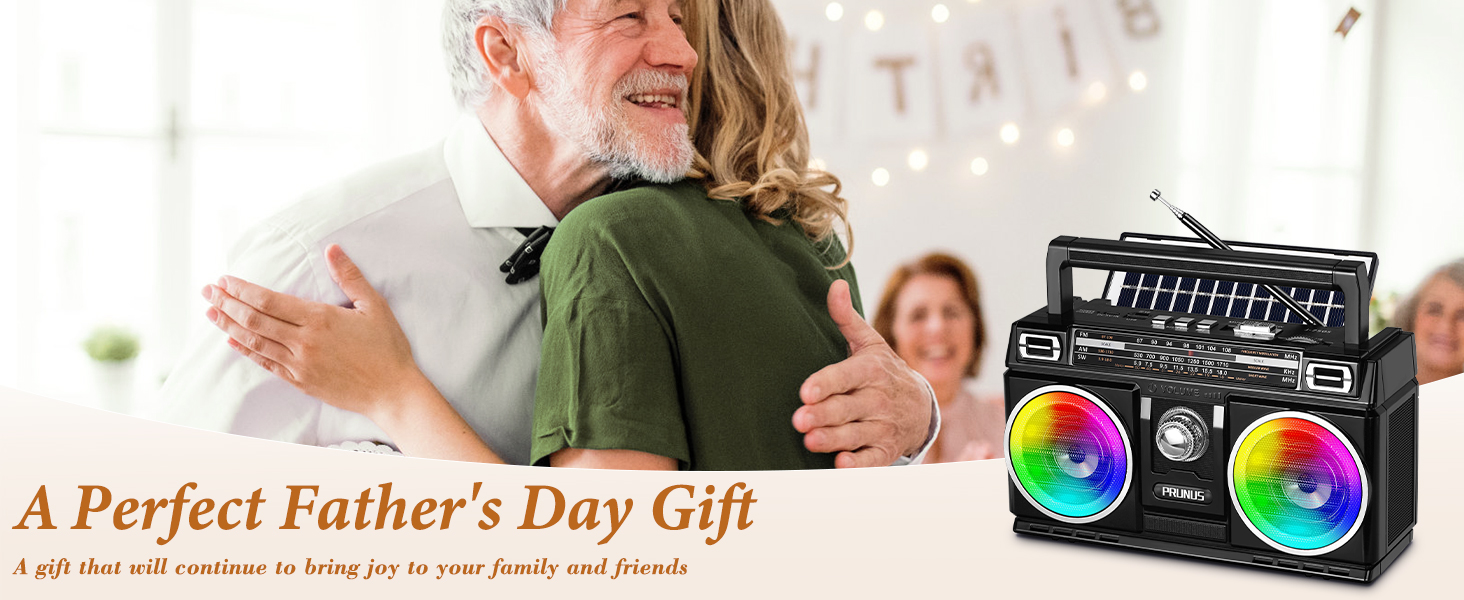
Figure 2: Illustration of the two charging methods: solar power and USB-C cable connection to a wall adapter.
Antenna Extension
For optimal radio reception, extend the telescopic antenna fully when listening to FM or SW bands. For AM, the radio uses a built-in ferrite bar antenna, so extending the telescopic antenna is not necessary, but adjusting the radio's orientation may improve AM reception.
Operating Instructions
Power On/Off and Volume Control
- To power on the radio, rotate the Volume Knob clockwise until you hear a click.
- Continue rotating the Volume Knob clockwise to increase volume, and counter-clockwise to decrease volume.
- To power off, rotate the Volume Knob counter-clockwise until you hear a click.
Mode Selection
Use the mode switch or button (location may vary, refer to product diagram) to cycle through available modes: FM, AM, SW, Bluetooth, USB, and TF Card.
Radio Tuning (FM/AM/SW)
- Select the desired band (FM, AM, or SW) using the mode switch.
- Rotate the Tuning Dial to scan for radio stations. The frequency scale will indicate the current tuning position.
- Extend the telescopic antenna for better FM and SW reception.
- For AM reception, rotate the radio itself to find the best signal.

Figure 3: Detailed view of the tuning mechanism and frequency display for radio bands.
Bluetooth Pairing
- Switch the radio to Bluetooth mode. The radio will enter pairing mode, indicated by an audible prompt or flashing light.
- On your mobile device, enable Bluetooth and search for "PRUNUS 750" (or similar name).
- Select the radio from the list of available devices to pair. Once connected, you will hear a confirmation sound.
- You can now play audio from your paired device through the radio.
USB/TF Card Playback
- Insert a USB flash drive or TF card (Micro SD card) containing MP3, WAV, or WMA audio files into the respective port/slot.
- Switch the radio to USB or TF Card mode. The radio will automatically detect and begin playing audio files.
- Use the radio's playback controls (if available, e.g., next/previous track) to navigate your music.

Figure 4: The PRUNUS 750 supports multiple music playback options: Bluetooth, USB drive, and TF card.
TWS (True Wireless Stereo) Pairing (Optional)
If you have two PRUNUS 750 radios, you can pair them for a true wireless stereo experience with four speakers.
- Ensure both radios are powered on and in Bluetooth mode, but not yet paired with any device.
- On one radio (this will be the primary unit), press and hold the TWS pairing button (refer to product diagram for exact button, if available, otherwise assume a dedicated button or combination).
- The radios will attempt to connect to each other. Once successfully paired, you will hear a confirmation sound.
- Now, connect your mobile device to the primary radio via Bluetooth. Audio will play through both radios in stereo.
Colorful Light Effects
The radio features 10 cool light effects integrated into the speakers. These lights automatically turn off when in radio mode (AM/FM/SW) to conserve power and avoid interference. In Bluetooth, USB, or TF card modes, the lights can be activated. Refer to the product's physical buttons for light control (e.g., a dedicated light button or a long press on a mode button).
Maintenance
- Cleaning: Use a soft, dry cloth to wipe the exterior of the radio. Do not use abrasive cleaners, solvents, or strong chemicals.
- Storage: When not in use for extended periods, store the radio in a cool, dry place away from direct sunlight and extreme temperatures.
- Battery Care: To prolong battery life, avoid fully discharging the battery frequently. Charge the radio regularly, even if not in use.
Troubleshooting
| Problem | Possible Cause | Solution |
|---|---|---|
| No power/Radio does not turn on. | Battery is depleted. | Charge the radio using the USB-C cable or solar panel. |
| Poor radio reception. | Antenna not extended; weak signal area; interference. | Fully extend the telescopic antenna. Reposition the radio. Move away from electronic devices causing interference. For AM, rotate the radio for best signal. |
| Bluetooth not connecting. | Radio not in Bluetooth mode; device too far; already paired with another device. | Ensure radio is in Bluetooth mode. Move device closer to the radio. Disconnect from other Bluetooth devices. Try unpairing and re-pairing. |
| USB/TF card not playing. | Incorrect file format; card/drive not inserted correctly; corrupted files. | Ensure files are MP3, WAV, or WMA format. Reinsert the USB drive/TF card. Try a different USB drive/TF card. |
| No sound. | Volume too low; muted; incorrect mode selected. | Increase the volume. Check if the radio is in the correct playback mode. |
Specifications
| Feature | Detail |
|---|---|
| Product Dimensions | 6.7 x 3.7 x 4.2 inches (approx. 17.02 x 9.40 x 10.67 cm) |
| Item Weight | 1.2 pounds (approx. 0.54 kg) |
| Model Number | 750 (Internal ID: 18ac655b-fa71-4878-a516-c6ac5ce85991) |
| Battery | 1800mAh Lithium Polymer (built-in) |
| Power Source | USB-C, Solar Powered, Battery Powered |
| Radio Bands Supported | FM (87-108 MHz), AM (530-1710 KHz), SW (5.9-18.0 MHz) |
| Connectivity Technology | Bluetooth 5.3, USB, TF Card |
| Audio Formats Supported | MP3, WAV, WMA (via USB/TF Card) |
| Speaker Output | Dual 5W speakers |
| Special Features | Built-In AM Antenna, Lightweight, Portable, Rechargeable, Colorful Light Effects, TWS Pairing Support |
Warranty and Support
PRUNUS products are designed and manufactured to the highest quality standards. For warranty information, technical support, or any questions regarding your PRUNUS 750 radio, please contact PRUNUS customer service. You can typically find contact details on the official PRUNUS website or through your purchase platform.
For further assistance, visit the official PRUNUS store on Amazon: PRUNUS Store
Related documents750


Ask a question about this manual
Ask about setup, troubleshooting, compatibility, parts, safety, or missing instructions. Manuals+ will review the question and use this page’s manual context to help answer it.