
YEREADW KWS-2302C
USB C Tester Type C Power Meter User Manual
Model: KWS-2302C | Brand: YEREADW
Introduction
This user manual provides detailed instructions for the YEREADW USB C Tester (Model: KWS-2302C). This device is designed to accurately measure power, voltage, current, power bank capacity, and working time for various USB-C compatible devices. It serves as a digital multimeter for optimizing charging performance and detecting fast charging protocols.

Image: The YEREADW USB C Tester, displaying its screen with voltage, current, and power readings.
Key Features
- Improved Measurement Accuracy: Provides accurate measurements with a precision of ±(1%+5), suitable for detecting charging devices like chargers, mobile phones, tablets, and power banks.
- All C-port Input & Output: Equipped with a maximum 12A high current terminal for enhanced stability. Measures current from 0-12A and voltage from 4V-30V. Features bidirectional current testing for visible charging speed.
- Detects Various Fast Charging Protocols: Supports PD2.0/3.0, PPS, QC2.0/3.0, FCP, SCP, AFC, PE, DASH VOOC, and Super VOOC protocols.
- Automatic Storage Function: Built-in integrated storage chip automatically restores previous test data if the connection is accidentally disconnected and reconnected.
- TFT Color Display Interface: Features two different LCD color screen display interfaces. Users can switch between interfaces by pressing a key and rotate the displayed content by double-clicking the button.

Image: An illustration highlighting the smart chip and TFT color display of the USB C Tester, emphasizing its support for safe and efficient fast charging.
Setup and Connection
To begin using your YEREADW USB C Tester, follow these connection guidelines:
- Connect to Power Source: Plug the male USB-C end of the tester into a USB-C power source (e.g., wall charger, power bank, laptop USB-C port).
- Connect Device: Plug the USB-C cable from your device (e.g., smartphone, tablet, laptop) into the female USB-C port on the tester.
- Ensure Both Ends are Connected: Due to PD (Power Delivery) protocol limitations, the tester's screen will only illuminate and display data when both the input (power source) and output (device) ports are connected.

Image: Visual guide demonstrating correct connections where both input and output are plugged in (screen lights up) versus incorrect connections where only one end is plugged in (screen remains off).
Operation
Once connected, the USB C Tester will automatically begin displaying real-time charging data. Here's how to interact with the device:
- Reading Display: The TFT color screen displays various parameters including voltage (V), current (A), power (W), capacity (mAh), and working time.
- Switching Display Interfaces: Press the button on the tester once to cycle through the two available LCD color screen display interfaces.
- Rotating Display Content: Double-click the button to rotate the displayed content on the screen, allowing for easier viewing from different angles.
- Recording Maximum Values: The tester continuously monitors and records maximum values for power (Max-W), current (Max-A), and voltage (Max-V), providing a comprehensive overview of charging performance.

Image: The USB C Tester connected to a laptop, showing the display with real-time charging data and recorded maximum values for power, current, and voltage.
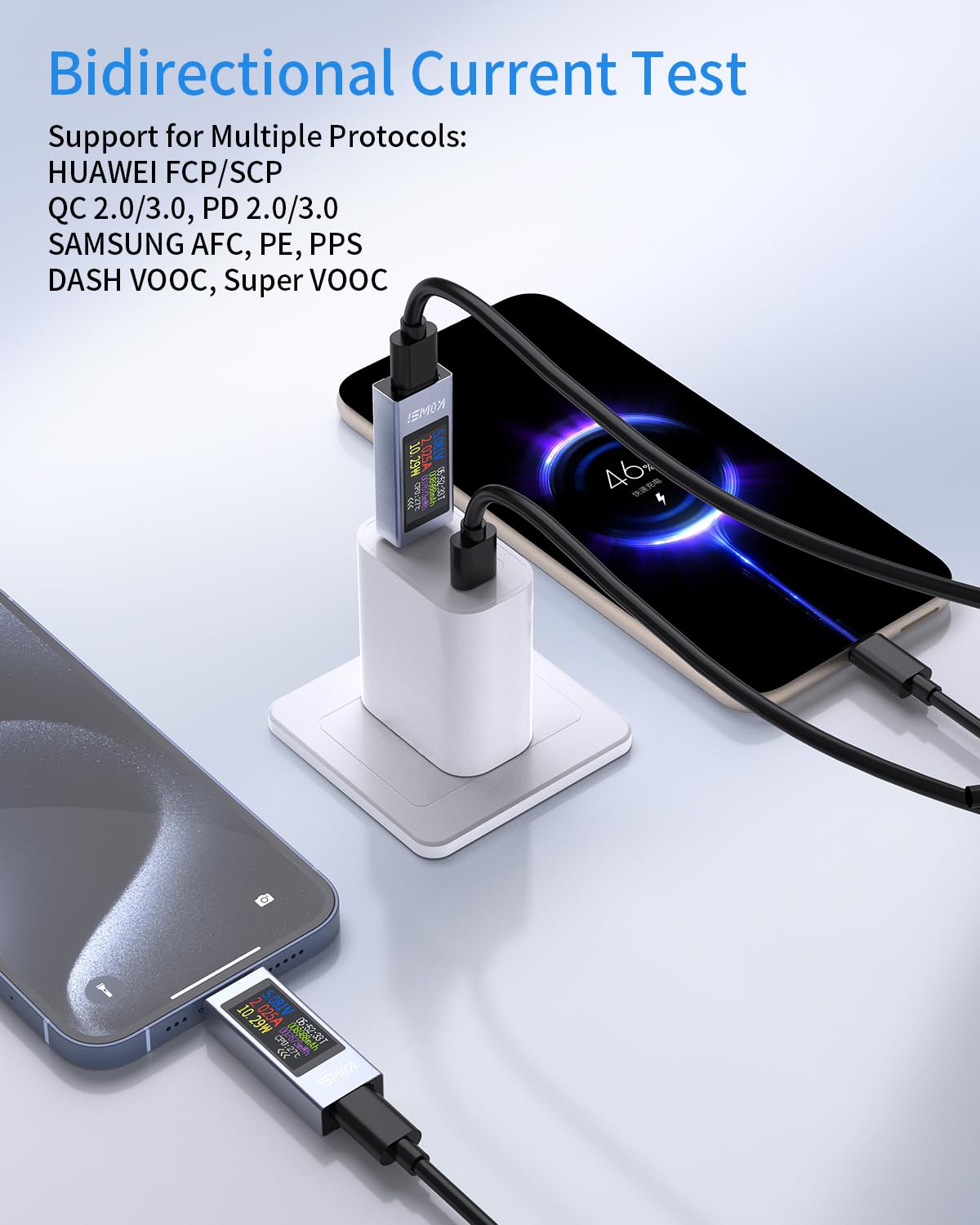
Image: The USB C Tester performing a bidirectional current test, connected between a charger and two smartphones, illustrating its support for multiple fast charging protocols.
Compatibility
The YEREADW USB C Tester is designed for wide compatibility with various USB-C enabled devices and charging standards.
- Device Types: Compatible with laptops (e.g., MacBook Pro, DELL XPS, MacBoox Air, Surface Book), iPads (e.g., iPad Pro/Air), and smartphones (e.g., Samsung Galaxy, AQUOS, Google Pixel, OPPO, Xiaomi).
- Other Devices: Can also be used with gamepads and other USB-C powered accessories.
- Power Delivery: Supports up to 360W PD (Power Delivery) and currents up to 30V/12A.

Image: A diagram illustrating the wide compatibility of the USB C Tester with various devices including laptops, tablets, smartphones, and gamepads, showing its male and female Type-C ports.

Image: The USB C Tester connected to a laptop and power bank, demonstrating its compatibility with 360W Power Delivery and support for currents up to 30V/12A.
Troubleshooting
- Screen Not Lighting Up: Ensure both the input (power source) and output (device) USB-C ports are connected. The tester requires a complete circuit to power on its display due to PD protocol limits.
- Inaccurate Readings: Verify that the connections are secure and that the cables used are in good condition. If issues persist, try testing with a different power source or device to isolate the problem.
- Data Loss After Disconnection: The tester features an automatic storage function. If the connection is accidentally disconnected, the previous test data should be automatically restored upon reconnection. If not, ensure the device was disconnected cleanly.
Specifications
| Parameter | Value |
|---|---|
| Model Number | KWS-2302C |
| Measurement Voltage Range | 4V - 30V |
| Measurement Current Range | 0A - 12A |
| Accuracy | ±(1%+5) |
| Display Type | TFT Color LCD |
| Power Source | Type-C |
| Dimensions (Package) | 3.26 x 2.87 x 0.74 inches |
| Weight | 1.44 ounces |
Maintenance
To ensure the longevity and optimal performance of your USB C Tester, follow these maintenance tips:
- Cleaning: Use a soft, dry cloth to clean the exterior of the device. Avoid using liquid cleaners or abrasive materials.
- Storage: Store the tester in a cool, dry place away from direct sunlight and extreme temperatures.
- Handling: Handle the device with care to prevent drops or impacts that could damage the internal components or the display.
Warranty and Support
YEREADW is committed to providing high-quality products and customer satisfaction.
- Warranty: This product comes with an 18-month warranty from the date of purchase.
- Returns: You may return the product within 30 days of purchase without needing a specific reason.
- Customer Support: For any inquiries, technical assistance, or warranty claims, please contact YEREADW customer support. Support is available 24 hours.

Image: An illustration summarizing YEREADW's commitment to customers, including an 18-month warranty, 30-day return policy, and 24-hour customer support.
Related documentsKWS-2302C


Ask a question about this manual
Ask about setup, troubleshooting, compatibility, parts, safety, or missing instructions. Manuals+ will review the question and use this page’s manual context to help answer it.