
VirtuFit VFLOTR-500i
VirtuFit Elite TR-500i Treadmill User Manual
Model: VFLOTR-500i
1. Introduction
Welcome to the VirtuFit Elite TR-500i Treadmill user manual. This guide provides essential information for the safe and effective use of your new fitness equipment. Please read this manual thoroughly before assembly or operation and keep it for future reference.
Important Safety Instructions
To reduce the risk of serious injury, read all important precautions and instructions in this manual before using the treadmill. VirtuFit assumes no responsibility for personal injury or property damage sustained by or through the use of this product.
- Always consult with a physician before beginning any exercise program.
- Keep children and pets away from the treadmill at all times.
- Place the treadmill on a level surface with at least 2 meters of clear space behind it and 0.6 meters on each side.
- Wear appropriate exercise clothing and athletic shoes.
- Do not operate the treadmill if it has a damaged cord or plug, or if it is not working properly.
- Always attach the safety key clip to your clothing before starting the treadmill.
- Do not step on or off the treadmill while the belt is moving.
- Maximum user weight capacity: 150 kg.
2. Product Overview
The VirtuFit Elite TR-500i is a robust and versatile treadmill designed for intensive home use. It features a powerful motor, a wide range of training programs, and a comfortable running surface with excellent shock absorption.

Image: The VirtuFit Elite TR-500i Treadmill, showcasing its sleek design and sturdy frame.
Key Features
- Powerful 3.0 HP motor for smooth and quiet operation.
- Multi-shock absorption system for comfortable running.
- Adjustable speed from 0.8 to 20 km/h.
- Automatic incline adjustment from 0% to 15%.
- 7-inch TFT color display with intuitive controls.
- 30 diverse training programs, including heart rate controlled options.
- Integrated MP3 connection and speakers for entertainment.
- Foldable design with Soft Drop-System and transport wheels for easy storage.
Dimensions

Image: Diagram showing the dimensions of the VirtuFit Elite TR-500i Treadmill: Length 181 cm, Width 96 cm, Height 130 cm.
When unfolded, the treadmill measures approximately 181 cm (Length) x 96 cm (Width) x 130 cm (Height). When folded, its compact design allows for convenient storage.
3. Components List
Before assembly, ensure all parts are present and undamaged. If any parts are missing or damaged, contact customer support immediately.
- Treadmill Base (main unit with running deck)
- Console Assembly
- Upright Posts (left and right)
- Assembly Accessories (bolts, washers, nuts, tools)
- Power Cable
- User Manual (this document)
- Safety Key
- Lubrication Tools (e.g., silicone oil bottle)
4. Assembly Instructions
Assembly typically requires two people. Follow these general steps. Refer to the included assembly diagram for detailed illustrations.
- Unpack Components: Carefully remove all parts from the packaging and lay them out in a clear area.
- Attach Upright Posts: Secure the left and right upright posts to the treadmill base using the provided bolts and washers.
- Mount Console: Carefully lift and attach the console assembly to the top of the upright posts. Ensure all cables are connected properly and not pinched.
- Secure Handrails: Fasten any additional handrail components if separate.
- Final Checks: Tighten all bolts and nuts. Ensure the treadmill is stable and level.
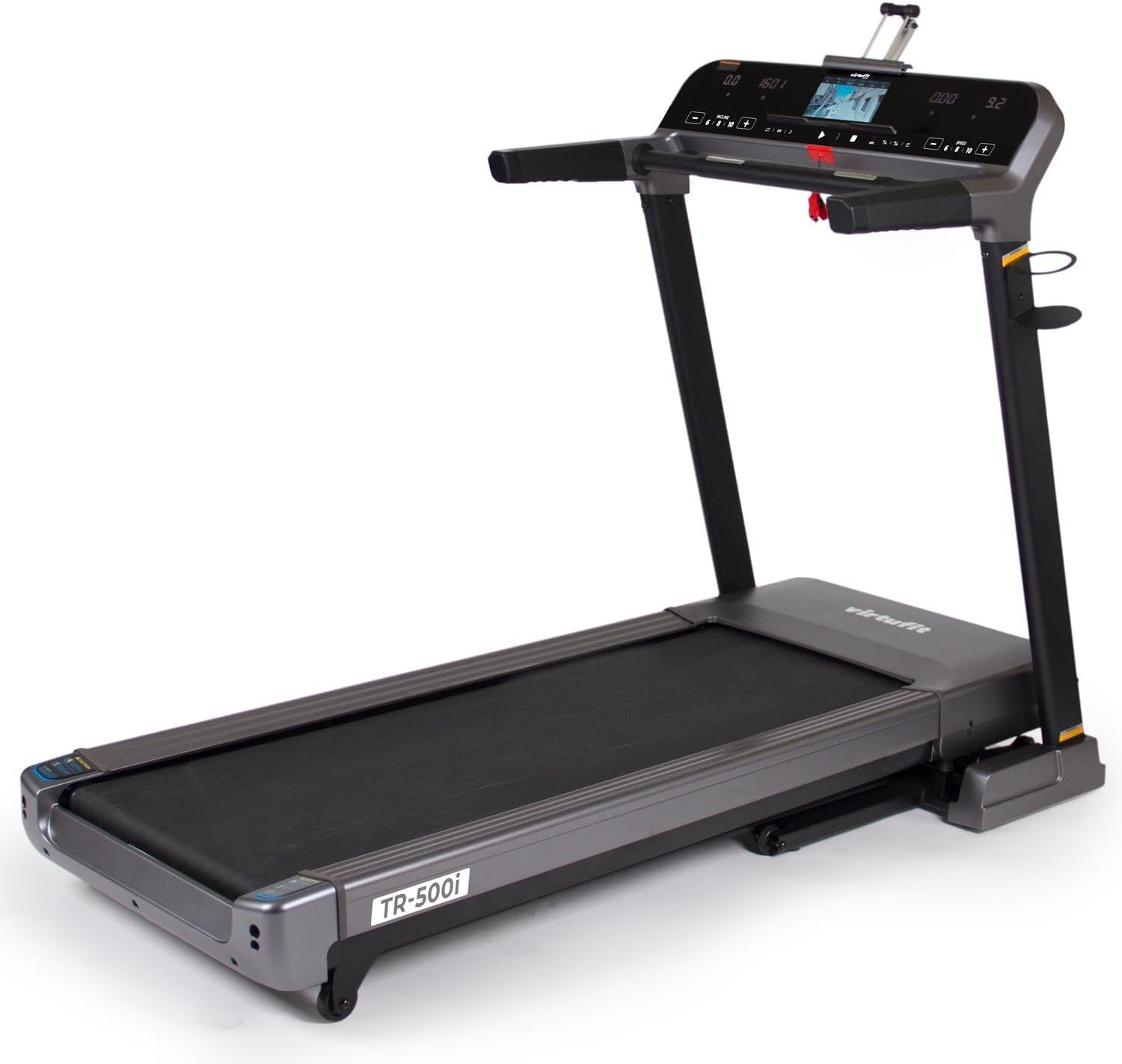
Image: A side view of the VirtuFit Elite TR-500i Treadmill, illustrating its structure which is assembled from various components.
5. Operating Instructions
Console Functions

Image: Close-up of the VirtuFit Elite TR-500i treadmill's 7-inch TFT color display, showing options for program selection and workout metrics.
The 7-inch TFT color display provides all necessary information during your workout. It shows time, distance, speed, incline, calories burned, and heart rate.
Starting the Treadmill
- Connect the power cable to a grounded outlet.
- Attach the safety key clip to your clothing and insert the safety key into its designated slot on the console. The display will light up.
- Press the 'START' button to begin. The belt will start moving at a low speed.
Program Selection
The treadmill offers 30 integrated programs:
- 24 Pre-set Programs: Designed for various fitness levels and goals.
- 3 User Programs: Allows you to create and save your custom workouts.
- Heart Rate Controlled Programs: Adjusts speed and incline to maintain your target heart rate.
- Fat Measurement Program: Estimates body fat percentage.
Use the 'PROGRAM' button to cycle through the available programs. Press 'ENTER' or 'START' to select a program.
Speed and Incline Adjustment
- Speed: Use the '+' and '-' buttons or quick-speed buttons on the console to adjust the belt speed from 0.8 km/h to 20 km/h.
- Incline: Use the 'INCLINE' '+' and '-' buttons or quick-incline buttons to adjust the incline from 0% to 15% in 1% increments.
Heart Rate Monitoring

Image: The VirtuFit Elite TR-500i Treadmill with an overlay highlighting the heart rate monitor function, indicating its presence and utility.
Grip the heart rate sensors on the handlebars to display your pulse on the console. For more accurate and continuous monitoring, consider using a compatible chest strap (sold separately).
Entertainment Features
Connect your MP3 player or smartphone to the treadmill's audio input using the provided cable. Play your favorite music through the built-in speakers for an enhanced workout experience.
6. Maintenance
Regular maintenance ensures the longevity and optimal performance of your treadmill.
Cleaning
- After Each Use: Wipe down the console and other surfaces with a damp cloth to remove sweat and dust.
- Weekly: Vacuum under the treadmill to prevent dust and debris from accumulating.
- Monthly: Clean the motor cover area. Unplug the treadmill before removing the motor cover.
Lubrication

Image: A detailed close-up of the running belt surface on the VirtuFit Elite TR-500i Treadmill, indicating the area requiring regular lubrication.
The running belt requires periodic lubrication with silicone oil to reduce friction and extend its lifespan. The frequency depends on usage:
- Light Use (less than 3 hours/week): Every 6 months
- Moderate Use (3-5 hours/week): Every 3 months
- Heavy Use (more than 5 hours/week): Every 6-8 weeks
To lubricate: Lift the edge of the running belt and apply a thin line of silicone oil to the center of the deck. Run the treadmill at a slow speed for a few minutes to distribute the lubricant.
Belt Adjustment
If the running belt slips or drifts to one side, it may need adjustment. Use the provided Allen wrench to turn the tension bolts at the rear of the treadmill. Turn clockwise to tighten, counter-clockwise to loosen. Adjust in small increments (quarter turns) until the belt is centered and properly tensioned.
7. Troubleshooting Guide
This section addresses common issues you might encounter with your treadmill.
| Problem | Possible Cause | Solution |
|---|---|---|
| Treadmill does not start | Power cord unplugged; Safety key not inserted; Circuit breaker tripped. | Check power connection; Insert safety key fully; Reset circuit breaker. |
| Running belt slips | Belt too loose; Belt worn out. | Adjust belt tension (see Maintenance); Contact customer support for replacement. |
| Running belt drifts to one side | Belt not centered. | Adjust belt alignment (see Maintenance). |
| Unusual noise during operation | Loose parts; Lack of lubrication; Motor issue. | Check and tighten all bolts; Lubricate running belt; Contact customer support. |
| Display not working | Loose cable connection; Console malfunction. | Check all cable connections to the console; Contact customer support. |
8. Technical Specifications
| Feature | Specification |
|---|---|
| Model Number | VFLOTR-500i |
| Motor Power | 3.0 HP (Continuous Duty) |
| Speed Range | 0.8 - 20 km/h |
| Incline Range | 0 - 15% (Automatic) |
| Maximum User Weight | 150 kg |
| Running Surface Material | Multi-layer belt with shock absorption |
| Display Type | 7-inch TFT Color Screen |
| Programs | 30 (24 pre-set, 3 user, HR-controlled, fat measurement) |
| Connectivity | MP3 input, Speakers |
| Frame Material | Alloy Steel |
| Product Dimensions (L x W x H) | 181 cm x 96 cm x 130 cm (unfolded) |
| Product Weight | 77 kg |
| Power Source | Wired Electric |
| Special Features | Foldable (Soft Drop-System), Transport Wheels, Heart Rate Sensors |
9. Warranty and Support
Warranty Information
VirtuFit products are manufactured to high-quality standards. This product comes with a standard manufacturer's warranty against defects in materials and workmanship. The specific warranty period may vary by region and product component. Please retain your proof of purchase for warranty claims.
The warranty typically covers manufacturing defects and does not cover damage resulting from improper assembly, misuse, neglect, accidents, alterations, or normal wear and tear.
Customer Support
If you have any questions, require assistance with assembly or operation, or need to report a defect, please contact VirtuFit customer support. Have your model number (VFLOTR-500i) and proof of purchase ready when contacting support.
For the most up-to-date contact information, please visit the official VirtuFit website or refer to the contact details provided with your purchase documentation.
Related documentsVFLOTR-500i


Ask a question about this manual
Ask about setup, troubleshooting, compatibility, parts, safety, or missing instructions. Manuals+ will review the question and use this page’s manual context to help answer it.