Introduction
Thank you for choosing the SDLOGAL Wireless Over-Ear Headphones, Model SDL-718-WH. These headphones are designed to provide a high-quality audio experience with the convenience of wireless connectivity, extended battery life, and a comfortable, portable design. This manual will guide you through the setup, operation, and maintenance of your new headphones.
What's in the Box
- SDLOGAL Wireless Over-Ear Headphones
- USB Charging Cable
- Audio Cable (for wired connection)
- User Manual
Product Overview
The SDLOGAL Wireless Over-Ear Headphones feature intuitive controls and a sleek design. Familiarize yourself with the key components:
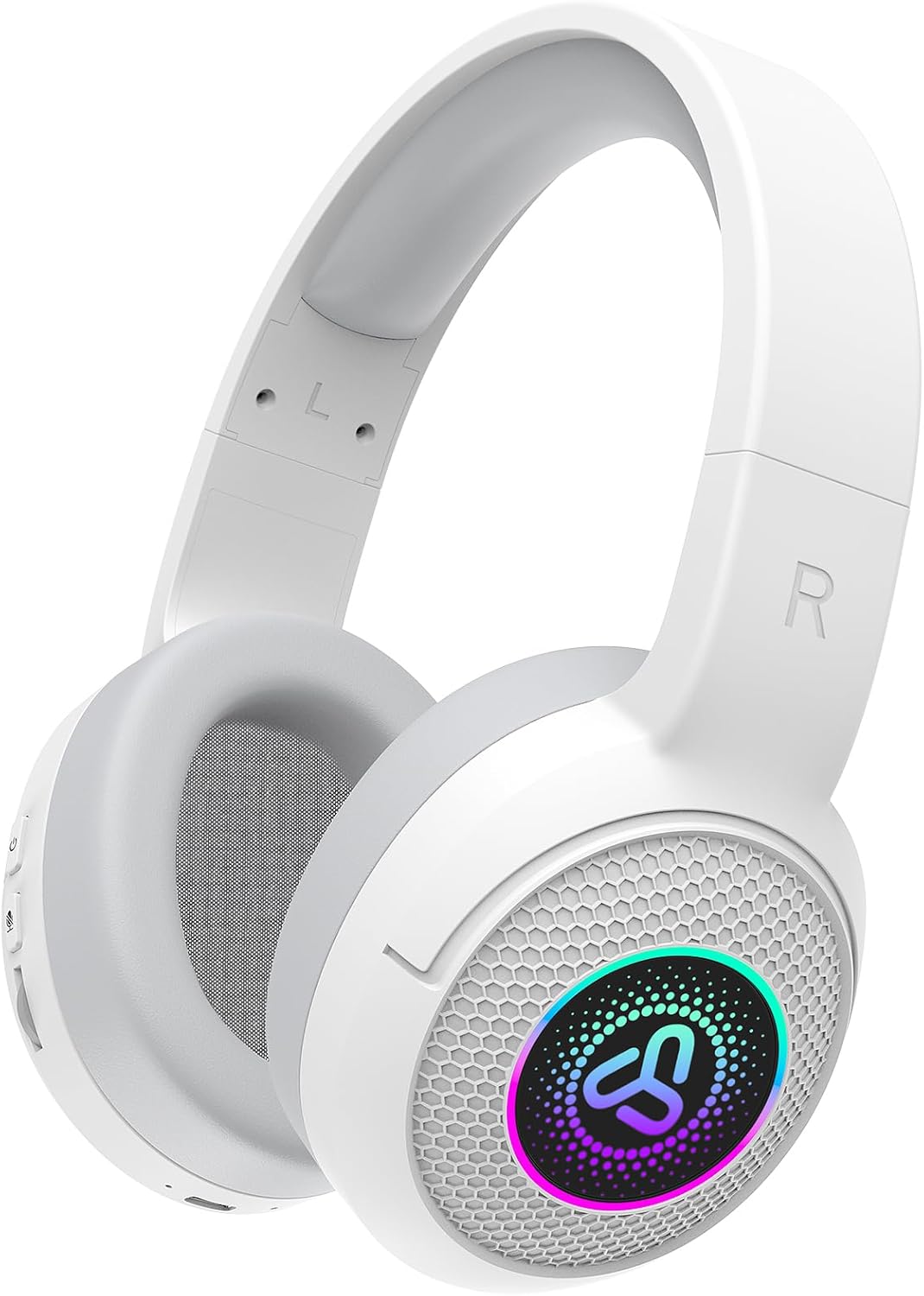
Figure 1: SDLOGAL Wireless Over-Ear Headphones (White)
Controls and Ports
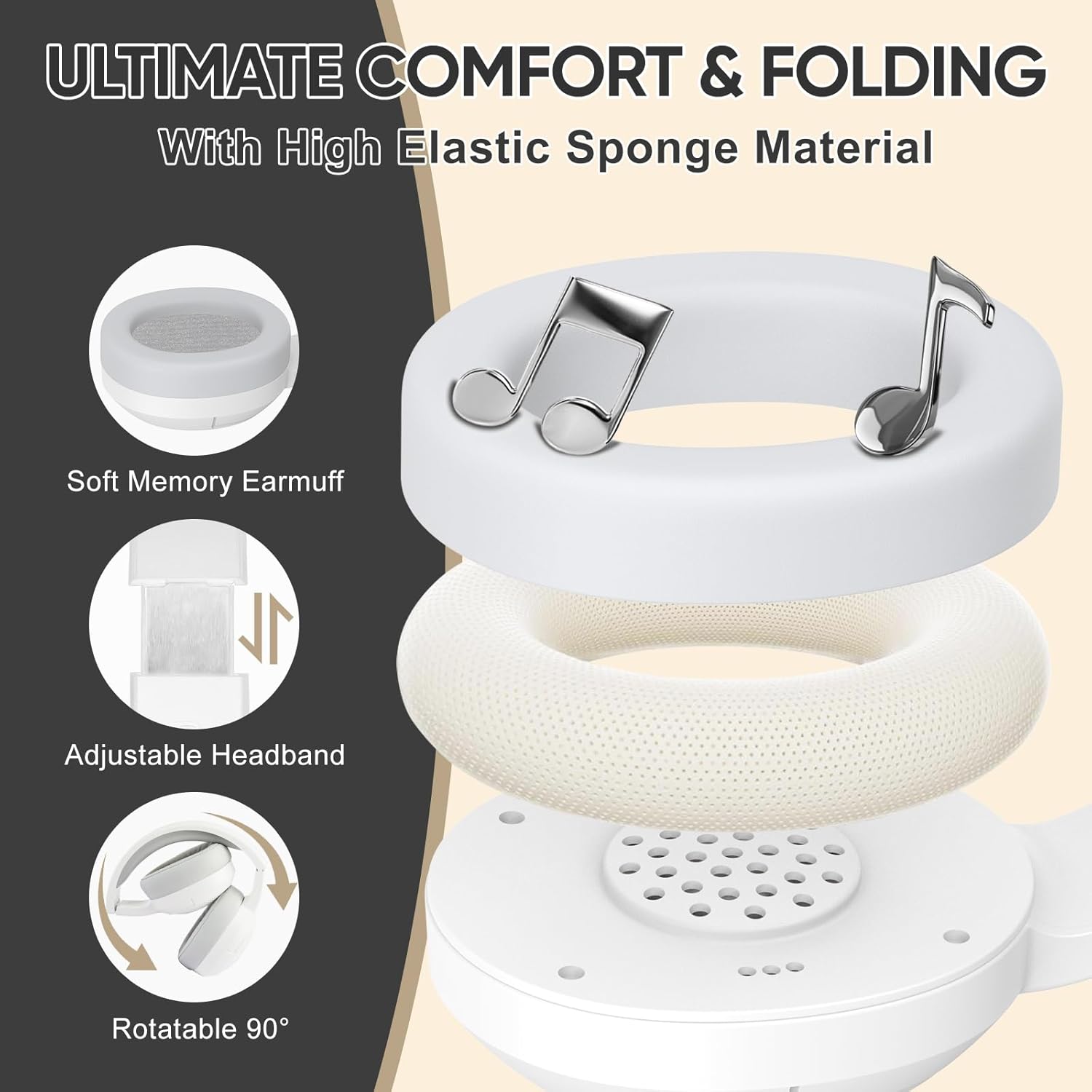
Figure 2: Side view of the headphone controls, including power, mode, and volume.
- Power Button: Long press to turn on/off. Short press for play/pause. Double-tap for previous song. Triple-tap for next song.
- M Button: Double-click to switch between Music Mode and Game Mode. Triple-click to turn LED lighting on/off.
- Volume Slider: Slide up or down to adjust audio volume.
- USB-C Charging Port: For connecting the charging cable.
- 3.5mm Audio Jack: For wired connection using the included audio cable.

Figure 3: Key Function Guide for headphone controls.
Setup
1. Charging the Headphones
- Connect the provided USB charging cable to the USB-C port on the headphones.
- Connect the other end of the cable to a USB power source (e.g., computer, wall adapter).
- The LED indicator will show charging status. A full charge provides up to 40 hours of playtime.
2. Bluetooth Pairing
- Ensure the headphones are fully charged.
- Long press the Power Button for 3 seconds to turn on the headphones. The LED lights on the earcups will illuminate, and the headphones will enter pairing mode (indicated by a flashing LED).
- On your device (smartphone, tablet, computer), enable Bluetooth and search for available devices.
- Select "SDLOGAL Headphones" from the list of devices.
- Once connected, the LED indicator will stop flashing, and you will hear a confirmation tone.
Operating Instructions
Power On/Off
- To power on, long press the Power Button for 3 seconds.
- To power off, long press the Power Button for 3 seconds.
Audio Playback
- Play/Pause: Short press the Power Button.
- Next Song: Triple-tap the Power Button.
- Previous Song: Double-tap the Power Button.
- Volume Control: Use the Volume Slider to increase or decrease the volume.
Call Management
- Answer/End Call: Short press the Power Button.
- Reject Call: Long press the Power Button.
Mode Switching (Music/Game)
The headphones support both Music and Game modes, optimizing audio for different experiences.
- To switch between Music Mode and Game Mode, double-click the M Button.

Figure 4: Freely Switch Sound Modes.
LED Lighting Control
The earcups feature controllable LED lighting for a personalized look.
- To turn the LED lighting on or off, triple-click the M Button.

Figure 5: Controllable LED Lighting.
Official Product Video: SDLOGAL Wireless Over Ear Headphones
Video 1: An overview of the SDLOGAL Wireless Over-Ear Headphones, demonstrating their features and functionality, including the foldable design, comfortable earcups, and LED lighting. This video is provided by the seller, Shangyinghui-US.
Comfort and Design
The SDLOGAL headphones are engineered for extended wear and portability.
- All Day Comfort: Features high elastic sponge material and soft memory protein earmuffs to protect your ears during long listening sessions.
- Adjustable Headband: The headband is adjustable to fit various head sizes without causing discomfort.
- Foldable Design: The headphones can be easily folded for compact storage and transport, making them ideal for travel.

Figure 6: Long-lasting Comfort with Soft Ear Pads.

Figure 7: Customizable Head Beam for a Perfect Fit.

Figure 8: Compact, Foldable, Lightweight Design.
Battery Life
The SDLOGAL Wireless Over-Ear Headphones are equipped with low power consumption technology, providing:
- Up to 40 hours of continuous playtime on a single full charge.
- Over 800 hours of standby time.
The headphones can also be used in wired mode with the included audio cable, eliminating power shortage concerns.

Figure 9: Extended Battery Performance.
Maintenance
- Cleaning: Use a soft, dry cloth to clean the headphones. Do not use harsh chemicals or abrasive materials.
- Storage: Store the headphones in a cool, dry place away from direct sunlight and extreme temperatures. When not in use, fold them to save space and protect them.
- Battery Care: To prolong battery life, avoid fully discharging the headphones frequently. Charge them regularly, even if not in constant use.
Troubleshooting
| Problem | Possible Cause | Solution |
|---|---|---|
| Headphones do not power on. | Low battery. | Charge the headphones fully. |
| Cannot pair via Bluetooth. | Headphones not in pairing mode; device Bluetooth off; too far from device. | Ensure headphones are in pairing mode (flashing LED). Turn device Bluetooth off and on. Move headphones closer to the device. |
| No sound. | Volume too low; incorrect audio source; headphones not connected. | Increase volume on headphones and device. Check device's audio output settings. Re-pair headphones or connect via wired cable. |
| LED lights not working. | Lights turned off. | Triple-click the M Button to toggle LED lights on. |
Specifications
| Feature | Detail |
|---|---|
| Model Name | SDL-718-WH |
| Connectivity Technology | Wireless (Bluetooth) |
| Wireless Communication Technology | Bluetooth 5.4 |
| Battery Life | 40 Hours |
| Standby Time | 800 Hours |
| Charging Time | Fast Charging |
| Material | Memory Foam (earcups) |
| Ear Placement | Over Ear |
| Form Factor | Over Ear |
| Special Features | Fast Charging, Lightweight, Noise Cancellation, Controllable LED Lighting, Music & Game Modes |
| Compatible Devices | Laptops, Desktops, Gaming Consoles, Tablets, Telephones, Smart Speaker, Television, Cellphones |
| Item Weight | 11.3 ounces |
| Color | White |
| UPC | 721545538581 |
Warranty and Support
SDLOGAL products are designed for quality and reliability. For warranty information, technical support, or customer service inquiries, please refer to the contact details provided on the product packaging or visit the official SDLOGAL website. Please retain your proof of purchase for any warranty claims.


