
Introduction
This manual provides essential information for the safe and efficient operation of your HEAD HTJ4500 Treadmill. Designed for home use, this electric treadmill offers a maximum speed of 16 km/h, integrated speakers, and compatibility with popular fitness applications like Kinomap and Zwift. It features a clear LED display for monitoring your workout data and 16 pre-set training programs to enhance your fitness journey.
Please read this manual thoroughly before assembly and first use to ensure proper setup, operation, and maintenance, thereby maximizing the lifespan and performance of your treadmill.

Figure 1: The HEAD HTJ4500 Treadmill, showcasing its compact design.
1. Setup and Assembly
The HEAD HTJ4500 Treadmill requires some assembly. Follow these steps carefully to ensure a stable and safe setup.
1.1 Unpacking
- Carefully remove all components from the packaging.
- Verify that all parts listed in the 'What's in the Box' section (see Specifications) are present and undamaged.
- Retain packaging materials for future storage or transport.
1.2 Assembly Steps
- Place the main frame on a flat, stable surface.
- Attach the uprights to the main frame, securing them with the provided hardware.
- Mount the console to the top of the uprights, ensuring all cables are properly connected and not pinched.
- Attach the handlebars and any safety features as per the detailed assembly instructions included in the product box.
- Ensure all screws and bolts are tightened securely before use.
1.3 Placement and Portability
Choose a location with sufficient space around the treadmill for safe operation and access. The treadmill is designed to be easily stored and transported thanks to its folding design and integrated front wheels.

Figure 2: The folding mechanism and front wheels facilitate easy storage and movement.

Figure 3: Treadmill dimensions for space planning.
2. Operating Instructions
Familiarize yourself with the control panel and features before beginning your workout.
2.1 Control Panel and Display
The treadmill features an LED display that shows key workout metrics such as distance, speed, time, and calories burned. The control panel allows you to start, stop, and adjust the speed.

Figure 4: The control panel with integrated buttons for speed adjustment and program selection.
2.2 Starting a Workout
- Ensure the safety key is properly placed on the console and attached to your clothing.
- Connect the power cord to a grounded electrical outlet.
- Press the 'Start' button to begin the treadmill belt movement. The belt will typically start at a low speed and gradually increase.
- Adjust the speed using the '+' and '-' buttons on the console or handlebars. The maximum speed is 16 km/h.
2.3 Training Programs
The HEAD HTJ4500 Treadmill includes 16 pre-set training programs designed to vary intensity and help achieve different fitness goals. Consult the detailed program guide in your product box for specific program profiles.
2.4 App Connectivity (Kinomap & Zwift)
Enhance your training experience by connecting your treadmill to Kinomap or Zwift applications. These apps offer interactive workouts, virtual routes, and competitive features.
- Download the Kinomap or Zwift app on your smartphone or tablet.
- Ensure Bluetooth is enabled on your device.
- Follow the in-app instructions to pair your device with the HEAD HTJ4500 Treadmill.
- Once connected, the app can control the treadmill's speed and display real-time workout data.
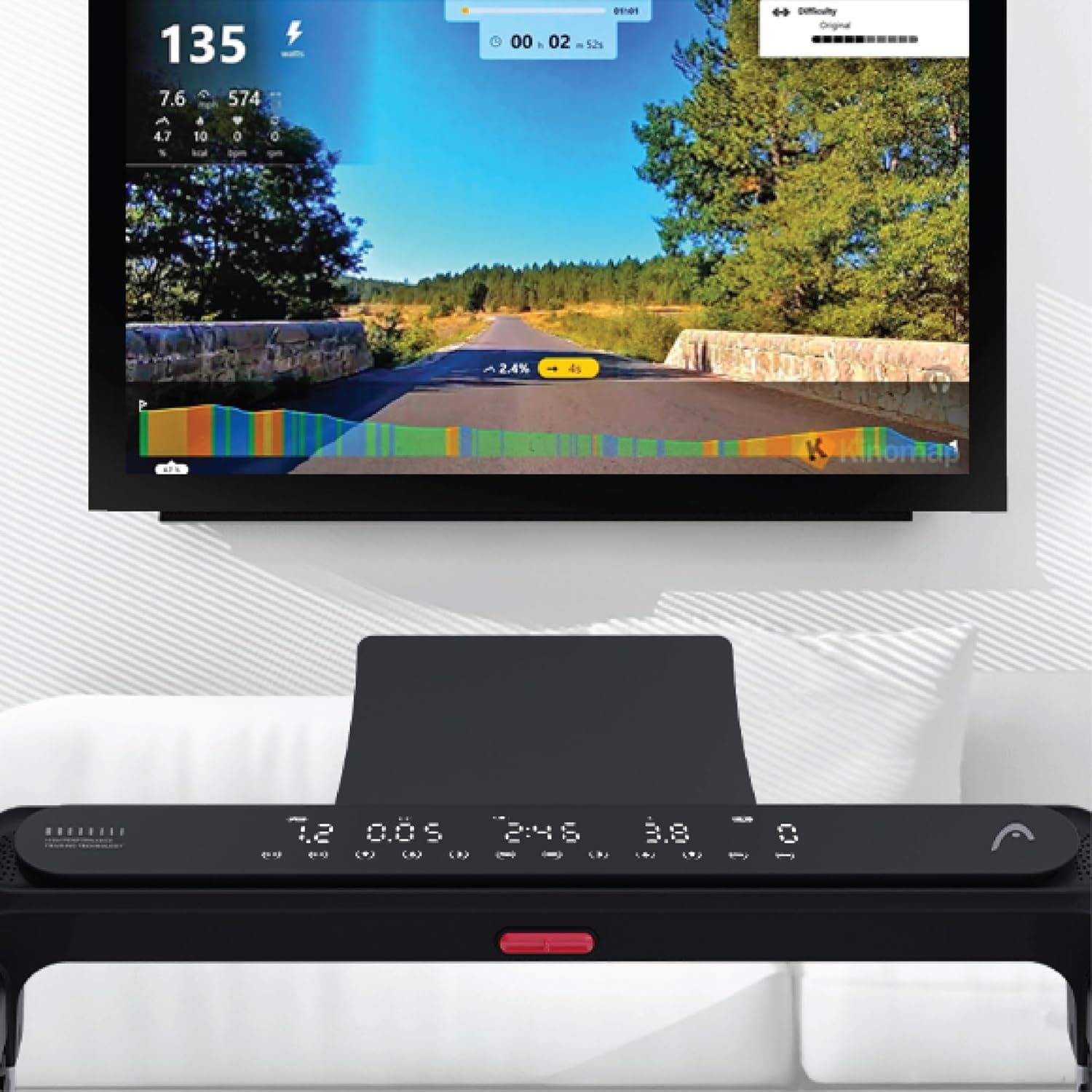
Figure 5: Treadmill display showing connection to Kinomap for interactive training.
2.5 Integrated Speakers
The treadmill features integrated speakers for an immersive audio experience. Connect your audio device via Bluetooth or auxiliary cable (if applicable) to enjoy music during your workout.

Figure 6: Detail of the console area, highlighting the integrated speaker.
3. Maintenance
Regular maintenance ensures the longevity and optimal performance of your treadmill.
3.1 Cleaning
- Always unplug the treadmill before cleaning.
- Wipe down the console and exterior surfaces with a soft, damp cloth. Avoid abrasive cleaners or solvents.
- Periodically vacuum under the treadmill to prevent dust and debris buildup.
3.2 Belt Lubrication
The running belt requires periodic lubrication to reduce friction and extend its lifespan. Refer to your product's specific lubrication instructions and recommended lubricant type. Typically, lubrication is needed every few months depending on usage.
3.3 Belt Tension and Alignment
Check the running belt tension and alignment regularly. A belt that is too loose may slip, while one that is too tight can cause excessive wear on the motor and belt. Adjust the tension bolts at the rear of the treadmill as needed, ensuring the belt remains centered.
4. Troubleshooting
This section addresses common issues you might encounter with your treadmill.
4.1 Treadmill Not Starting
- Check Power: Ensure the power cord is securely plugged into a working outlet and the treadmill's power switch is on.
- Safety Key: Verify that the safety key is correctly placed on the console. The treadmill will not operate without it.
- Circuit Breaker: Check your home's circuit breaker to ensure it hasn't tripped.
4.2 Belt Slipping or Hesitating
- Belt Tension: The running belt may be too loose. Adjust the tension bolts at the rear of the treadmill.
- Lubrication: Insufficient lubrication can cause friction. Apply lubricant as per maintenance instructions.
4.3 Unusual Noises
- Loose Parts: Check for any loose screws or bolts on the frame or console and tighten them.
- Belt Friction: If the noise is a squeaking or rubbing sound, the belt may need lubrication.
- Motor/Deck: If the noise persists or is a grinding sound, discontinue use and contact customer support.
4.4 Display Not Working
- Power Connection: Ensure the treadmill is powered on.
- Cable Connections: Check the cable connections between the console and the main frame.
For issues not covered here, please refer to the comprehensive troubleshooting guide in your product's original manual or contact HEAD customer support.
5. Specifications
| Feature | Detail |
|---|---|
| Brand | HEAD |
| Model Number | 8427542134925 |
| Color | Black |
| Dimensions (L x W x H) | 150 cm x 77 cm x 118 cm |
| Product Weight | 46 Kilograms |
| Maximum Speed | 16 Kilometers per hour |
| Display Type | LED |
| Power Source | Electric Cable |
| Assembly Required | Yes |
| Included Components | Front wheels, Surround sound speakers, User manual, Warranty |
| Measurement Types | Distance, Speed |
6. Warranty and Support
Your HEAD HTJ4500 Treadmill comes with a manufacturer's warranty. Please refer to the warranty card included in your product packaging for specific terms, conditions, and duration of coverage.
6.1 Customer Support
For technical assistance, warranty claims, or spare parts, please contact HEAD customer support. Contact information can typically be found on the warranty card or the official HEAD website. When contacting support, please have your product model number (8427542134925) and proof of purchase readily available.
For more information about HEAD products, visit the official HEAD store on Amazon: HEAD Store


