
1. Introduction
This manual provides instructions for the Genérico compatible remote control designed for E-Cold split-type air conditioning units. This remote offers the same core functionalities as your original E-Cold remote, providing a convenient replacement or spare.
Important Note: This remote control is not manufactured by E-Cold and is not an E-Cold brand product. It is a compatible accessory.
2. Package Contents
Please verify that all items are present in your package:
- 1 x Genérico Compatible Remote Control for E-Cold
- 2 x AAA Batteries
- 1 x Adhesive Wall Mount Holder
- 1 x User Manual (this document)

Image: The remote control with included AAA batteries.
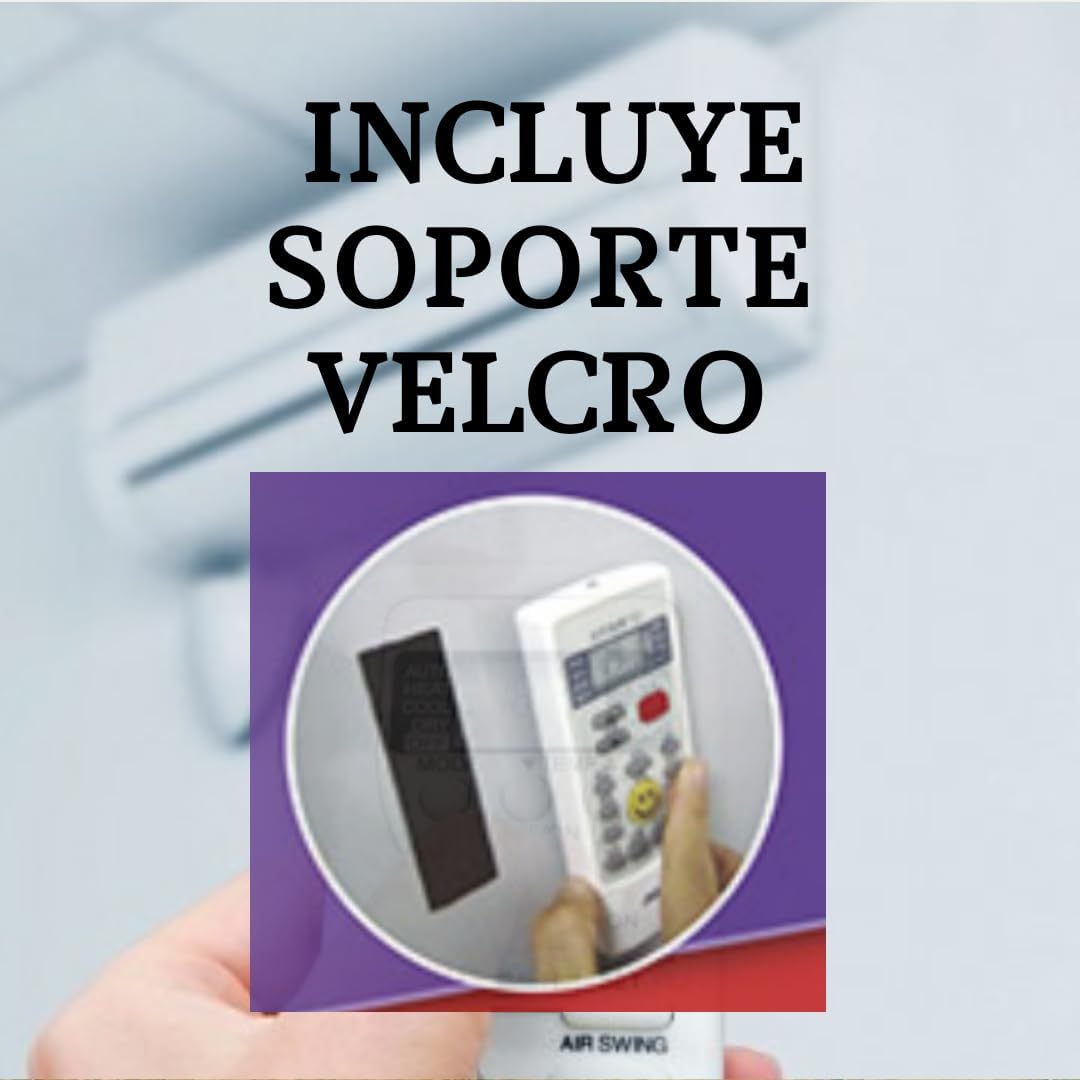
Image: The remote control with its adhesive wall mount holder.
3. Setup
3.1. Battery Installation
- Open the battery compartment cover on the back of the remote control.
- Insert the two AAA batteries, ensuring correct polarity (+ and -).
- Close the battery compartment cover securely.
3.2. Initial Configuration (Pairing)
This remote control requires a one-time configuration process to pair with your E-Cold air conditioning unit. This process uses an automatic search system.
- Ensure your E-Cold air conditioning unit is powered on and in standby mode.
- Point the remote control directly at the indoor unit of your air conditioner.
- Press and hold the 'SET' button (or equivalent configuration button, refer to the remote's specific layout if different) until the air conditioner unit responds (e.g., beeps, turns on, or changes mode). This indicates successful pairing.
- Release the button. The remote is now configured.
If the air conditioner does not respond, repeat the process. For further assistance, please contact support via WhatsApp.
4. Operating Instructions
This remote control provides the following functions, similar to your original E-Cold air conditioner remote:

Image: The remote control displaying various function buttons.
- Power On/Off: Press the 'ON/OFF' button to turn the air conditioner on or off.
- Mode Selection: Use the 'MODE' button to cycle through available modes (e.g., Cool, Heat, Dry, Fan, Auto). The current mode will be displayed on the remote's LED screen.
- Temperature Adjustment: Use the 'TEMP ▲' and 'TEMP ▼' buttons to increase or decrease the desired temperature.
- Fan Speed Regulation: Press the 'FAN SPEED' button to adjust the fan speed (e.g., Low, Medium, High, Auto).
- Air Direction Regulation (Swing): Use the 'AIR SWING' button to activate or deactivate the automatic louver swing, or to adjust the louver position.
- Timer Programming: The remote supports timed on/off programming. Refer to the specific buttons (e.g., 'TIMER ON', 'TIMER OFF') and follow the on-screen prompts to set desired operation times.
- LED Screen: The remote features an LED screen that displays the current settings, including temperature, mode, and fan speed.
5. Compatibility Notes
This remote control is specifically designed for:
- E-Cold Split Type Air Conditioners: This includes wall-mounted indoor units that provide both cooling and heating functions.
This remote control is NOT VALID for:
- Portable E-Cold Air Conditioners
- Ducted Central E-Cold Air Conditioning Systems
Please ensure your E-Cold unit is a split-type, wall-mounted model for proper functionality.
6. Maintenance
To ensure the longevity and proper functioning of your remote control:
- Cleaning: Wipe the remote with a soft, dry cloth. Do not use liquid cleaners or abrasive materials.
- Battery Replacement: Replace batteries when the remote's response becomes sluggish or the display dims. Always replace both batteries simultaneously with new AAA batteries.
- Storage: If the remote will not be used for an extended period, remove the batteries to prevent leakage. Store in a cool, dry place.
- Avoid Exposure: Do not expose the remote to direct sunlight, extreme temperatures, high humidity, or water.
7. Troubleshooting
If you encounter issues with your remote control, please refer to the following:
- Remote not responding:
- Check if the batteries are correctly inserted and have sufficient charge. Replace if necessary.
- Ensure there are no obstructions between the remote and the air conditioner's indoor unit.
- Verify that the remote is pointed directly at the air conditioner.
- Re-attempt the initial configuration (pairing) process as described in Section 3.2.
- Air conditioner not responding to specific functions:
- Ensure the air conditioner unit itself is functioning correctly.
- Confirm that the remote is properly configured for your E-Cold unit.
- Some advanced functions might require specific air conditioner model support.
- Remote is not compatible with my E-Cold unit:
- Double-check the compatibility notes in Section 5. This remote is only for E-Cold split-type, wall-mounted air conditioners. It is not compatible with portable or ducted central units.
- Ensure the configuration process (Section 3.2) was performed correctly.
- If you have confirmed your unit is a compatible split-type and configuration fails, please contact customer support for assistance.
8. Specifications
| Feature | Detail |
|---|---|
| Model Number | cE-COLD |
| Dimensions (L x W x H) | 10 x 5 x 2 cm |
| Color | Cream White |
| Connectivity Technology | Infrared |
| Controller Type | Button Control |
| Compatible Devices | E-Cold Split Air Conditioners |
| Power Source | 2 x AAA Batteries (included) |
| Special Feature | Ergonomic Design |
| Country of Origin | China |
9. Warranty and Support
9.1. Product Warranty
This product comes with a 3-year warranty. Please retain your proof of purchase for any warranty claims. The warranty covers manufacturing defects under normal use conditions.
9.2. Customer Support
For any questions, technical assistance, or troubleshooting not covered in this manual, please contact our customer support team. We offer support via WhatsApp, including video assistance for configuration.

Image: WhatsApp contact information for customer support.
WhatsApp Support: 622 822 020