
SMALLRIG Powerbank Clamp Edition
SmallRig RC 60C RGB LED Video Light User Manual
Model: Powerbank Clamp Edition
1. Introduction
The SmallRig RC 60C RGB LED Video Light is a compact, portable lighting solution designed for content creators, photographers, and videographers. It features a palm-sized design, outstanding color performance with a wide color temperature range (2500K-10000K), and multiple power supply options including a built-in battery. Control is available via on-body controls or the SmallGoGo App, offering professional dimming functions and 12 built-in light effects.
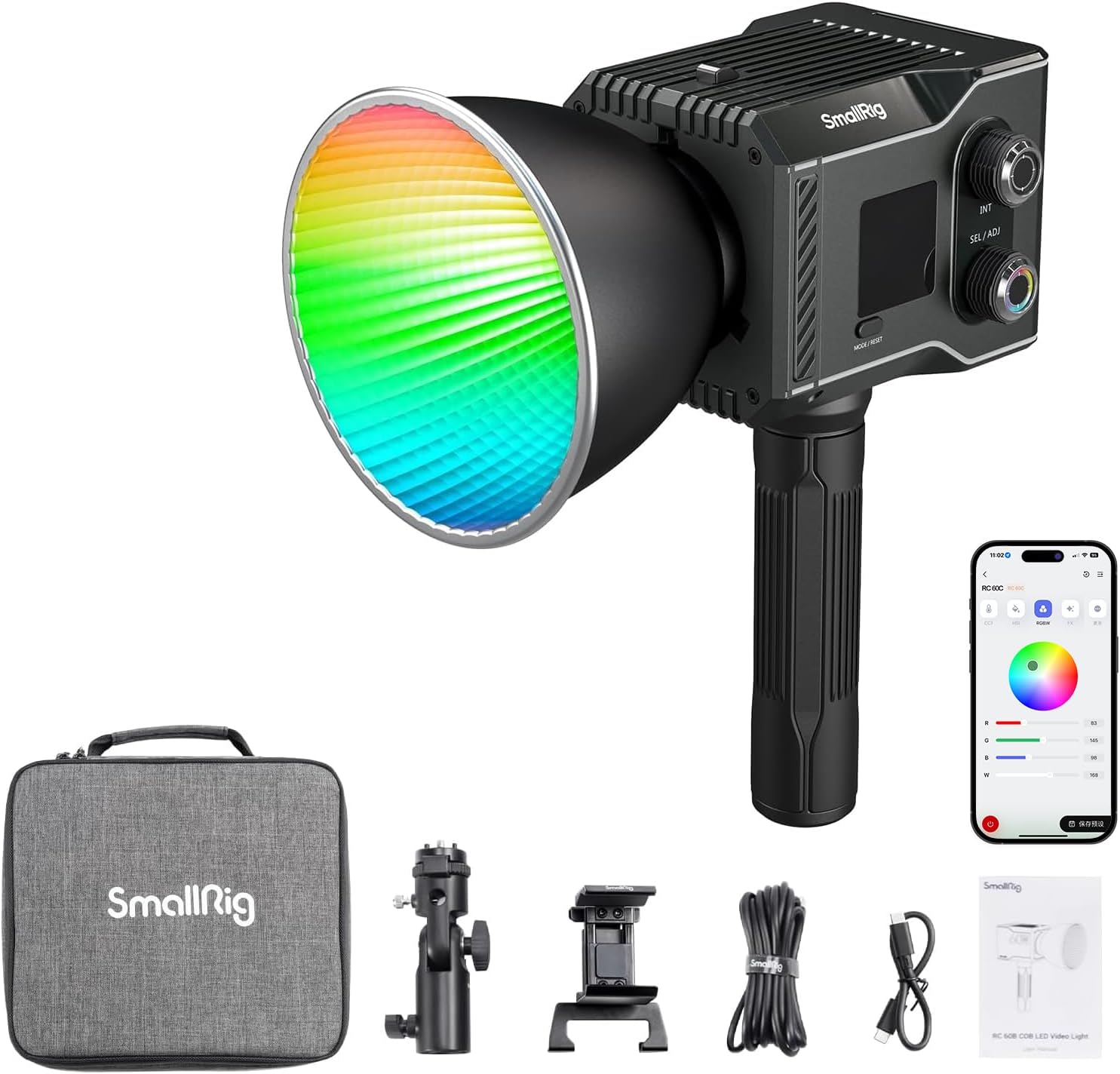
Figure 1: SmallRig RC 60C RGB LED Video Light and its accessories.
2. Safety Information
- Do not expose the device to water or excessive humidity.
- Avoid direct eye exposure to the light source.
- Use only specified charging cables and power sources.
- Do not disassemble or attempt to repair the device.
- Keep out of reach of children.
- Ensure proper ventilation during operation to prevent overheating.
3. Package Contents
Verify that all items are present in the package:
- 1x RC 60C LED Video Light
- 1x Mini Reflector
- 1x Mount Support
- 1x Handle
- 1x 3m C to C PD Charging Cable
- 1x 0.2m C to C PD Charging Cable
- 1x PowerBank Clamp
- 1x Storage Bag
- 1x User Manual

Figure 2: All components included in the SmallRig RC 60C package.
4. Setup
4.1 Initial Charging
The RC 60C features a built-in 49Wh battery providing approximately 45 minutes of runtime at full power. For optimal performance, fully charge the device before first use. It supports PD fast charging with a ≥65W charger, achieving a full charge in approximately 2 hours.
Connect the provided USB-C to USB-C PD charging cable to the "INPUT" port on the back of the light and to a compatible PD charger.

Figure 3: The RC 60C's internal battery and USB-C input port for charging.
4.2 Attaching Accessories
The RC 60C is designed for versatility with various mounting options and accessories.
- Mini Reflector: Align the mini reflector with the front of the light and twist to secure it.
- Handle: The included handle features a 1/4"-20 thread and mounts to the bottom of the light, allowing for handheld operation.
- Mount Support: Use the mount support to attach the light to a light stand.
- PowerBank Clamp: The PowerBank Clamp allows you to attach an external power bank to the light for extended runtime. Connect the power bank to the light's USB-C input using the provided cable.
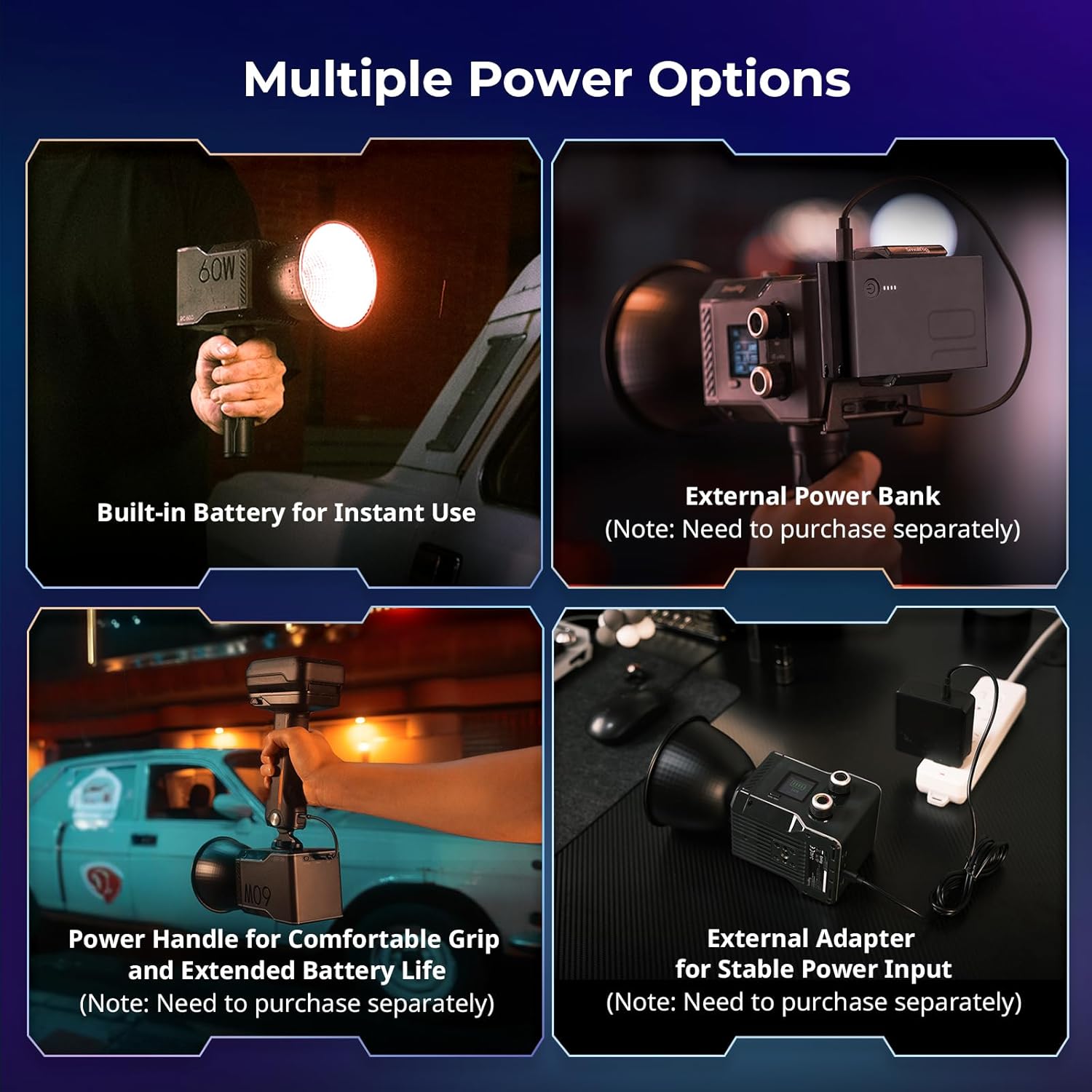
Figure 4: Different power options for the SmallRig RC 60C, including external power bank and handle.
Note: This product is not compatible with Bowens mount accessories directly. A special adapter ring (ID: 4476) can be purchased separately for compatibility with Bowens mount accessories.
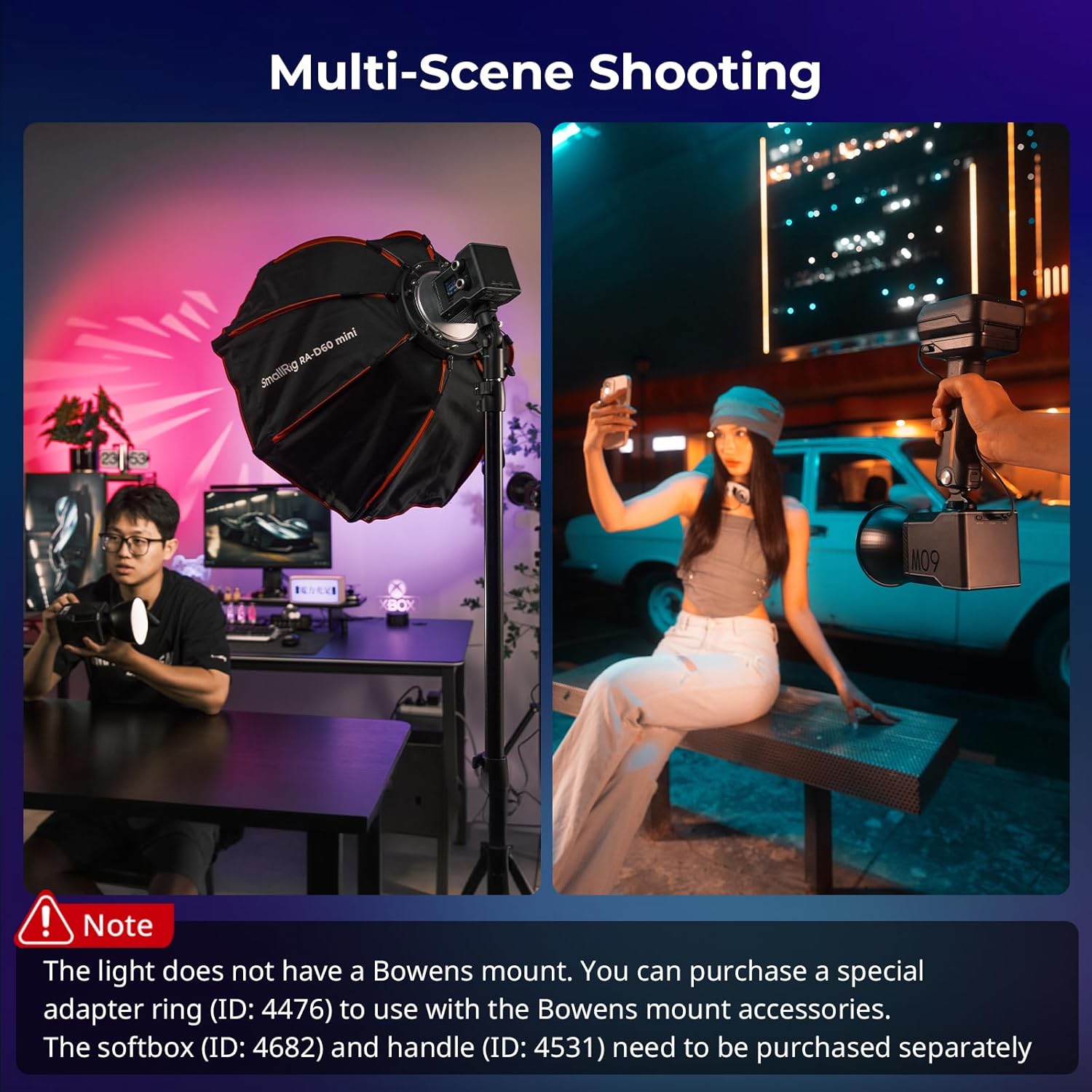
Figure 5: The RC 60C used in different shooting scenarios, demonstrating its versatility.
5. Operating Instructions
5.1 Power On/Off
To power on the device, slide the "OFF/ON" switch on the back to the "ON" position. Then, rotate the "INT" (Intensity) dial one turn to activate the light. To power off, slide the "OFF/ON" switch to the "OFF" position.
5.2 On-Body Control
The RC 60C features a 1.3-inch color screen and intuitive controls for direct adjustments.
- INT Dial: Rotate to adjust light intensity (brightness). Press to confirm selections or switch between modes.
- SEL/ADJ Dial: Rotate to adjust parameters such as color temperature, hue, saturation, or G/M values depending on the selected mode. Press to select parameters for adjustment.
- MODE/RESET Button: Press to cycle through different lighting modes (CCT, HSI, FX, GEL, RGBCW). Long press to reset settings.

Figure 6: Manual controls on the light and remote control via the SmallGoGo App.
5.3 Lighting Modes and Effects
The RC 60C offers various modes for precise lighting control:
- CCT Mode: Adjust color temperature from 2500K (warm) to 10000K (cool) and G/M (Green/Magenta) tint.
- HSI Mode: Control Hue, Saturation, and Intensity for a full spectrum of colors.
- RGBCW Mode: Provides granular control over Red, Green, Blue, Cool White, and Warm White channels.
- GEL Mode: Simulate popular colored filters (ROSCO, LEE) for creative lighting.
- FX Mode (Light Effects): Choose from 12 built-in lighting effects to simulate various scenarios, including Flash, Paparazzi, Lightning, Party, Faulty Bulb, TV, Flame, Fireworks, Breath, CCT Cycle, Color Cycle, and Police.
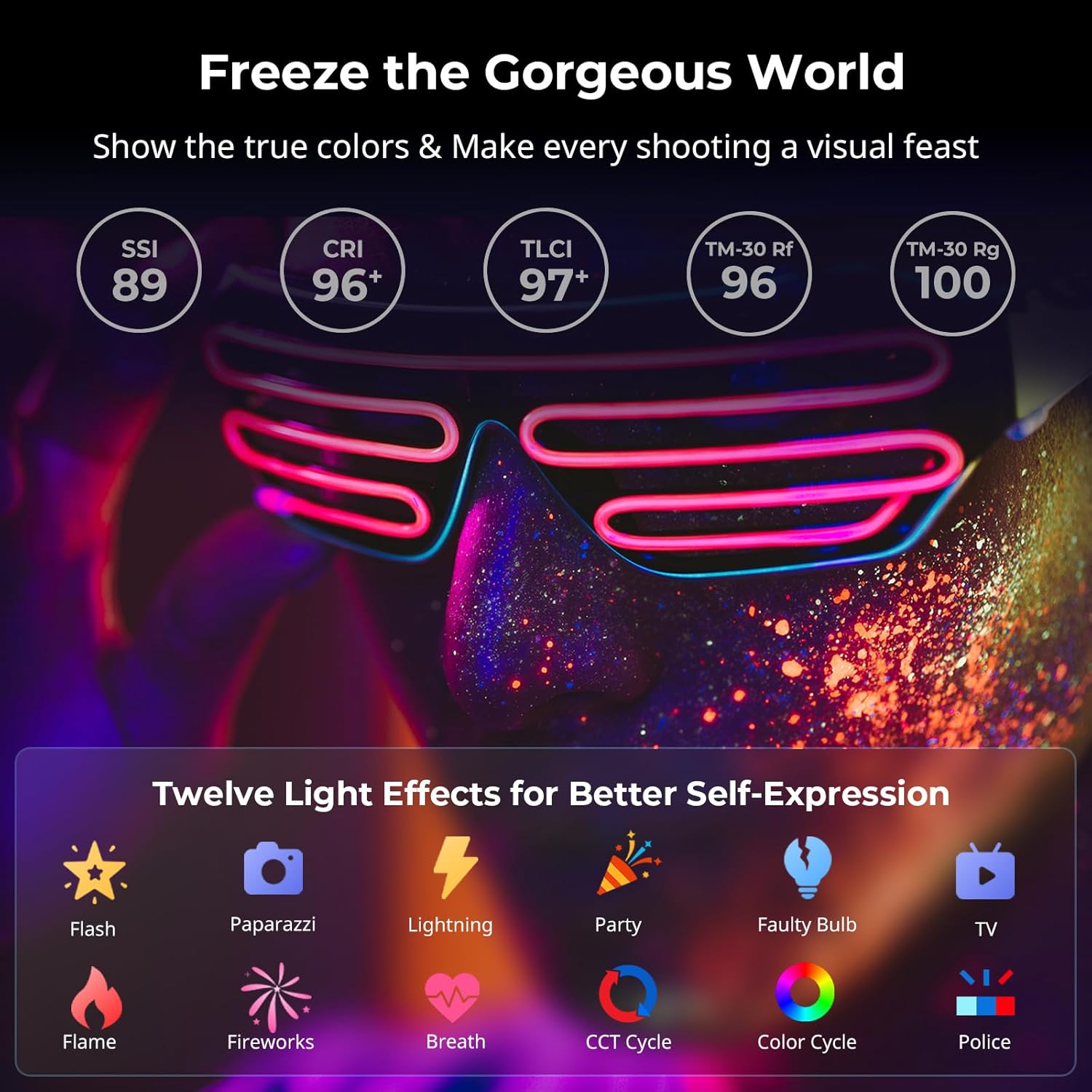
Figure 7: Overview of color performance and available light effects.
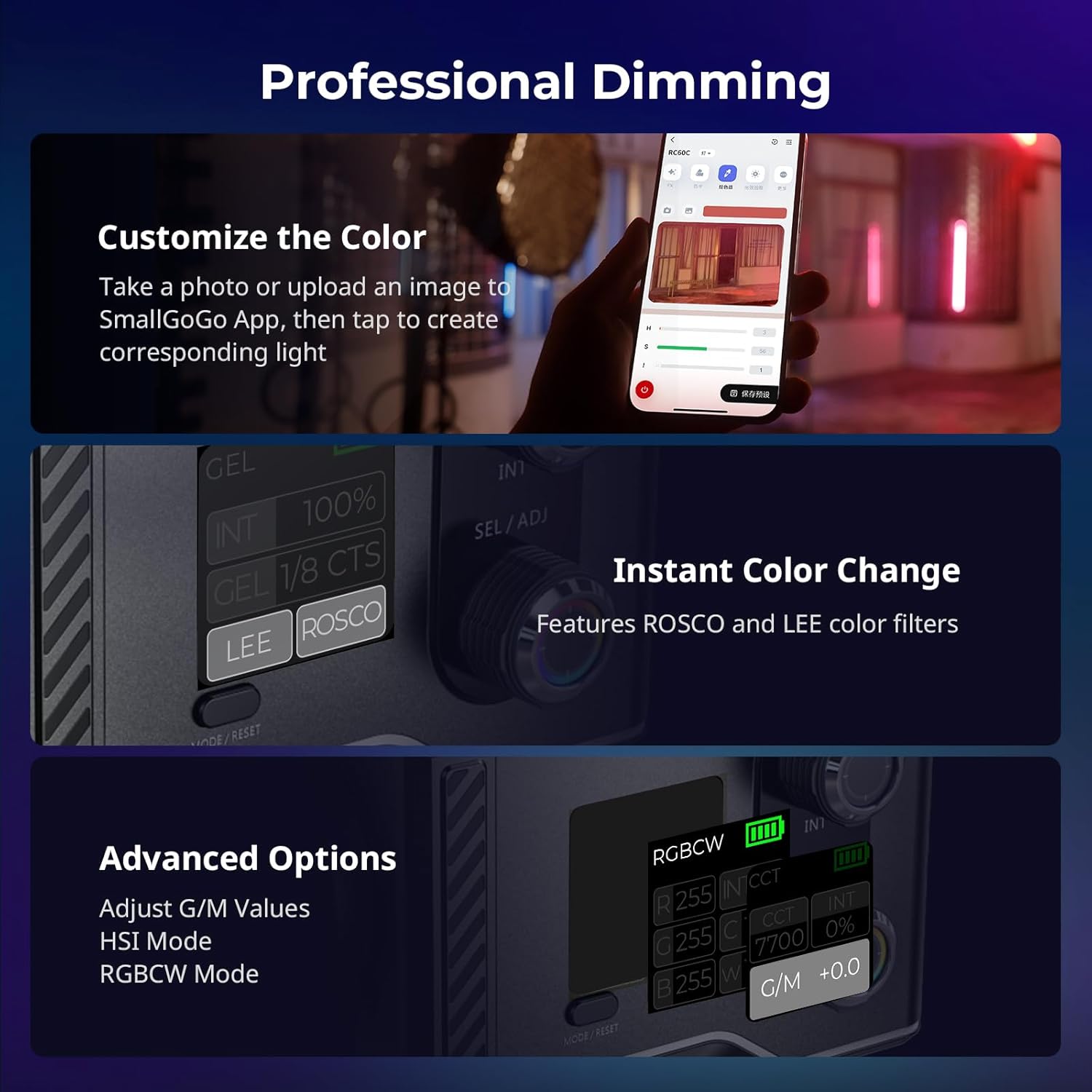
Figure 8: Detailed view of professional dimming features and color control options.
5.4 SmallGoGo App Control
Download the SmallGoGo App from your device's app store to control the RC 60C remotely via Bluetooth. The app allows for easy adjustment of all parameters, including intensity, color temperature, HSI, RGBCW, and light effects. It also features a color picking function, allowing you to match colors from a photo or uploaded image.
Video 1: Official SmallRig RC 60C overview, demonstrating setup, features, and app control.
This video demonstrates the unboxing, assembly of the light with its accessories, and the remote control capabilities using the SmallGoGo App. It highlights the ease of use and versatility of the light in various shooting environments.
6. Maintenance
- Cleaning: Use a soft, dry cloth to clean the light. Do not use harsh chemicals or abrasive materials.
- Storage: Store the light in its provided storage bag in a cool, dry place away from direct sunlight and extreme temperatures.
- Heat Dissipation: The RC 60C features an intelligent active cooling system. Ensure the fan vents are not obstructed during operation to maintain optimal performance and prevent overheating.

Figure 9: The innovative silent heat dissipation system of the RC 60C.
7. Troubleshooting
| Problem | Possible Cause | Solution |
|---|---|---|
| Light does not turn on. | Battery is depleted; Power switch is off; Intensity dial not rotated. | Charge the battery; Ensure power switch is ON; Rotate the INT dial to power on. |
| Slow charging. | Charger is not PD compatible or not ≥65W. | Use a PD fast charger with ≥65W output. |
| Fan noise is noticeable. | Operating in normal mode; Vents are obstructed. | Switch to ECO mode for reduced fan noise (noise within 1 meter is ≤23dB in ECO mode); Ensure vents are clear. |
| App control not working. | Bluetooth is off; App not connected; Firmware outdated. | Ensure Bluetooth is enabled on your device; Reconnect in the SmallGoGo App; Check for firmware updates. |
8. Specifications
| Feature | Detail |
|---|---|
| Model | RC 60C (Powerbank Clamp Edition) |
| Dimensions | 120 x 95 x 80mm (4.72 x 3.74 x 3.15 inches) |
| Weight | 700g (1.54 pounds) |
| Color Temperature Range | 2500K - 10000K |
| Battery Type | Built-in 49Wh Lithium Ion |
| Runtime (Full Power) | Approx. 45 minutes |
| Charging Time (PD ≥65W) | Approx. 2 hours |
| Control Methods | On-body controls, SmallGoGo App (Bluetooth) |
| Light Effects | 12 built-in effects |
| Manufacturer | SMALLRIG |
| First Available | September 27, 2024 |
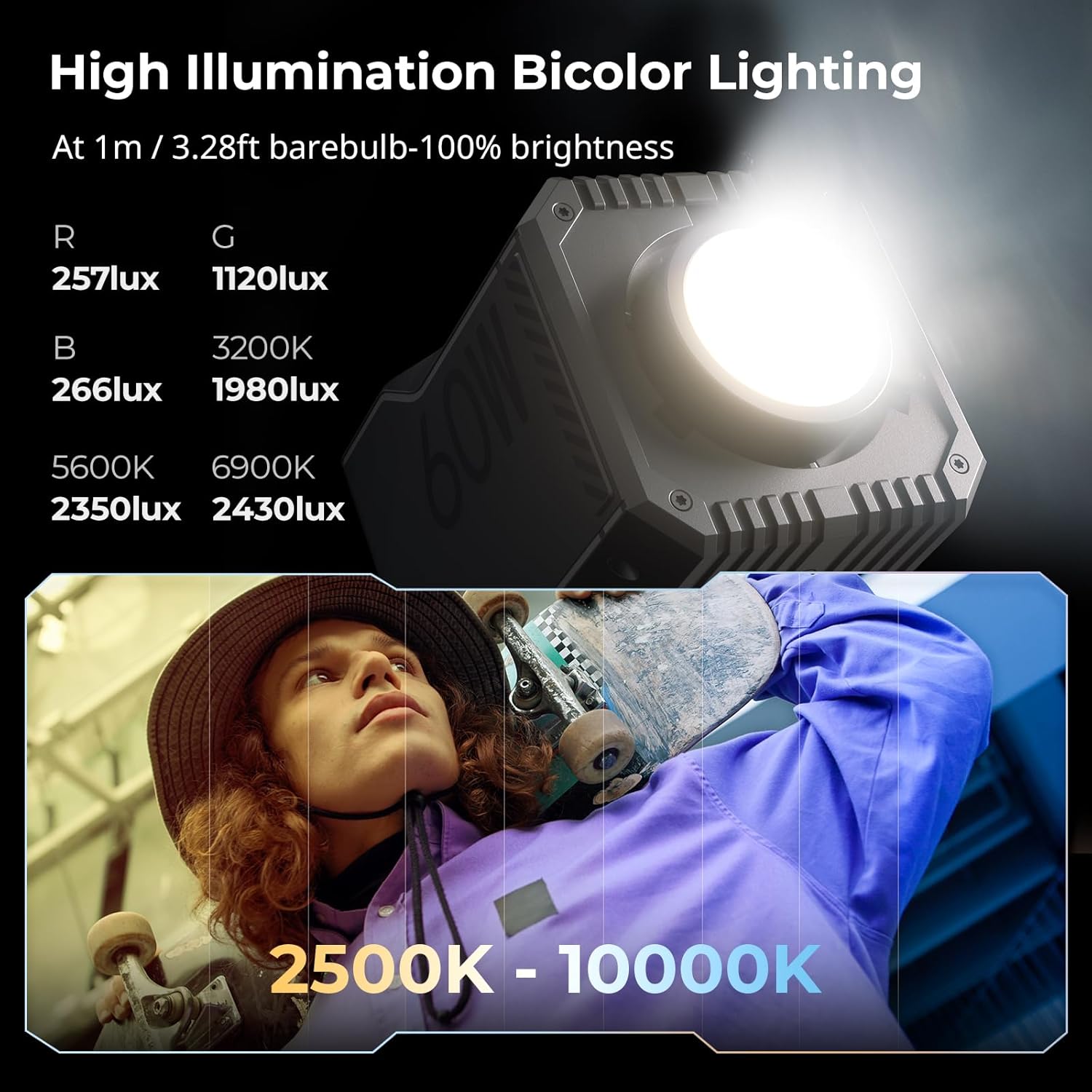
Figure 10: High illumination and color temperature range of the RC 60C.
9. Warranty and Support
For warranty information and technical support, please refer to the official SmallRig website or contact their customer service. Keep your purchase receipt as proof of purchase for warranty claims.
You can visit the official SmallRig store for more information and support: SmallRig Official Store
Related documentsPowerbank Clamp Edition

Ask a question about this manual
Ask about setup, troubleshooting, compatibility, parts, safety, or missing instructions. Manuals+ will review the question and use this page’s manual context to help answer it.