
1. Introduction
Thank you for choosing the HEAD Bone Wireless Bone Conduction Sports Headphones. These headphones are designed to provide a comfortable and immersive audio experience during various sports activities, including running and swimming. Featuring bone conduction technology, IPX8 water resistance, 32GB of internal memory, and up to 11 hours of battery life, they are built to accompany you in any environment.
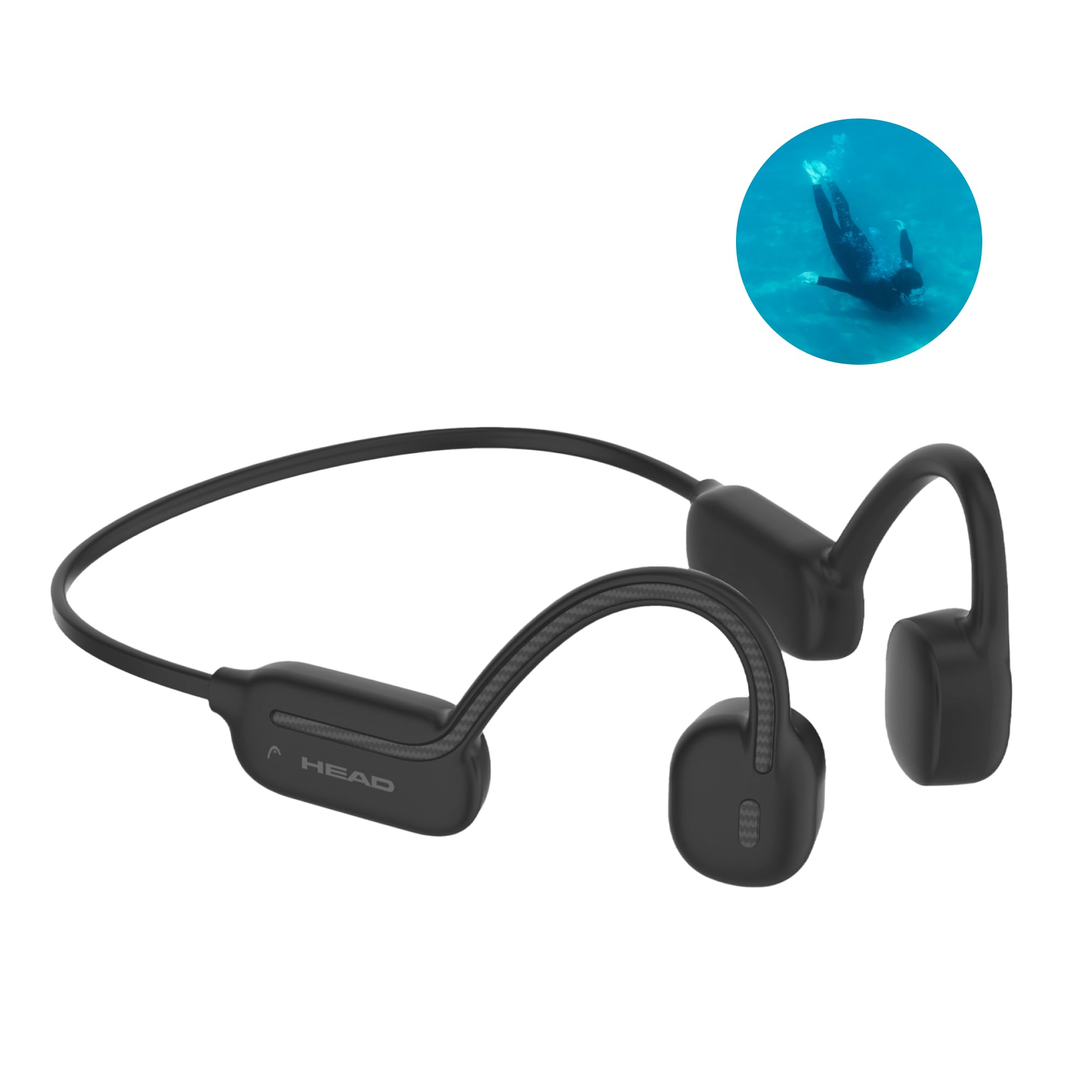
A full view of the black HEAD Bone wireless bone conduction sports headphones. A small circular inset in the top right corner shows a person swimming underwater, emphasizing the product's waterproof feature.
2. Product Overview
Key Features:
- Bone Conduction Technology: Delivers sound through vibrations to your inner ear, allowing you to remain aware of your surroundings.
- IPX8 Water Resistance: Fully waterproof, suitable for swimming and use in rainy conditions.
- 32GB Internal Memory: Store your favorite music directly on the headphones for use without a connected device.
- Up to 11 Hours Battery Life: Enjoy extended listening sessions on a single charge.
- Intuitive Touch Controls: Easily manage music, calls, and voice assistant functions.
- Bluetooth 5.3 Connectivity: Provides a stable and efficient wireless connection.
Components:

An annotated diagram of the HEAD Bone headphones, clearly labeling key components such as the bone conduction transducers, the multi-functional control button, the charging port (which also serves for memory access), and the LED indicators.
- Bone Conduction Transducers: Located near the ears for sound transmission.
- Control Button: Multi-functional button for various operations.
- Charging Port / Memory Access: Used for charging and transferring files to internal memory.
- LED Indicators: Display status such as power, charging, and pairing.
3. Setup
3.1 Charging the Headphones
Before first use, fully charge your HEAD Bone headphones. A full charge takes approximately 2 hours and provides up to 11 hours of playback time.
- Connect the provided USB-A to 4-pin cable to the charging port on the headphones.
- Connect the USB-A end of the cable to a standard USB power adapter (not included) or a computer's USB port.
- The LED indicator will show the charging status. It will typically turn solid when fully charged.

This image displays the HEAD Bone headphones alongside text indicating their impressive 11-hour battery life and a quick 2-hour charging time, emphasizing their endurance for extended use.
3.2 Bluetooth Pairing
To connect your headphones to a mobile device via Bluetooth:
- Ensure the headphones are powered off.
- Press and hold the multi-functional button until the LED indicator flashes red and blue, indicating pairing mode.
- On your device, enable Bluetooth and search for available devices.
- Select "HEAD Bone" from the list of devices.
- Once connected, the LED indicator will typically show a steady blue light or flash slowly.
3.3 Using Internal Memory (32GB)
The HEAD Bone headphones feature 32GB of internal storage, allowing you to listen to music without a connected device, especially useful for swimming or when you prefer not to carry your phone.
- Connect the headphones to your computer using the provided USB-A to 4-pin cable.
- The headphones will appear as a removable drive on your computer.
- Drag and drop your desired audio files (e.g., MP3) into the headphone's storage folder.
- Safely eject the headphones from your computer before disconnecting the cable.

This composite image shows the HEAD Bone headphones being used by a runner on land and a surfer in the water, demonstrating their adaptability for both wireless Bluetooth connection and standalone use with 32GB internal memory.
4. Operating Instructions
4.1 Basic Controls (Multi-functional Button)
- Power On/Off: Press and hold for 3 seconds.
- Play/Pause: Single press.
- Next Track: Double press.
- Previous Track: Triple press.
- Volume Up: Press and hold the volume up button.
- Volume Down: Press and hold the volume down button.
4.2 Call Management
- Answer/End Call: Single press the multi-functional button.
- Reject Call: Press and hold the multi-functional button for 2 seconds.
4.3 Voice Assistant Activation
- Activate Voice Assistant: Press the multi-functional button four times quickly.
4.4 Switching Between Bluetooth and Internal Memory Modes
The headphones can operate in two modes: Bluetooth mode (connected to a device) or MP3 mode (playing from internal memory). Refer to the product's specific instructions for the button sequence to switch between these modes, typically a long press of a dedicated mode button or a combination of existing buttons.
5. Maintenance
5.1 Cleaning
- Wipe the headphones with a soft, damp cloth after each use, especially after exposure to sweat or water.
- Do not use abrasive cleaners or solvents.
- Ensure the charging port is dry before charging.
5.2 Storage
- Store the headphones in a cool, dry place away from direct sunlight and extreme temperatures.
- Use the provided protective case for transport and storage to prevent damage.
5.3 Water Resistance (IPX8)
The HEAD Bone headphones are rated IPX8, meaning they are protected against continuous immersion in water. They are suitable for swimming. For an optimal audio experience underwater, it is recommended to use earplugs to minimize water interference with sound transmission.

The HEAD Bone headphones are shown partially submerged in water, with splashes, to visually confirm their waterproof capabilities and suitability for aquatic environments.
6. Troubleshooting
| Problem | Possible Cause | Solution |
|---|---|---|
| Headphones do not power on. | Low battery. | Charge the headphones fully (approx. 2 hours). |
| No sound or poor sound quality. | Volume too low; not properly positioned; bone conduction sound characteristics. | Increase volume. Ensure transducers are firmly placed on your cheekbones. Bone conduction sound differs from traditional in-ear headphones; it may sound less bass-heavy or 'open'. |
| Cannot pair via Bluetooth. | Headphones not in pairing mode; device Bluetooth off; too far from device. | Ensure headphones are in pairing mode (flashing red/blue LED). Turn on device Bluetooth. Keep headphones within 10 meters of the device. |
| Music cuts out during swimming. | Bluetooth signal does not transmit well through water. | Use the internal 32GB memory for music playback when swimming. Bluetooth connectivity is not reliable underwater. |
| Headphones feel loose or uncomfortable. | Improper fit. | Adjust the headband to ensure the bone conduction transducers rest securely on your cheekbones, just in front of your ears. |
7. Specifications
| Feature | Detail |
|---|---|
| Brand | HEAD |
| Model Name | Bone |
| Model Number | B0DJ334JLR |
| Connectivity Technology | Wireless (Bluetooth 5.3) |
| Audio Driver Type | Bone Conduction Driver |
| Water Resistance Level | IPX8 (Waterproof) |
| Internal Memory | 32GB |
| Average Battery Life | 11 Hours |
| Battery Charging Time | 2 Hours |
| Frequency Range | 20 Hz - 20,000 Hz |
| Impedance | 8 Ohms |
| Control Method | Touch, Volume Control, Voice Control |
| External Material | Plastic and Silicone/Fabric |
| Compatible Devices | Cell phone, Tablet, Computer, Smart speaker, Music production equipment, Television, Car audio system |
| Box Contents | USB-A to 4-pin cable |
| Country of Origin | China |
8. Warranty and Support
Your HEAD Bone Wireless Bone Conduction Sports Headphones are covered by a manufacturer's warranty. Please refer to the warranty card included in your product packaging for specific terms and conditions, including the warranty period and coverage details.
For technical support, troubleshooting assistance, or warranty claims, please contact the retailer where you purchased the product or visit the official HEAD brand website for customer service information.
You can also visit the HEAD Brand Store on Amazon for more information and product updates.


