Introduction
This manual provides instructions for the assembly, operation, and maintenance of your Vaydeer USB 3.0 Monitor Stand. This product is designed to elevate your monitor to an ergonomic height, provide additional desk storage, and expand your device connectivity with an integrated USB 3.0 hub.
Safety Information
- Ensure the monitor stand is placed on a stable, flat surface.
- Do not exceed the maximum load capacity of 25 kg (55.1 lbs).
- Keep liquids away from the USB hub to prevent electrical hazards.
- Do not attempt to disassemble or modify the product.
- Keep out of reach of children.
Package Contents
Please verify that all items are present in your package:
- Vaydeer USB 3.0 Monitor Stand (Main Unit)
- Power Adapter (12V 2A DC)
- USB-A to USB-A Cable (for hub connection)
- Detachable Legs (if applicable for 2-layer configuration)

Image: The Vaydeer USB 3.0 Monitor Stand, showing its overall structure and integrated USB hub.
Setup Instructions
1. Assembling the Monitor Stand
The Vaydeer Monitor Stand may come with detachable legs for adjustable height or a two-layer configuration. If your model includes these, follow these steps:
- Carefully unpack all components from the box.
- If using the 2-layer configuration, attach the additional legs to the designated slots on the main unit. Ensure they are securely fastened.
- Place the assembled monitor stand on your desk in the desired location.

Image: Diagram illustrating the 1-layer and optional 2-layer configurations for the monitor stand, highlighting storage space.
2. Connecting the USB Hub
- Connect the provided power adapter to the DC IN port on the monitor stand and then plug it into a wall outlet.
- Connect one end of the provided USB-A to USB-A cable to the upstream USB port on the monitor stand.
- Connect the other end of the USB-A to USB-A cable to an available USB-A port on your computer or laptop.
- The USB hub is now ready for use.

Image: A close-up view of the monitor stand's integrated USB hub, showing various ports (USB-C, USB-A) and connected devices for charging and data transfer.
Operating Instructions
1. Using the USB Ports
The integrated USB hub provides multiple ports for charging and data transfer:
- USB-C 20W Port: For fast charging compatible devices like iPhones.
- USB-A 22.5W Port: For fast charging compatible Android devices (e.g., Samsung, Huawei).
- USB 3.0 Data Ports (x3): For connecting peripherals such as mice, keyboards, USB flash drives, and external hard drives for data transfer.
Simply plug your devices into the appropriate ports. The hub supports simultaneous charging and data transfer.
2. Utilizing the Device Holder Slot
The monitor stand features an innovative groove design on the front, allowing you to place smartphones, tablets, or other small devices for easy access and viewing.

Image: A smartphone securely placed in the integrated device holder slot on the front of the monitor stand.
3. Ergonomic Positioning and Desk Organization
Place your monitor on the stand to elevate it to a comfortable viewing height, which can help reduce neck and eye strain. The space underneath the stand can be used to store your keyboard, mouse, or other desk accessories, promoting a tidy workspace.
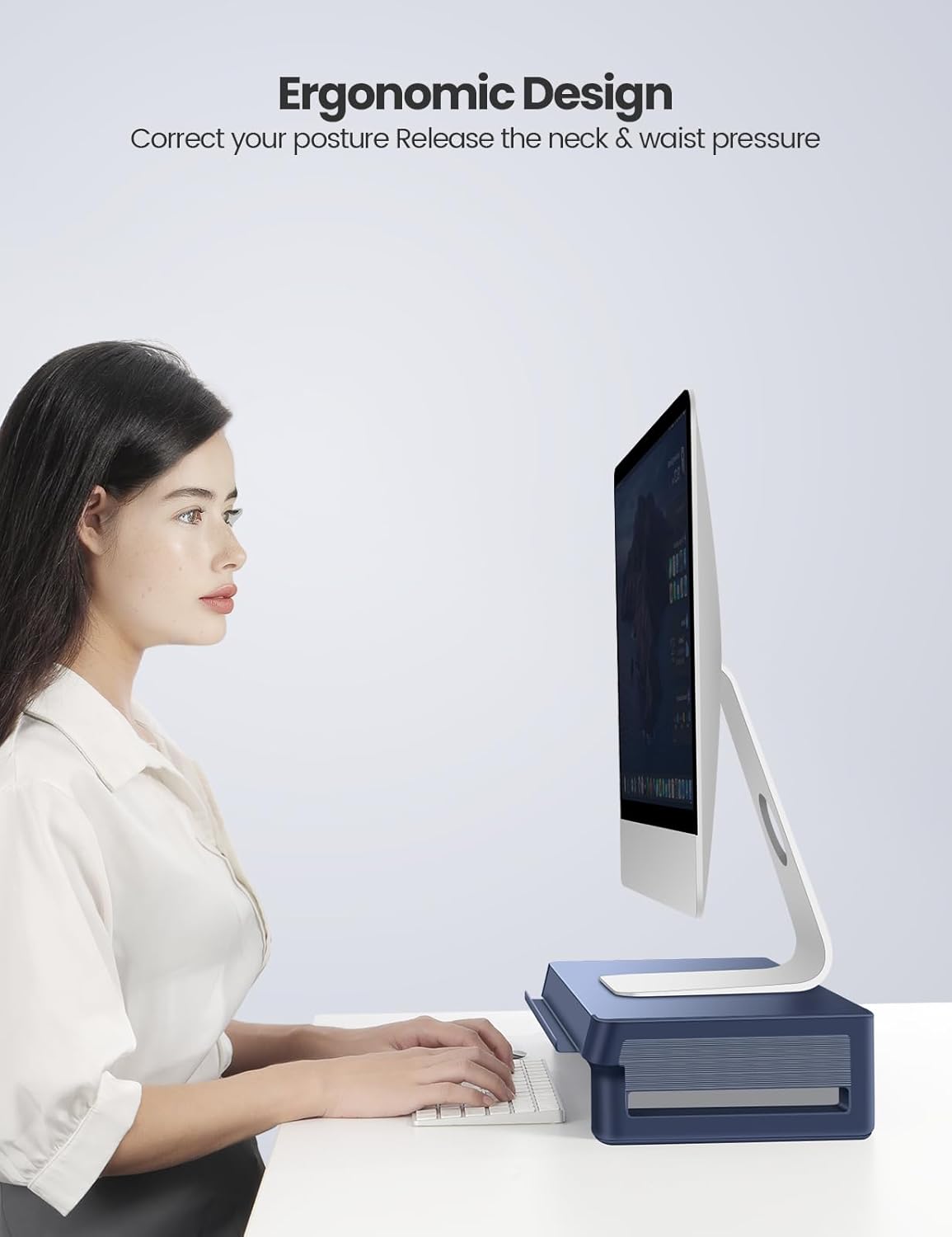
Image: A user demonstrating correct ergonomic posture with a monitor elevated by the Vaydeer stand.

Image: A tidy desk setup with a keyboard and mouse stored neatly underneath the Vaydeer monitor stand.
Maintenance
- To clean the monitor stand, wipe it with a soft, dry cloth.
- Avoid using abrasive cleaners or solvents, as these may damage the finish.
- Ensure the power adapter is unplugged before cleaning the USB hub area.
Troubleshooting
| Problem | Possible Cause | Solution |
|---|---|---|
| USB ports are not functioning. |
|
|
| Devices are charging slowly. |
|
|
| Monitor stand feels unstable. |
|
|
Specifications
| Feature | Detail |
|---|---|
| Brand | Vaydeer |
| Model | USB 3.0 Monitor Stand |
| Material | Metal (top surface), Plastic (sides/legs) |
| Color | Blue |
| Load Capacity | Up to 25 kg (55.1 lbs) |
| USB Ports | 1x USB-C (20W), 1x USB-A (22.5W), 3x USB 3.0 Data Ports |
| Data Transfer Rate | Up to 5Gbps (USB 3.0 standard) |
| Power Input | 100-240V AC (via adapter), Output: 12V 2A DC |
| Dimensions (Approx.) | 21.4 inches (Length) x 8 inches (Width) x 3.5 inches (Height) |
| Item Weight | 4.89 pounds |
| Assembly Required | Yes |

Image: The monitor stand demonstrating its robust construction and load capacity of up to 25 kg.
Warranty and Support
Vaydeer products are manufactured with quality and performance in mind. For warranty information or technical support, please refer to the contact details provided with your purchase or visit the official Vaydeer website.
Please retain your proof of purchase for warranty claims.


