
LIORQUE E0397
LIORQUE Wireless Weather Station User Manual
Model: E0397
Brand: LIORQUE
1. Introduction
Thank you for choosing the LIORQUE Wireless Weather Station. This device is designed to provide accurate indoor and outdoor temperature and humidity readings, barometric pressure trends, and a reliable weather forecast. It also features a Radio Controlled Clock (RCC) for automatic time synchronization, an alarm clock, and lunar phase display. This manual will guide you through the setup, operation, and maintenance of your weather station to ensure optimal performance.

Image: The LIORQUE Wireless Weather Station main display unit and its accompanying outdoor sensor.
2. Package Contents
- LIORQUE Weather Station Main Unit (Model E0397)
- Wireless Outdoor Sensor (1 unit included)
- DC 5V/1.2A AC Power Adapter
- User Manual
Note: AA batteries for the main unit and outdoor sensor are not included and must be purchased separately.
3. Product Features
- Multifunctional Display: Monitors indoor and outdoor temperature and humidity, displays barometric pressure, date, and day of the week.
- Radio Controlled Clock (RCC): Automatically adjusts time for accuracy, supporting 12/24-hour display, calendar, and day of the week.
- Large LCD VA Display: Features a 5.9-inch screen for clear readability with 4 adjustable brightness levels (high, medium, low, off).
- Weather Forecast & Lunar Phases: Provides 5 types of weather forecasts (sunny, cloudy, overcast, rainy, snowy), frost point alerts, and lunar phase display.
- High Accuracy: Temperature error of ±1°C and humidity error of ±5% RH (within 40%-80% RH range).
- Dual Power Supply: Can be powered by the included DC 5V/1.2A AC adapter or 3x AA batteries (not included). When using batteries, the screen operates at the lowest brightness, with a 20-second backlight on button press.
- Multi-Sensor Support: Supports up to 3 outdoor sensors (only 1 included) with a maximum transmission distance of 100 meters (328 feet) in open areas.
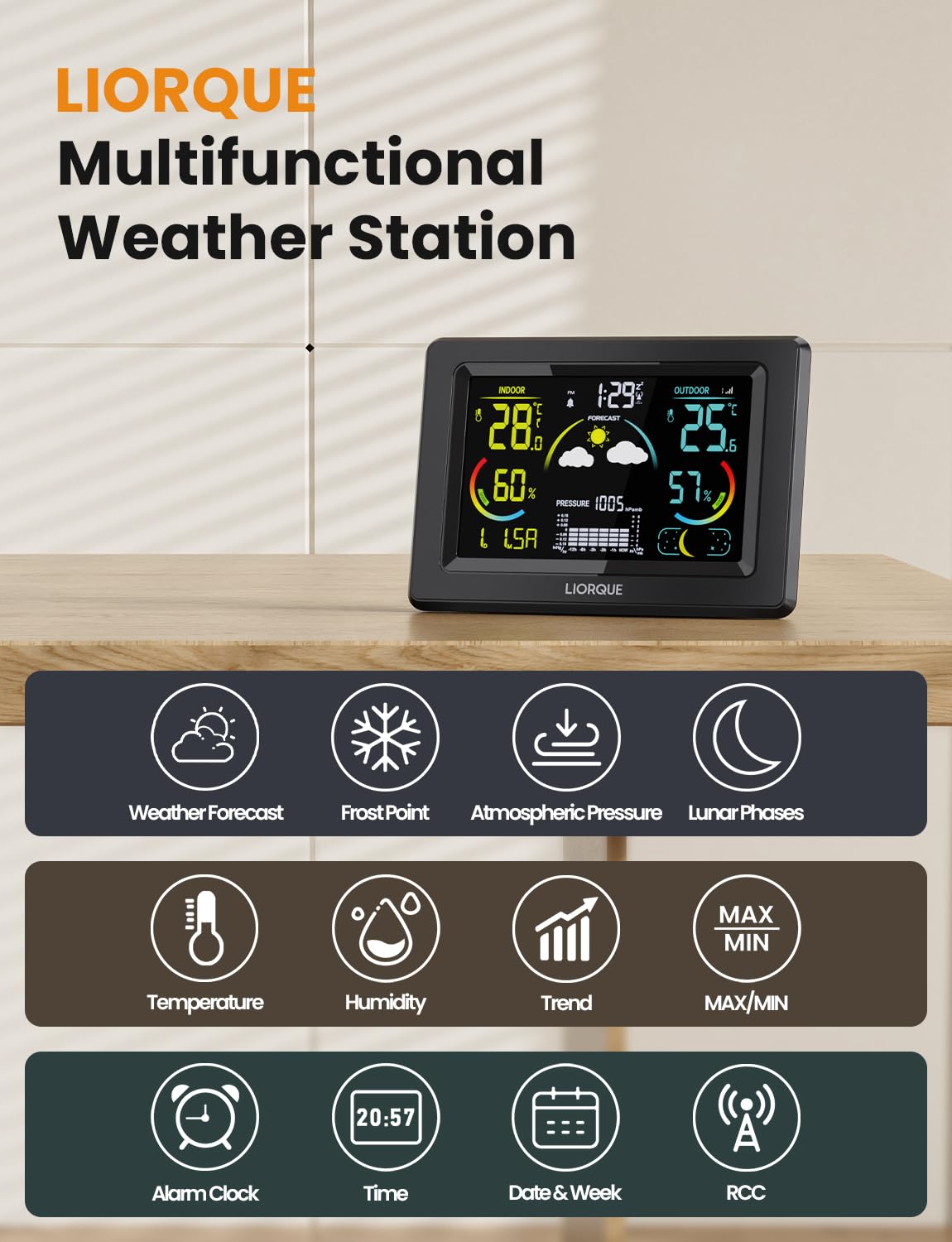
Image: An overview of the weather station's multifunctional capabilities, including weather forecast, frost point, atmospheric pressure, lunar phases, temperature, humidity, trend, max/min, alarm clock, time, date & week, and RCC.
4. Setup Guide
4.1. Powering the Main Unit
- AC Power: Connect the included DC 5V/1.2A AC adapter to the main unit and plug it into a power outlet. The display will light up and remain on.
- Battery Power: Open the battery compartment on the back of the main unit. Insert 3x AA batteries (not included), ensuring correct polarity (+/-). When powered by batteries, the screen will be at its lowest brightness. Press any button to activate the backlight for 20 seconds.
4.2. Installing and Pairing the Outdoor Sensor
- Open the battery compartment of the outdoor sensor. Insert 2x AA batteries (not included), observing correct polarity.
- Place the outdoor sensor within 100 meters (328 feet) of the main unit. Ensure there are minimal obstructions for optimal signal transmission.
- The main unit will automatically attempt to connect with the outdoor sensor. Once connected, the outdoor temperature and humidity will appear on the main display. If connection fails, press and hold the 'CHANNEL' button on the main unit to initiate a manual search.
4.3. Initial Time and Date Synchronization (RCC)
Upon initial power-up, the weather station will automatically attempt to synchronize its time and date via the Radio Controlled Clock (RCC) function. This process may take a few minutes to several hours depending on signal strength. Ensure the unit is placed away from electronic interference.
If RCC synchronization is not successful, you can manually set the time and date using the buttons on the main unit (refer to Operating Instructions for details on button functions).

Image: The weather station demonstrating its two power supply methods: mains powered via DC 5V/1.2A adapter and battery powered by 3x AA batteries.
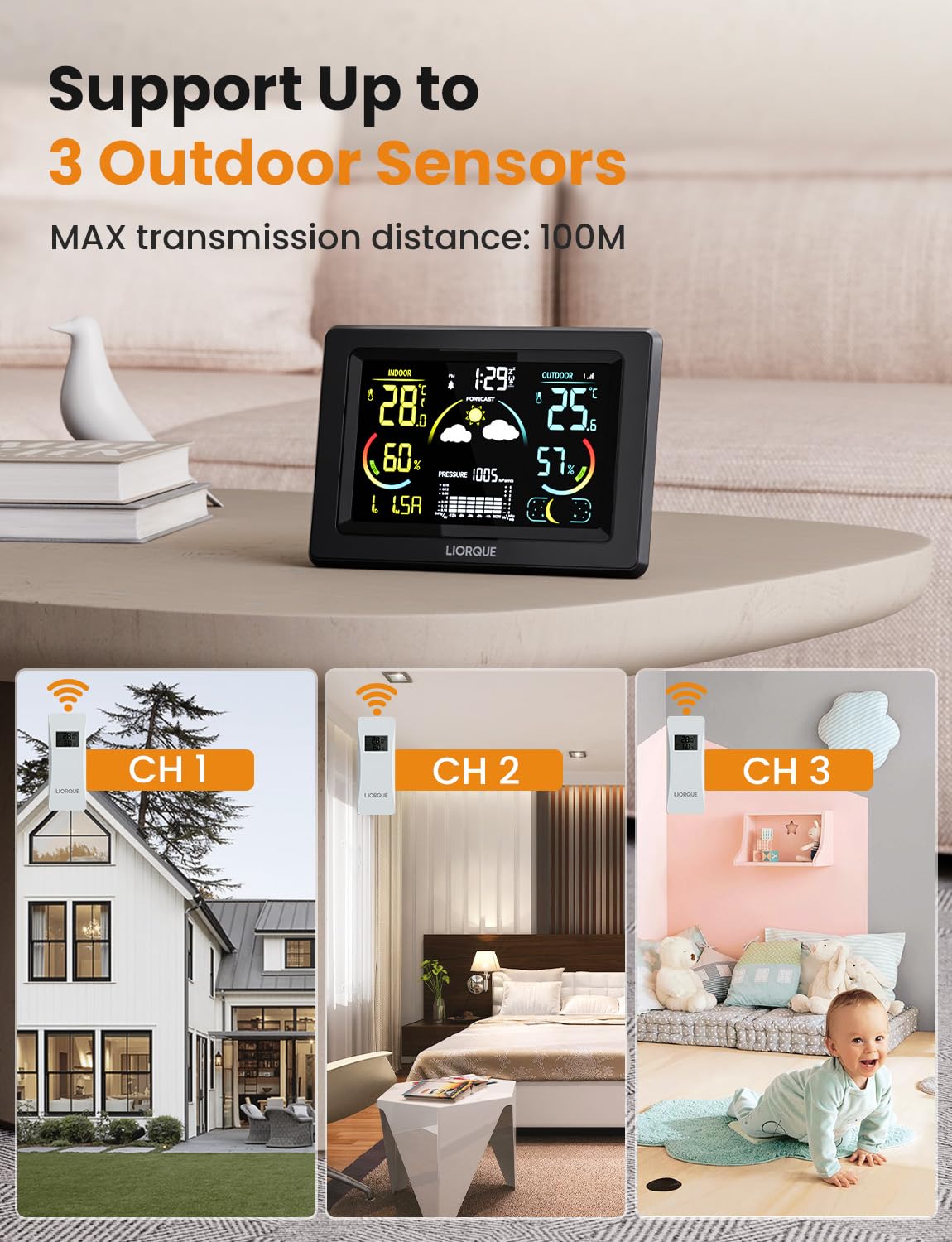
Image: The weather station illustrating its capability to connect with up to three outdoor sensors, showing different placement scenarios for each channel.
5. Operating Instructions
5.1. Display Overview
The 5.9-inch LCD VA display is divided into several sections, showing indoor and outdoor temperature/humidity, time, date, weather forecast, barometric pressure, and lunar phases.

Image: The weather station's 5.9-inch large LCD VA display, highlighting its clarity and wide viewing angle, along with four brightness options (100%, 70%, 30%, off).
5.2. Adjusting Display Brightness
The display offers 4 brightness options: high, medium, low, and off. Use the dedicated brightness button (often labeled 'LIGHT' or 'SNOOZE/LIGHT') to cycle through these settings. This feature is particularly useful for different lighting conditions or for nighttime use.
5.3. Understanding Weather Forecasts
The weather station predicts future weather conditions based on changes in barometric pressure. It displays 5 common weather icons:
- Sunny
- Cloudy to Sunny
- Overcast
- Rain
- Snow
A frost point alert icon will also appear when temperatures are near freezing.

Image: The weather station displaying various weather forecast icons (sunny, cloudy to sunny, overcast, rain, snow), a frost point alert, and different lunar phases.
5.4. Temperature and Humidity Readings
The display shows current indoor and outdoor temperature (in °C or °F) and humidity (as a percentage). The unit provides accuracy within ±1°C for temperature and ±5% RH for humidity (40%-80% RH). It also indicates comfort levels based on humidity:
- DRY: Humidity < 40% RH
- GOOD: 40% RH < Humidity < 70% RH
- WET: Humidity > 70% RH

Image: The weather station highlighting its accuracy for temperature (±1°C) and humidity (±5% RH), along with comfort level indicators (DRY, GOOD, WET) based on humidity percentages.
5.5. Barometric Pressure Display
The weather station displays current barometric pressure and a historical trend graph, allowing you to observe pressure changes over time. This trend is used for the weather forecast.
5.6. Alarm Clock and RCC Function
The weather station includes an alarm clock function. To turn off the alarm when it sounds, press any button. The RCC function ensures the time is always accurate without manual adjustment, automatically updating for daylight saving changes.

Image: The weather station showing the alarm clock icon and the RCC signal icon, indicating the automatic time synchronization feature.
5.7. Switching Outdoor Sensor Channels
If you have multiple outdoor sensors (up to 3 supported), press the 'CHANNEL' button on the main unit to cycle through the readings from each connected sensor (CH1, CH2, CH3) or to activate auto-cycle mode.
6. Maintenance
6.1. Cleaning
Wipe the main unit and outdoor sensor with a soft, damp cloth. Do not use abrasive cleaners or solvents, as they may damage the display or casing.
6.2. Battery Replacement
Replace batteries in both the main unit and outdoor sensor when the low battery indicator appears on the display. Ensure to use fresh AA batteries and observe correct polarity.
6.3. Outdoor Sensor Placement
For accurate outdoor readings and to prolong the sensor's lifespan, place it in a sheltered location away from direct sunlight and heavy rain. Ideal locations include under an eave, on a porch, or in a shaded, well-ventilated area. Avoid placing it near heat sources or reflective surfaces that could skew temperature readings.

Image: Examples of suitable placement for the weather station, including on a bedside table and mounted on a wall.
7. Troubleshooting
- No Outdoor Reading:
- Ensure batteries are correctly installed in the outdoor sensor and main unit.
- Press and hold the 'CHANNEL' button on the main unit to re-initiate sensor search.
- Move the outdoor sensor closer to the main unit to check for range issues.
- Check for strong interference sources (e.g., other wireless devices, large metal objects).
- Incorrect Time/Date:
- Ensure the RCC signal icon is displayed. If not, try relocating the main unit to an area with better signal reception.
- Manually set the time and date if RCC signal is consistently poor.
- Display is Dim/Off (on battery power):
- This is normal behavior for battery power. Press any button to activate the backlight for 20 seconds.
- For continuous bright display, use the AC power adapter.
- Inaccurate Readings:
- Ensure the outdoor sensor is not in direct sunlight, near heat sources, or exposed to heavy moisture.
- Allow time for readings to stabilize after initial setup or battery replacement.
8. Specifications
| Attribute | Value |
|---|---|
| Model Number | E0397 |
| Brand | LIORQUE |
| Power Source | DC 5V/1.2A AC Adapter (included) or 3x AA Batteries (not included) |
| Material | Acrylonitrile Butadiene Styrene (ABS) |
| Connectivity Technology | Wireless, RF |
| Color | Black |
| Package Dimensions | 21.9 x 18.1 x 5.9 cm |
| Weight | 500 Grams |
| Outdoor Sensor Range | Up to 100 meters (328 feet) in open area |
| Temperature Accuracy | ±1°C |
| Humidity Accuracy | ±5% RH (40%-80% RH) |
9. Warranty and Support
LIORQUE products are designed for reliability and performance. For any questions, technical support, or warranty claims, please refer to the contact information provided with your purchase or visit the official LIORQUE website. Please retain your proof of purchase for warranty purposes.
Related documentsE0397


Ask a question about this manual
Ask about setup, troubleshooting, compatibility, parts, safety, or missing instructions. Manuals+ will review the question and use this page’s manual context to help answer it.