
1. Introduction
Thank you for purchasing the G Keni Model 2353 Multi-functional Portable CD Player. This device combines a CD player, FM radio, USB player, and AUX input into a compact and stylish unit. Please read this manual carefully before use to ensure proper operation and to maximize your enjoyment of the product. Keep this manual for future reference.
2. Safety Information
- Do not expose the unit to rain, moisture, or extreme temperatures.
- Avoid placing the unit near heat sources or in direct sunlight.
- Do not disassemble or attempt to repair the unit yourself. Contact qualified service personnel.
- Use only the specified charging cable and power adapter (5V=1A).
- Keep out of reach of children.
- Ensure proper ventilation around the unit during operation.
3. Package Contents
Please check that all items are present:
- G Keni CD Player Unit (Model 2353) x 1
- USB Charging Cable x 1
- Instruction Manual x 1
4. Product Overview
Familiarize yourself with the components and controls of your CD player.

Figure 4.1: Front view of the G Keni Model 2353 CD Player, showing the CD compartment, control panel, and speakers.

Figure 4.2: Overview of the player's features including CD, FM Radio, USB, AUX, Headphone Jack, LCD Display, USB-C Charging Port, Memory Function, Built-in 2000mAh Battery, and Dual Speakers.

Figure 4.3: Rear view showing the AUX input, DC IN (5V=1A) port, and Reset button.
Control Panel Functions:
- Power Button/Volume Knob: Press and hold to power on/off. Rotate to adjust volume.
- Mode Button: Switches between CD, FM, USB, and AUX modes.
- Play/Pause Button: Starts or pauses playback.
- Stop Button: Stops playback.
- Skip/Search Buttons (◀◀ / ▶▶): Skips tracks/stations or fast forwards/rewinds.
- Repeat Button: Repeats current track or all tracks.
- Memory/Function Mode Button: Saves FM stations, accesses other functions.
- LCD Display: Shows current mode, track number, FM frequency, etc.
5. Setup
5.1 Initial Charging
Before first use, fully charge the device. Connect the provided USB charging cable to the DC IN port on the back of the player and the other end to a 5V=1A USB power adapter (not included) or a computer USB port. The battery indicator on the LCD display will show charging status.

Figure 5.1: The CD player connected to a laptop for charging. The DC IN port is located at the back of the unit.
5.2 Powering On/Off
Press and hold the Power button (located on the volume knob) for approximately 3 seconds to turn the unit on or off.
6. Operating Instructions
6.1 CD Playback
- Gently lift the transparent dust cover.
- Place a CD (CD, CD-R, or MP3 CD) onto the spindle with the label side facing up.
- Close the dust cover. The player will automatically begin reading the disc.
- Press the Mode button to select CD mode if it doesn't switch automatically.
- Use the Play/Pause, Stop, and Skip/Search buttons to control playback.
- The decorative record arm is for aesthetic purposes only and does not have actual playback functionality.

Figure 6.1: A CD placed in the player with the dust cover closed, ready for playback.
6.2 FM Radio
- Press the Mode button to select FM radio mode. The LCD display will show the frequency.
- Press and hold the Play/Pause button to initiate an automatic station scan. The player will search and save up to 20 available stations (76MHz-108MHz).
- Use the Skip/Search buttons (◀◀ / ▶▶) to navigate through saved stations.
- For manual tuning, briefly press the Skip/Search buttons to fine-tune the frequency.
6.3 USB Playback
- Insert a USB flash drive containing MP3 audio files into the USB port.
- Press the Mode button to select USB mode.
- Playback will begin automatically. Use the Play/Pause, Stop, and Skip/Search buttons to control playback.
6.4 AUX Input
- Connect an external audio device (e.g., smartphone, MP3 player) to the AUX IN port using a 3.5mm audio cable (not included).
- Press the Mode button to select AUX mode.
- Audio from the connected device will play through the CD player's speakers. Control playback from your external device.
6.5 Headphone Use
Connect 3.5mm headphones (not included) to the headphone jack on the side of the unit for private listening. The internal speakers will automatically mute when headphones are connected.
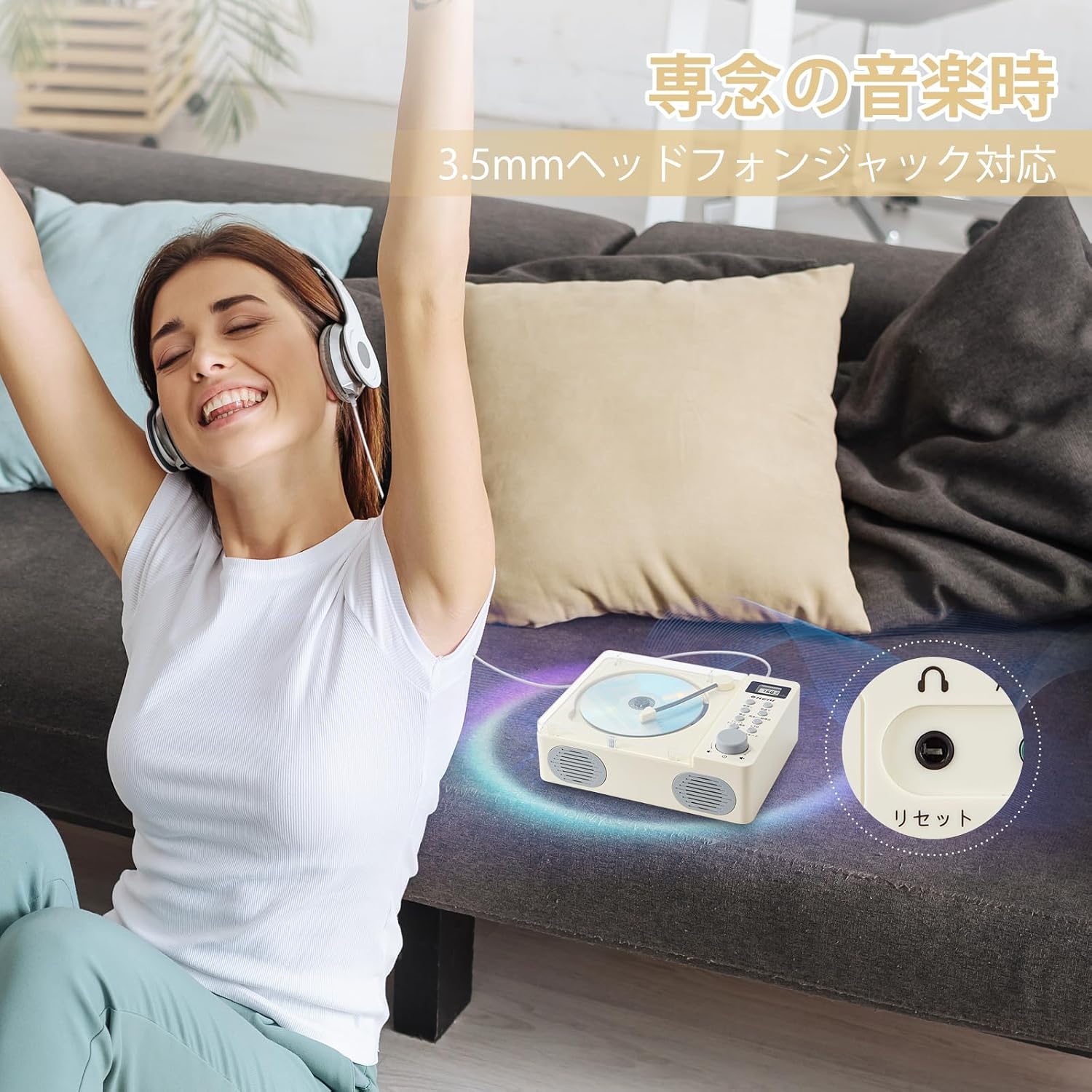
Figure 6.2: A user enjoying music through headphones connected to the G Keni CD Player.
7. Charging the Device
The G Keni Model 2353 features a built-in 2000mAh rechargeable battery, providing up to 5 hours of continuous playback on a full charge. To charge, connect the provided USB cable to the DC IN port (5V=1A) on the back of the unit and to a suitable USB power source.

Figure 7.1: The CD player can be charged via a laptop, car charger, power bank, or wall adapter (5V=1A).
Note: If the unit does not power on, ensure the battery is charged. Press and hold the power button for more than 3 seconds to initiate power-up.
8. Maintenance
- Clean the unit with a soft, dry cloth. Do not use abrasive cleaners or solvents.
- Keep the CD compartment clean and free of dust.
- When not in use for extended periods, store the unit in a cool, dry place.
- The transparent dust cover helps protect the CD mechanism from dust and debris.
9. Troubleshooting
| Problem | Possible Cause | Solution |
|---|---|---|
| Unit does not power on. | Low battery or power button not pressed correctly. | Charge the unit. Press and hold the power button for 3 seconds or more. |
| CD does not play. | CD inserted incorrectly, dirty/scratched CD, or wrong mode. | Ensure CD is clean and inserted correctly. Select CD mode. Try another CD. |
| No sound from speakers. | Volume too low, headphones connected, or wrong mode. | Increase volume. Disconnect headphones. Ensure correct mode is selected. |
| FM radio reception is poor. | Weak signal or interference. | Relocate the unit for better reception. Perform an auto-scan again. |
| USB not recognized. | USB drive format not supported or files not compatible. | Ensure USB drive is formatted correctly (FAT32) and contains MP3 files. Try another USB drive. |
10. Specifications

Figure 10.1: Dimensions of the G Keni Model 2353 CD Player.
- Model: 2353
- Brand: G Keni
- Color: White
- Playback Formats: CD, CD-R, MP3 (via CD/USB)
- FM Frequency Range: 76MHz - 108MHz
- Connectivity: AUX Input, USB Port, 3.5mm Headphone Jack
- Battery: Built-in 2000mAh Rechargeable Battery
- Charging Input: DC 5V=1A
- Dimensions: Approximately 21.1 cm (W) x 16.2 cm (D) x 7.5 cm (H)
- Weight: Approximately 910 g
- Additional Features: Digital Volume Control, Battery Level Indicator, Portable Design, Dust Cover
11. Warranty and Support
This product comes with a 1-year domestic warranty from the date of purchase. G Keni provides dedicated customer service to assist with any product inquiries or issues. In case of a defect or malfunction, please contact us through your purchase history for a free exchange. We are committed to providing prompt and courteous support to ensure your satisfaction.
For support, please refer to the contact information provided with your purchase or on the official G Keni website.