
DMK DHCC2000
ZBTK DHCC2000 Double Axis Handheld Laser Cleaning Head Instruction Manual
Model: DHCC2000 | Brand: DMK
1. Introduction
This manual provides essential information for the safe and effective operation, setup, and maintenance of your ZBTK DHCC2000 Double Axis Handheld Laser Cleaning Head. Please read this manual thoroughly before operating the device to ensure proper usage and to prevent damage or injury. This system is designed for non-contact cleaning of various materials, including metal and wood, utilizing advanced laser technology.
2. Product Overview

Figure 2.1: The ZBTK DHCC2000 Handheld Laser Cleaning Head shown alongside its dedicated control panel, illustrating the complete system.

Figure 2.2: The ZBTK DHCC2000/3000 Dual Swing Handheld Laser Cleaning System, highlighting its compact design and key specifications such as power consumption, weight, and number of cleaning modes.
The ZBTK DHCC2000 is a state-of-the-art handheld laser cleaning head designed for industrial applications. It features a double-axis and double-pendulum design, ensuring precise and stable cleaning performance. This system is highly versatile, capable of effectively removing rust, paint, and other contaminants from various surfaces, including metal and wood, without causing damage to the base material.
3. Key Features
- Double Axis Precision: Achieves precise cleaning with the double axis, ensuring thorough metal and wood surface treatment.
- Double Pendulum Design: Enhances stability and control for efficient cleaning, allowing for consistent results.
- Versatile Cleaning System: Suitable for various materials including metal and wood, making it adaptable for diverse applications.
- Efficient Cleaning Performance: Delivers high-performance cleaning, ideal for demanding industrial environments.
- Compact and Portable: Lightweight design facilitates easy transport and use in different settings.
4. Package Contents
Upon unpacking, please verify that all items listed below are present and in good condition:
- ZBTK Original DHCC2000 Handheld Laser Cleaning Head * 1
- Associated Control Panel (as depicted in figures)
- Necessary connection cables (not explicitly listed but implied for system operation)
5. Setup
Follow these steps for the initial setup of your laser cleaning system:
- Unpack Components: Carefully remove the laser cleaning head and control panel from their packaging. Inspect for any visible damage.
- Connect Control Panel: Connect the control panel to the main laser cleaning machine unit using the appropriate cables. Ensure all connections are secure.
- Connect Laser Head: Attach the DHCC2000 handheld laser cleaning head to the designated port on the control panel or main machine. Ensure the connection is firm and stable.
- Power Connection: Connect the main laser cleaning machine unit to a suitable power source. Refer to the machine's manual for power requirements.
- Initial Power On: Power on the main laser cleaning machine. The control panel should illuminate and display the initial interface.
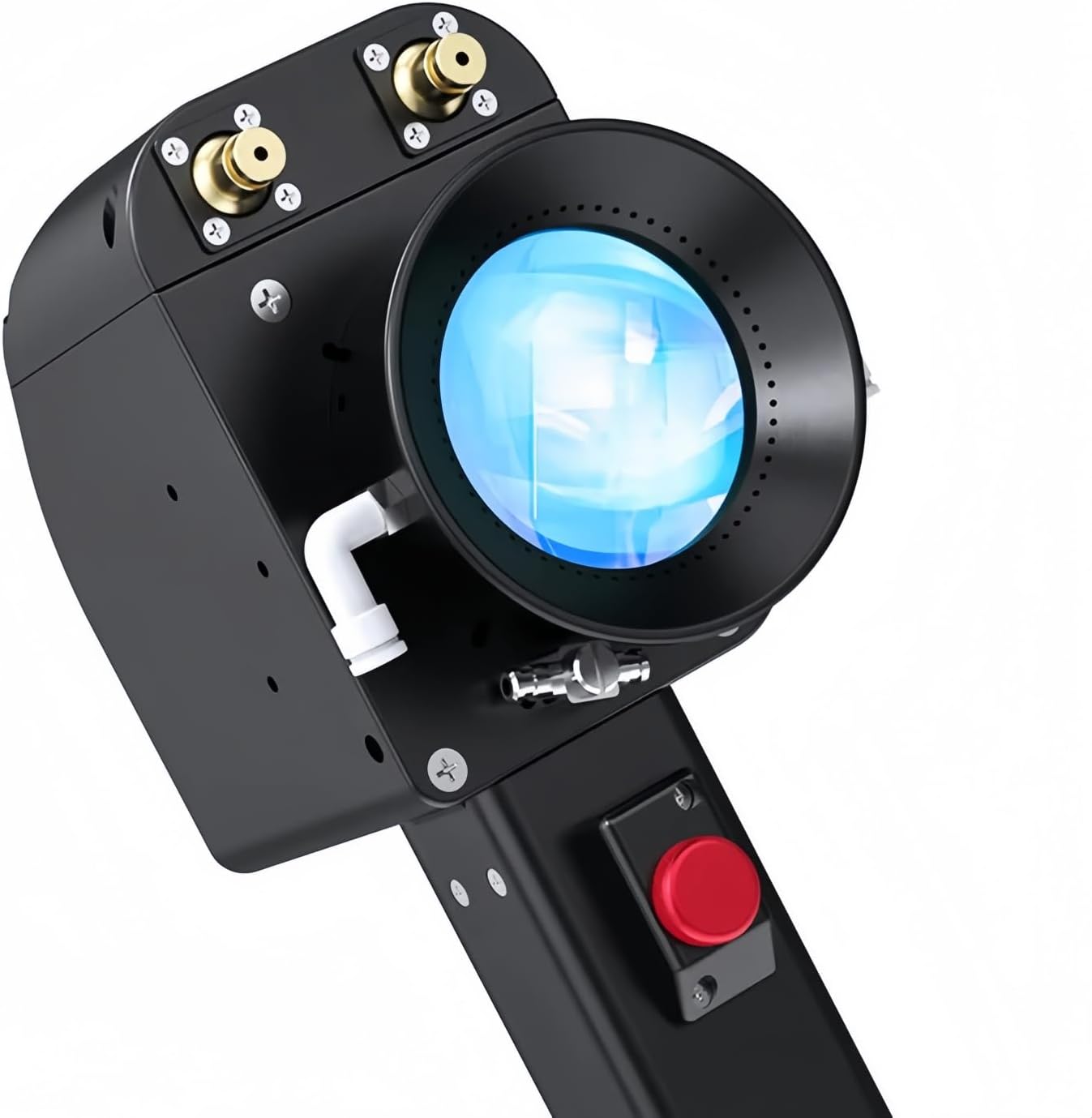
Figure 5.1: A close-up view of the ZBTK DHCC2000 laser cleaning head, showing the optical lens and connection points for integration with the main system.
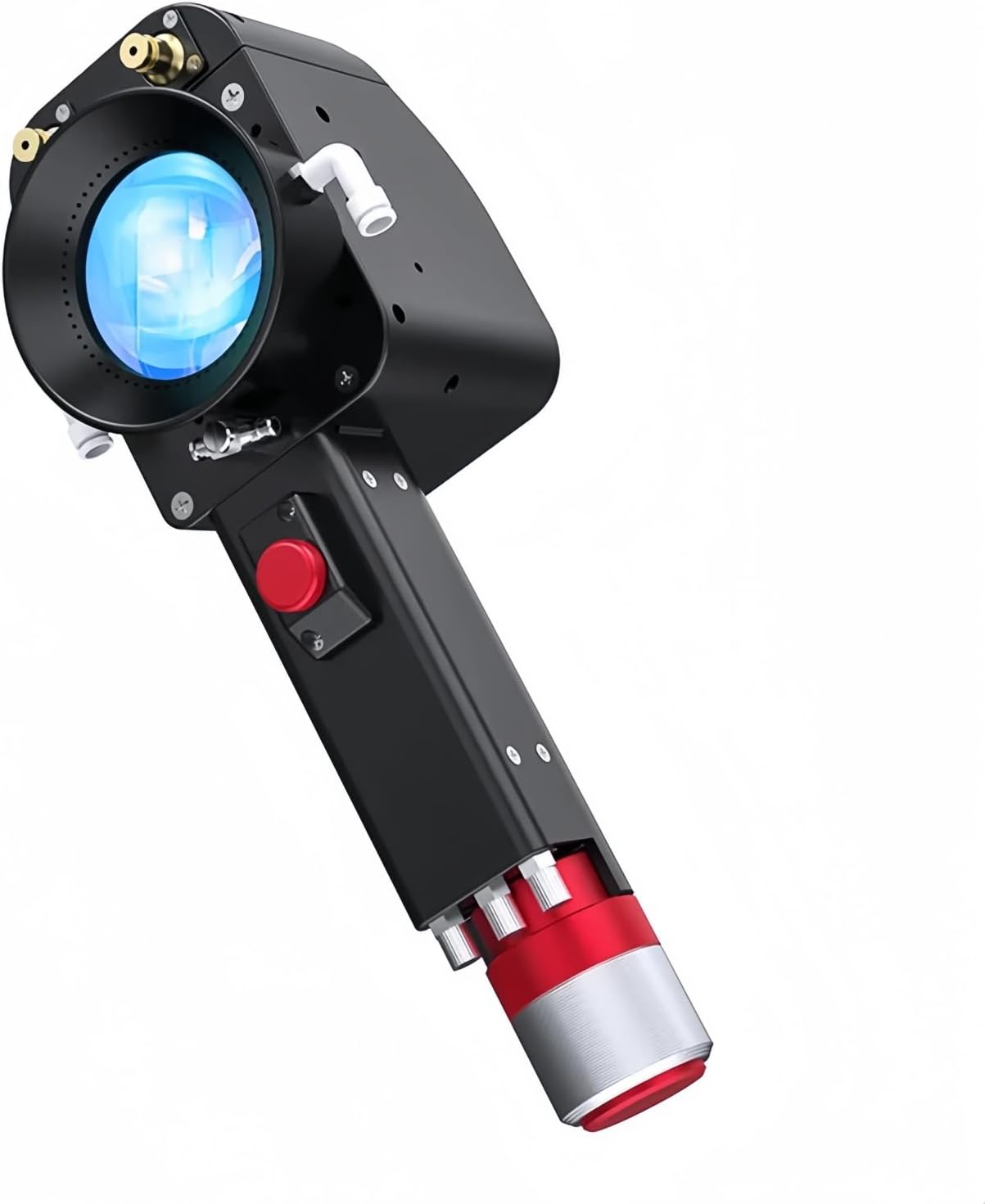
Figure 5.2: An alternative perspective of the ZBTK DHCC2000 handheld laser cleaning head, highlighting its ergonomic design and robust construction.
6. Operating Instructions
The ZBTK DHCC2000 system is operated via its intuitive control panel. Ensure all safety precautions are observed before beginning any cleaning operation.
- System Initialization: After powering on, the control panel will display the main interface.
- Select Cleaning Mode: Navigate through the control panel to select the appropriate cleaning mode for your material and desired outcome. The system supports multiple cleaning modes.
- Adjust Parameters: Adjust laser power, frequency, and scanning speed as needed for the specific cleaning task. Refer to the control panel interface for parameter adjustments.
- Begin Cleaning: Hold the handheld laser cleaning head firmly and position it over the surface to be cleaned. Activate the laser according to the main machine's operating procedures.
- Monitor Progress: Observe the cleaning process. The double-axis and double-pendulum design ensures uniform cleaning.
- Safety Shutdown: Always follow proper shutdown procedures after use, including deactivating the laser and powering off the system.

Figure 6.1: The control panel interface, showing various system settings, including temperature monitoring, user management, and other configuration options.

Figure 6.2: The control panel displaying the 'Swing Cleaning System' main screen, with options for 'Cleaning' and 'Settings'.
7. Maintenance
Regular maintenance ensures the longevity and optimal performance of your ZBTK DHCC2000 laser cleaning head.
- Lens Cleaning: Periodically inspect and gently clean the laser lens using a specialized optical cleaning solution and lint-free cloth. Avoid abrasive materials.
- Housing Inspection: Check the exterior housing of the laser head for any signs of damage, loose screws, or debris accumulation.
- Cable Integrity: Ensure all connecting cables are free from kinks, cuts, or damage. Replace any compromised cables immediately.
- Environmental Control: Operate and store the device in a clean, dry environment, free from excessive dust, humidity, and extreme temperatures.
- Professional Servicing: For internal components or complex issues, contact qualified service personnel. Do not attempt unauthorized repairs.
8. Troubleshooting
This section addresses common issues you might encounter. For problems not listed here, please contact customer support.
| Problem | Possible Cause | Solution |
|---|---|---|
| No power to control panel | Power cable disconnected; Main machine not powered on | Check power cable connection; Ensure main laser machine is powered on |
| Laser not firing | Safety interlock engaged; Incorrect settings; Laser head not properly connected | Verify all safety interlocks are disengaged; Check operating parameters on control panel; Reconnect laser head securely |
| Poor cleaning performance | Incorrect laser settings; Dirty lens; Distance to workpiece too far | Adjust laser power/frequency/speed; Clean the laser lens; Maintain optimal working distance |

Figure 8.1: The control panel's language settings interface, allowing users to select their preferred language for system operation.

Figure 8.2: The control panel and laser head together, with the control panel displaying various language options for the user interface.
9. Specifications
Key technical specifications for the ZBTK DHCC2000 Handheld Laser Cleaning Head:
| Attribute | Value |
|---|---|
| Manufacturer | DMK |
| Item Model Number | DHCC2000 |
| Power Source | Laser Cleaning Head (requires connection to main laser machine) |
| Included Components | Laser Cleaning Head |
| First Available Date | September 27, 2024 |
10. Warranty and Support
For information regarding the product warranty, please refer to the documentation provided with your main laser cleaning machine or contact the manufacturer, DMK, directly. For technical support, troubleshooting assistance beyond this manual, or spare parts, please reach out to DMK customer service through their official channels.
Ask a question about this manual
Ask about setup, troubleshooting, compatibility, parts, safety, or missing instructions. Manuals+ will review the question and use this page’s manual context to help answer it.