1. Introduction
Thank you for choosing the CYKOV Ergonomic Office Chair Model CY59KT. This manual provides essential information for the safe assembly, operation, and maintenance of your new chair. Please read it thoroughly before use and retain it for future reference.
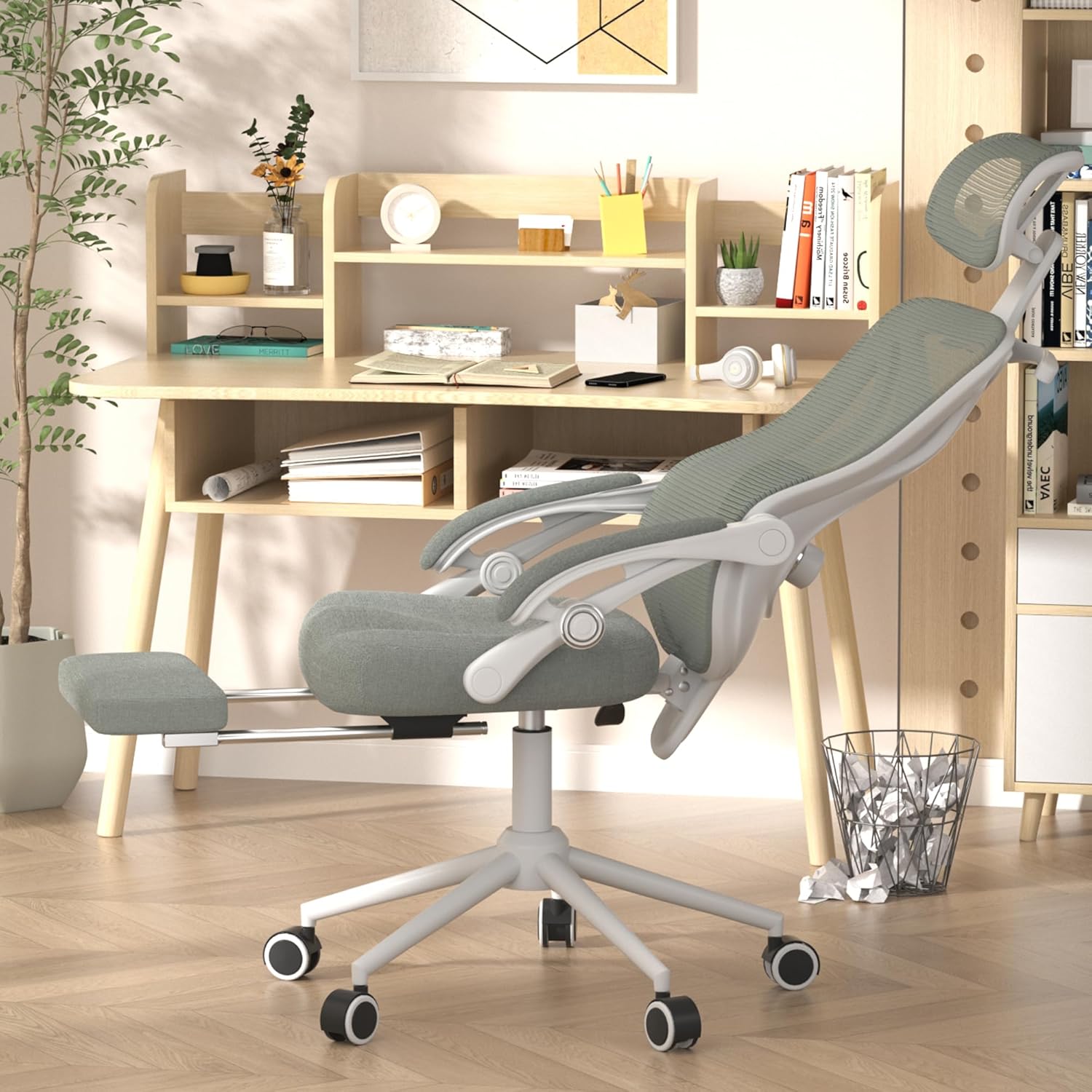
Image: The CYKOV Ergonomic Office Chair, showcasing its design and extended footrest in a modern office environment.
2. Safety Information
Always read and follow the safety instructions provided with the chair. Adherence to these guidelines ensures safe operation and longevity of the product.
- Do not exceed the maximum weight capacity of 300 lbs (136 kg).
- Be cautious when adjusting the chair's parts, especially the recline and footrest, to avoid injury.
- Keep the chair away from heat sources and sharp objects to prevent damage to the chair and potential hazards.
- Ensure all bolts and screws are tightened securely before use and periodically check for looseness.
- Do not stand on the chair or use it as a step stool.
3. Assembly Instructions
Assembly typically requires one person and takes approximately 20-30 minutes. Ensure all parts are present before beginning.
3.1 Package Contents
- Backrest with headrest
- Seat cushion with armrests and footrest mechanism
- Gas lift cylinder
- Star base
- Casters (5 pieces)
- Hardware kit (screws, washers, Allen wrench)
3.2 Step-by-Step Assembly
- Attach Casters to Base: Insert each of the five casters into the holes at the end of each leg of the star base until they click securely into place.
- Insert Gas Lift: Place the gas lift cylinder into the center hole of the star base. Ensure it is seated firmly.
- Attach Seat to Gas Lift: Carefully align the center mechanism of the seat cushion with the top of the gas lift cylinder. Lower the seat onto the gas lift, applying gentle pressure until it is securely connected.
- Attach Backrest: Secure the backrest to the seat mechanism using the provided screws and Allen wrench. Ensure all screws are tightened evenly.
- Final Checks: Verify that all components are securely fastened and the chair is stable before use.
4. Operating Adjustments
The CYKOV Ergonomic Office Chair offers multiple adjustment features to customize your seating experience.
4.1 Seat Height Adjustment
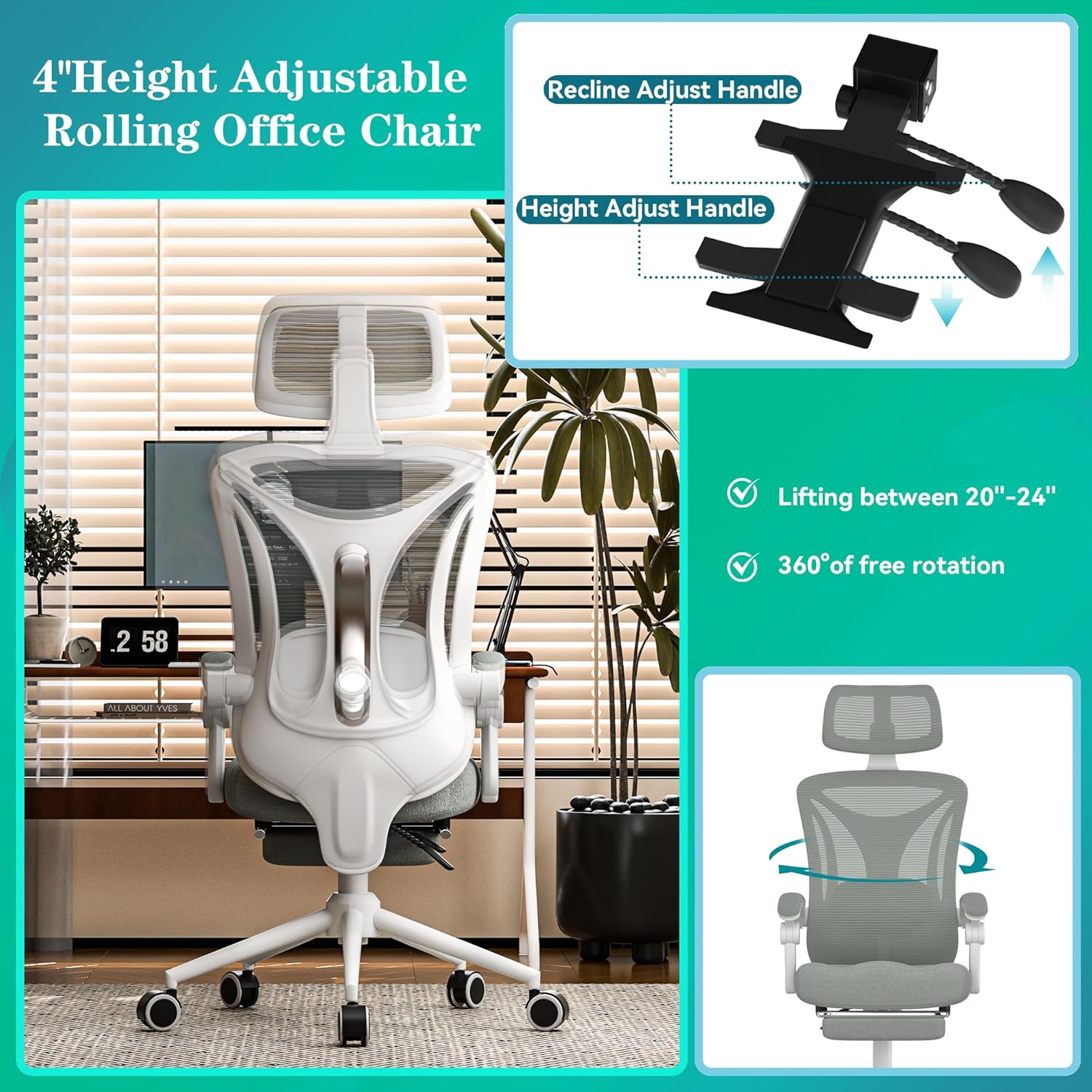
Image: The underside of the chair seat, highlighting the height adjustment lever and recline adjustment lever.
- To raise the seat: While seated, pull the Height Adjust Handle (typically on the right side, as shown in the image) upwards and lift your weight slightly off the seat. The seat will rise. Release the handle at the desired height.
- To lower the seat: While seated, pull the Height Adjust Handle upwards and apply your weight to the seat. The seat will lower. Release the handle at the desired height.
4.2 Recline Function and Footrest

Image: A visual guide demonstrating the chair's recline range from 90 to 160 degrees and the use of the integrated footrest.
- To recline: Pull the Recline Adjust Handle (typically on the left side, as shown in the image) upwards and lean back. The chair can recline from 90° to 160°. Release the handle to lock the backrest in your preferred position.
- To extend the footrest: Pull the footrest out from under the seat. It can be adjusted to provide leg support when reclining. Push it back under the seat when not in use.
4.3 Lumbar Support Adjustment

Image: Close-up of the lumbar support, illustrating how to adjust its height and depth for personalized comfort.
- Height Adjustment: Use the vertical adjustment knob or lever on the backrest to move the lumbar support up or down by approximately 2 inches (5 cm) to align with your lower back curve.
- Depth Adjustment: Rotate the knob on the lumbar support to adjust its depth by approximately 1.18 inches (3 cm), providing more or less pressure against your back.
4.4 Headrest Adjustment

Image: The adjustable headrest, demonstrating its ability to be moved up, down, and rotated for optimal neck support.
- The headrest can be adjusted for height and angle. Gently push or pull the headrest to move it up or down.
- Rotate the headrest to find the most comfortable angle for your neck and head support.
4.5 Armrest Adjustment
- The armrests are linked to the recline mechanism, moving with the backrest. They are not independently adjustable for height or pivot.
5. Maintenance
Regular maintenance helps prolong the life and appearance of your chair.
- Cleaning: For mesh and fabric parts, use a soft cloth dampened with mild soap and water. Avoid harsh chemicals or abrasive cleaners. For plastic and metal parts, wipe with a clean, dry cloth.
- Inspection: Periodically check all screws and bolts to ensure they are tight. Re-tighten if necessary.
- Casters: Clean casters regularly to remove hair and debris that may hinder smooth movement.
- Avoid Direct Sunlight: Prolonged exposure to direct sunlight can cause fading and material degradation.
6. Troubleshooting
If you encounter issues with your chair, refer to the following common problems and solutions:
| Problem | Possible Cause | Solution |
|---|---|---|
| Chair does not adjust height | Gas lift not engaged or faulty. | Ensure the height adjustment lever is fully pulled. If still unresponsive, the gas lift may need replacement. |
| Chair wobbles or is unstable | Loose screws or uneven assembly. | Check and tighten all assembly screws. Ensure the chair is on a flat, even surface. |
| Casters do not roll smoothly | Debris caught in casters. | Remove any hair, dust, or debris from the caster wheels. |
| Backrest does not recline or lock | Recline mechanism jammed or faulty. | Ensure the recline lever is fully engaged or disengaged. Check for obstructions. |
7. Specifications
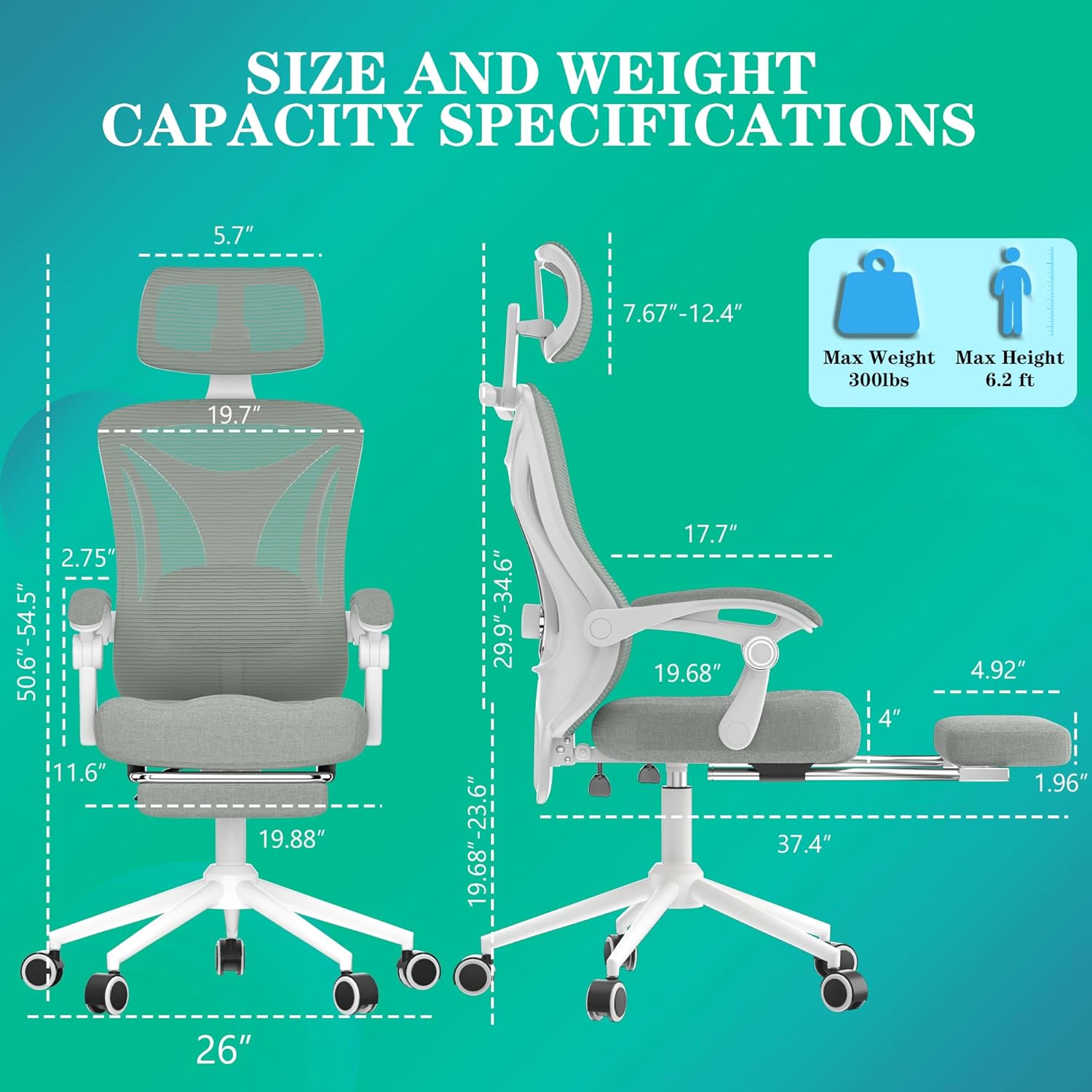
Image: Detailed dimensions and weight capacity specifications for the CYKOV Ergonomic Office Chair.
| Feature | Detail |
|---|---|
| Brand | CYKOV |
| Model Number | CY59KT |
| Product Dimensions | 22 x 20 x 40 inches (55.9 x 50.8 x 101.6 cm) |
| Item Weight | 35 pounds (15.9 kg) |
| Maximum Weight Capacity | 300 lbs (136 kg) |
| Reclining Angle | 90° to 160° |
| Back Style | Mesh Back |
| Fill Material | Foam |
| Certifications | SGS-certified Gas Lift |
8. Warranty & Support
CYKOV stands behind the quality of its products. For specific warranty details, please refer to the warranty card included with your purchase or contact customer support.
8.1 Customer Support
If you have any questions, require assistance with assembly, or need to report a defect, please contact CYKOV customer support through the retailer's platform or the official brand website. Please have your model number (CY59KT) and purchase date ready when contacting support.