
Introduction
This manual provides detailed instructions for assembling, operating, and maintaining your ROBOTIME Carousel 3D Wooden Music Box Puzzle with LED Lights, model AMC01ROBOTIME. This intricate DIY model combines the charm of a classic carousel with the joy of hands-on construction, featuring rotating horses, enchanting melodies, and soft LED lighting.
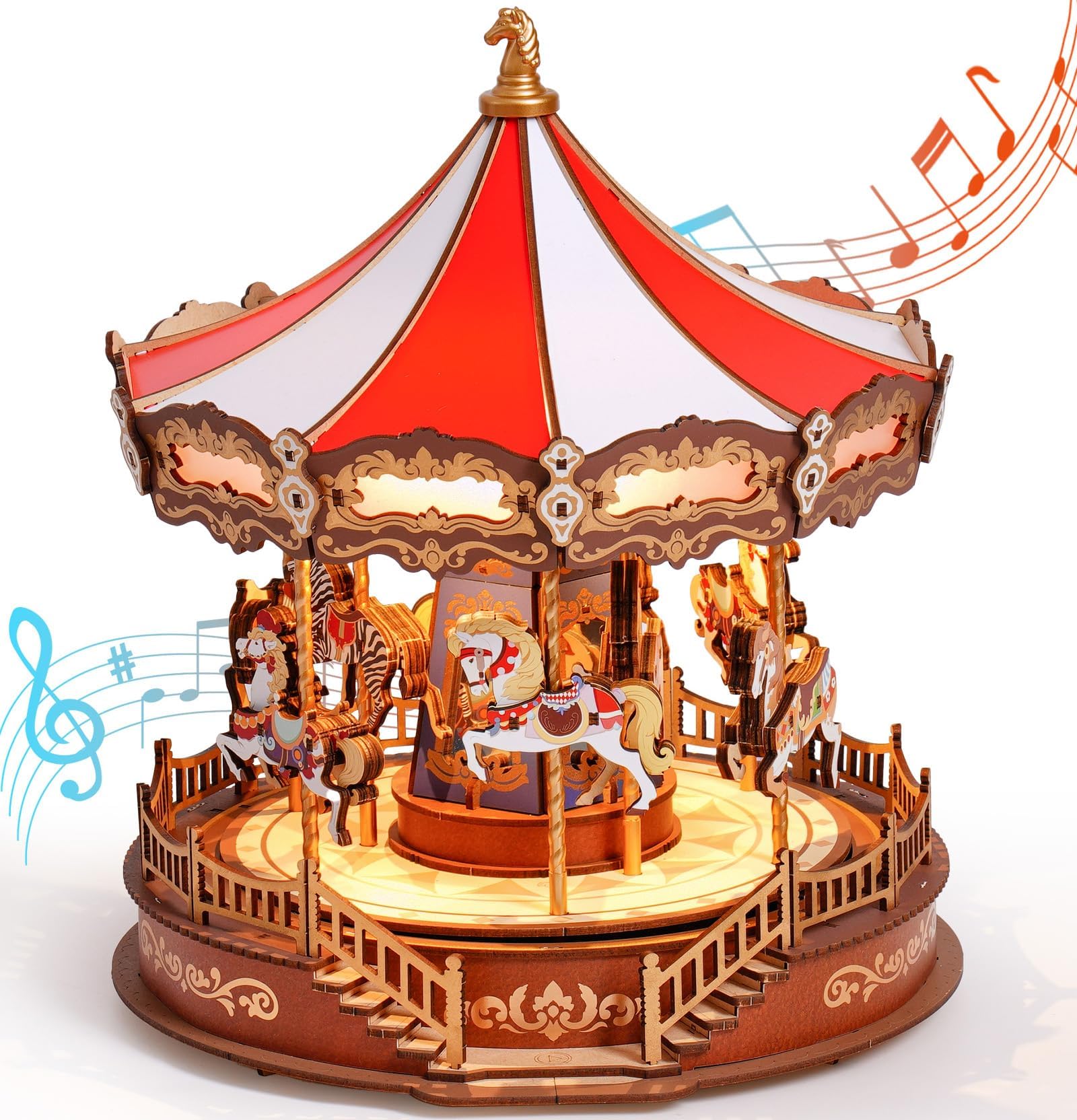
Image: The fully assembled ROBOTIME Carousel, showcasing its intricate design, LED lights, and musical notes.
Setup and Assembly
The ROBOTIME Carousel is designed for glue-free assembly, utilizing precision-cut wooden pieces that interlock. Follow the included detailed, illustrated instructions carefully.
- Unpacking: Gently remove all components from the packaging. Verify that all 265 pieces are present.
- Assembly Process: Refer to the multi-language instruction booklet for step-by-step guidance. The estimated assembly time is approximately 2.5 hours.
- Age Recommendation: This model is recommended for individuals aged 14 years and older due to the complexity and small parts.
- Power Connection: The carousel is powered via a USB Type-C connection. A USB Type-C cable is required but not included in the kit. Connect the cable to the designated port on the model and to a compatible USB power source (e.g., a 5V phone charger).

Image: Various wooden pieces, the instruction manual, and a partially assembled section of the carousel, illustrating the DIY process.

Image: A diagram highlighting the Type-C charging port, hidden musical components, and smooth gear drive system within the carousel.
Assembly Video Guide
Video: An overview of the ROBOTIME Carousel, demonstrating its features and providing visual guidance for assembly.
Operating Instructions
Once assembled and powered, your ROBOTIME Carousel offers interactive features:
- Music and Lights: The carousel features 4 classic melodies and two lighting modes (fluid/relaxing and constant light). These functions are controlled by a touch-activated switch.
- Touch Switch Operation:
- First touch: Activates the carousel (lights and music start).
- Second touch: Changes the music track.
- Third touch: Switches between lighting modes.
- Long press: Turns off the carousel.
- Movement: The carousel's horses will rotate and move up and down rhythmically when activated, creating a dynamic display.

Image: The carousel illuminated, highlighting its two modes, two lighting effects, and four musical tunes.

Image: A close-up view of the carousel horses, including zebra, white horse, antelope, and elk, demonstrating their rhythmic up-and-down movement.

Image: Three detailed features: a radiant golden sculpture at the top, mirrors enhancing the dreamlike atmosphere, and the touch-activated switch for controls.
Maintenance
To ensure the longevity and optimal performance of your wooden music box:
- Cleaning: Use a soft, dry cloth to gently wipe the surfaces. Avoid abrasive cleaners or excessive moisture.
- Storage: Store the model in a dry environment, away from direct sunlight or extreme temperature fluctuations, to prevent warping or damage to the wood.
- Spare Parts: In case of any damaged or missing pieces during assembly, ROBOTIME offers free spare parts. Contact customer support for assistance.
Troubleshooting
If you encounter any issues with your ROBOTIME Carousel:
- Pieces Not Fitting: Ensure you are using the correct pieces for each step and applying gentle, even pressure. Avoid forcing pieces, as this may cause damage. Refer to the instruction manual's diagrams.
- Lights or Music Not Working:
- Verify that the USB Type-C cable is securely connected to both the carousel and a functional power source.
- Ensure the power source is providing adequate power (e.g., a standard 5V USB charger).
- Check the touch switch for proper function by gently pressing it.
- Carousel Not Rotating: Inspect the internal gear drive mechanism (visible in diagrams) to ensure no obstructions are present and all components are correctly aligned.
- Further Assistance: If problems persist, please contact ROBOTIME customer support for dedicated assistance.
Specifications
Detailed specifications for the ROBOTIME Carousel 3D Wooden Music Box Puzzle:
| Feature | Detail |
|---|---|
| Product Dimensions | 29.5 x 25.4 x 0.1 cm (assembled: 25.4 x 25.7 x 29.5 cm) |
| Item Weight | 1.64 kg |
| Recommended Age | 14 years and up |
| Model Number | AMC01ROBOTIME |
| Educational Objectives | Patience training, Concentration ability |
| Number of Pieces | 265 |
| Assembly Required | Yes |
| Batteries Required/Included | No |
| Material Type | Engineered Wood |
| Puzzle Type | Assembly and Disassembly |
| Skill Level | Intermediate |

Image: A visual representation of the carousel with its dimensions: 257mm height, 254mm width, and 295mm depth.
Warranty and Support
ROBOTIME is committed to providing a worry-free experience.
- Customer Support: For any questions, assembly challenges, or issues with your product, please contact ROBOTIME customer support.
- Spare Parts: Free replacement parts are available for any components that may be damaged or missing.
- Instruction Manual: The kit includes a detailed, illustrated instruction manual in multiple languages (English, German, French, Italian, Spanish) to guide you through the assembly process.


