
1. Introduction
This manual provides comprehensive instructions for the safe and efficient operation, assembly, and maintenance of your SOARFLY LED Work Light with Stand, Model WL-01. Please read this manual thoroughly before use and retain it for future reference.
2. Safety Instructions
- Always ensure the power supply matches the product's specifications (AC 120V-60Hz).
- Do not look directly into the LED lights when they are on, as this may cause eye strain or damage.
- Ensure the tripod is stable on a flat, level surface before extending the height or adjusting the lights.
- Keep the work light away from flammable materials.
- Do not operate the light with damaged cords or plugs.
- This product is rated IP66 waterproof, suitable for outdoor use, but avoid submerging it in water.
- Disconnect power before cleaning or performing any maintenance.
- Keep out of reach of children.
3. Package Contents
Verify that all components are present before assembly:
- 3 x LED Light Heads (70W each)
- 1 x Adjustable Tripod Stand
- 1 x Crossbar for Light Heads
- 1 x Power Cord with On/Off Switch
- Mounting Hardware (screws, knobs)
- Instruction Manual

Image: All components of the SOARFLY LED Work Light with Stand, including three light heads, tripod, crossbar, power cord, and hardware.
4. Setup and Assembly
- Assemble the Tripod Base: Extend the tripod legs to a stable position. Ensure the yellow locking mechanism is securely tightened.
- Attach the Vertical Pole: Insert the lower section of the vertical pole into the tripod base and secure it with the provided knob.
- Extend Height (Optional): Loosen the yellow collar on the vertical pole to extend it to the desired height, then tighten the collar to secure.
- Mount the Crossbar: Attach the horizontal crossbar to the top of the vertical pole using the designated long bolt and knob. Ensure the ends with the rubber feet are facing downwards for stability when used as a floor stand.
- Install Light Heads: Secure each of the three LED light heads to the crossbar using the provided smaller bolts and knobs. The central light head attaches to the middle, and the other two attach to the outer positions.
- Connect Power: Plug the power cords from each light head into the main power cord's splitter. Ensure all connections are secure.
- Positioning: Adjust the angle of each light head as needed. Each light head can rotate 360 degrees horizontally and 180 degrees vertically.
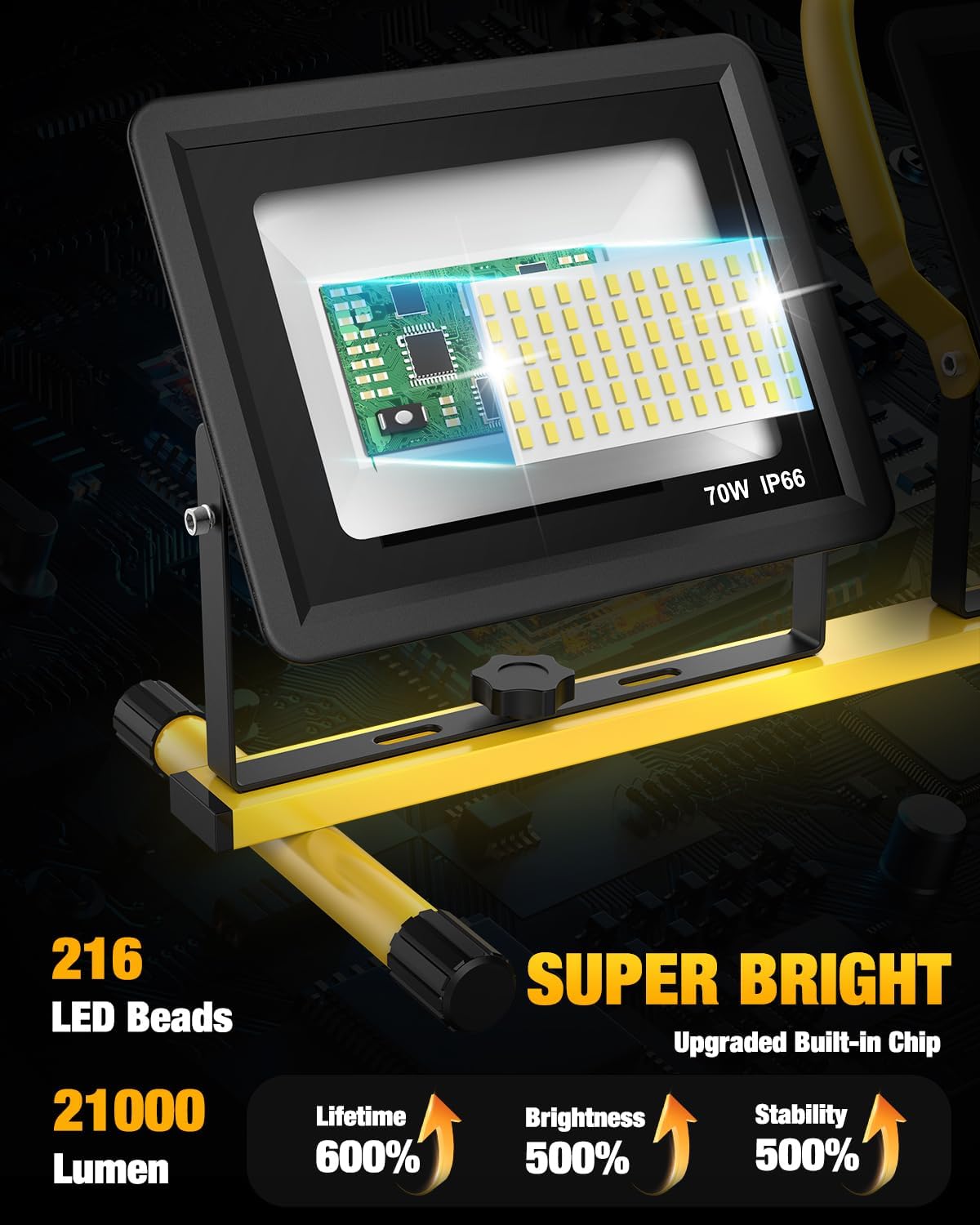
Image: The SOARFLY LED Work Light fully assembled on its adjustable tripod stand, showcasing the three light heads and power cord.
Video: A demonstration of the setup and assembly process for the SOARFLY LED Work Light with Stand.
5. Operating Instructions
- Power Connection: Plug the main power cord into a standard AC 120V-60Hz outlet.
- Turn On/Off: Use the integrated on/off switch located on the power cord to activate or deactivate the lights.
- Adjusting Light Direction:
- To adjust the vertical angle of each light head, loosen the side knobs on the light bracket, tilt to the desired angle (up to 180°), and retighten.
- To adjust the horizontal angle of the outer light heads, loosen the knobs securing them to the crossbar, pivot the light, and retighten. The central light head can be rotated 360° by loosening its mounting knob.
- Adjusting Height: Loosen the yellow collar on the vertical pole, raise or lower the pole to the desired height, and then securely tighten the collar.
- Detachable Use: The light heads can be detached from the tripod and used independently as portable lights by utilizing the built-in handle on the central light head.

Image: The work light demonstrating its adjustable height feature, showing both a lower and higher configuration.

Image: A close-up view of a single light head being rotated 360 degrees, highlighting its flexible positioning.
Video: A demonstration of the SOARFLY LED Work Lights being turned on and off, showcasing their brightness.
6. Maintenance
- Cleaning: Disconnect the power before cleaning. Use a soft, damp cloth to wipe down the light heads and stand. Avoid abrasive cleaners or solvents.
- Storage: When not in use, fold the tripod and detach the light heads for compact storage. Store in a dry, cool place away from direct sunlight.
- Cord Inspection: Regularly inspect the power cord for any signs of damage, fraying, or cuts. Do not use if the cord is damaged.
- Tighten Connections: Periodically check and tighten all knobs and screws to ensure the stability of the stand and light heads.
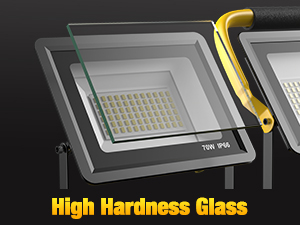
Image: A diagram illustrating the efficient heat dissipation system of the LED light heads, crucial for longevity.
7. Troubleshooting
| Problem | Possible Cause | Solution |
|---|---|---|
| Lights do not turn on. | No power supply; loose connection; faulty switch. | Check power outlet; ensure all plugs are secure; verify switch is in "ON" position. |
| Lights flicker or dim. | Unstable power supply; loose connection; overheating. | Try a different outlet; check connections; ensure adequate ventilation around light heads. |
| Tripod is unstable. | Legs not fully extended; locking mechanisms not tightened. | Ensure legs are fully spread and all collars/knobs are securely tightened. Use on a flat surface. |
8. Specifications
| Feature | Specification |
|---|---|
| Model Number | WL-01 |
| Brand | SOARFLY |
| Light Source Type | LED (Light Emitting Diode) |
| Number of Light Sources | 3 |
| Brightness | 21000 Lumens (Total) |
| Wattage | 210 Watts (Total) |
| Color Temperature | 6500 Kelvin |
| Input Voltage | AC 120V-60Hz |
| Ingress Protection (IP) Rating | IP66 (Waterproof) |
| Material | Aluminum, Tempered Glass |
| Power Source | Corded Electric (16.5 ft cord) |
| Product Dimensions | 12"L x 5"W x 17"H (Folded) |
| Item Weight | 11 pounds |
9. Warranty and Support
For any product-related issues or inquiries, please contact SOARFLY customer support. Refer to your purchase documentation for specific warranty details. Our customer service team is available 24/7 to assist you.
Contact information can typically be found on the product packaging or the retailer's website where the purchase was made.